


Product
LiveGenjutsu
Genjutsu replaces the people in a video and keeps the scene, camera, timing and full original soundtrack, with a mask check before every generation.
Facts
- Status
- Live
- Platform
- Local web app
- Flows
- Source · Prepare · Review · Generate
- Engine
- Video Depth Anything · SAM masks · MediaPipe face mesh · Demucs · Seedance Edit and Omni via Magnific or Enhancor
- Built on
- Genjutsu workflow by Sirio Berati, TEIN AI (MIT)
- Year
- 2026

FIG. 01 / PRODUCT FILM
Muted preview · play with sound for the full cut
Who it's for
Editors, studios and creators who need to change who appears in a shot without reshooting it, and who want the original dialogue, music and timing to survive the change. It suits whoever is willing to check a mask frame by frame before a generation is submitted.
The problem
Changing who appears in a finished video usually means a new shoot, a re-cut or a dubbed track. Generative video can make the swap in place, but it fails quietly: a mask that misses a hand or lets the background through comes back as flicker or a ghost of the old face, and by then the clip is already submitted. The model also returns its own audio, so the sound and the speech timing drift from the original.
The product
You upload a video, trim the part you need (up to 30 seconds) and add the replacement as an image or a video. Then you choose how to prepare it: colored depth with subject masks, a fast face mesh for one centered speaker, or both. Depth, masks and vocal separation run on your own machine. The vocals are isolated, raised three semitones with their timing kept, and embedded in the prepared clip as timing guidance for the model. Before any generation the whole prepared clip is reviewed (cuts, hair, hands, clothing, background spill, flicker, or face-tracking gaps in mesh mode) and the approval is bound to the exact files it covers, so a changed file needs a new review. Generation runs through Magnific or Enhancor. An image reference goes to Seedance Edit; a video identity goes to Seedance Omni, with the prepared clip as @Video1 and the identity clip as @Video2, used for appearance only. The creative prompt is shown before it is submitted, the result comes back as a draft, and 1080p is made only after you approve it. Generated audio is discarded and the untouched original soundtrack is put back. Genjutsu is our studio build on top of the open-source Genjutsu workflow by Sirio Berati (TEIN AI, MIT licence).
FIG. 02 / HOW IT WORKS
How it works
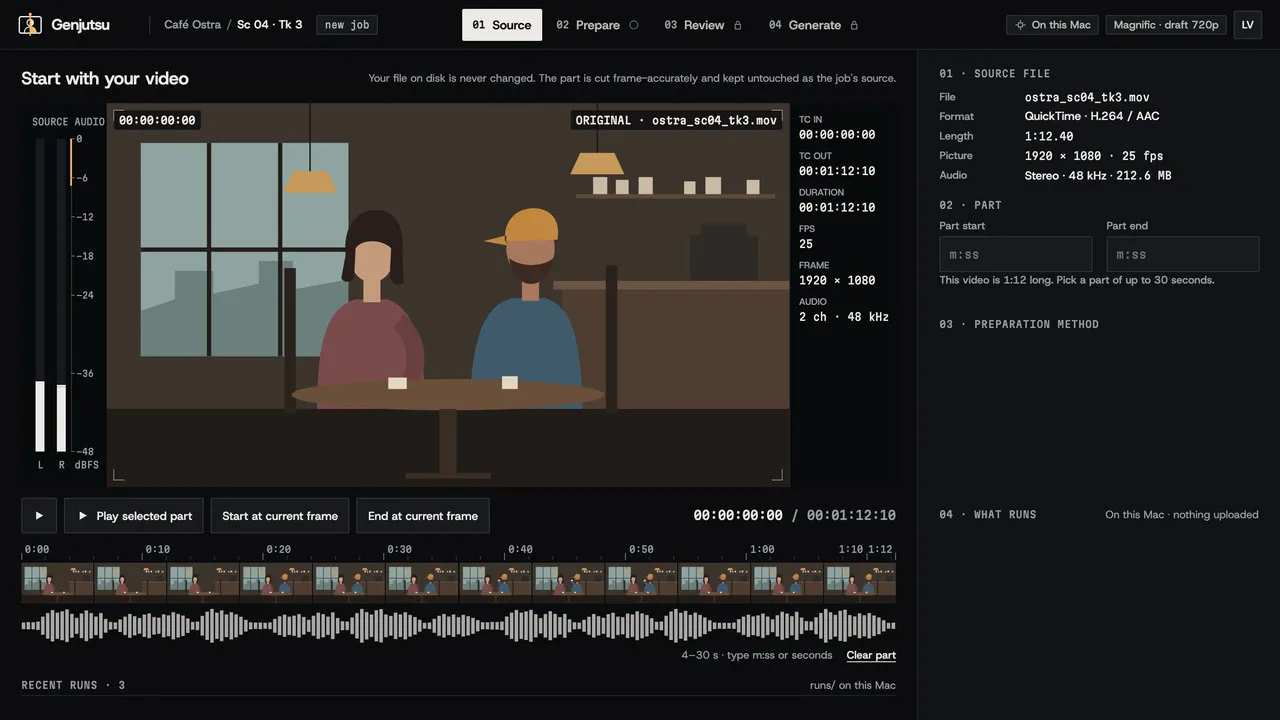
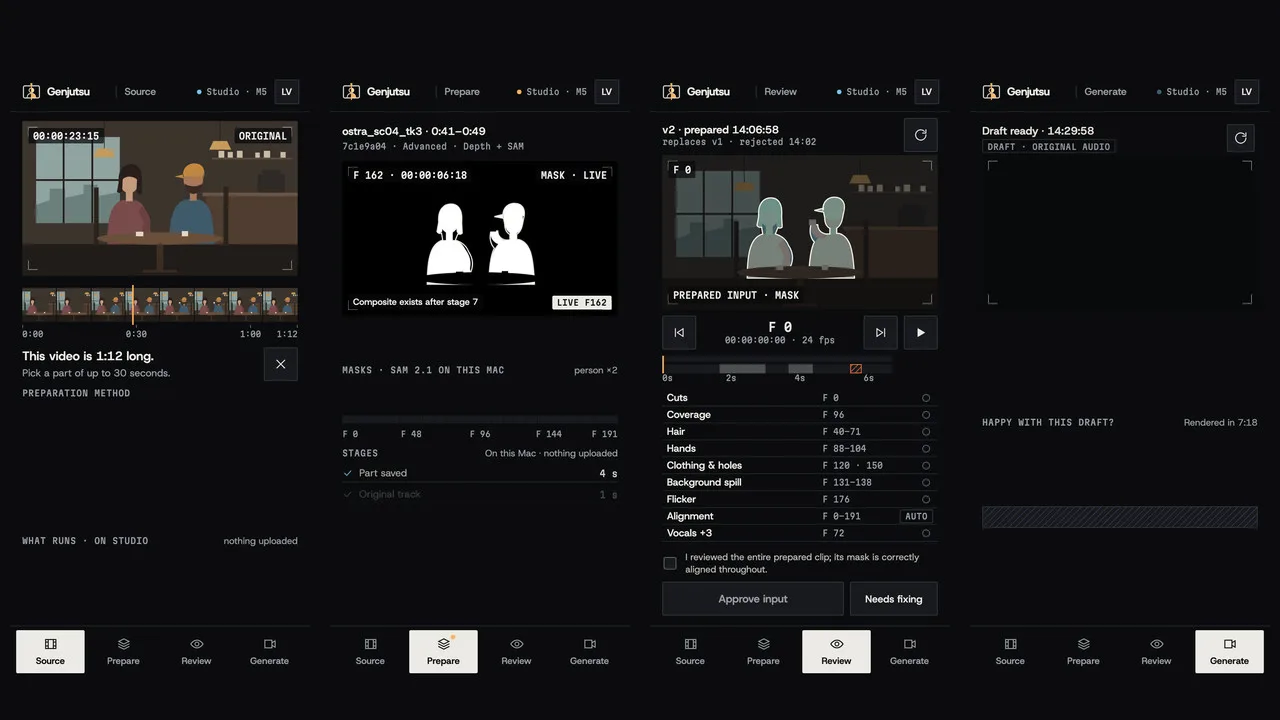
Step 1: Source
Drop in the original video. Select the part to keep, up to 30 seconds, and the clip is cut before anything is prepared. Add the replacement as an image or a video, then pick a preparation mode: depth with masks, fast face mesh, or both.
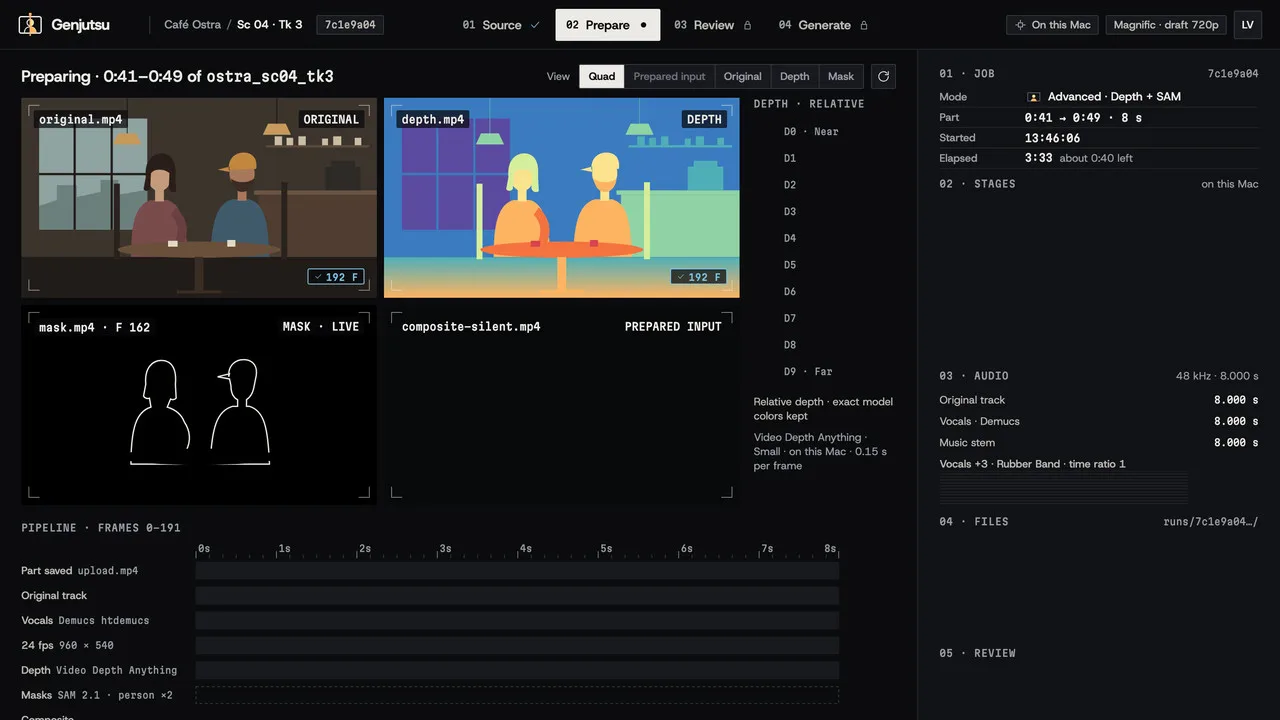
Step 2: Prepare
The clip is prepared on your machine. A colored depth pass and the subject masks fill in frame by frame, or a face mesh is tracked and drawn over the picture, while the vocals are separated, raised three semitones and embedded. When face tracking loses the face, the app says in plain words where and why.
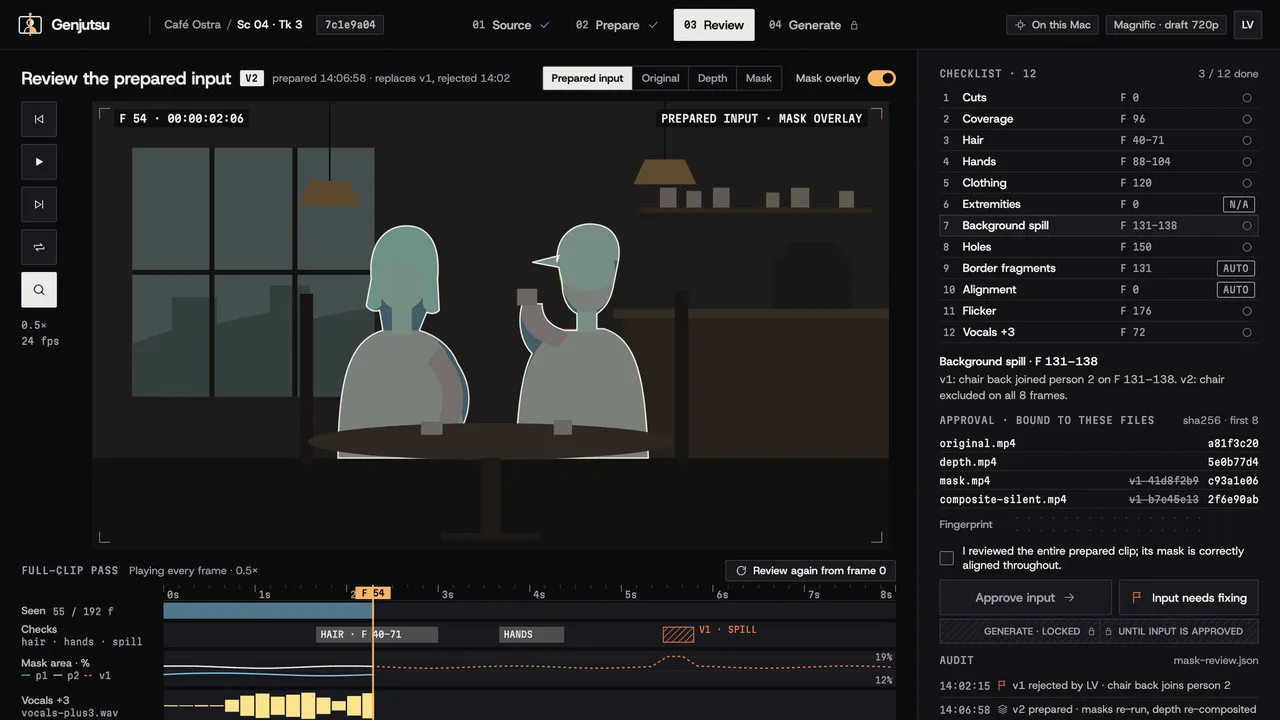
Step 3: Review
Switch between Original, Depth, Mask and the prepared input, and play the whole clip with its pitched vocals. Approve it only once every cut and edge holds; mark it as needing a fix and nothing can be submitted. The approval belongs to those exact files, so changing one asks for a new review.
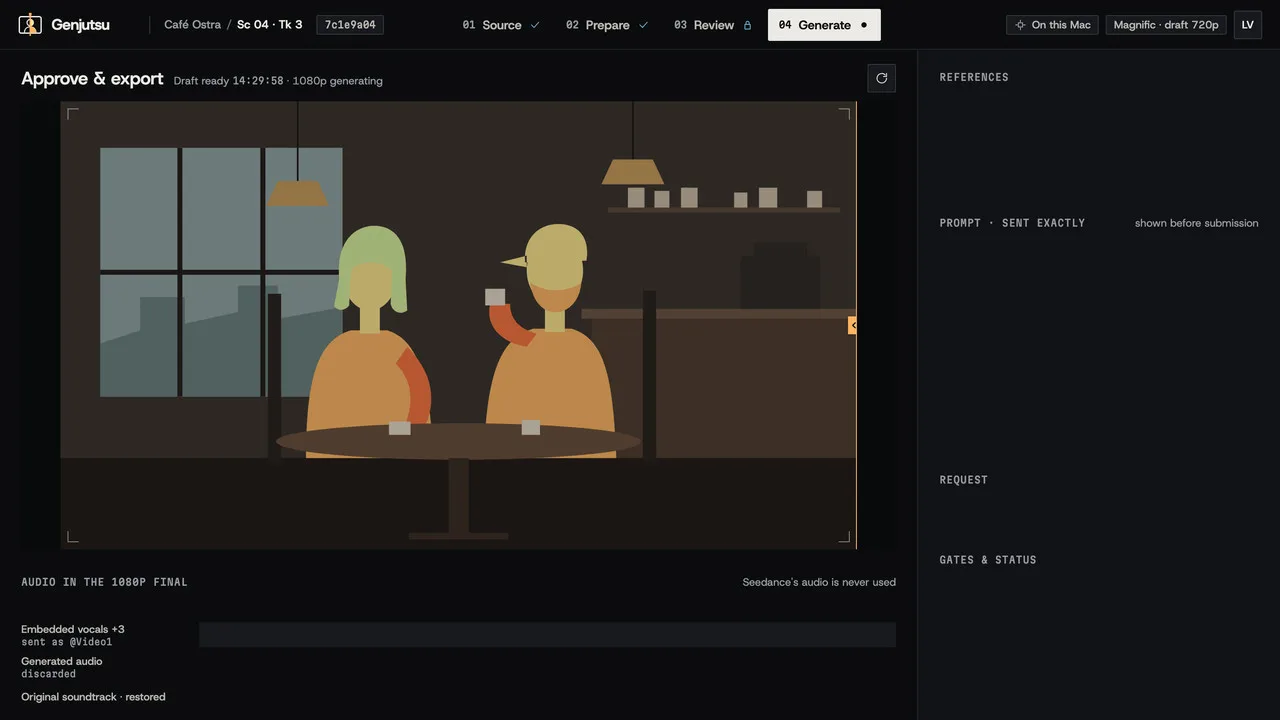
Step 4: Generate
The mode in use (Edit for an image, Omni for a video identity) and the exact creative prompt are shown before submission. The result returns as a draft with the original soundtrack restored. After you approve it, the 1080p version is made and restored the same way, ready to preview and download.
FIG. 03 / SCREENS
The product, screen by screen
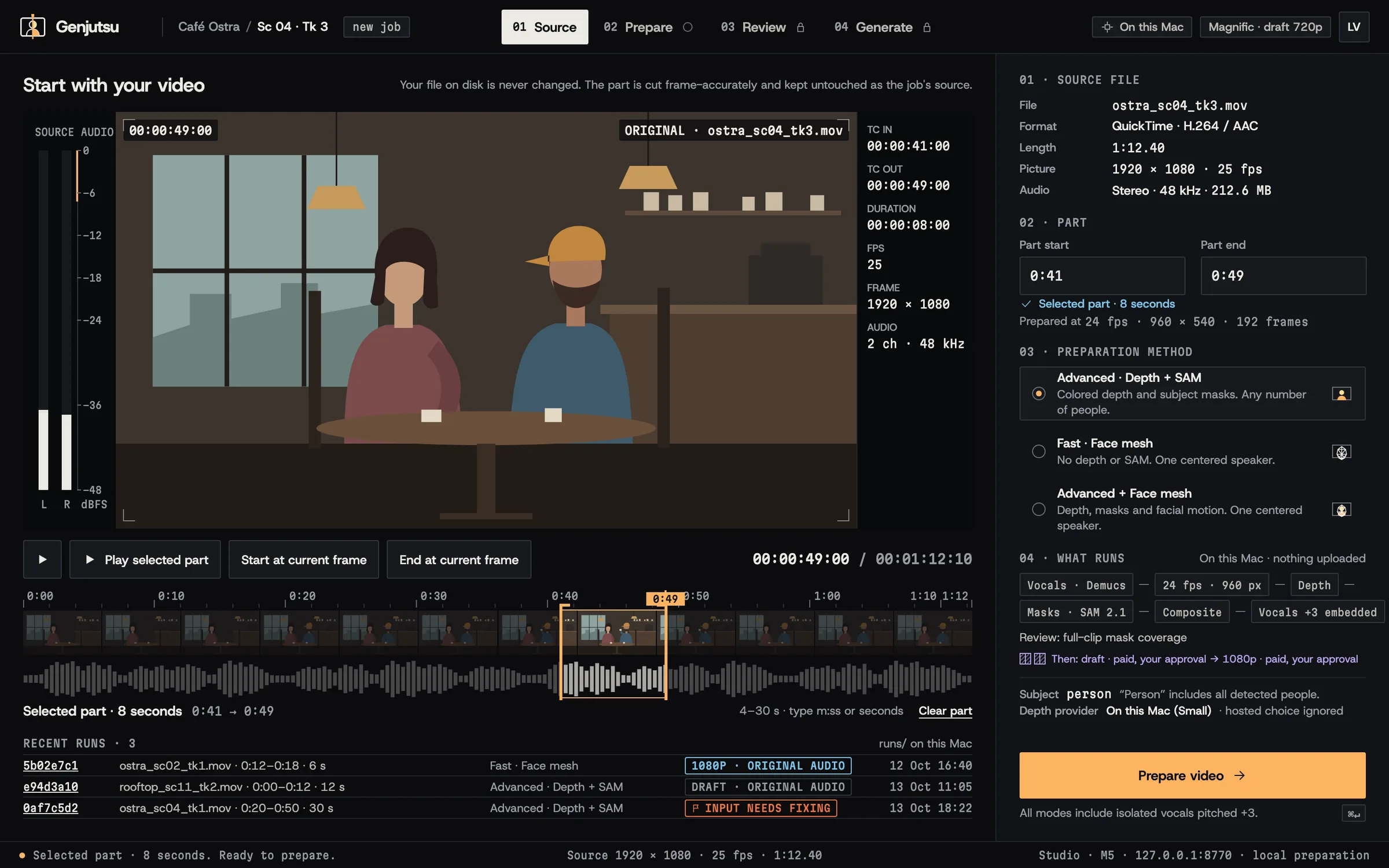
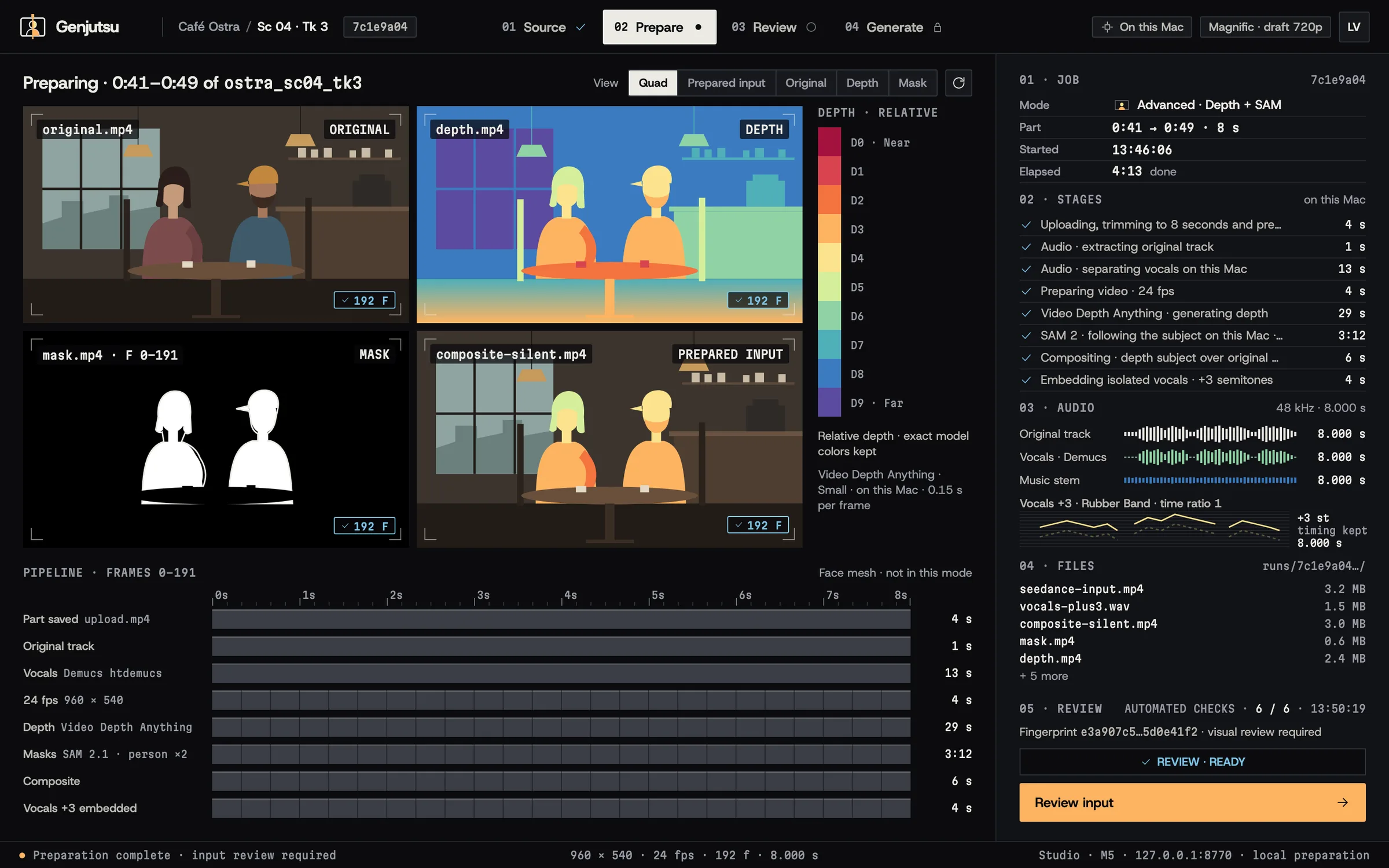
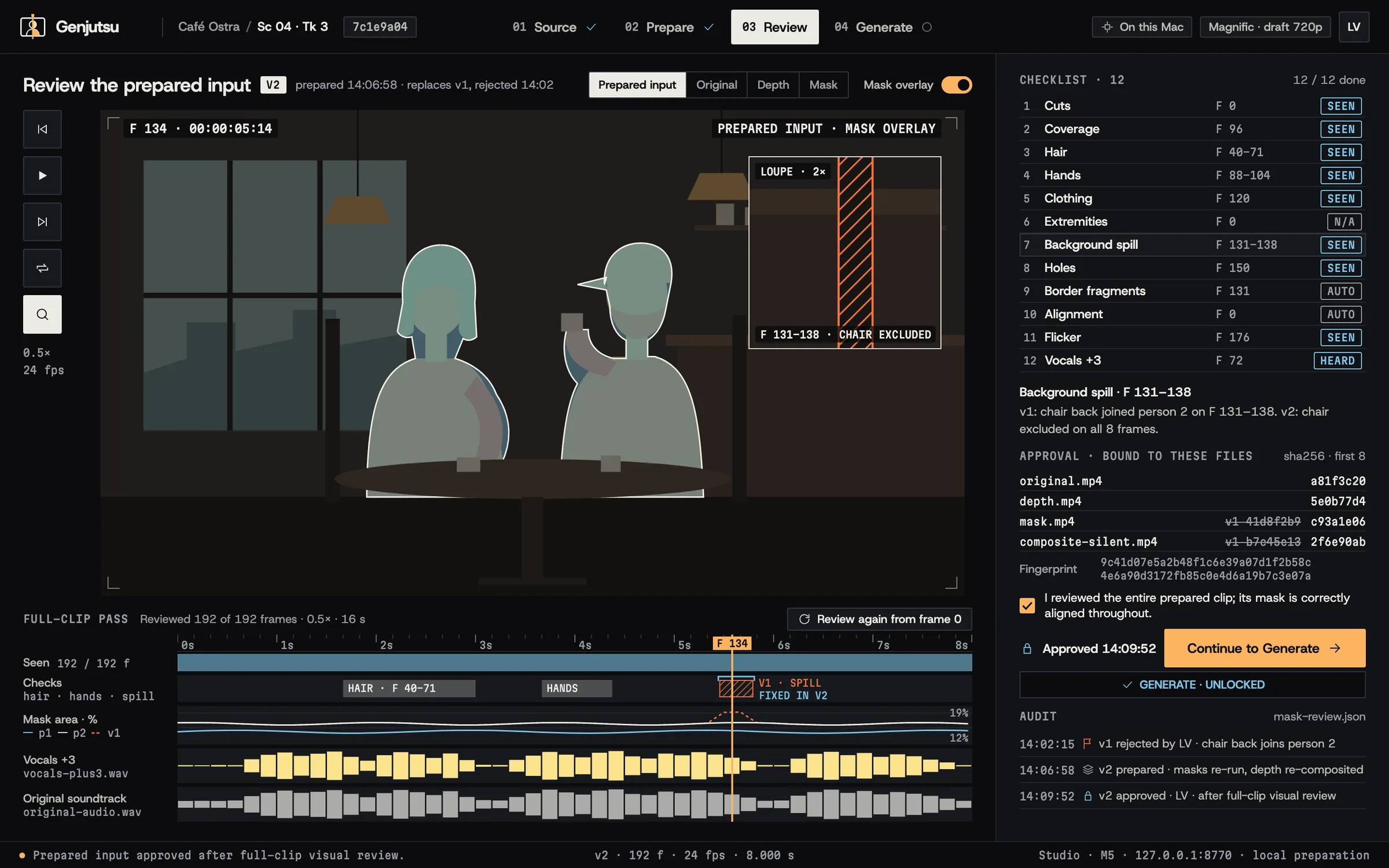
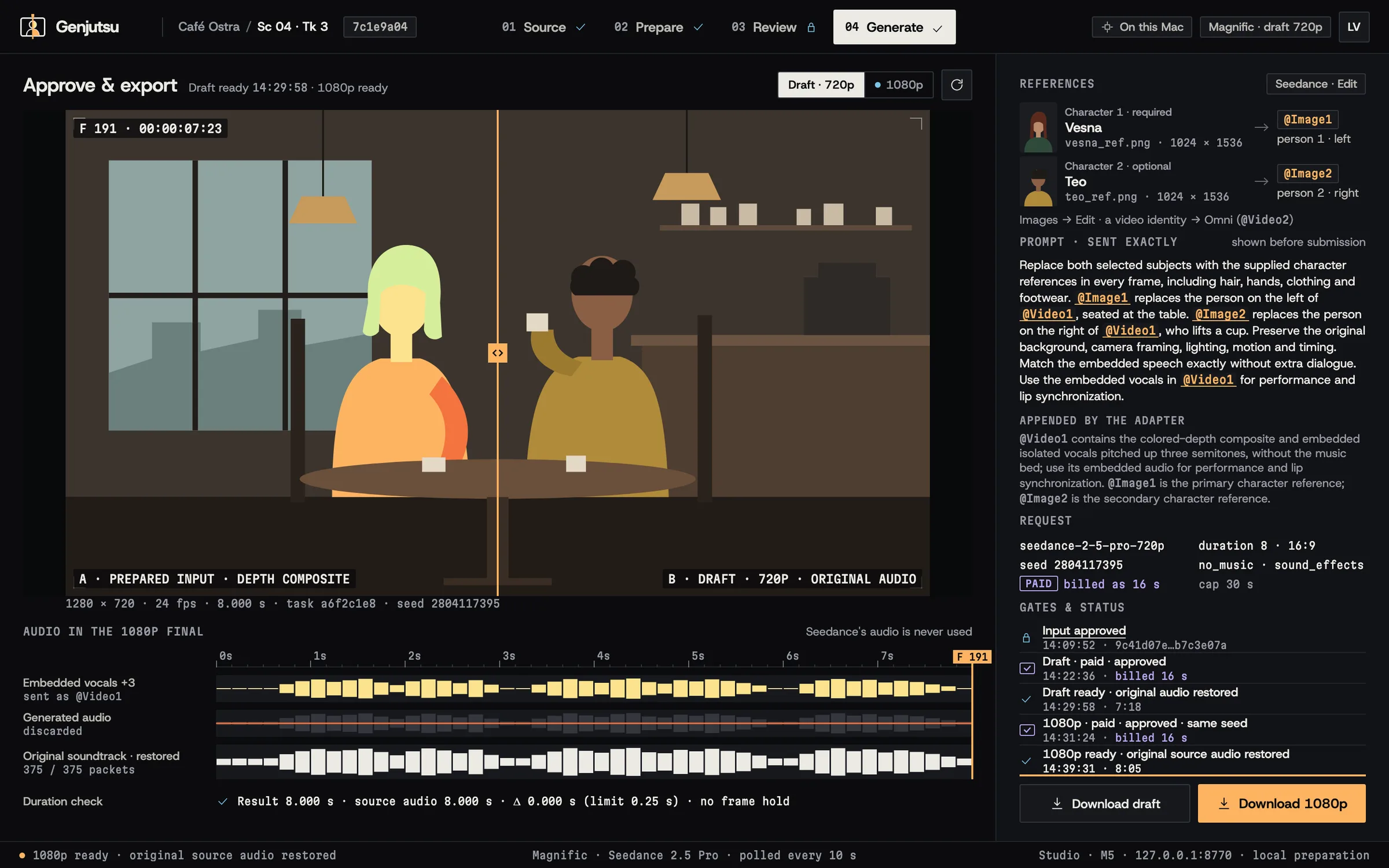
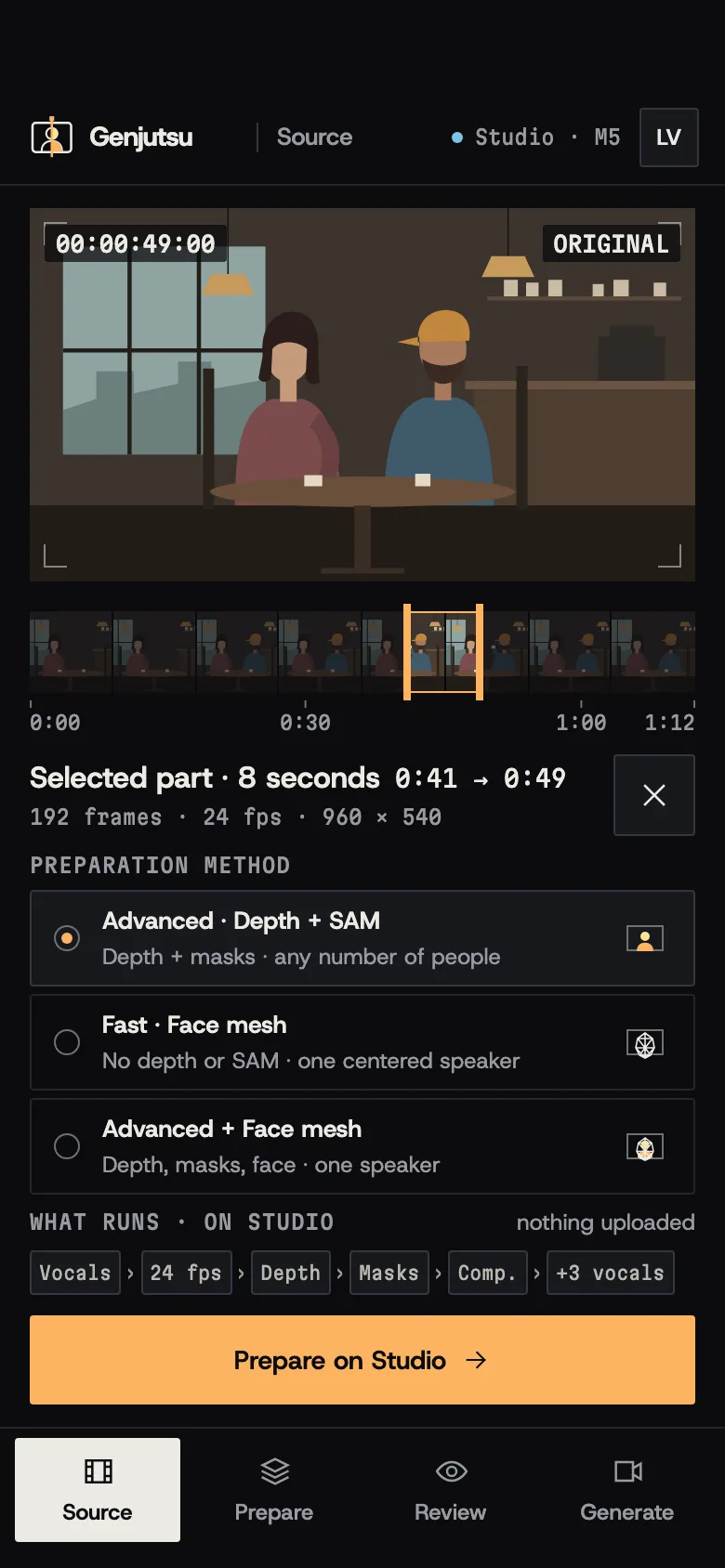
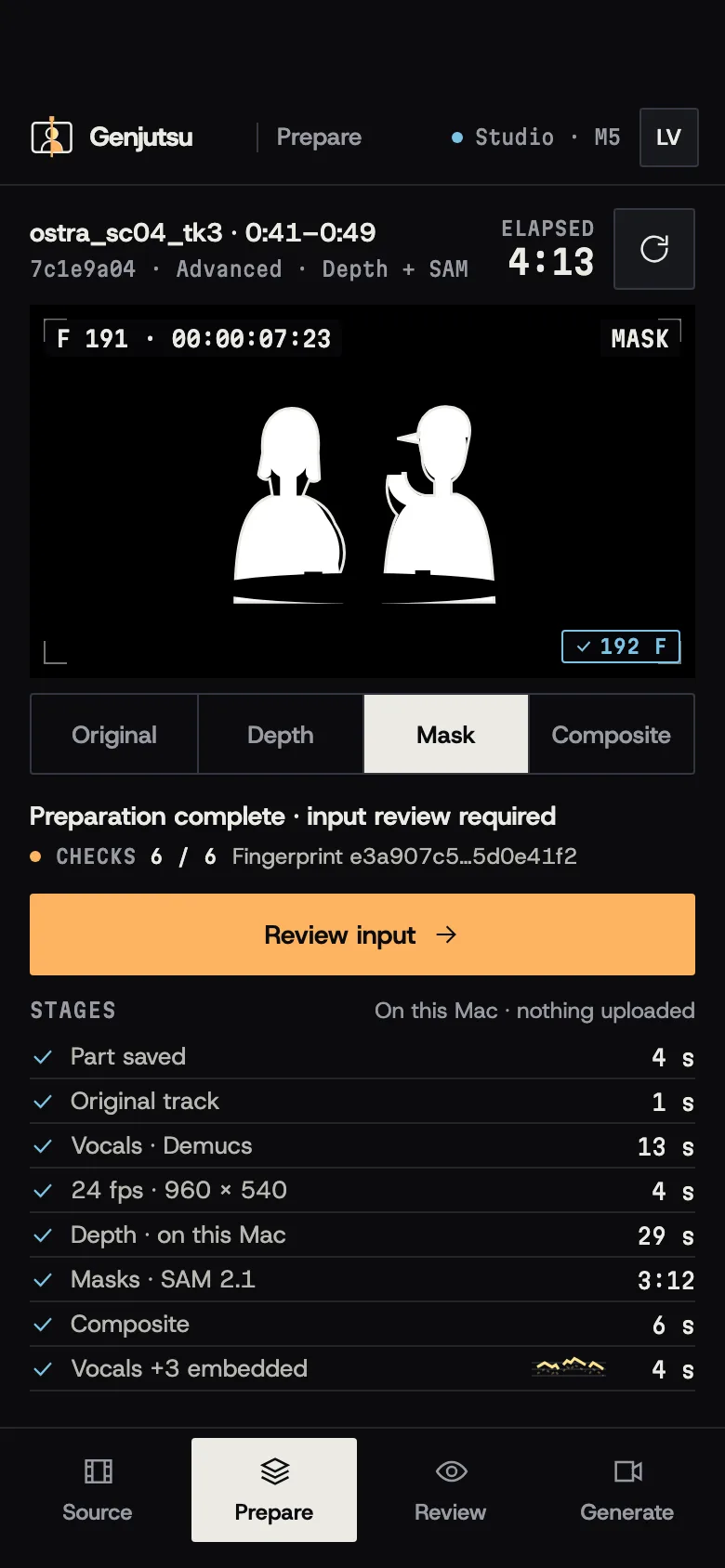
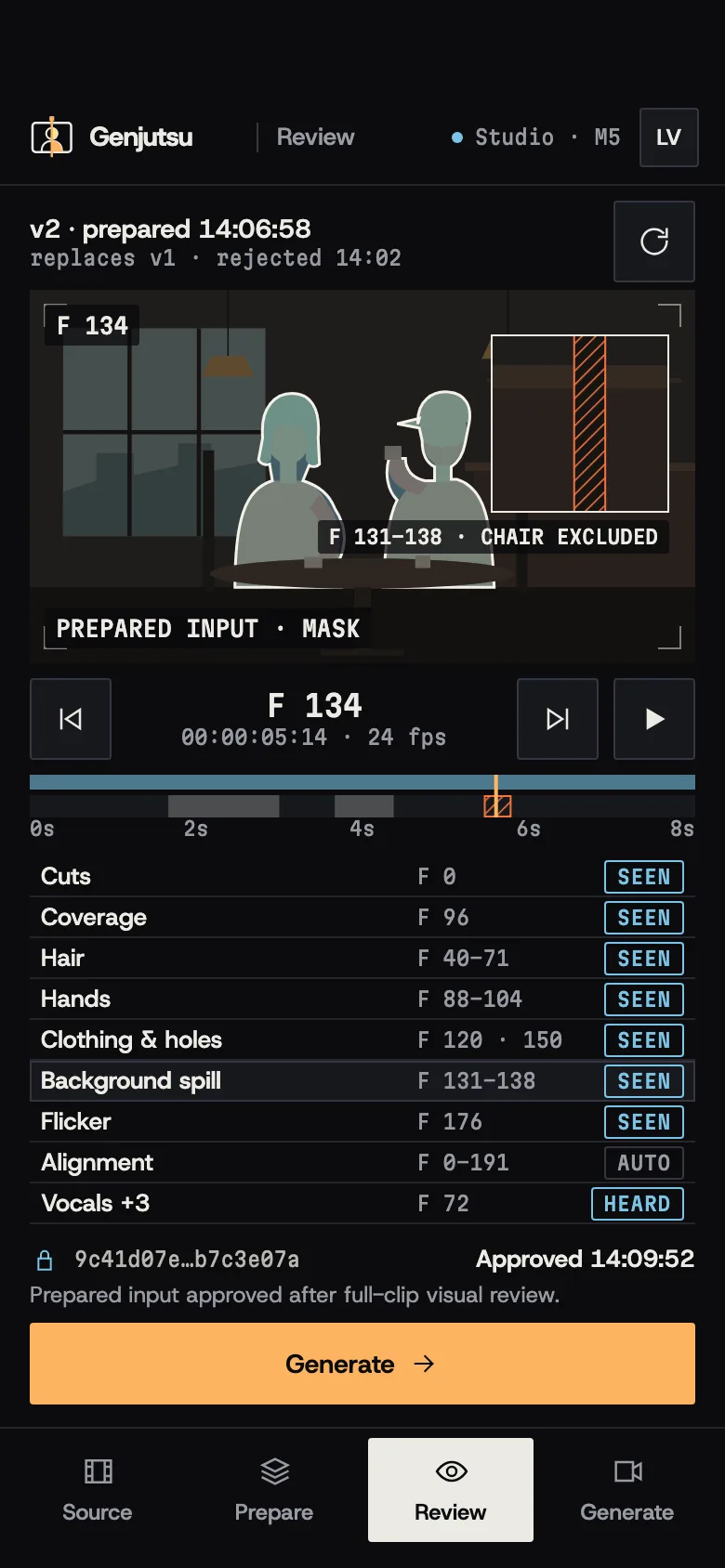
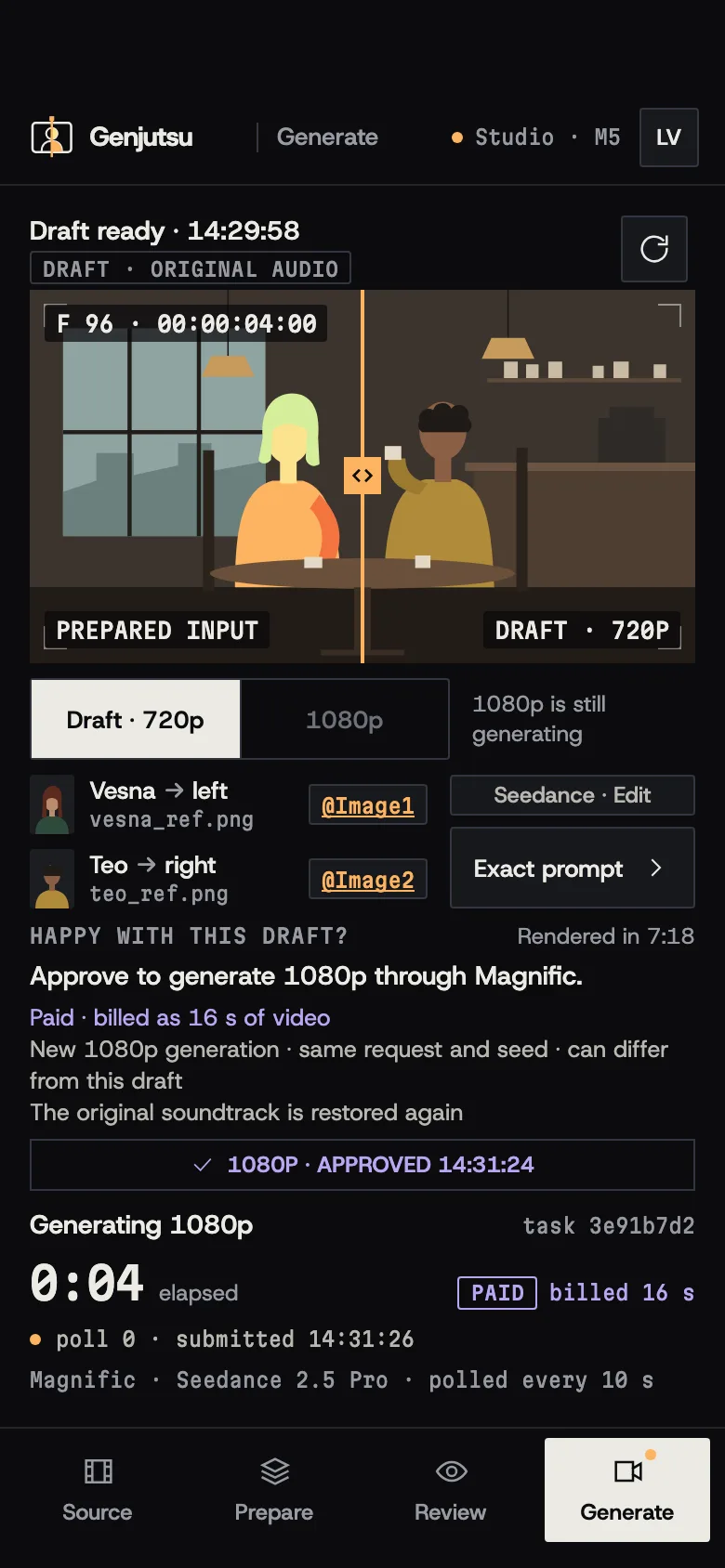
FIG. 04 / DESIGN DIRECTION
Design direction
Darkroom Spectral: a graphite compositing suite where the picture is the only colour. The spectral depth palette lives inside the plates and nowhere else. Amber marks your hand — buttons, the playhead, the wipe handle — lock blue marks what is approved and sealed, orange marks a problem and violet marks a paid step that waits for you. Host Grotesk carries the interface, Martian Mono the timecodes, frames and hashes.
Palette
- Graphite#0B0C0E
- Bone#ECEAE4
- Amber#FDB462
- Lock blue#7CC4E8
- Paid violet#B9A6F2
Type
- Host Grotesk
- Interface: titles, labels, controls and text
- Martian Mono
- Timecodes, frame numbers, hashes and badges
FIG. 05 / MOTION LANGUAGE
Motion language
Plates & Gates: Genjutsu works like a compositor, and the motion shows it. Plates develop out of black, a roto pen traces the mattes, the playhead prints the frames it has seen, a wipe compares one version with the next, and approvals open gates and seal a hash. The original soundtrack runs underneath, untouched.
Related systems
AI Product Visuals Pipeline
Internal toolA skill-driven pipeline that turns a client's chat request into an on-brand AI product photo, picking the right account, model and reference automatically.

ZikirChain
LiveA dhikr counter that feels like prayer beads: the teacher publishes the day's program, you tap, a bead slides. No sign-up, no login.
Mailsort
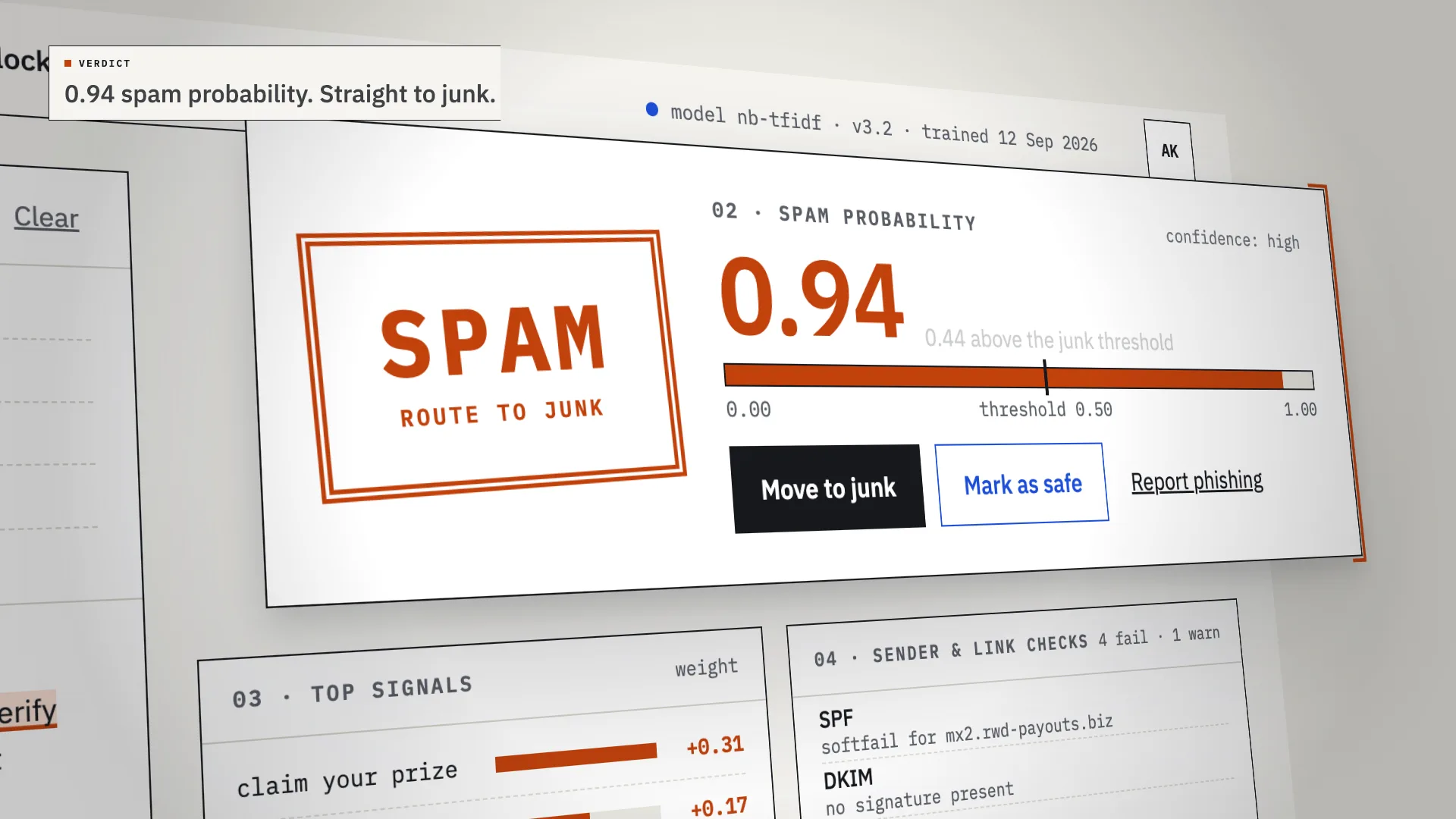
LiveAn AI spam classifier that shows its work: every verdict comes with the phrases, sender checks and links that decided it.
Have a project like this?
Tell me what you want to build. We map it on a 30-minute call.