

Product
LiveMailsort
An AI spam classifier that shows its work: every verdict comes with the phrases, sender checks and links that decided it.
Facts
- Status
- Live
- Platform
- Web app + mobile
- Flows
- Scan · Batch CSV · History
- Model
- Naive Bayes on TF-IDF
- Year
- 2026
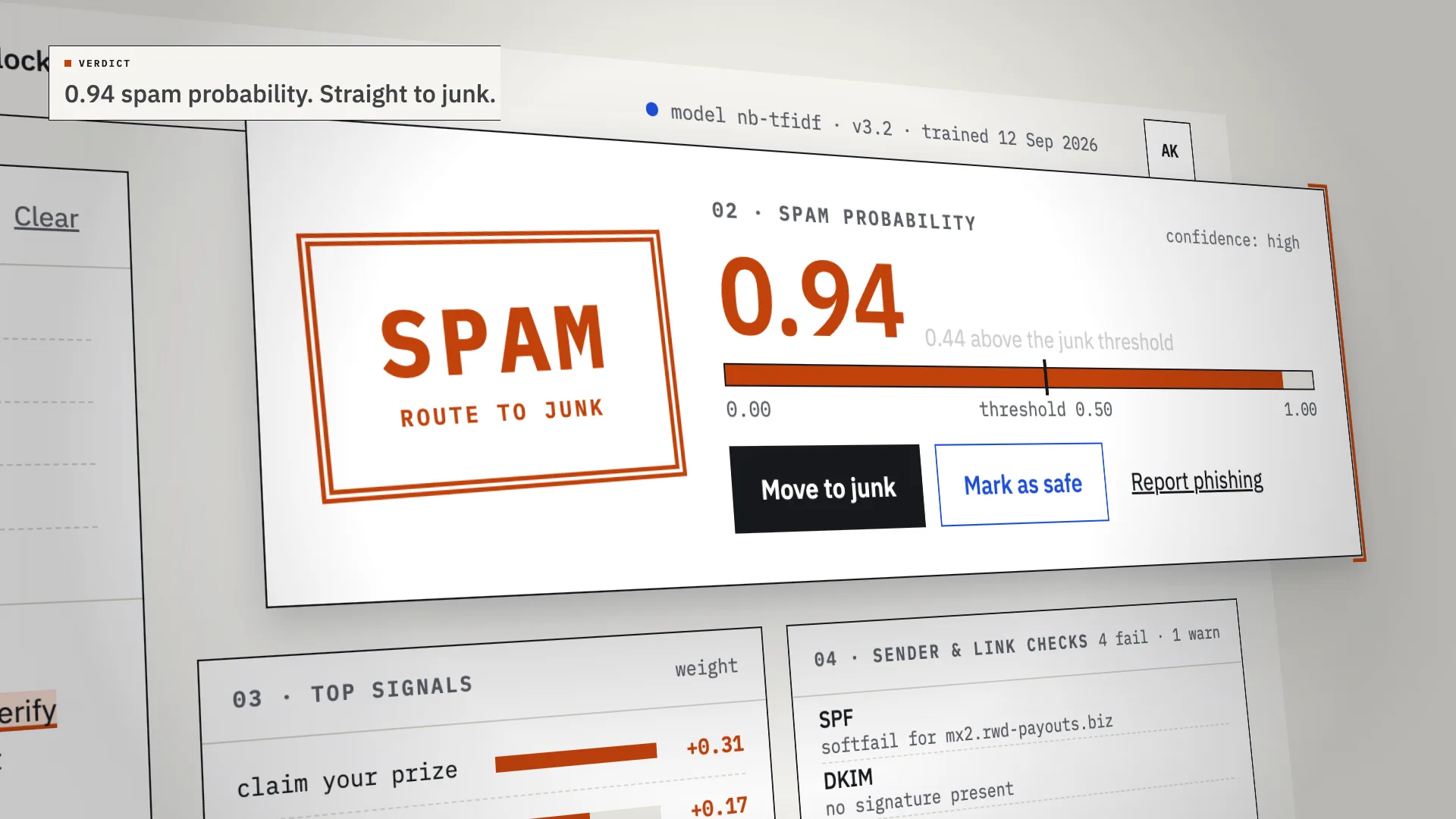
FIG. 01 / PRODUCT FILM
Muted preview · play with sound for the full cut
Who it's for
Whoever looks after an inbox that matters: a shared team address, a small office's mail, the person colleagues forward suspicious messages to. Mailsort is for anyone who needs to see why a message was flagged before junking it or letting it through.
The problem
Spam filters decide in silence. A real invoice lands in junk, a phishing email reaches the inbox, and nobody can see why — so people stop trusting the filter and end up checking the junk folder by hand.
The product
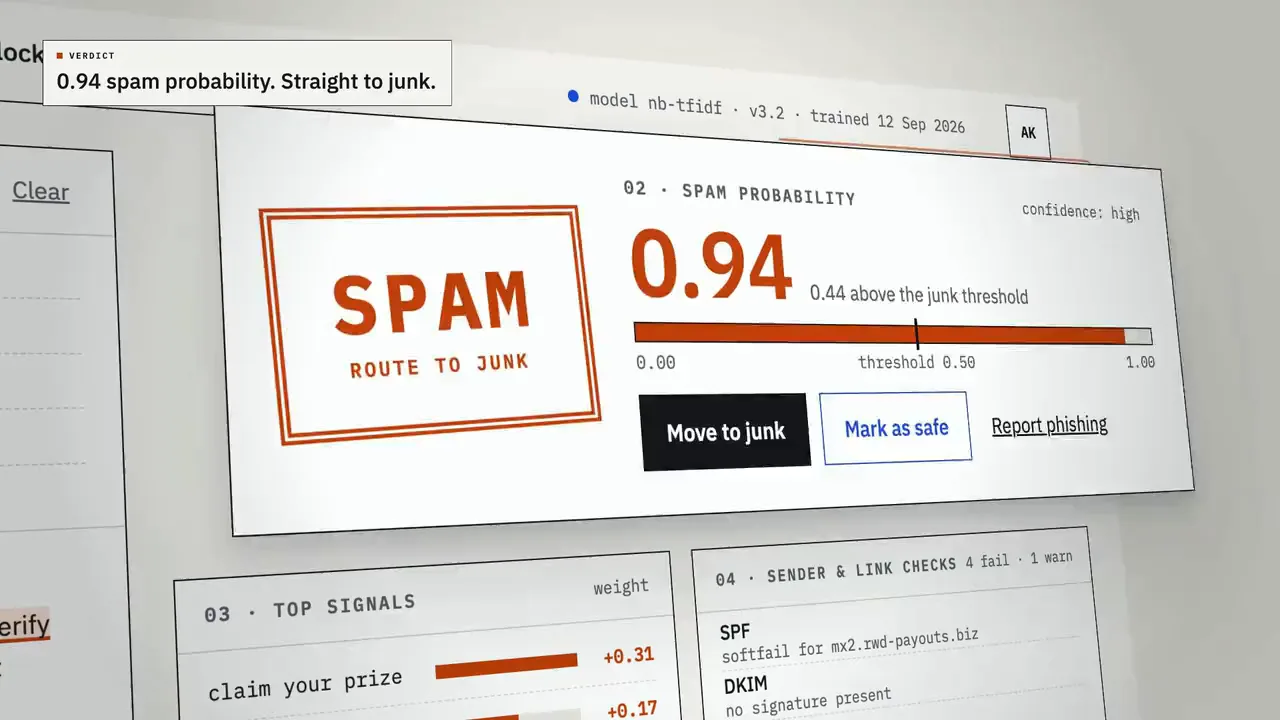
Mailsort reads every email as evidence. Paste a message or drop an .eml file: a Naive Bayes classifier on TF-IDF features scores it from 0 to 1 against a junk threshold, while sender checks (SPF, DKIM, domain age, Reply-To) and a link blocklist run alongside. The verdict arrives with its reasons — trigger phrases highlighted in the body, the signals that weighed most, a pass or fail for every check — and anything close to the threshold is marked borderline for a person to review, not guessed at. A whole inbox export runs the same way as a CSV batch, and every verdict lands in a searchable history where it can be reversed.
FIG. 02 / HOW IT WORKS
How it works
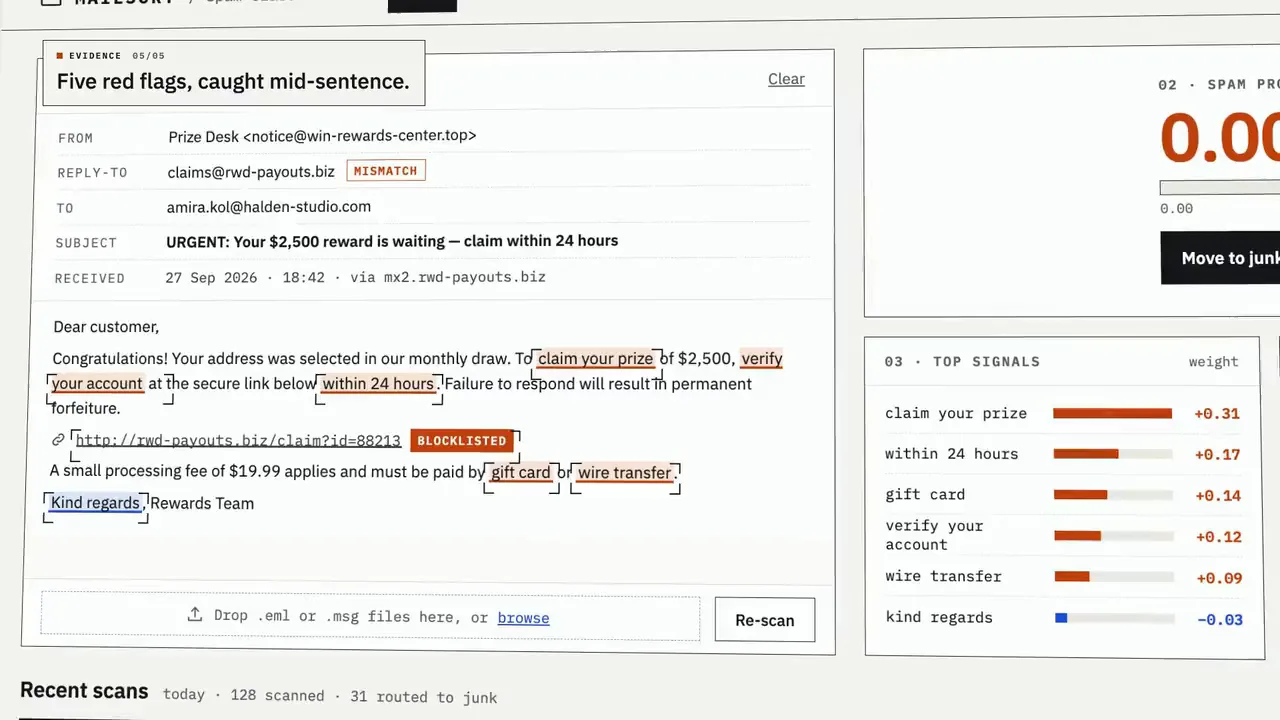
Step 1: Scan
Paste an email or drop an .eml. A scan line reads the message and inks in the phrases that count, the score ticks up against the junk threshold, and a SPAM or SAFE stamp lands — with the top signals and every sender and link check beside it. One click moves it to junk or marks it safe.
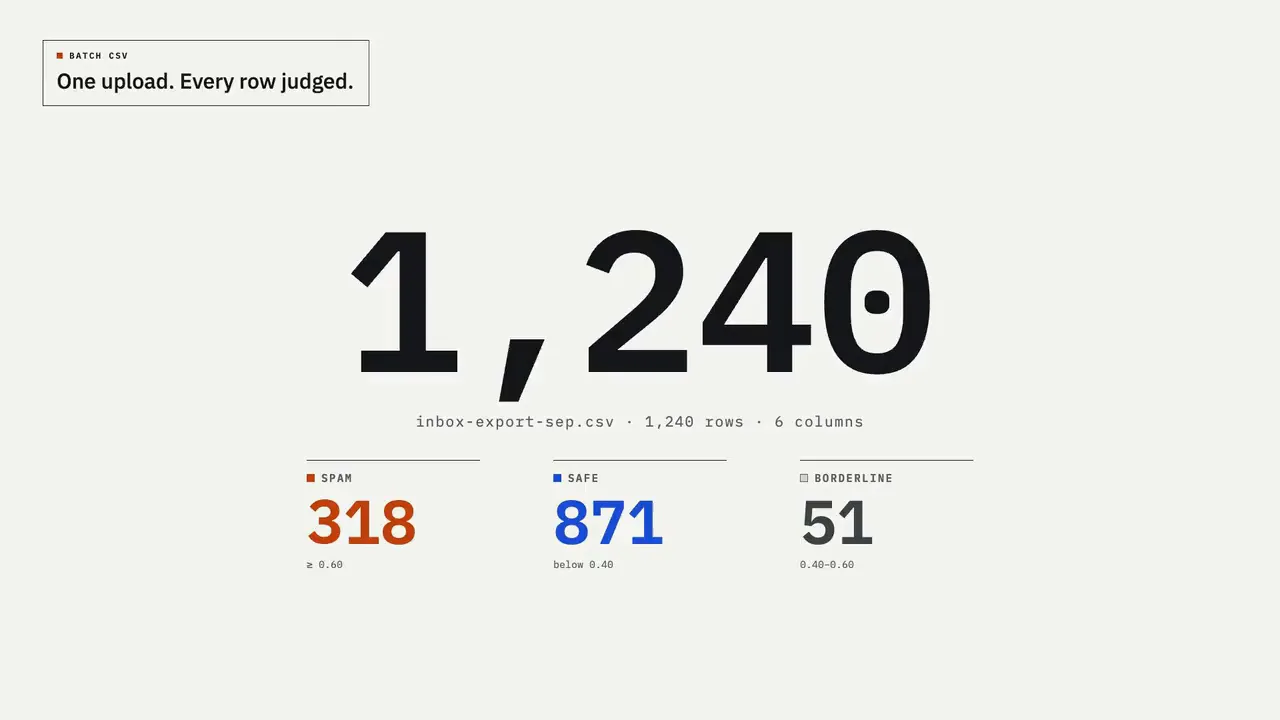
Step 2: Batch CSV
Drop an inbox export and map its columns once. Rows stream through live: a running counter, a spam / safe / borderline tally and a score histogram with the threshold marked. When the run ends, one action moves the junk and the results download as a CSV.
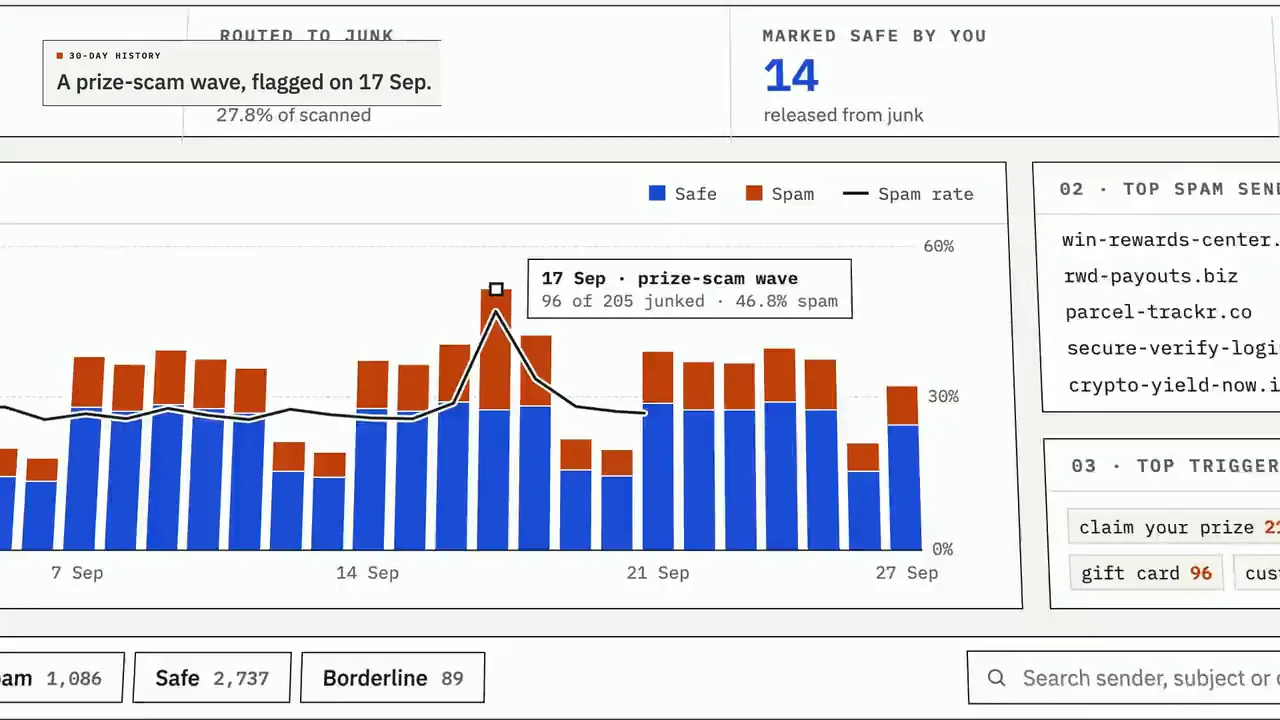
Step 3: History
Thirty days at a glance: daily volume split into safe and spam, a spam-rate line that makes a new wave stand out, the sender domains and phrases behind it, and a searchable log where any verdict can be reversed.
FIG. 03 / SCREENS
The product, screen by screen
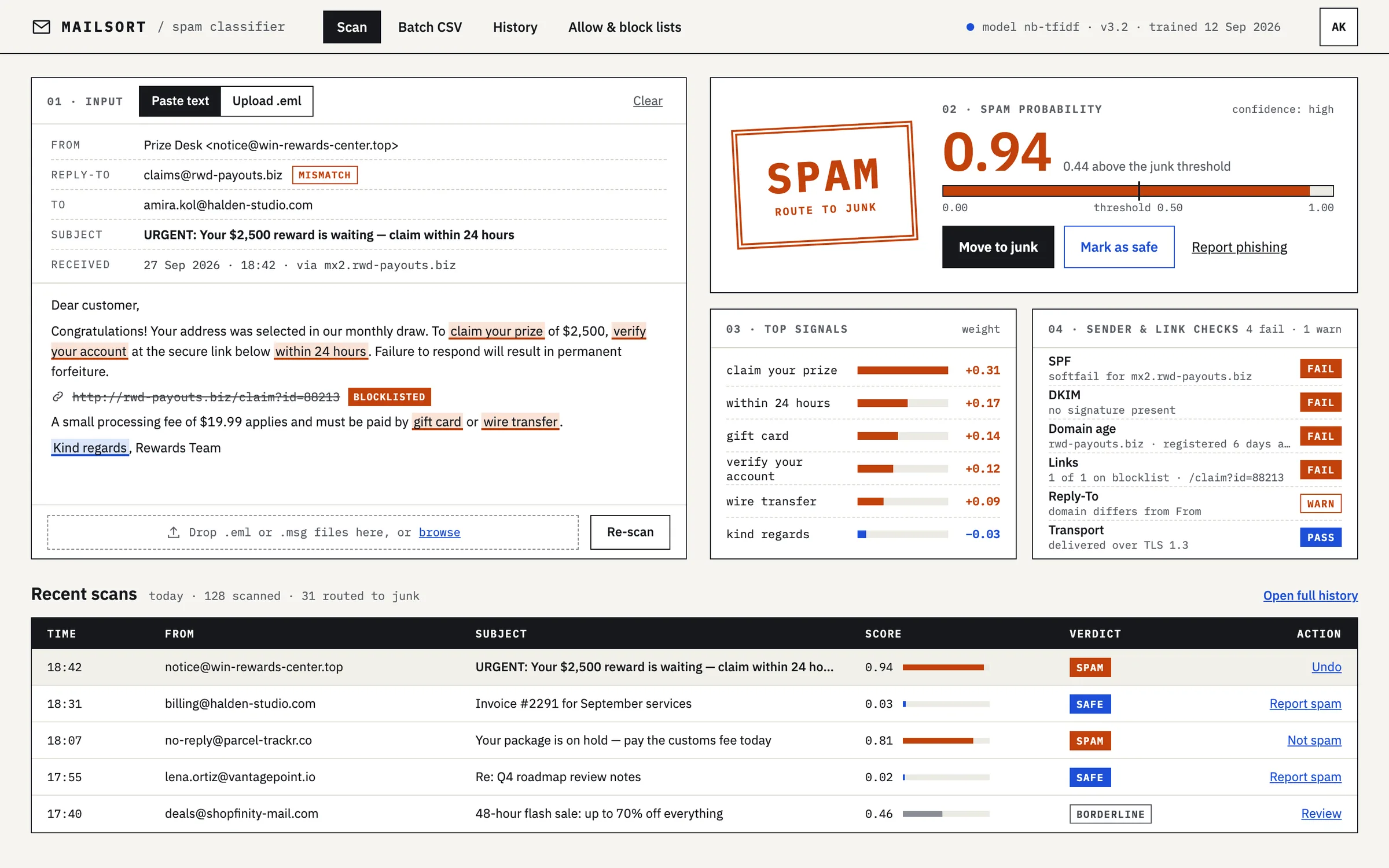
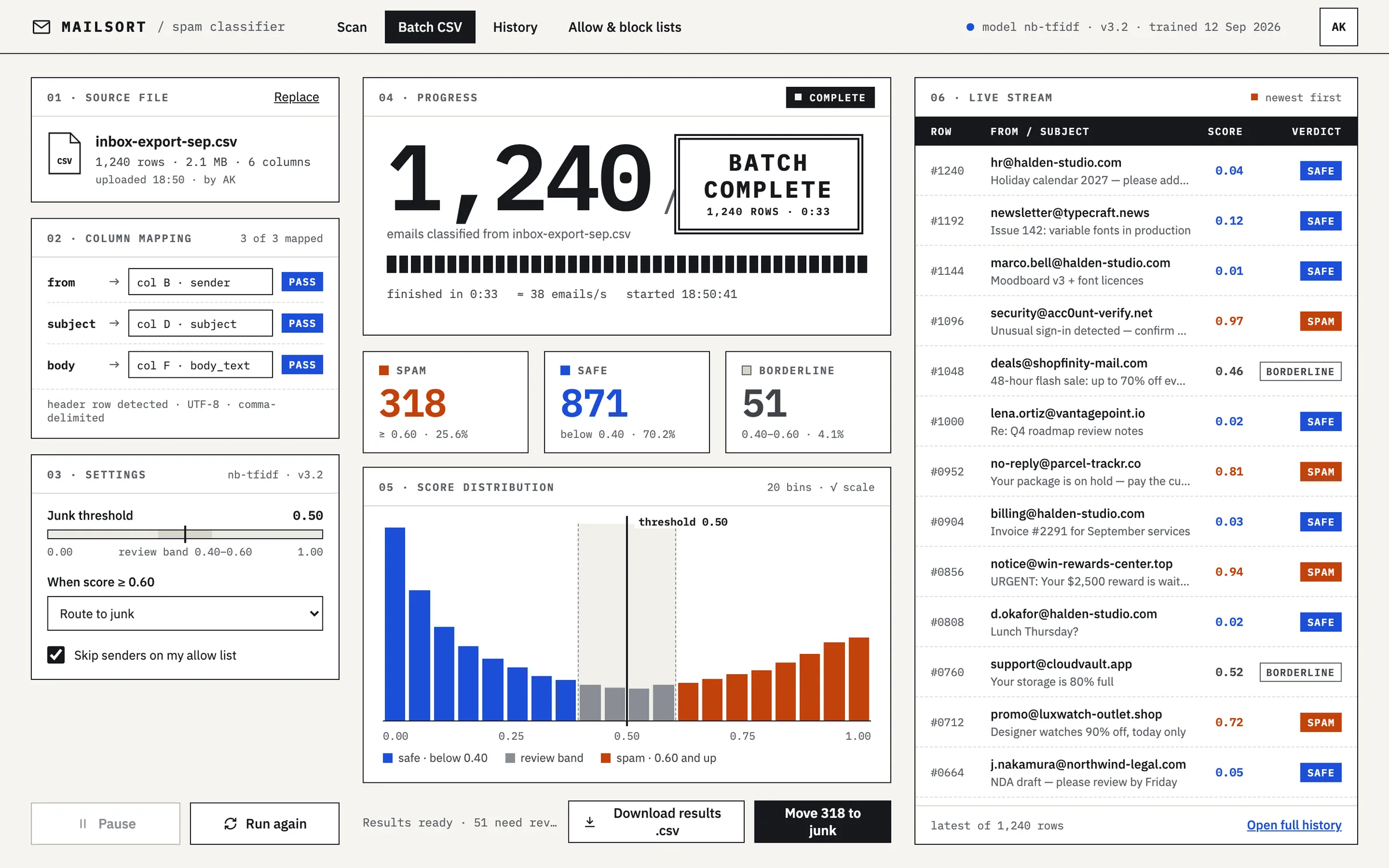
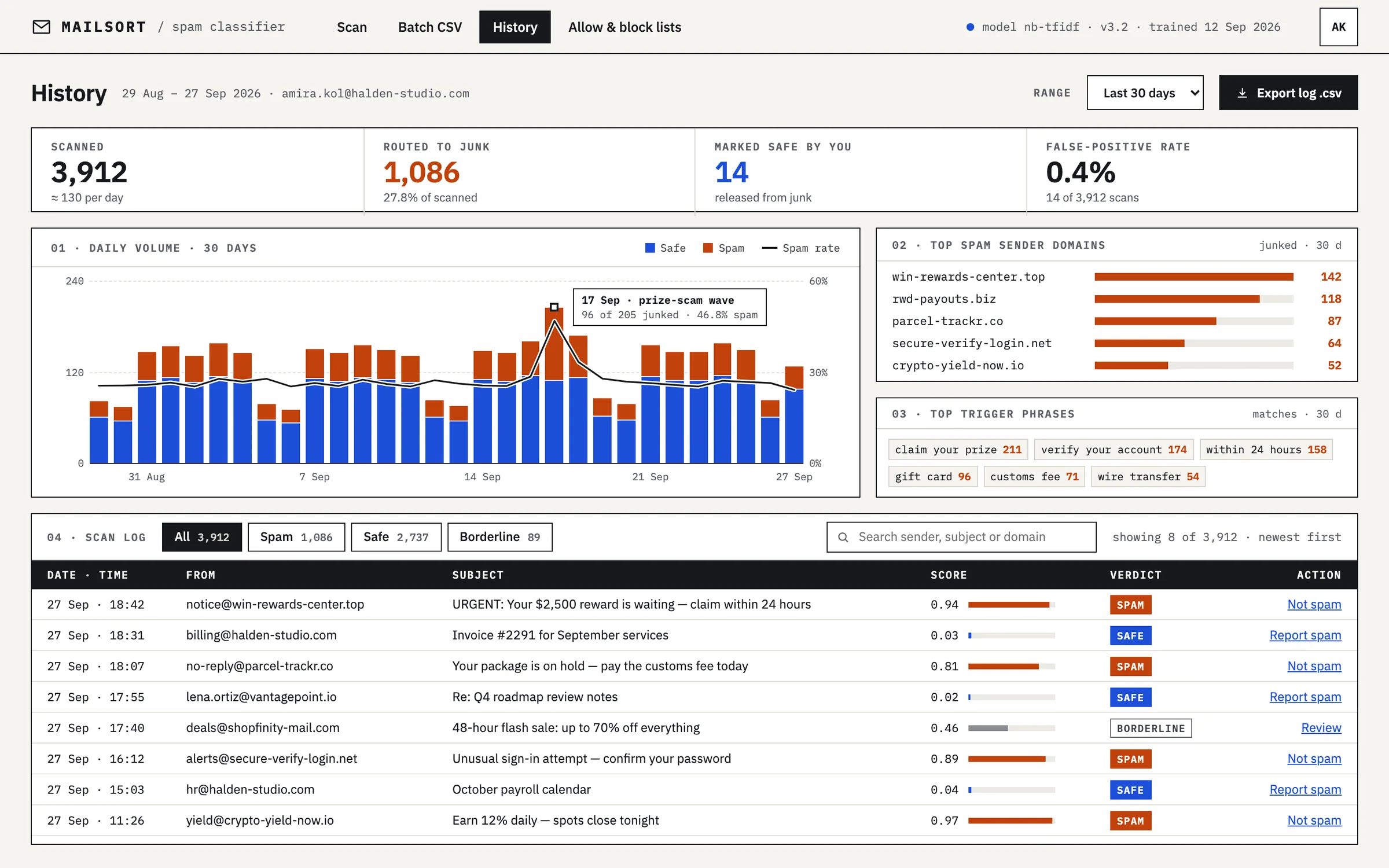
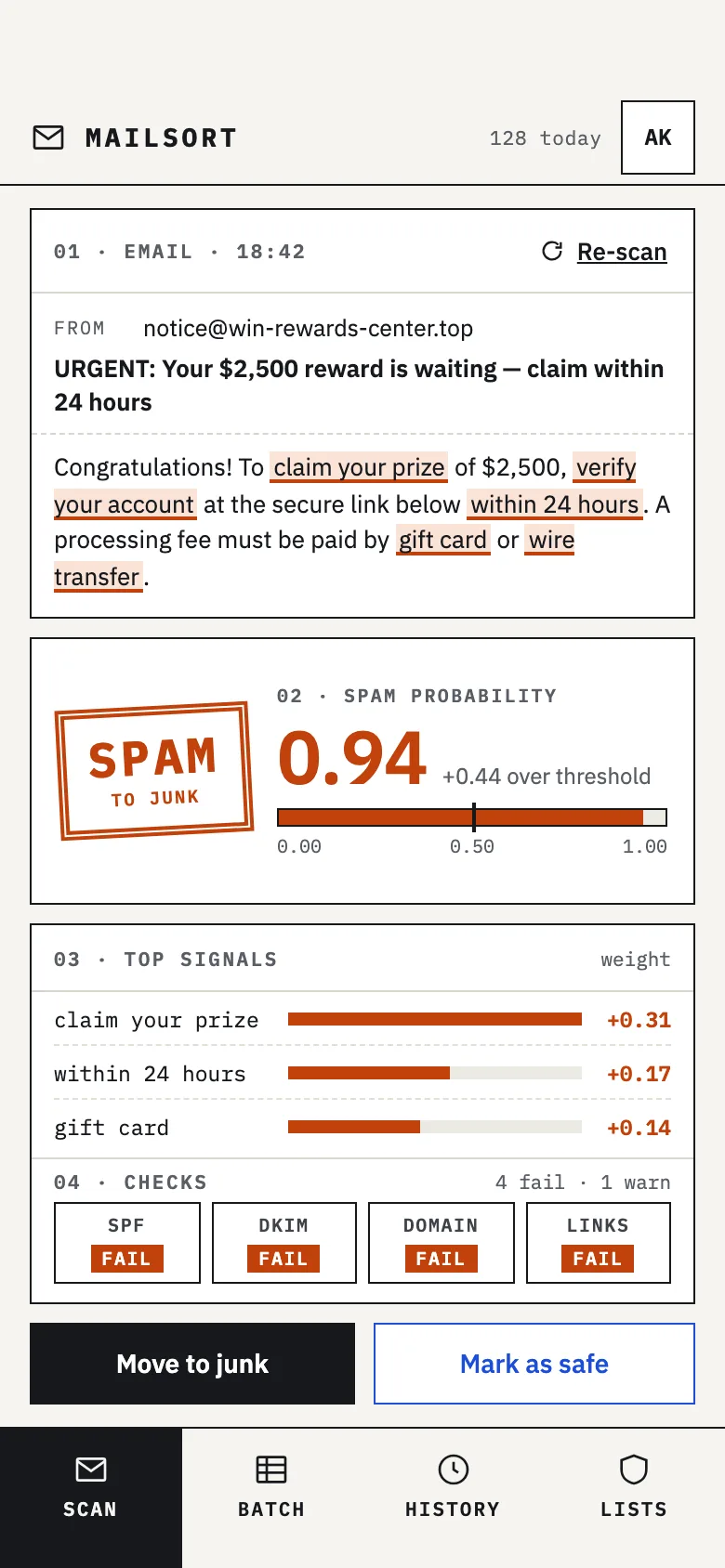
FIG. 04 / DESIGN DIRECTION
Design direction
Mail-room utilitarian, light and square. IBM Plex Sans carries everything a person reads — subjects, body text, actions — and IBM Plex Mono everything the machine prints: labels, scores, timestamps, badges. Paper, ink rules and dashed row lines make it feel like a sorting office rather than a security console. Colour only ever means something: orange for spam, blue for safe, a grey outline for borderline — orange and blue rather than red and green, so the two verdicts stay distinct for colour-blind readers.
Palette
- Paper#F6F5F1
- Ink#16181D
- Spam#C2410C
- Safe#1D4ED8
- Borderline#8A8D94
Type
- IBM Plex Sans
- What people read: subjects, body text, actions
- IBM Plex Mono
- What the machine prints: labels, scores, times, badges
FIG. 05 / MOTION LANGUAGE
Motion language
“Mail-room machine”: mechanical, precise, ink on paper. A scan line sweeps the message and trigger phrases ink in as it passes; scores tick up in steps; the stamp lands once, with a two-pixel shake. Reveals are crisp and staggered like a sorting machine — no springs, no glow. Once an intro settles, only one live signal stays: a new row arriving, a counter moving on.
Related systems
Kiko
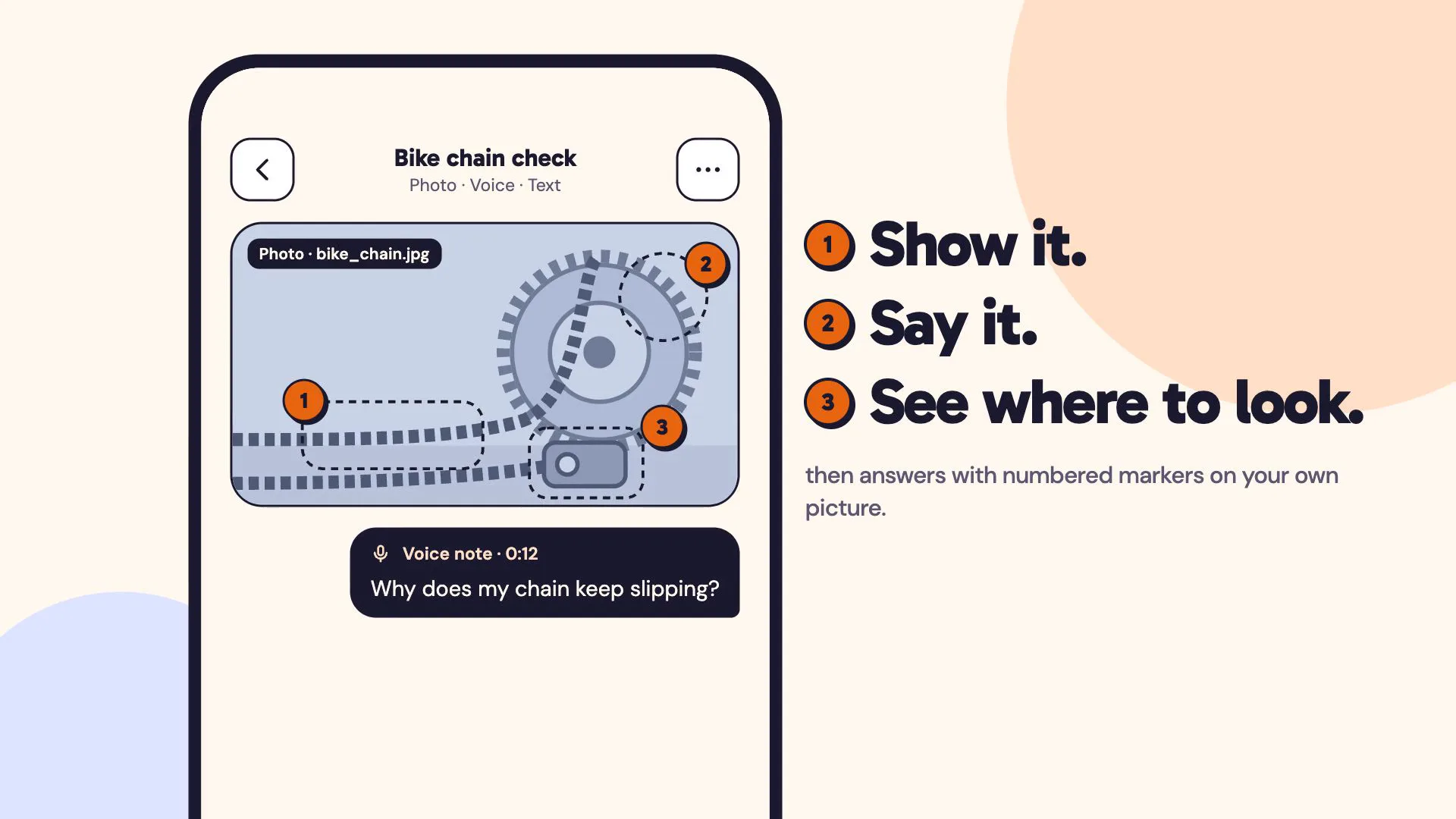
LiveA multimodal AI assistant you can show things to: a photo, a voice note and a line of text in one ask, answered with numbered markers on your own picture.
Chalkline
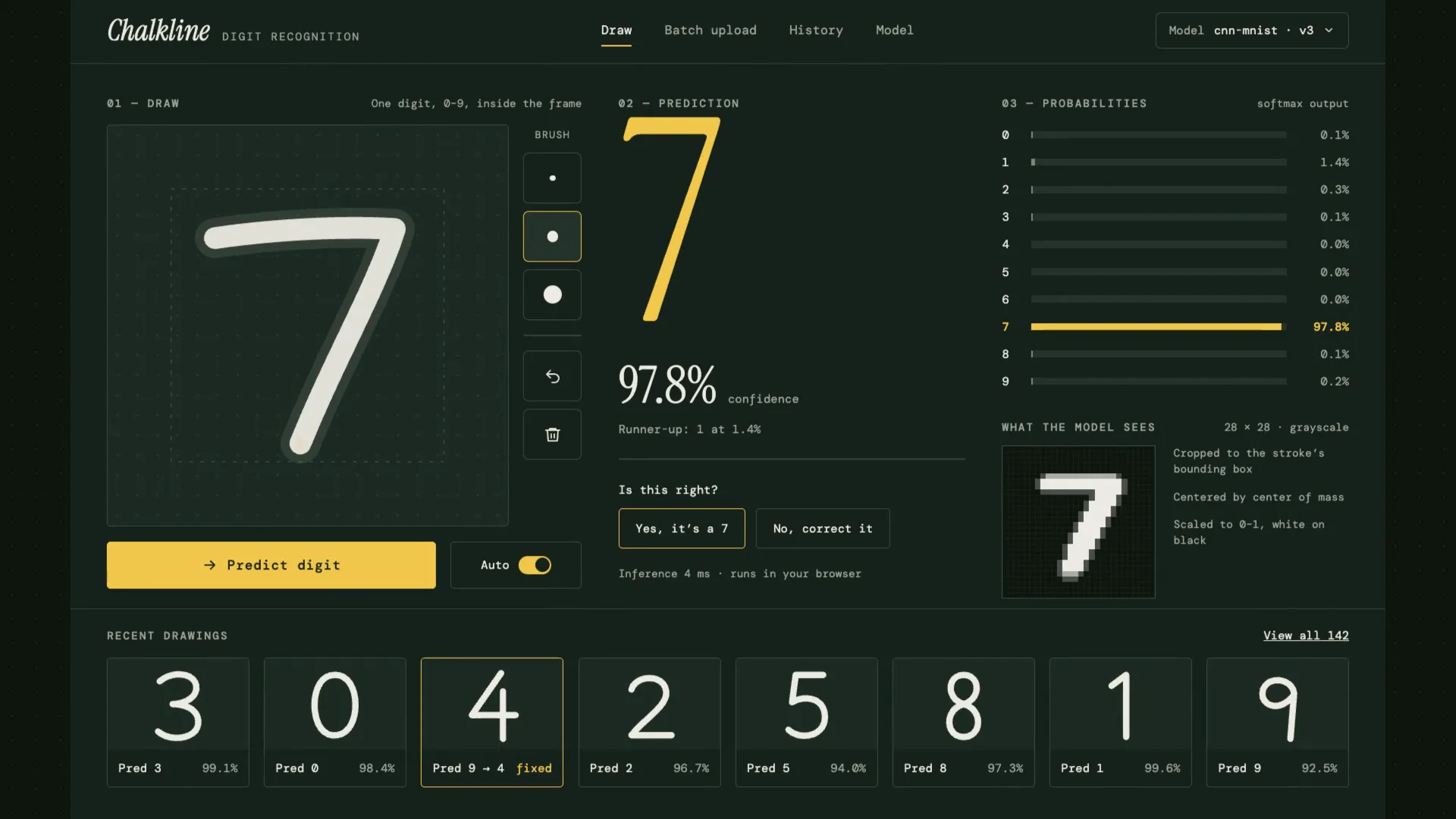
LiveA handwritten digit recognizer that shows its reasoning: your chalk stroke becomes the 28×28 pixels the model sees, then ten probabilities, then an answer.
Relay
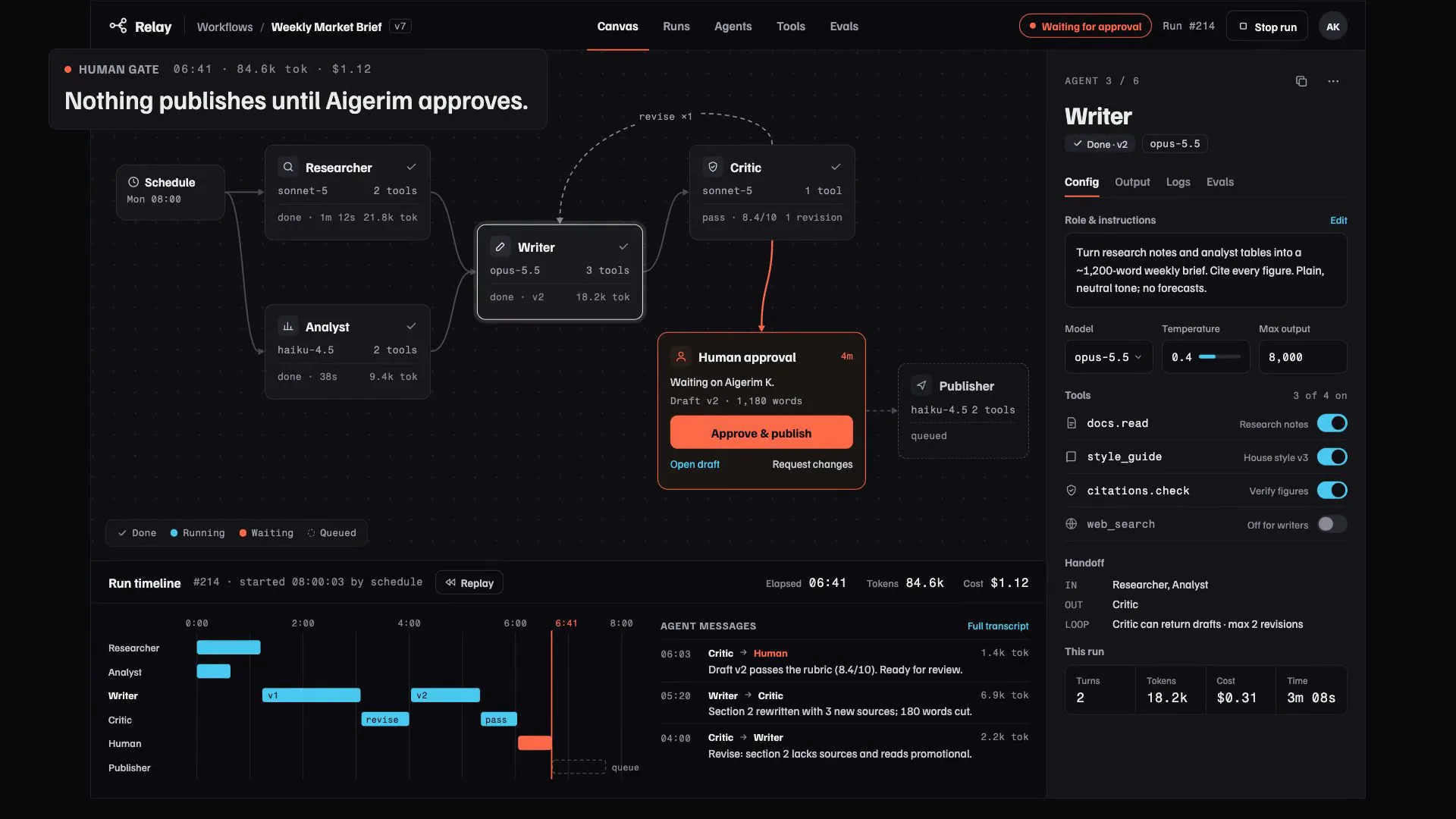
LiveA control room for multi-agent AI workflows: agents pass work along a visible canvas, every step and cost is traced, and nothing ships until someone signs off.
Have a project like this?
Tell me what you want to build. We map it on a 30-minute call.