

Product
LiveChalkline
A handwritten digit recognizer that shows its reasoning: your chalk stroke becomes the 28×28 pixels the model sees, then ten probabilities, then an answer.
Facts
- Status
- Live
- Platform
- Web app + mobile
- Flows
- Draw · History · Model
- Model
- Small CNN, 28×28 input, runs in the browser
- Year
- 2026
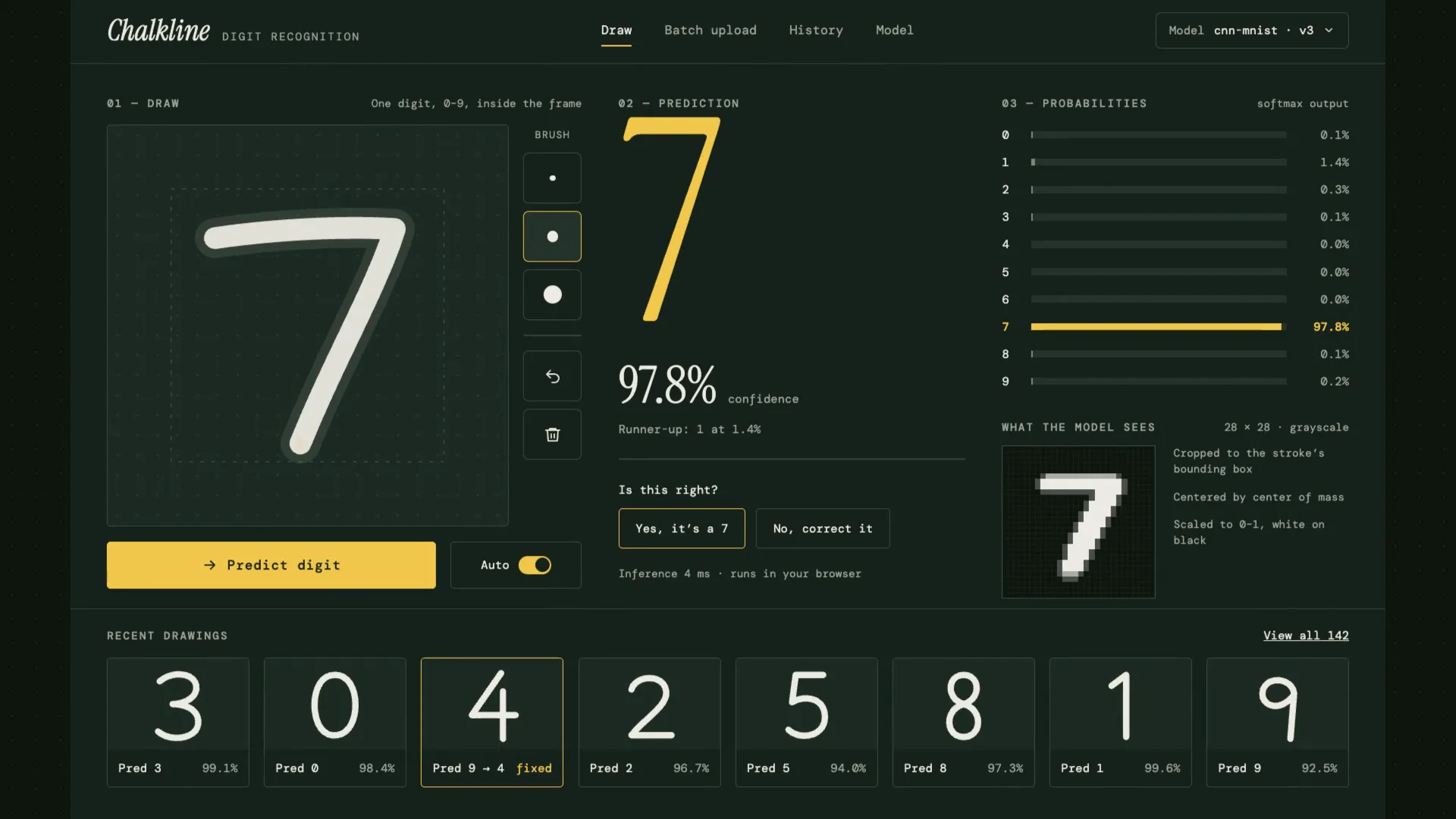
FIG. 01 / PRODUCT FILM
Muted preview · play with sound for the full cut
Who it's for
Anyone who relies on a digit recognizer and needs to check it, not just use it: the person who reviews its answers, fixes the wrong ones and follows how each model version scores on the test set.
The problem
Most handwriting recognizers are black boxes: draw something, get a number back. You can't see what the model looked at, how sure it was, or what it keeps getting wrong — and when you correct it, the correction disappears instead of teaching the next model.
The product
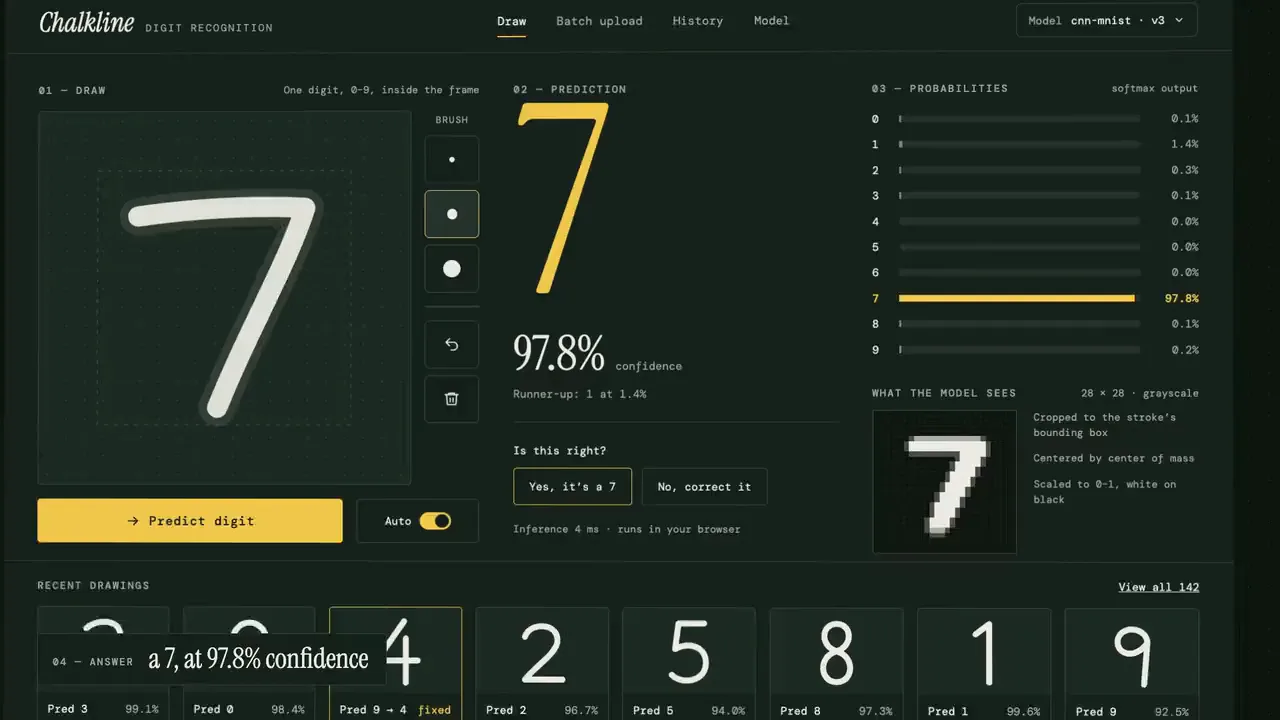
Chalkline makes every step visible. You draw a digit on a chalkboard pad; the stroke is cropped, centred and scaled into the 28×28 grayscale grid the model reads, a small convolutional network returns ten probabilities in the browser, and the answer resolves with its confidence and runner-up. Every drawing is kept: when the model is wrong you correct it, and the correction is queued as training data for the next version. The Model page runs the test set in front of you, fills a confusion matrix and circles the pair of digits it confuses most.
FIG. 02 / HOW IT WORKS
How it works
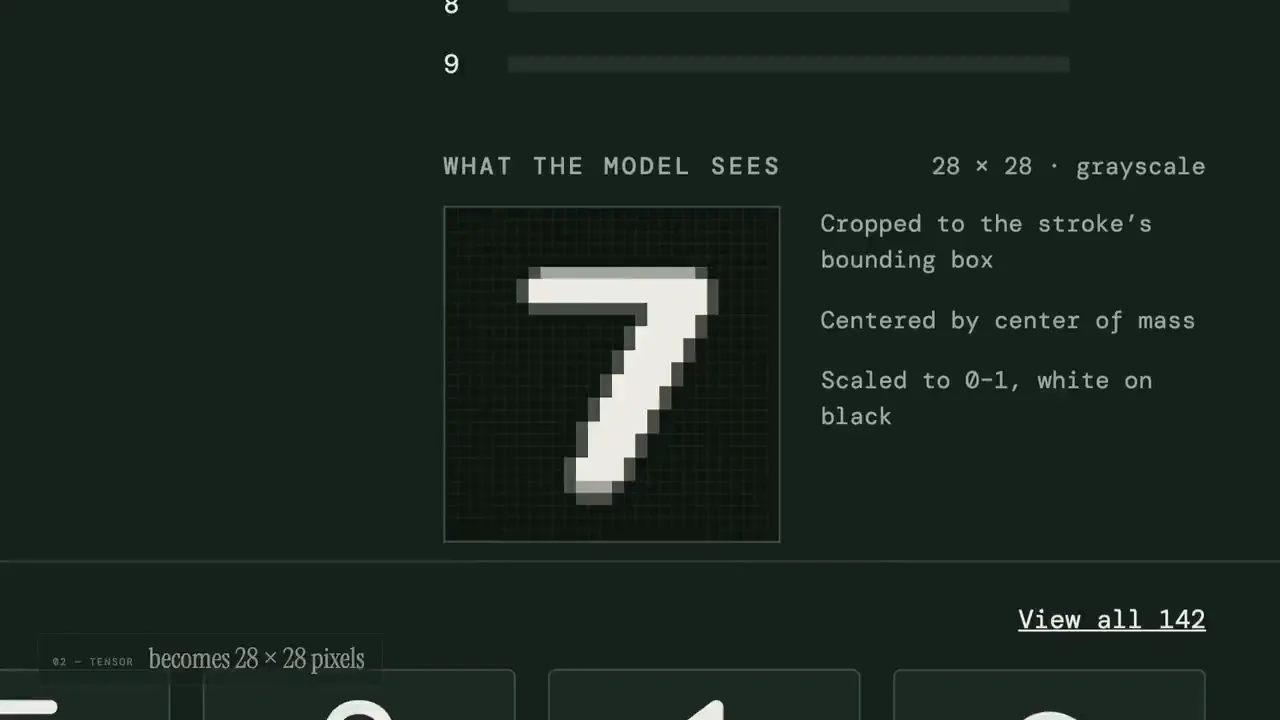
Step 1: Draw
Draw one digit in chalk. The stroke is cropped to its bounding box, centred and scaled into the 28×28 grid the model actually reads; then ten probability bars rise together and pour into the winner. The answer is written with its confidence and runner-up, and one tap confirms it or corrects it.
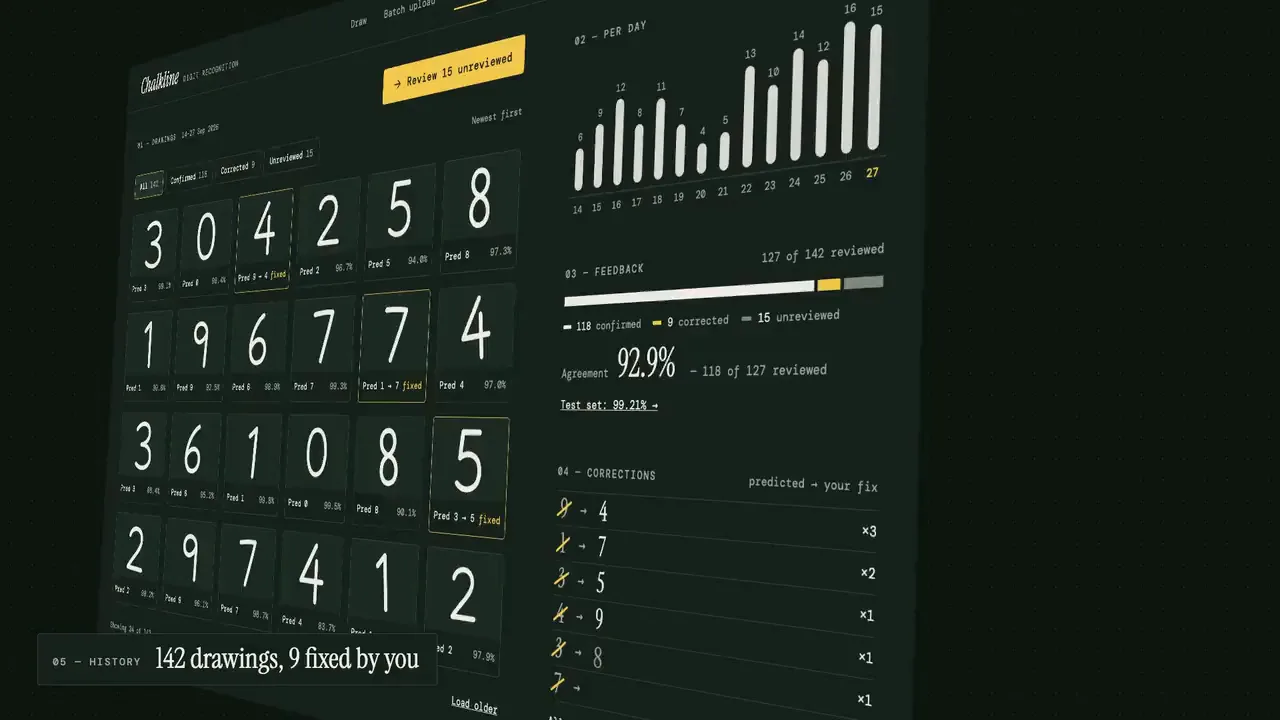
Step 2: History
Every saved drawing in one place: what the model said, how sure it was and whether you agreed. Drawings per day, one line of confirmed, corrected and unreviewed, and the list of corrections — the wrong digit struck through, your fix beside it — ready to train the next model.
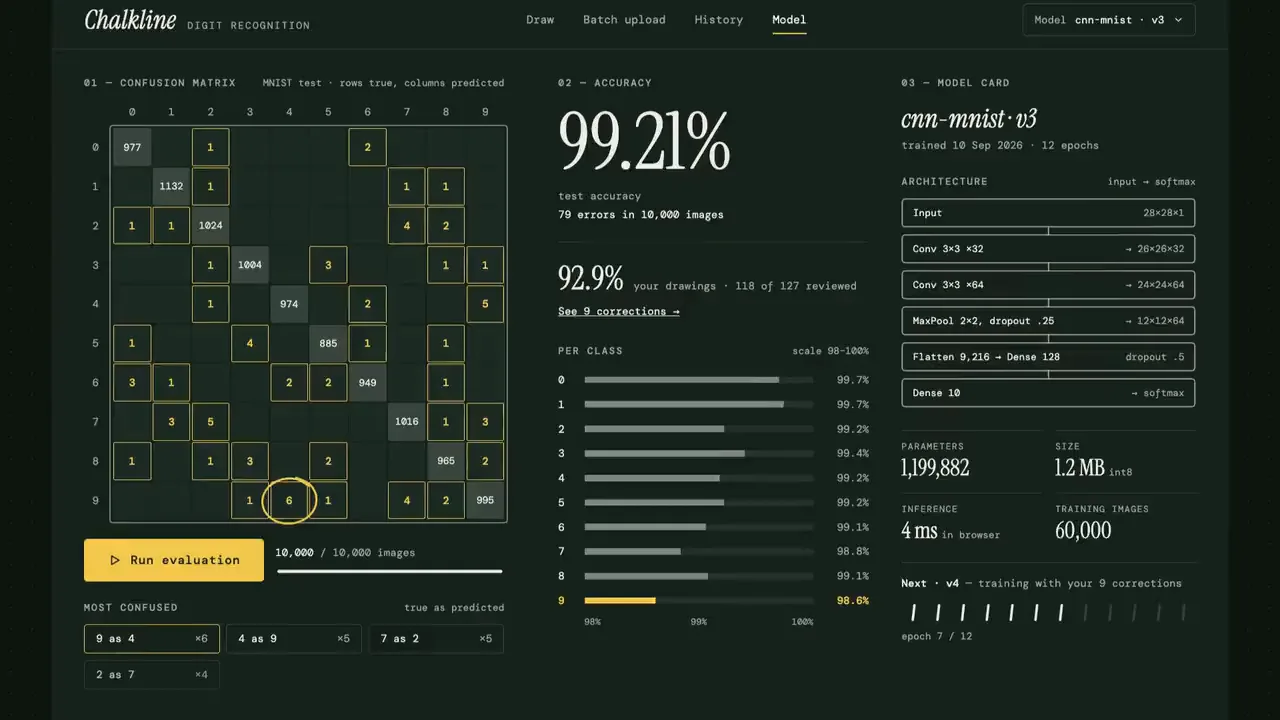
Step 3: Model
An evaluation you can watch: the test set runs and a confusion matrix fills cell by cell while the accuracy settles, and the worst mix-up gets a chalk circle. Beside it, the model card — architecture, size, speed — and the next version training on your corrections.
FIG. 03 / SCREENS
The product, screen by screen
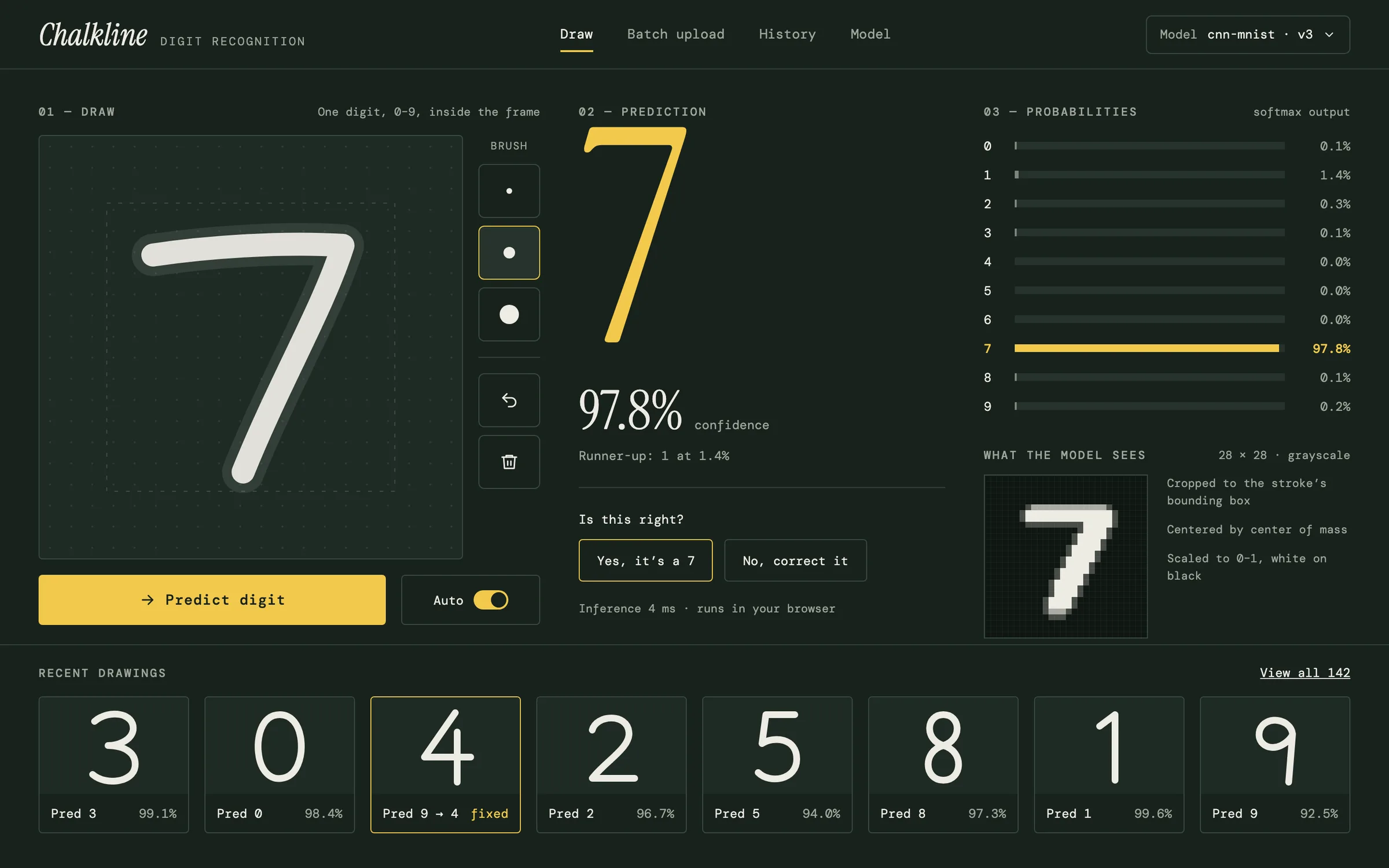
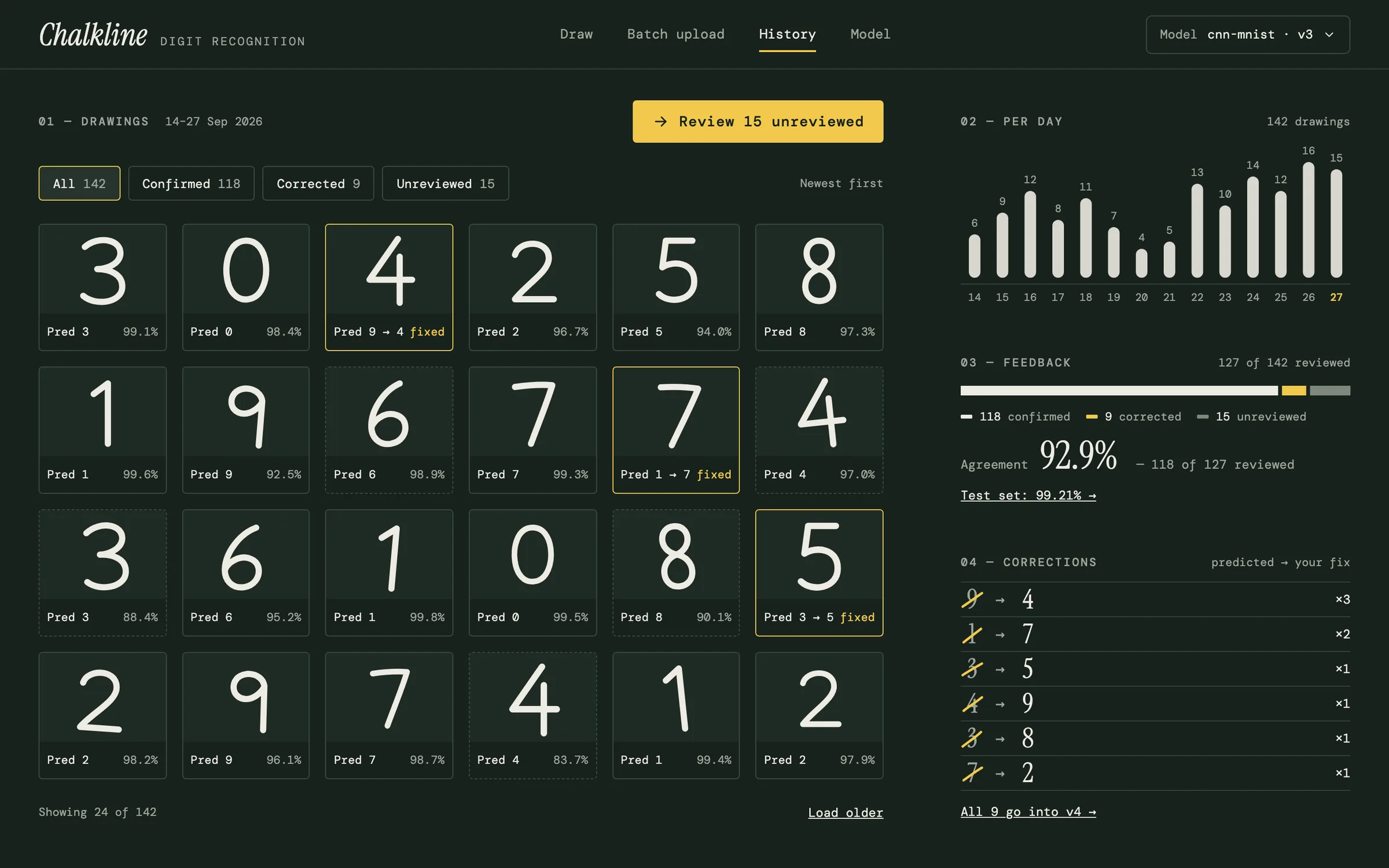
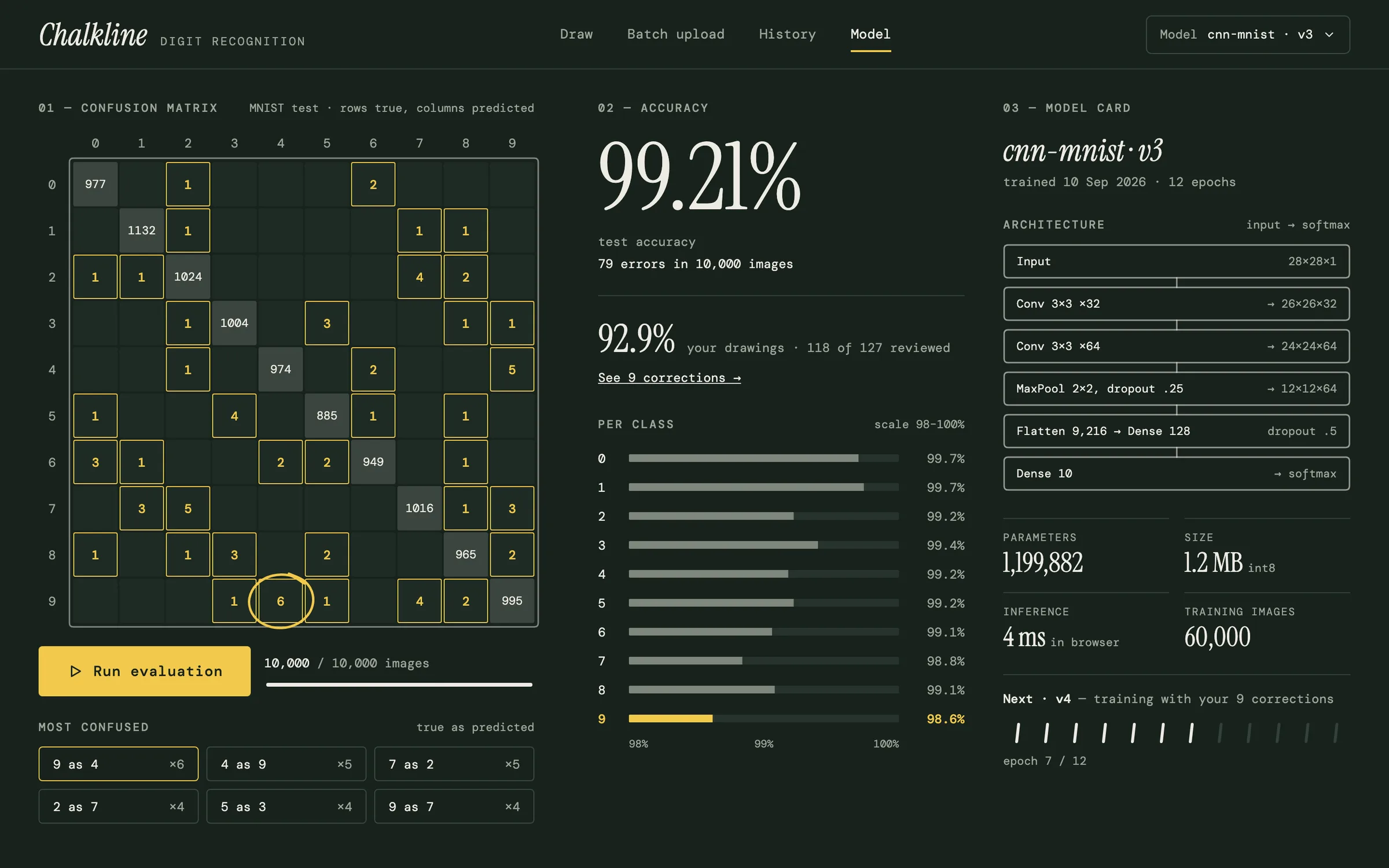
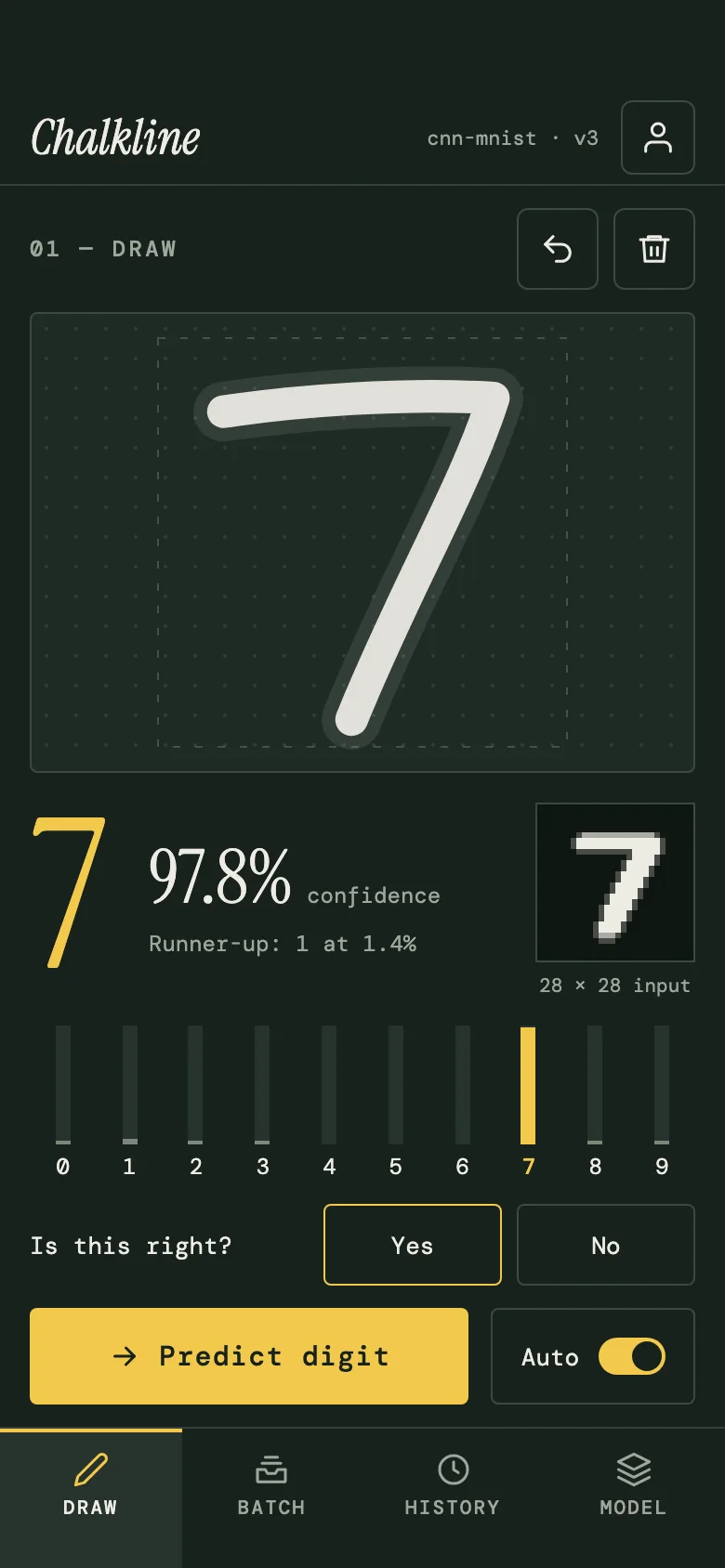
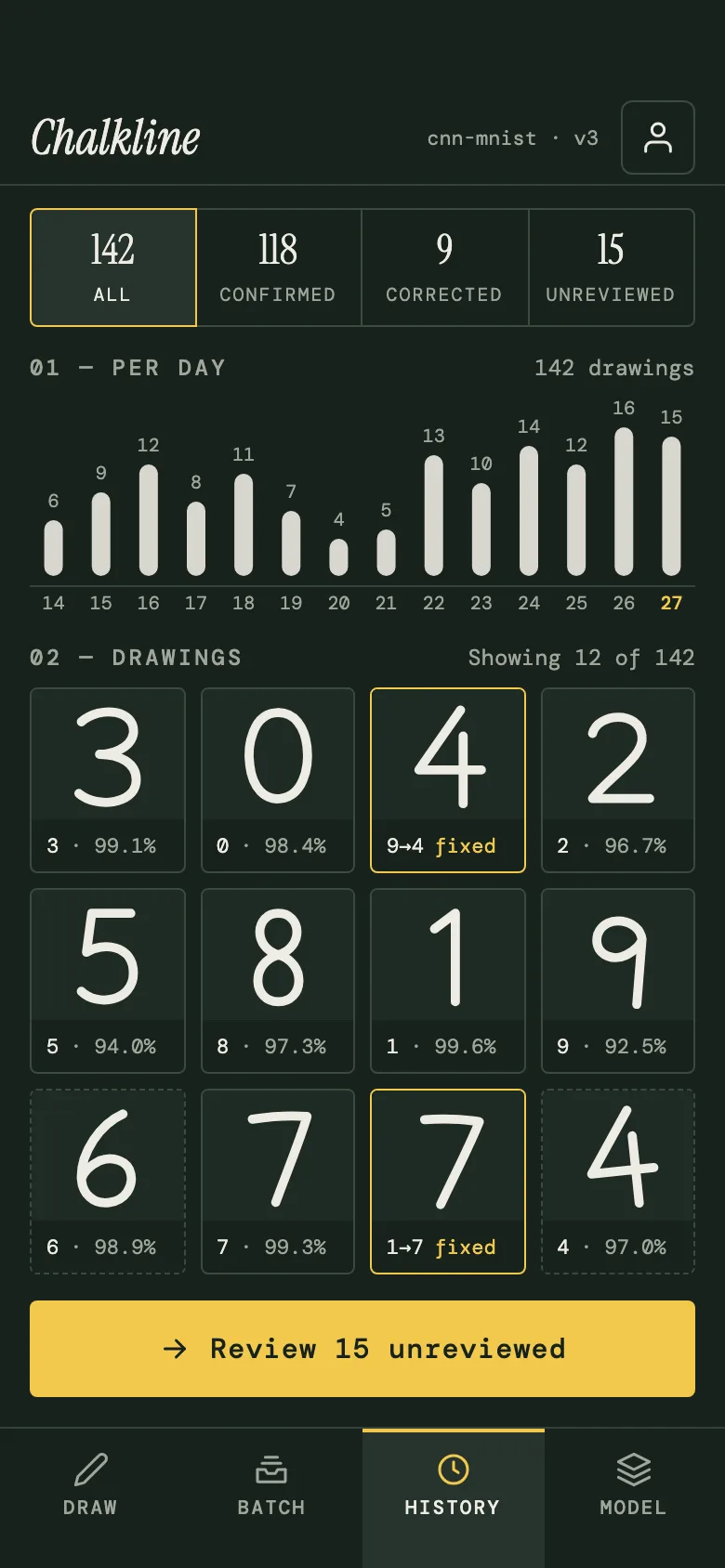
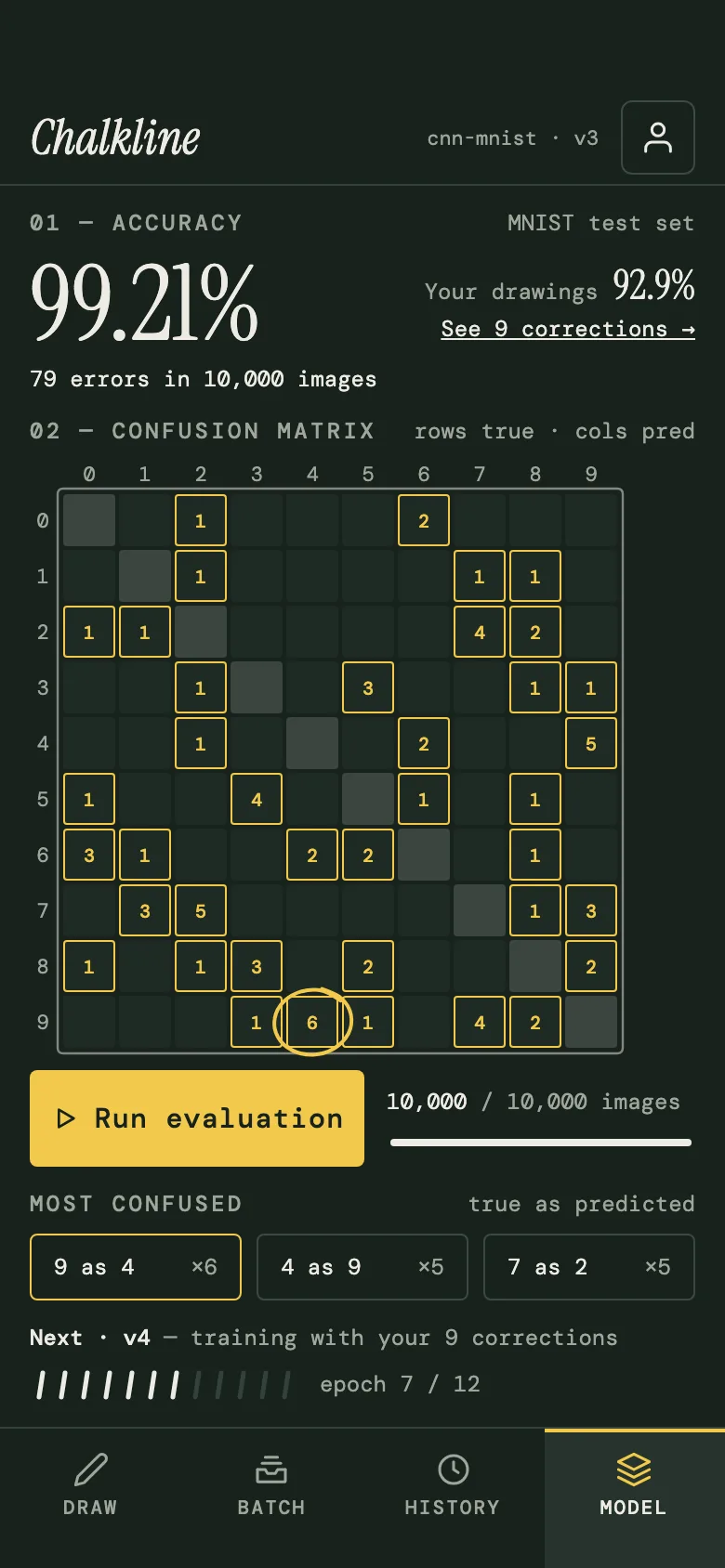
FIG. 04 / DESIGN DIRECTION
Design direction
A dark chalkboard lab, calm and hand-made. DM Mono runs the whole interface — labels, numbers, controls — and Instrument Serif is kept for the moments that matter: the wordmark, the predicted digit, the accuracy. Chalk-white strokes on a deep green board, with one chalk-yellow accent reserved for the answer and for anything you corrected. Thin 1px rules and small radii, no shadows or gradients: it feels like a lab bench, not a dashboard.
Palette
- Board#18221D
- Chalk#EDEBE3
- Chalk yellow#F2C94C
- Muted#9FA69B
- Rule#33413A
Type
- Instrument Serif
- The wordmark, the predicted digit, big numbers
- DM Mono
- The whole interface: labels, controls, data
FIG. 05 / MOTION LANGUAGE
Motion language
“Chalk to tensor”: the motion shows exactly what the product does, one gesture at a time. The stroke writes itself in chalk, rasterizes into 28×28 cells in stroke order, and ten probability bars rise together before the mass pours into the winner; then a chalk-yellow trace writes the answer and the typeset digit rises beneath it. A correction is a teacher's strike. Calm and precise — no springs, no glow — and once it settles, only a chalk tip pulses where the next mark lands.
Related systems
Kiko
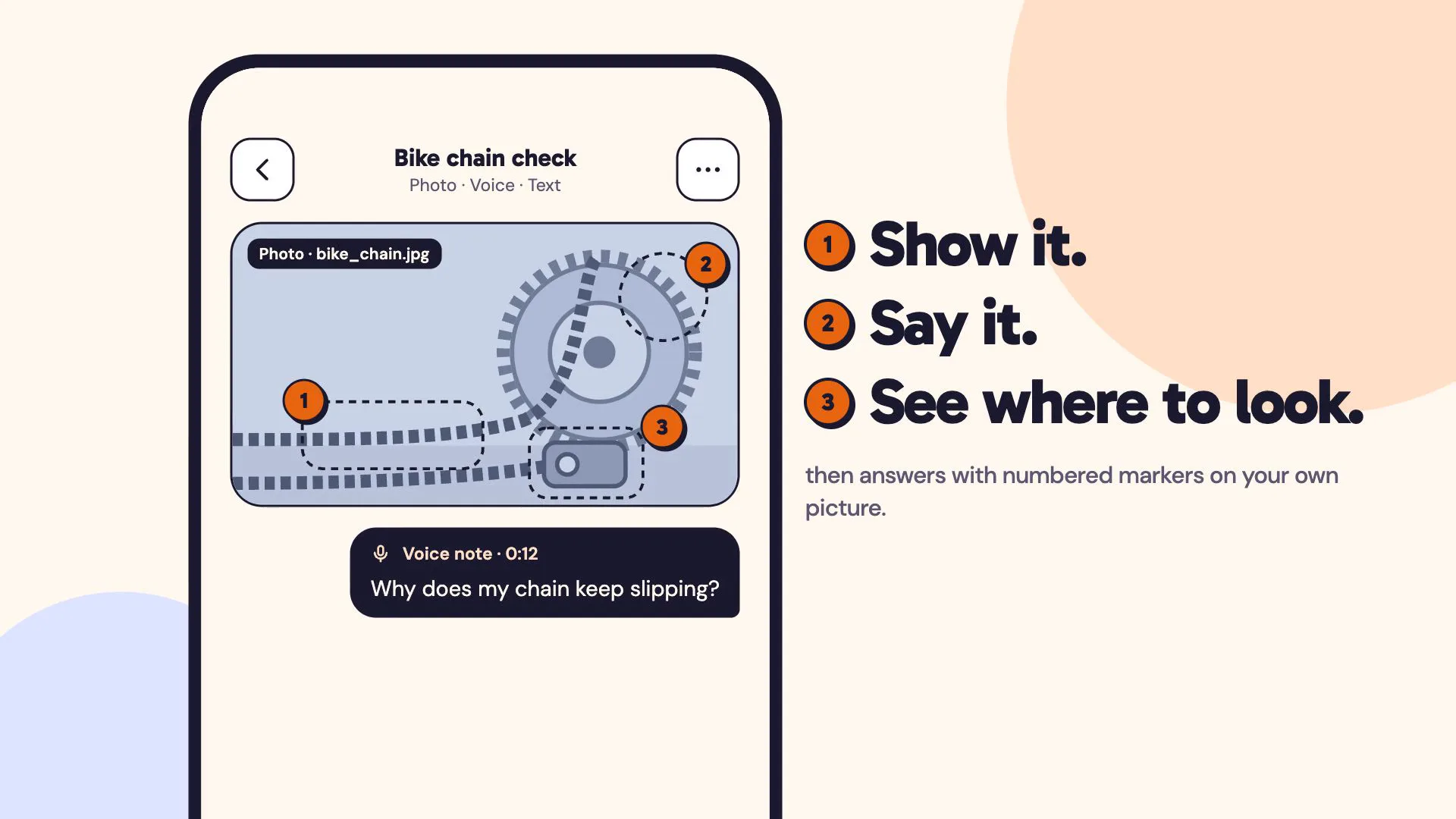
LiveA multimodal AI assistant you can show things to: a photo, a voice note and a line of text in one ask, answered with numbered markers on your own picture.
Mailsort
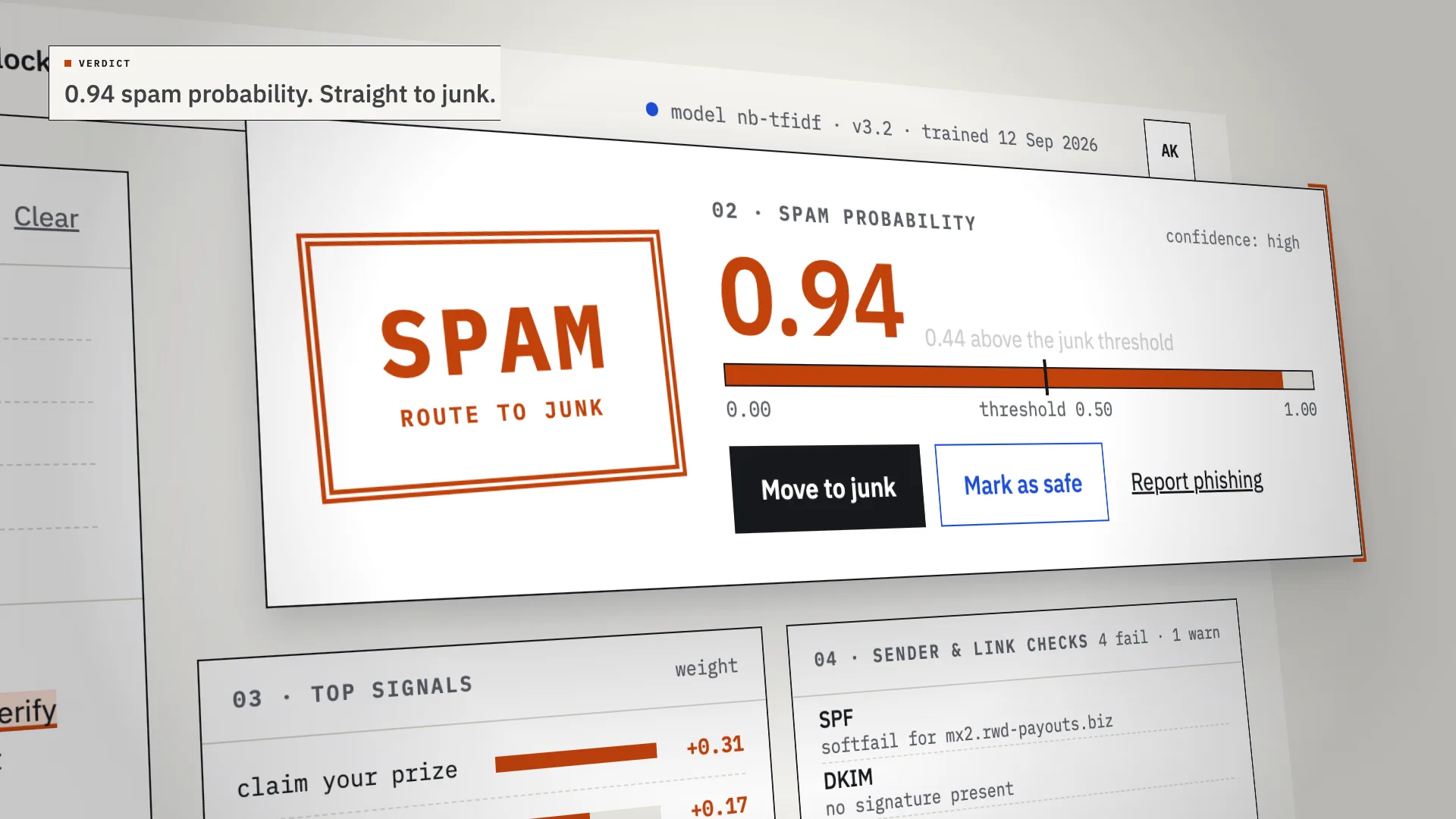
LiveAn AI spam classifier that shows its work: every verdict comes with the phrases, sender checks and links that decided it.
Relay
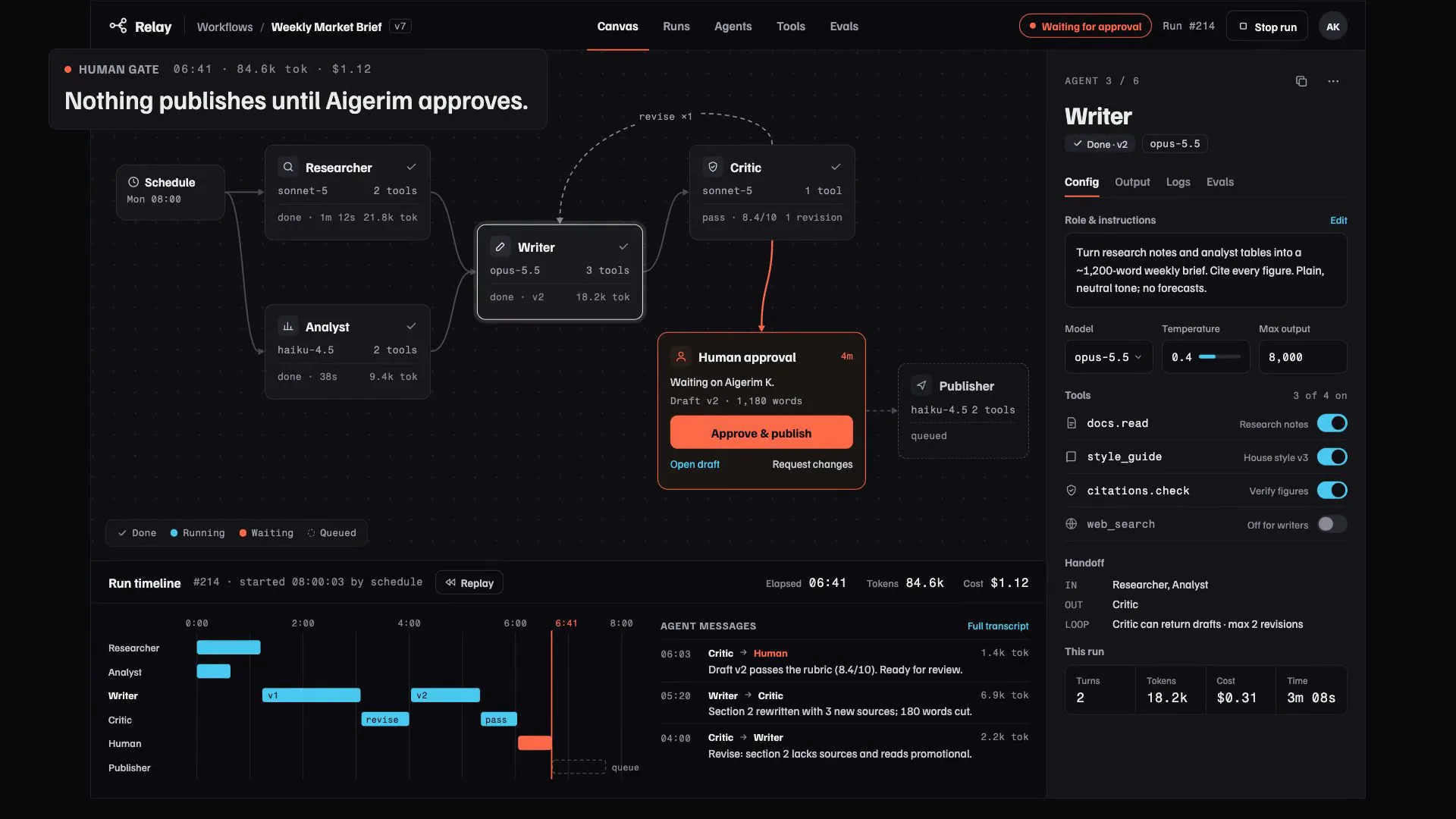
LiveA control room for multi-agent AI workflows: agents pass work along a visible canvas, every step and cost is traced, and nothing ships until someone signs off.
Have a project like this?
Tell me what you want to build. We map it on a 30-minute call.