


Product
LiveZikirChain
A dhikr counter that feels like prayer beads: the teacher publishes the day's program, you tap, a bead slides. No sign-up, no login.
Facts
- Status
- Live
- Platform
- iPhone app · web app for phone, tablet and desktop
- Flows
- Today · Count · Memorize · History
- Model
- Arabic speech recognition, on the device
- Designs
- Tasbih · Ring · Plain · Focus
- Languages
- English · Turkish · Russian · Uzbek · Kyrgyz
- Year
- 2026
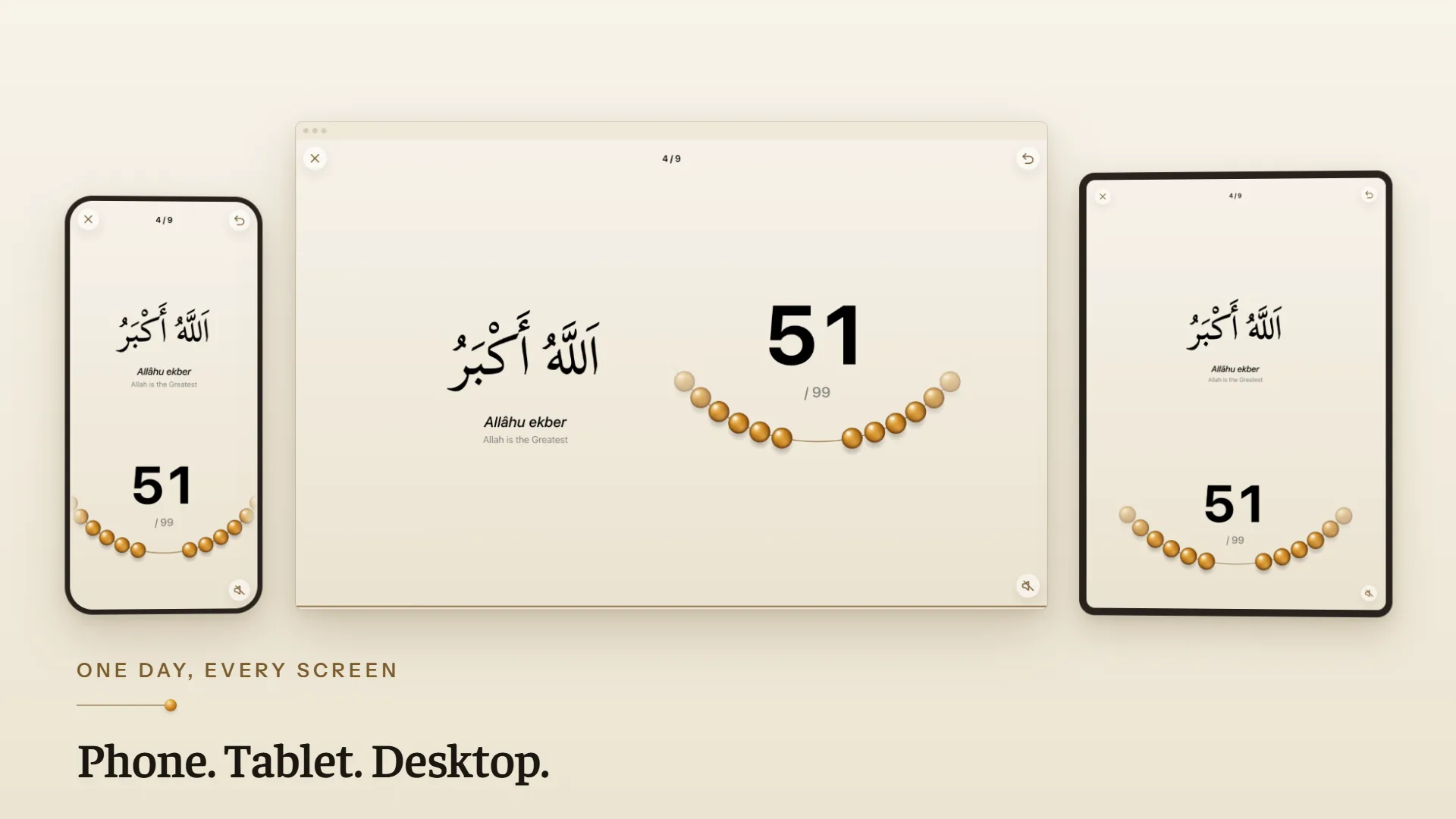
FIG. 01 / PRODUCT FILM
Muted preview · play with sound for the full cut
Who it's for
Communities that follow a teacher's daily dhikr program, and anyone who wants a tasbih in their pocket: to keep a daily wird, memorize the short surahs and read the day's duas, with no account and nothing tracking them.
The problem
A community that keeps a daily dhikr together runs on paper lists and group chats. The teacher sends today's program as a message; everyone counts on a clicker or on their fingers, loses the count when the phone rings, and has to remember tomorrow where they stopped. A counter app turns the tasbih into a number and a button, and knows nothing about the program the teacher set for today.
The product
The teacher publishes a program for each day; the app pulls it and lays it out as a string of beads, one bead per dhikr. Tap anywhere to count: a bead slides along the string, with a pause every 33, and when a dhikr is complete the app moves to the next one by itself and closes the day with a prayer. Nothing asks for a name: counts are kept on the device, and only anonymous counts reach the teacher. Beside the daily program there are 20 short surahs to memorize verse by verse, with audio and a review ladder that brings each one back after 1, 3, 7, 14 and 30 days; 100 duas in 13 categories; and a history with a calendar and a lifetime goal. It runs as an iPhone app and as a web app with its own layouts for phone, tablet and desktop, in five languages, and keeps working offline. On the iPhone, a speech model that runs on the device listens to a recited surah and checks the words against the text, and the prayer times can be read from a photo of the mosque's clock poster.
FIG. 02 / HOW IT WORKS
How it works
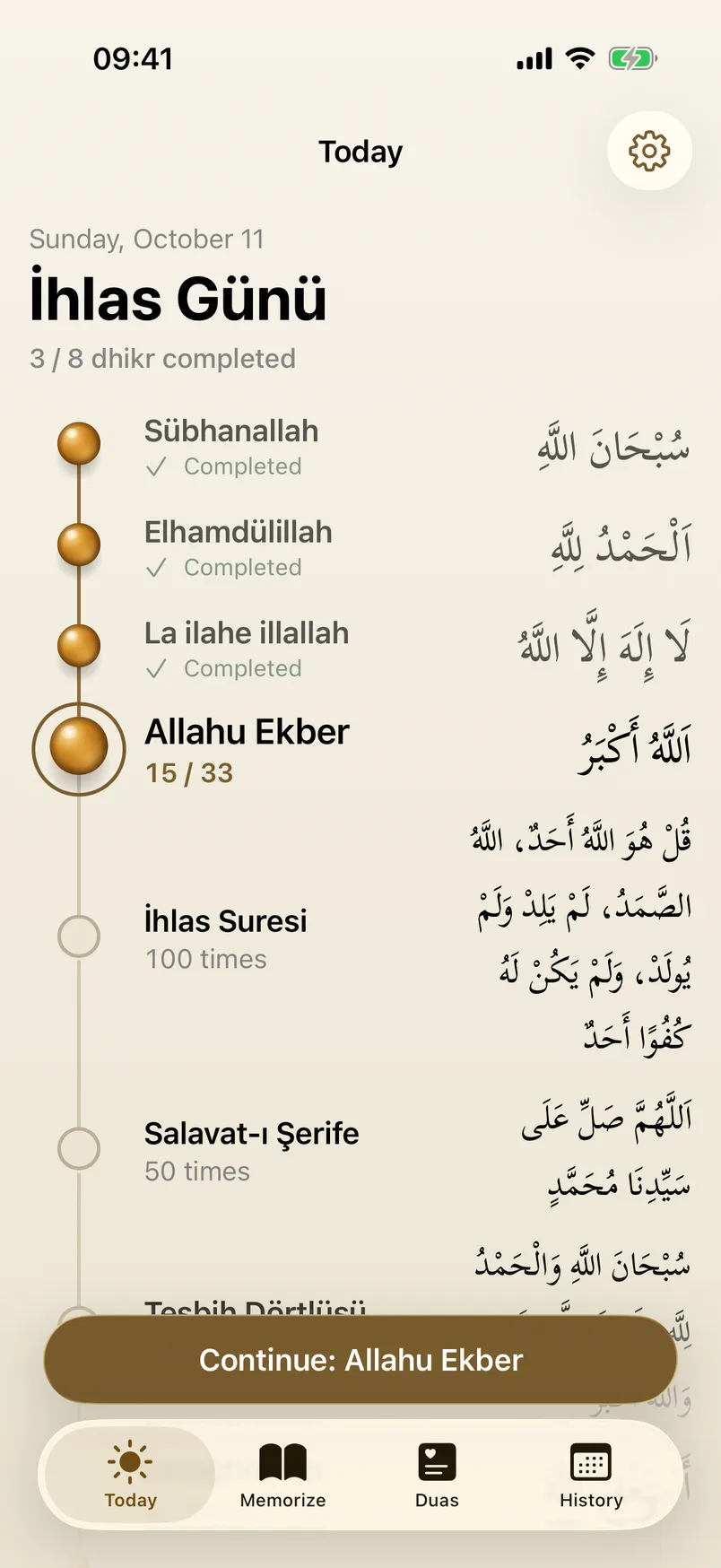
Step 1: Today
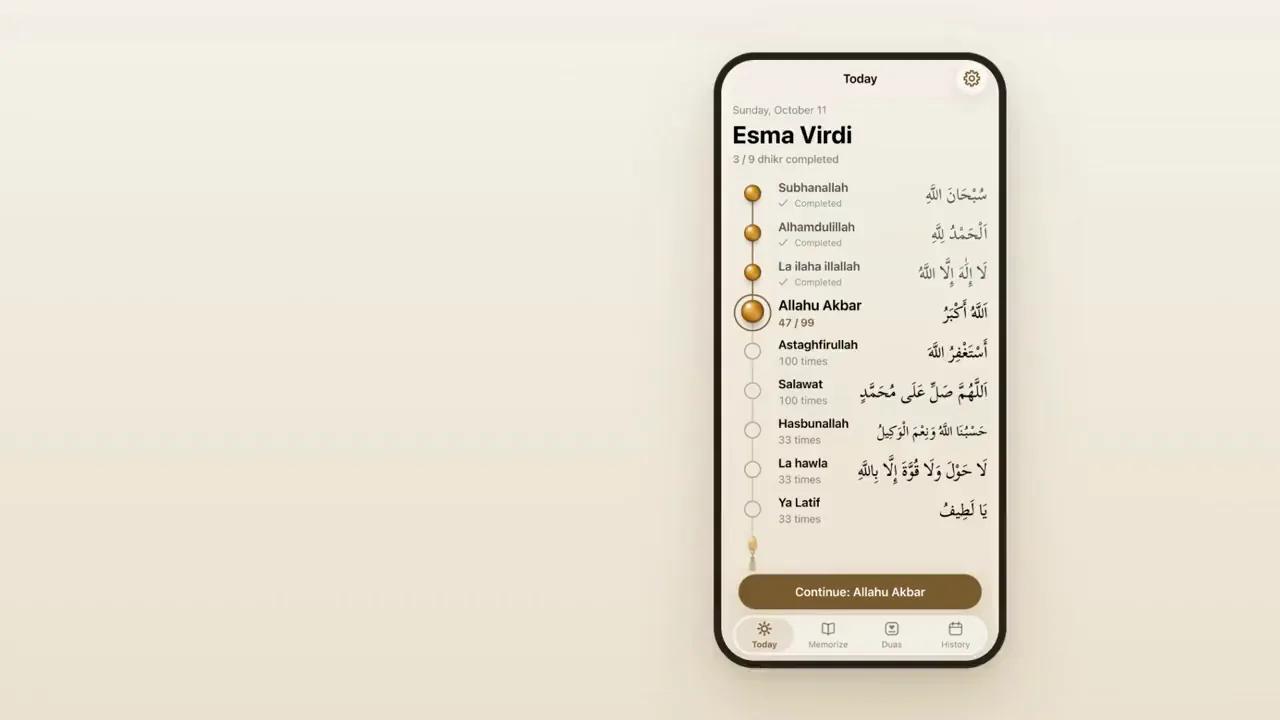
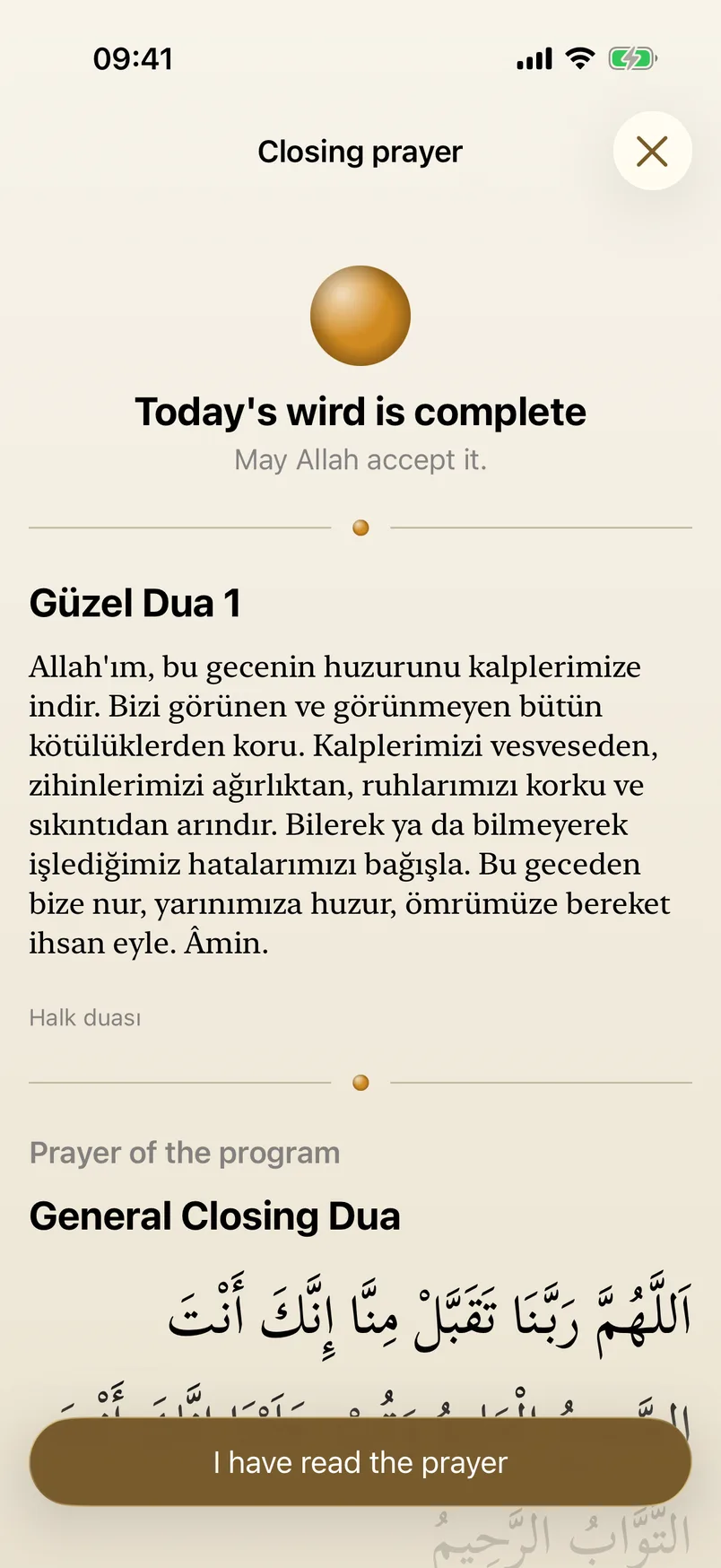
The day opens on the program the teacher published: a string of beads, one per dhikr, each with its Arabic and its count. Finished ones are filled in, the current one shows how far you are, and one button continues exactly where you stopped.
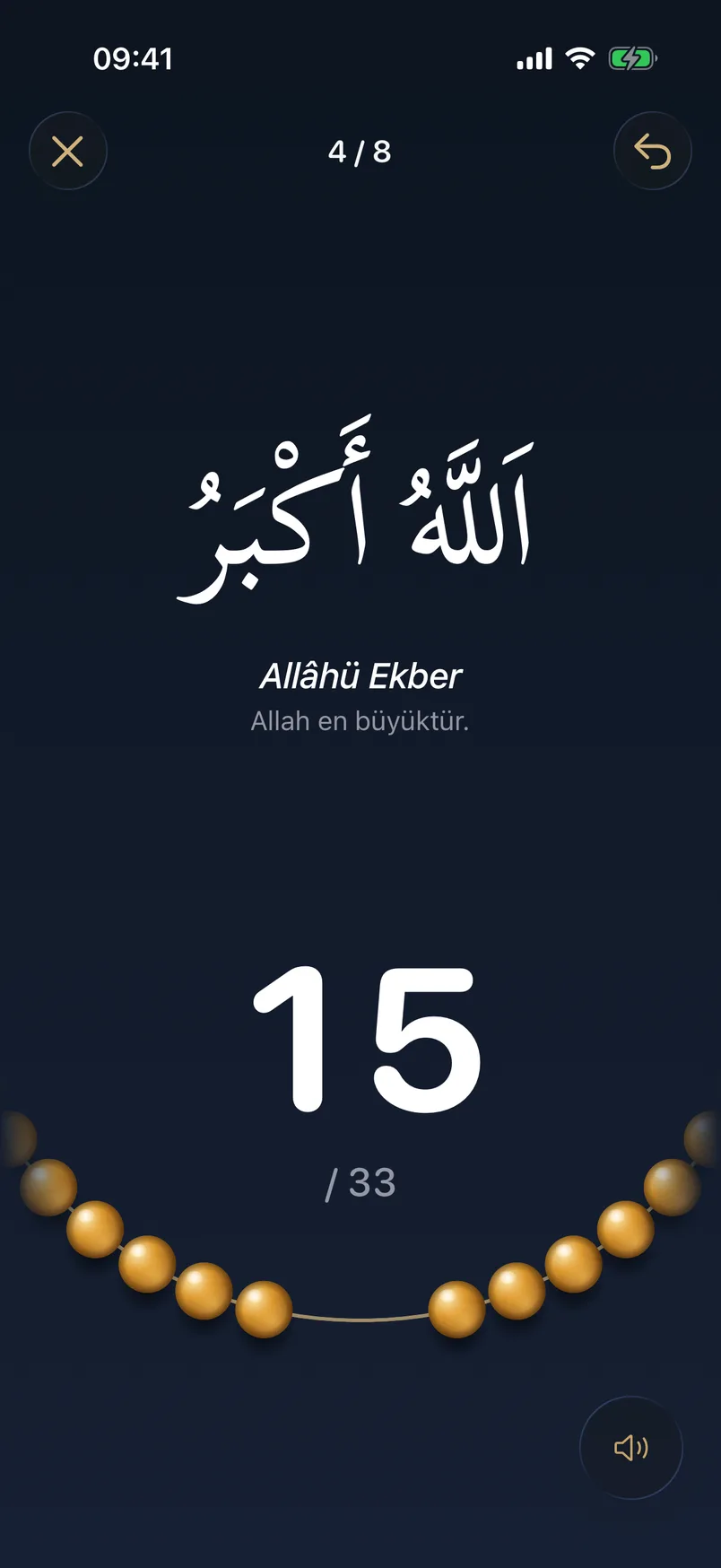
Step 2: Count
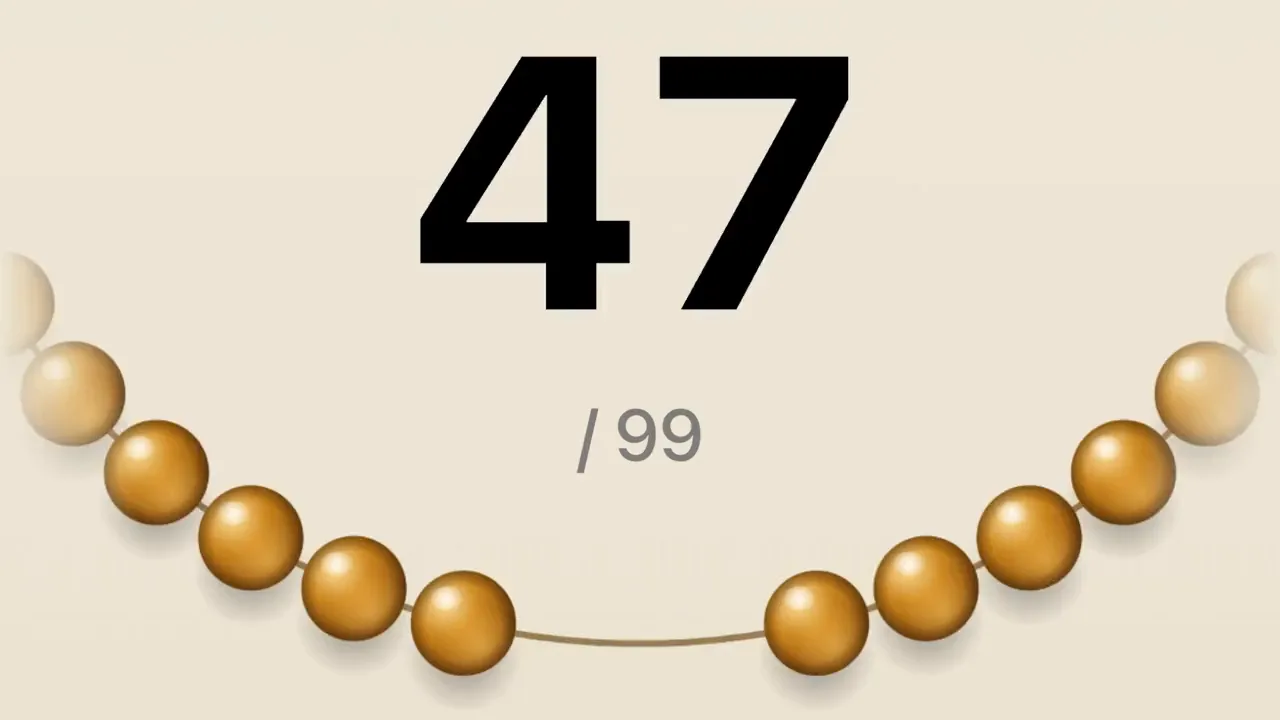
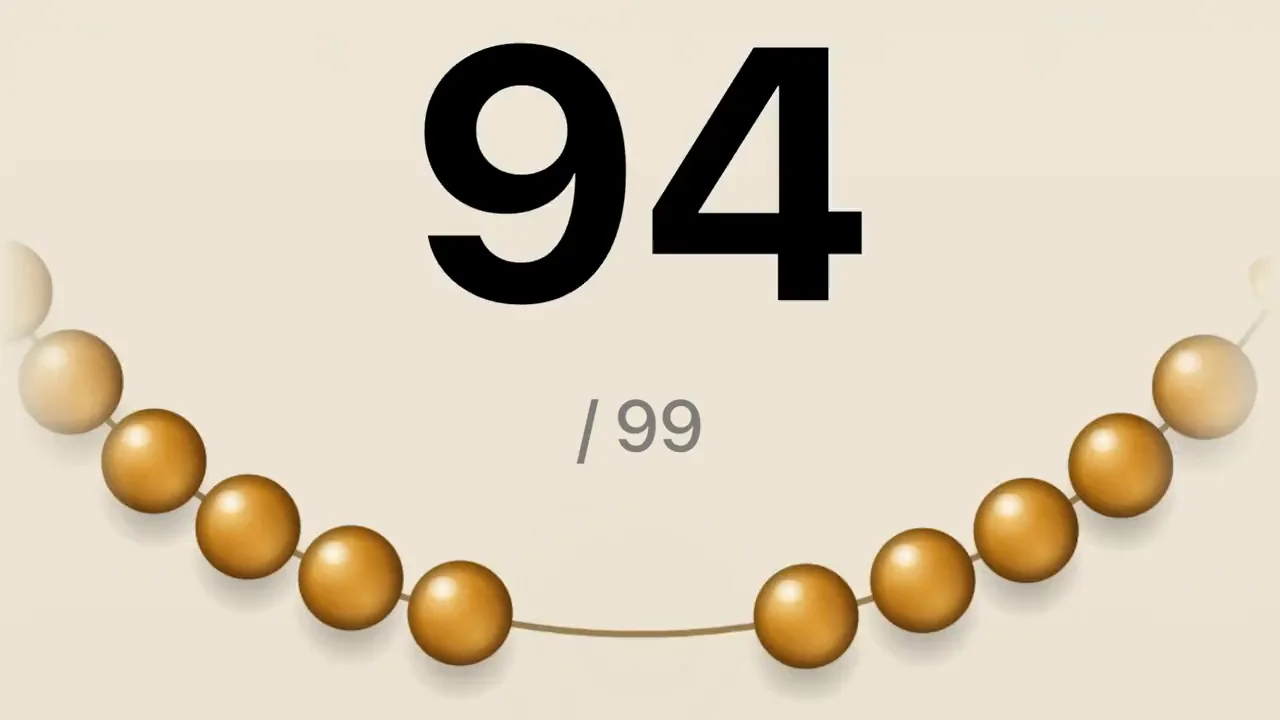
Tap anywhere on the screen. A bead slides along the string and the number rolls, with a pause every 33. When the count is complete the tassel bead arrives, the dhikr is marked completed, and the next one opens by itself.
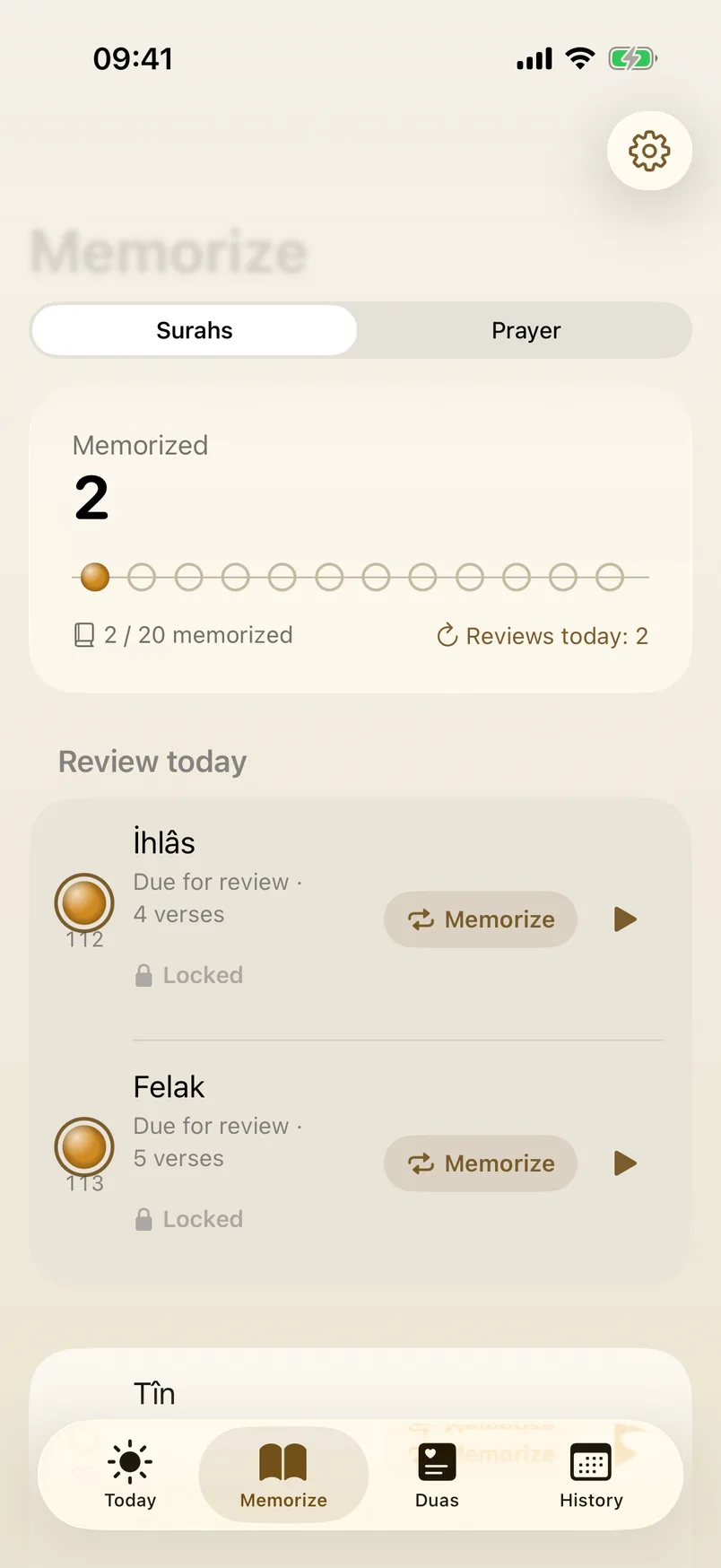
Step 3: Memorize
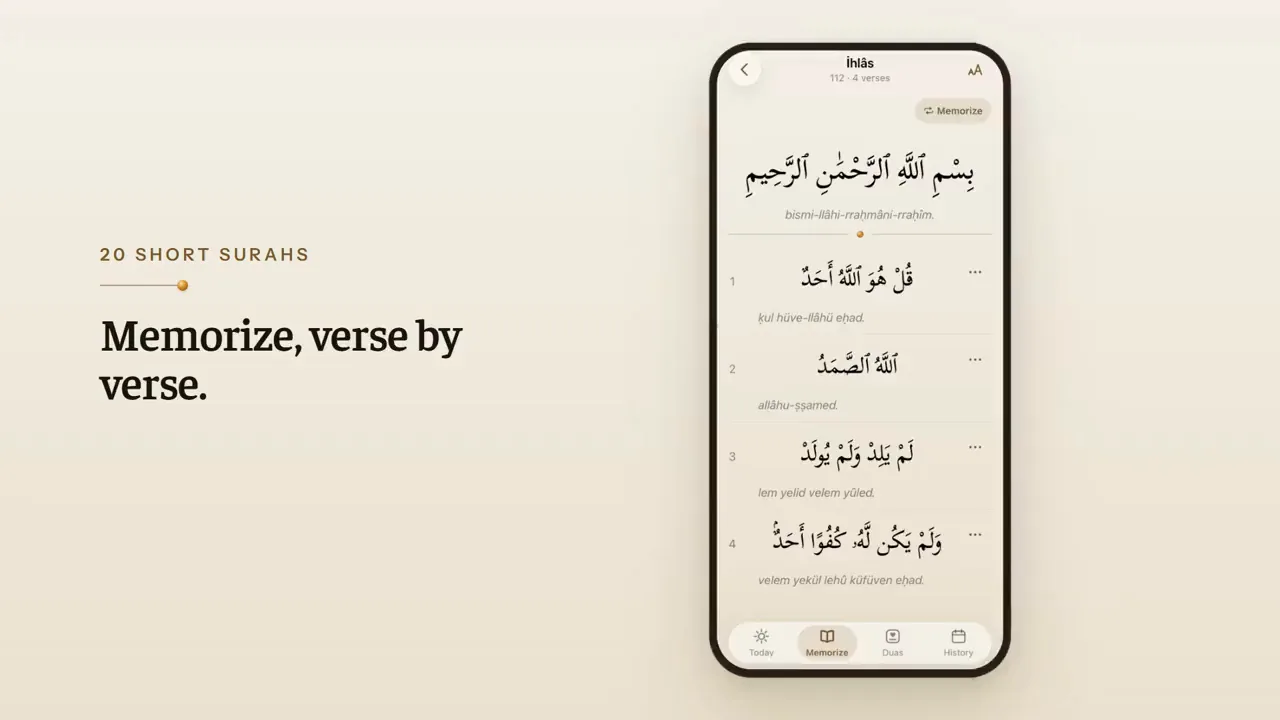
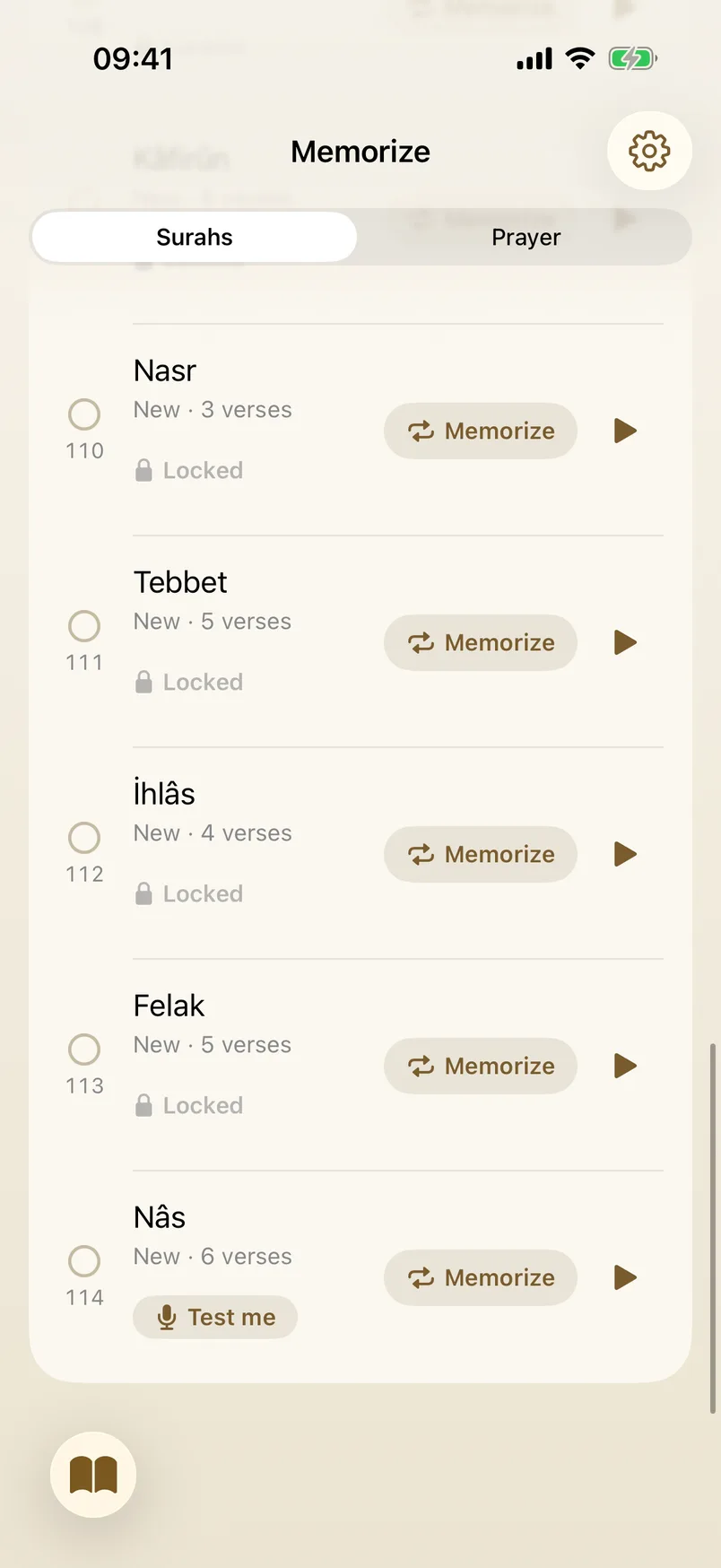
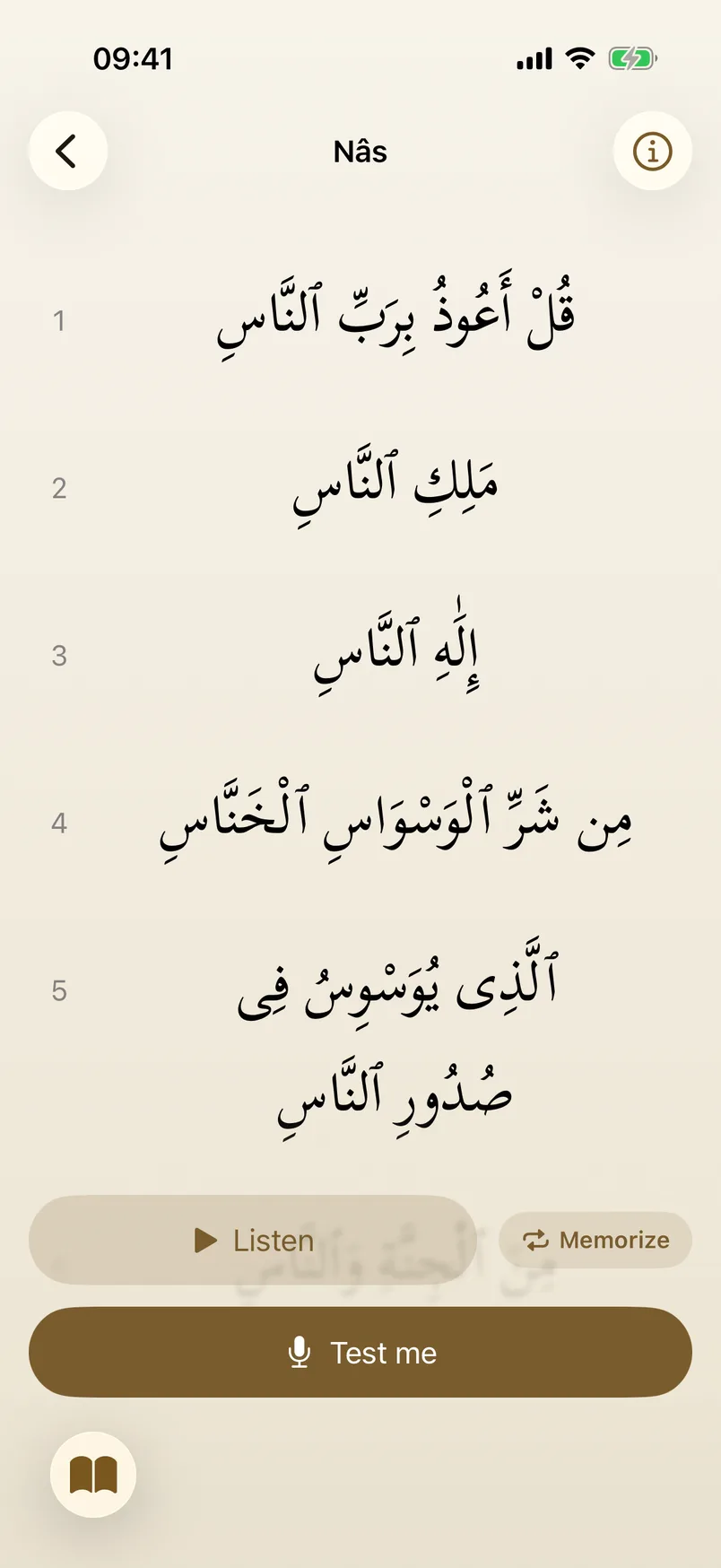
Twenty short surahs, verse by verse: the Arabic, how it is read, and audio for every verse. A memorized surah comes back for review after 1, 3, 7, 14 and 30 days, so the list always says what to repeat today.
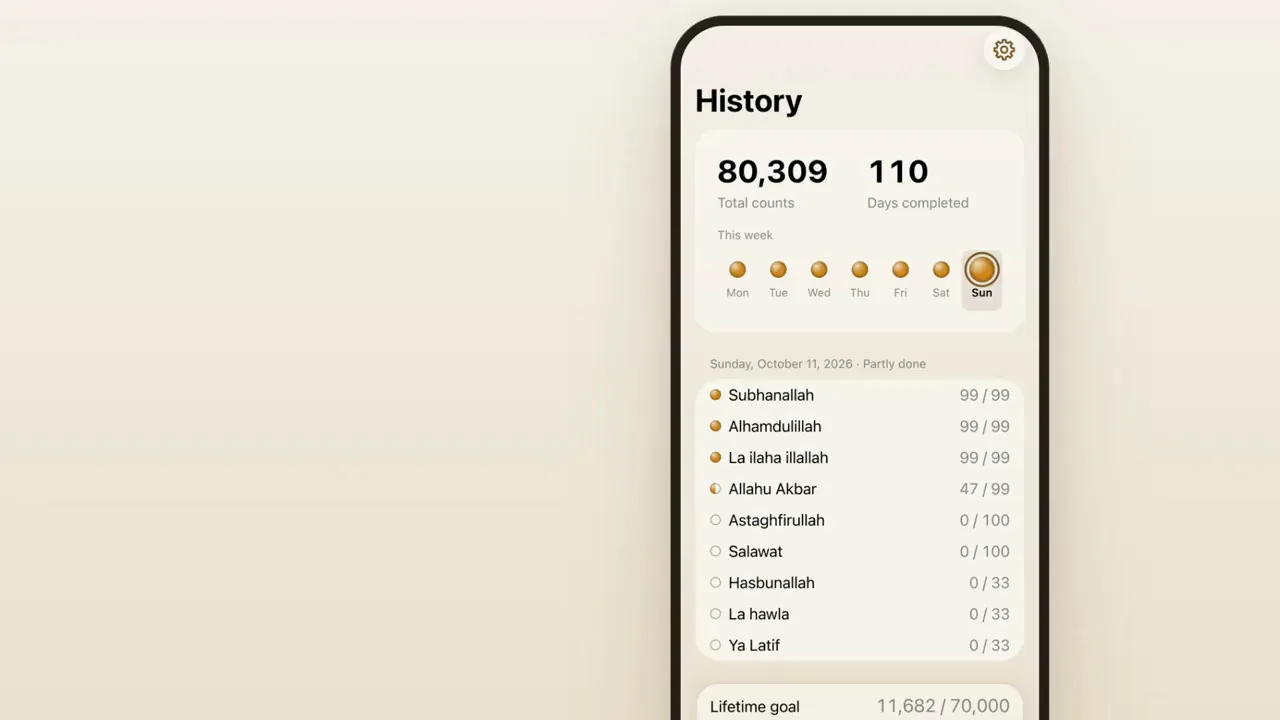
Step 4: History
Every day is kept: the week as seven beads, a calendar that tells completed days from partly done ones, totals for each dhikr, and a lifetime goal with the date it will be reached at today's pace.
FIG. 03 / SCREENS
The product, screen by screen
On the device
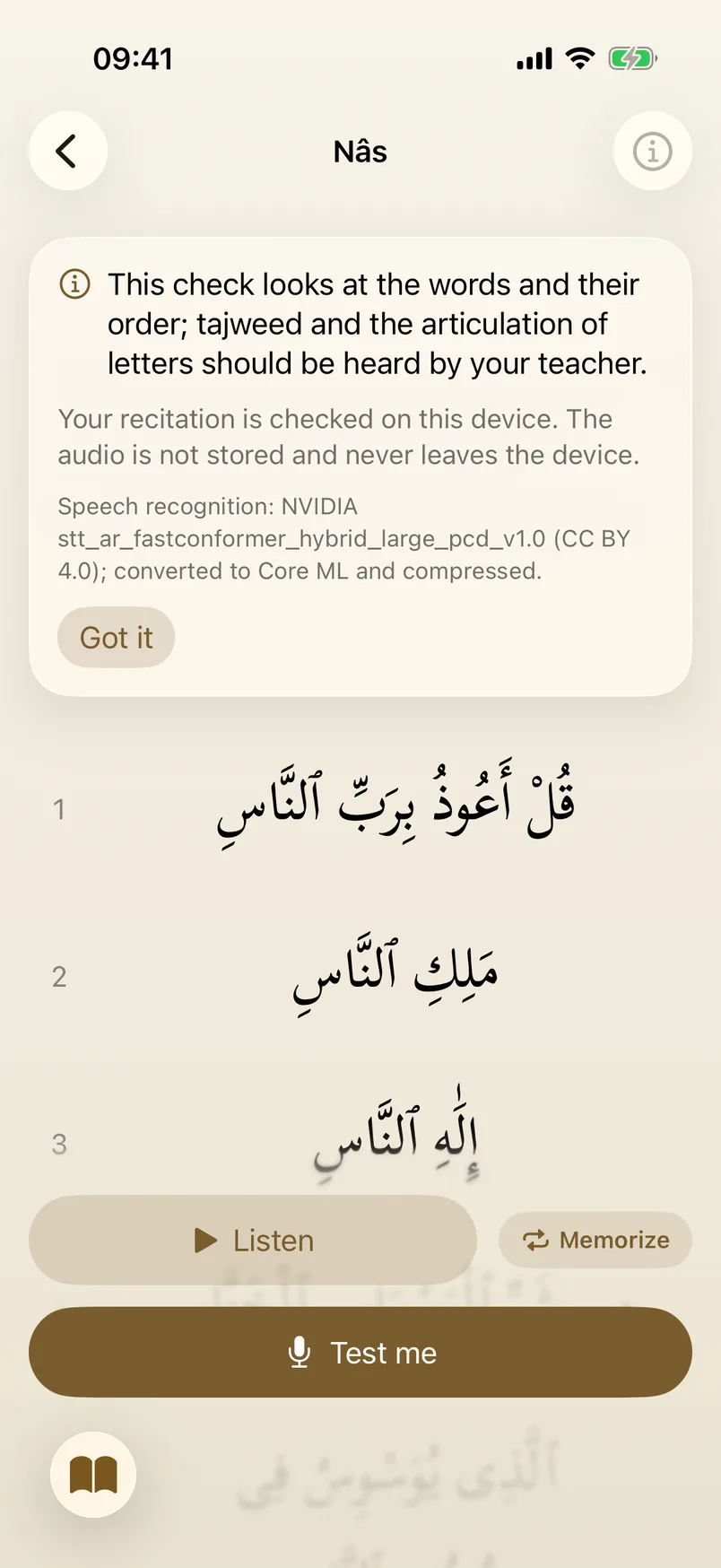
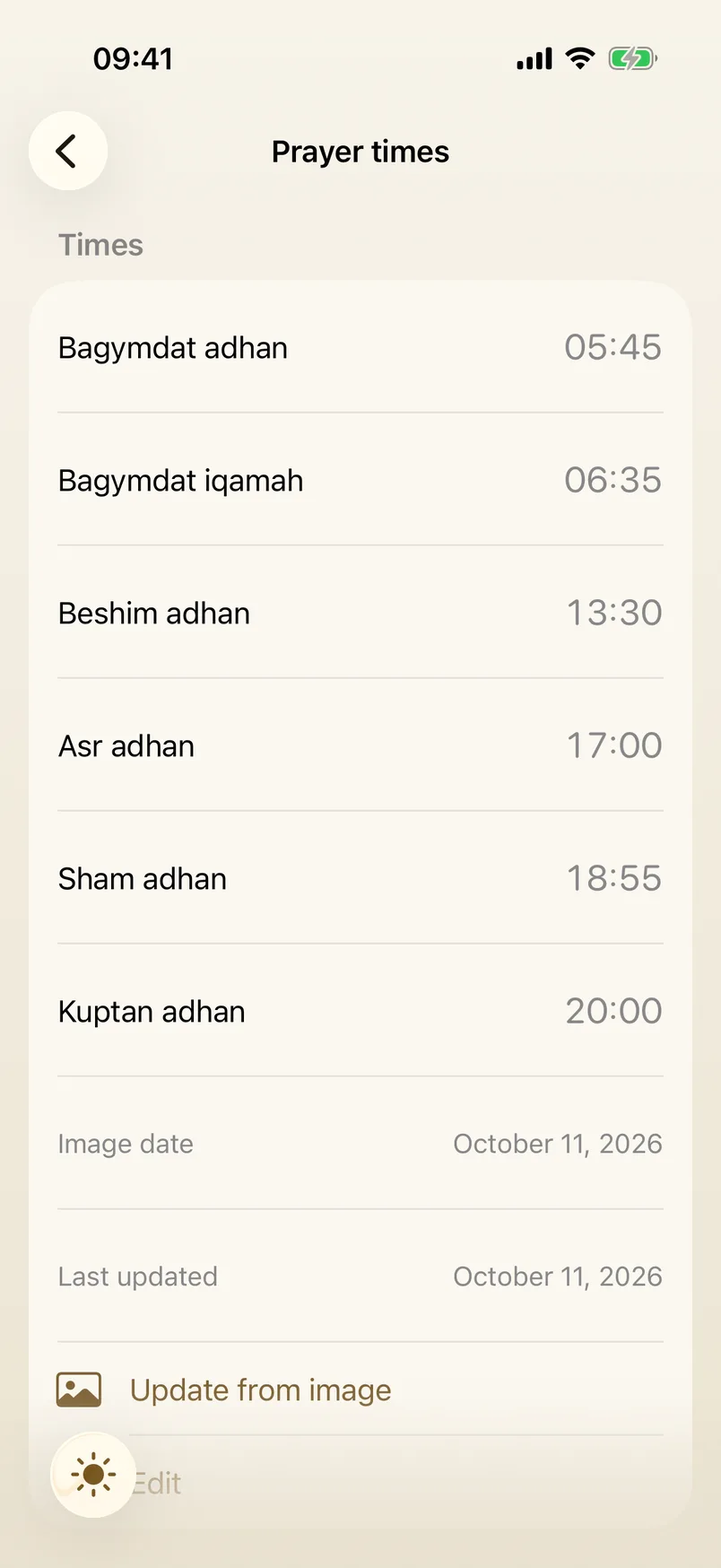
Two things the iPhone app does without a server. It listens to a recited surah and checks the words and their order against the text, one surah unlocking the next; tajweed stays with the teacher. And it reads the day's prayer times from a photo of the mosque's clock poster.
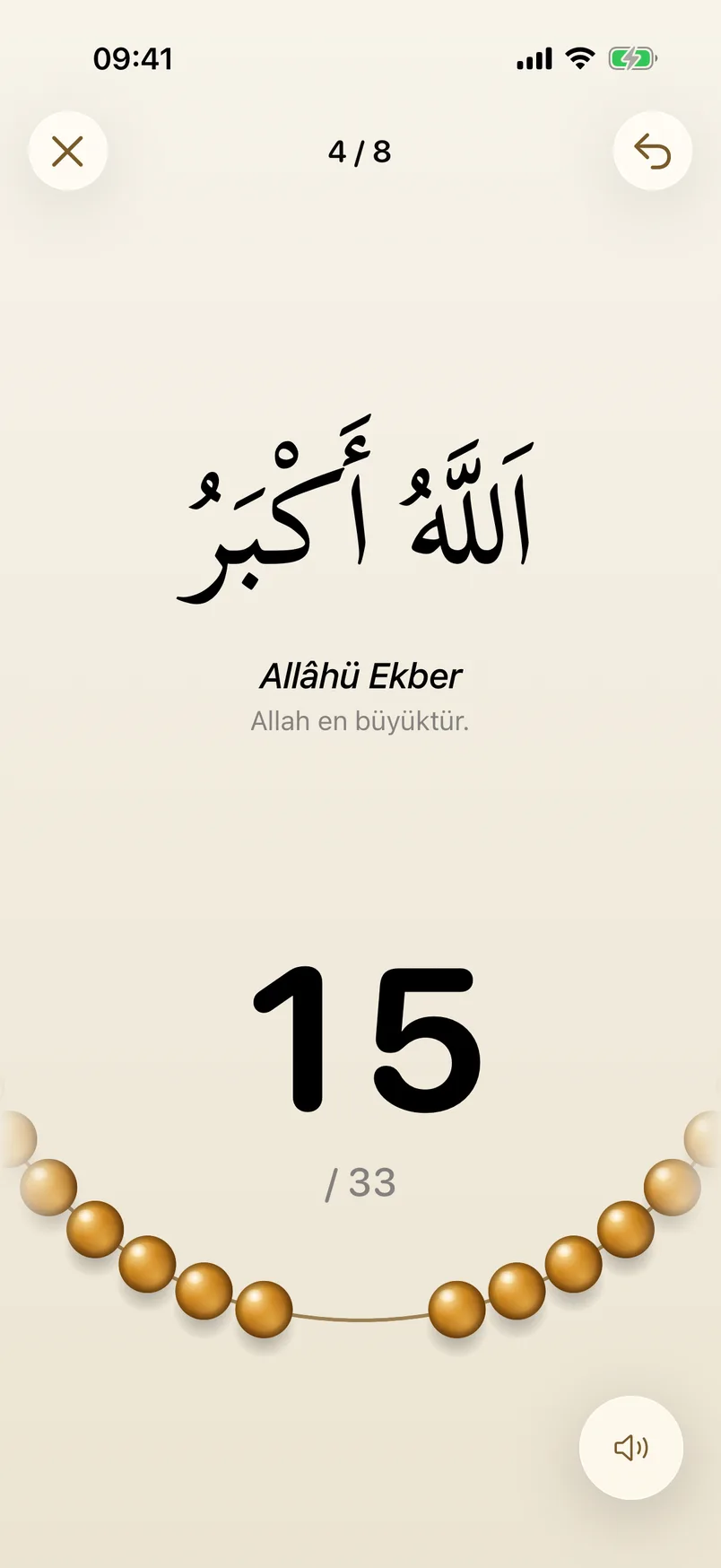
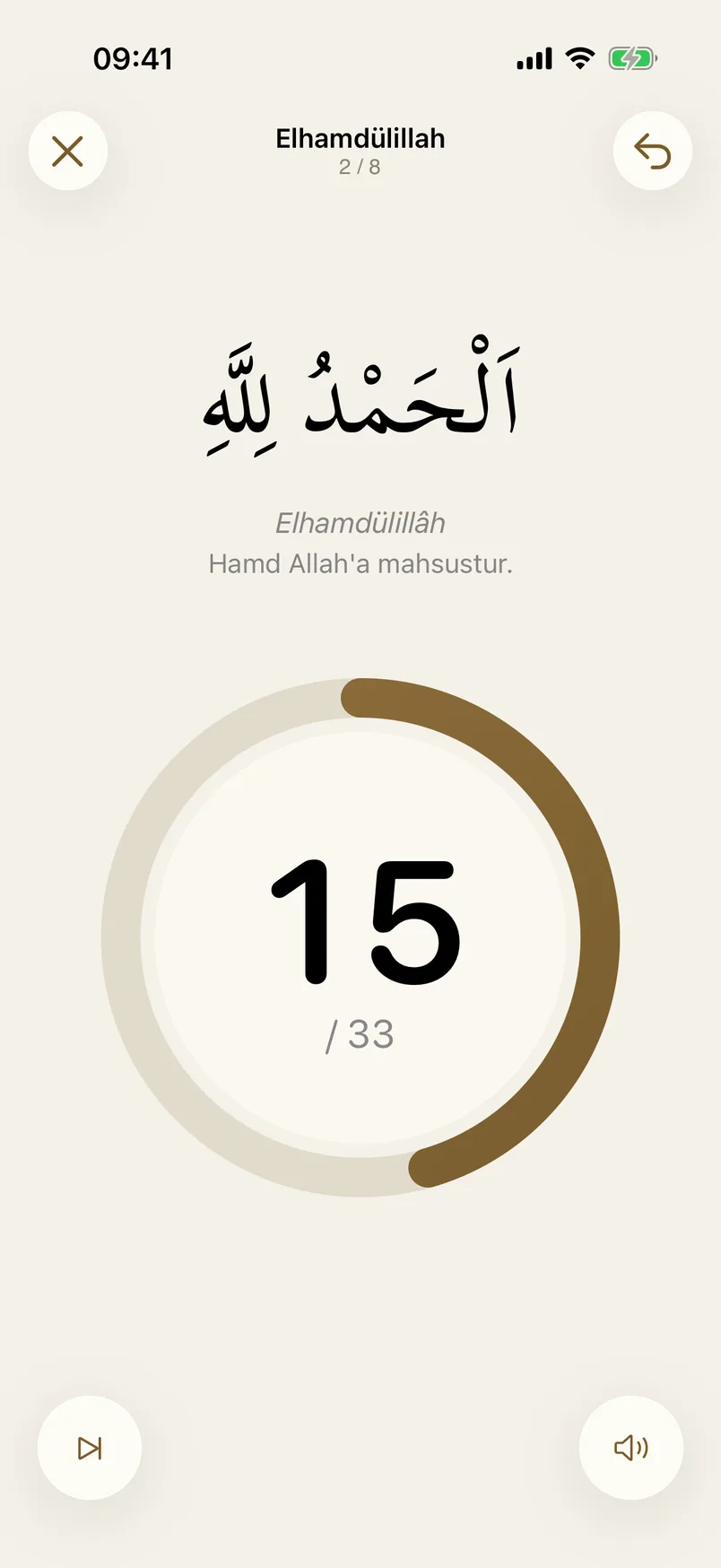
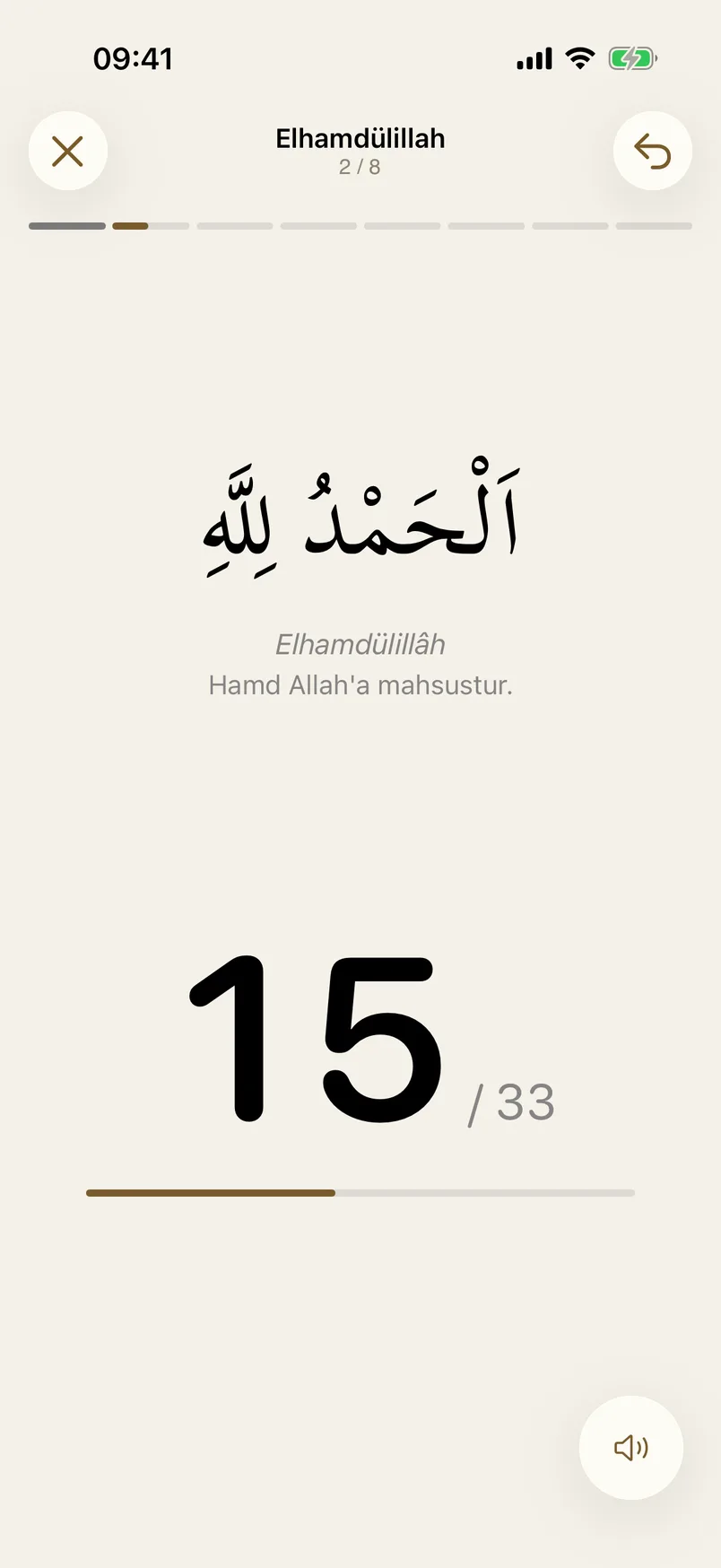
Four designs
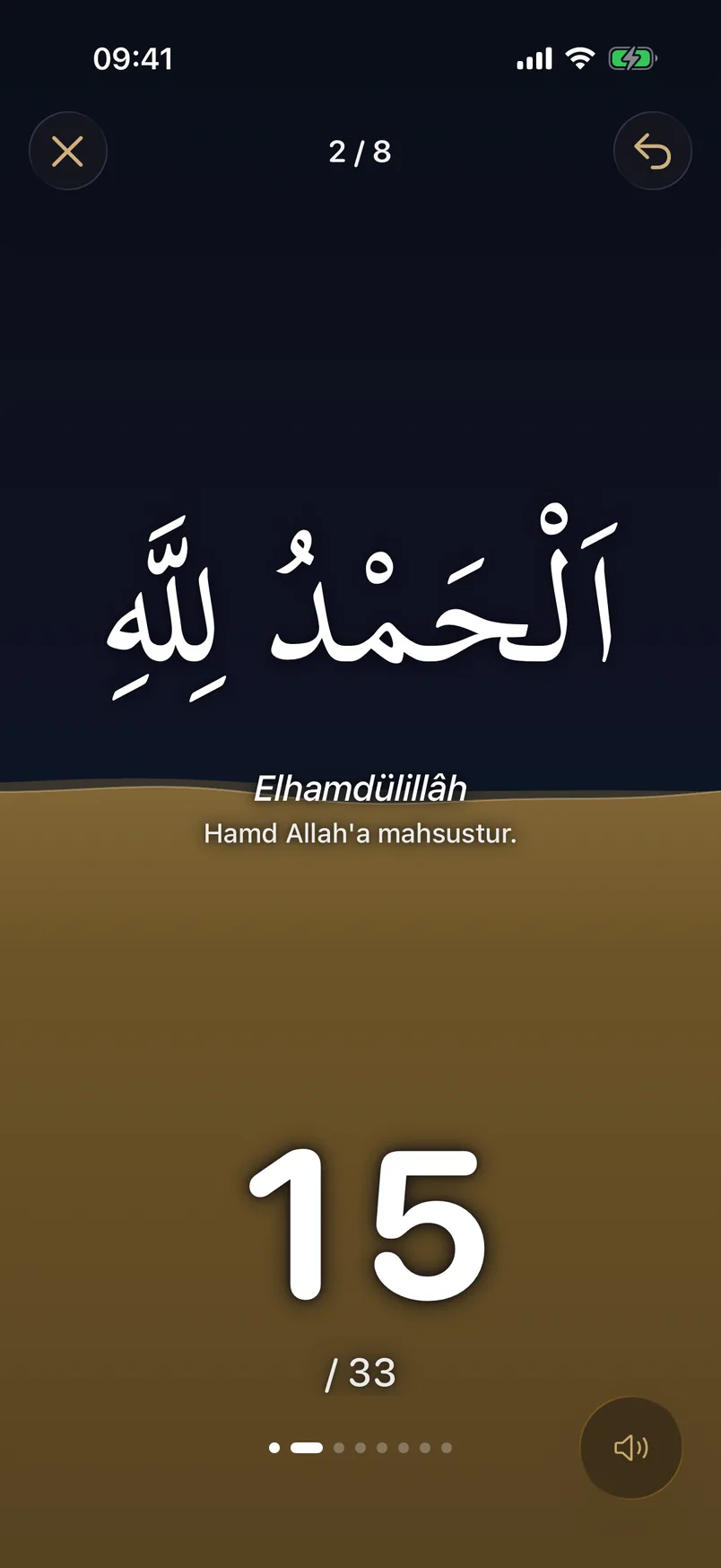
The counter comes in four designs, chosen in Settings: beads on a string, a progress ring, plain type, or the Arabic alone on a ground that fills as you count.
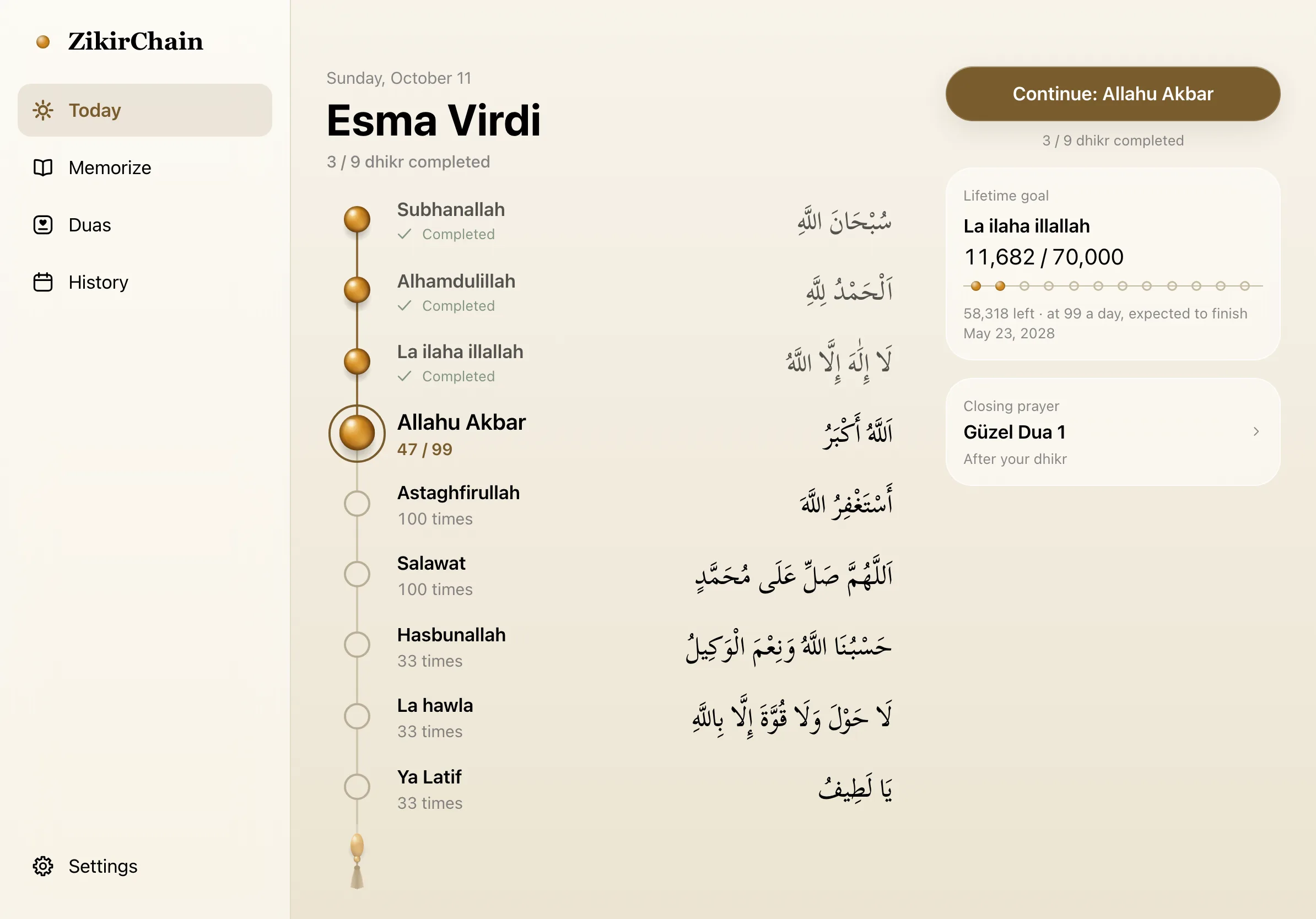
Web app on a tablet
The same day in a browser on a tablet: the sections move to a rail on the side, and the counter puts the Arabic and the beads next to each other.
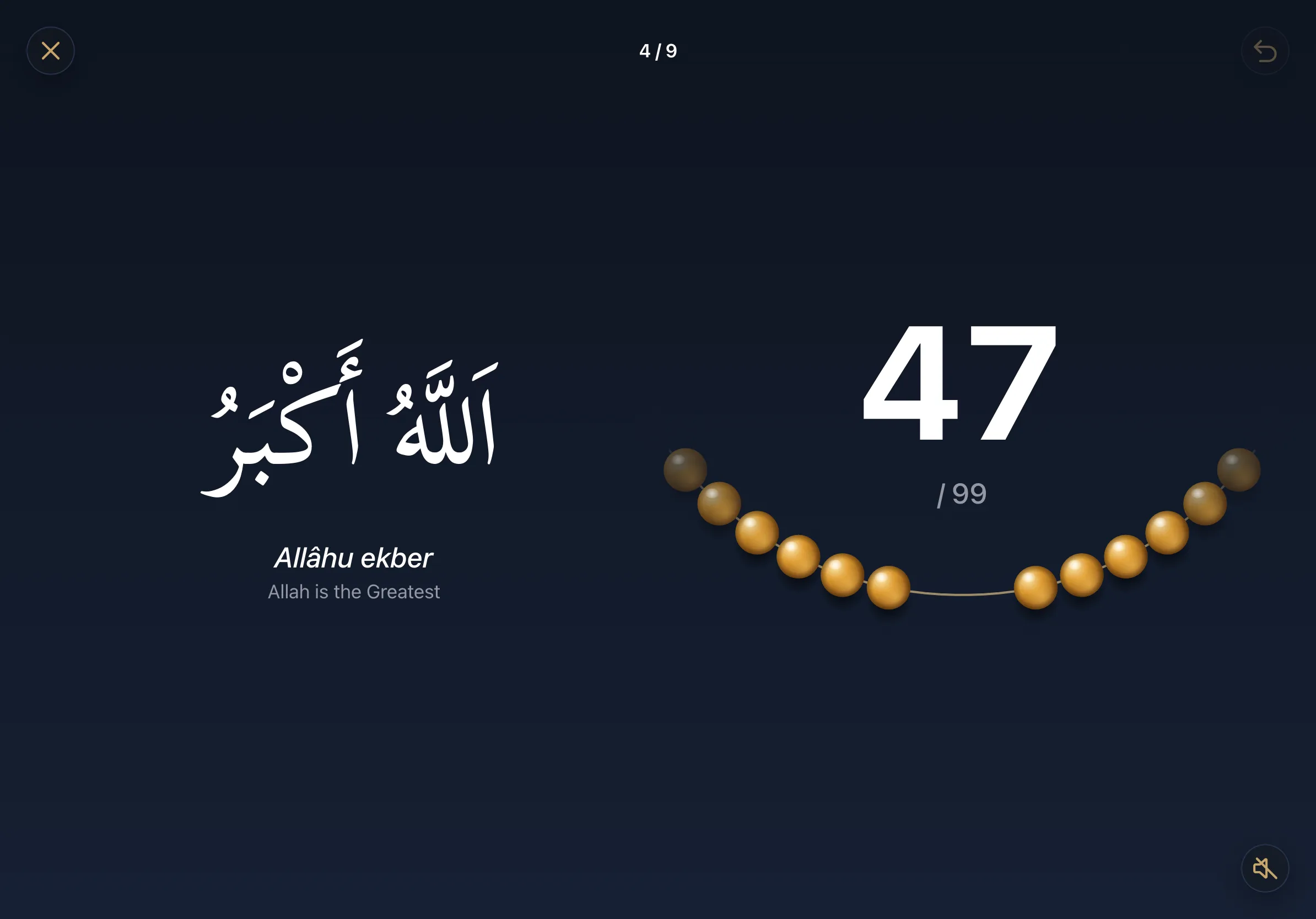
Web app on desktop
On a desktop the web app opens up into columns: the program, the reader and the calendar each get room, and the Space key counts.
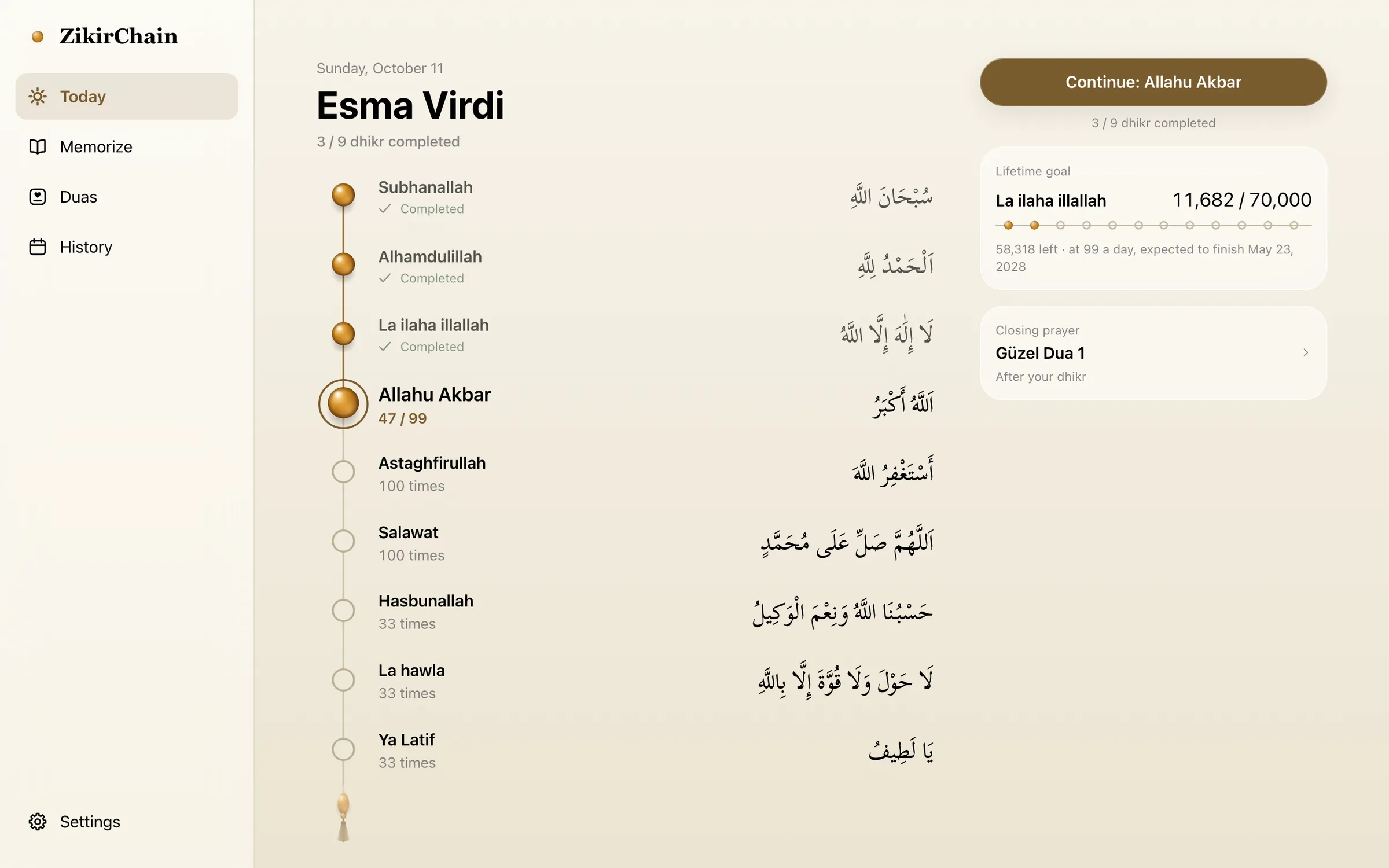
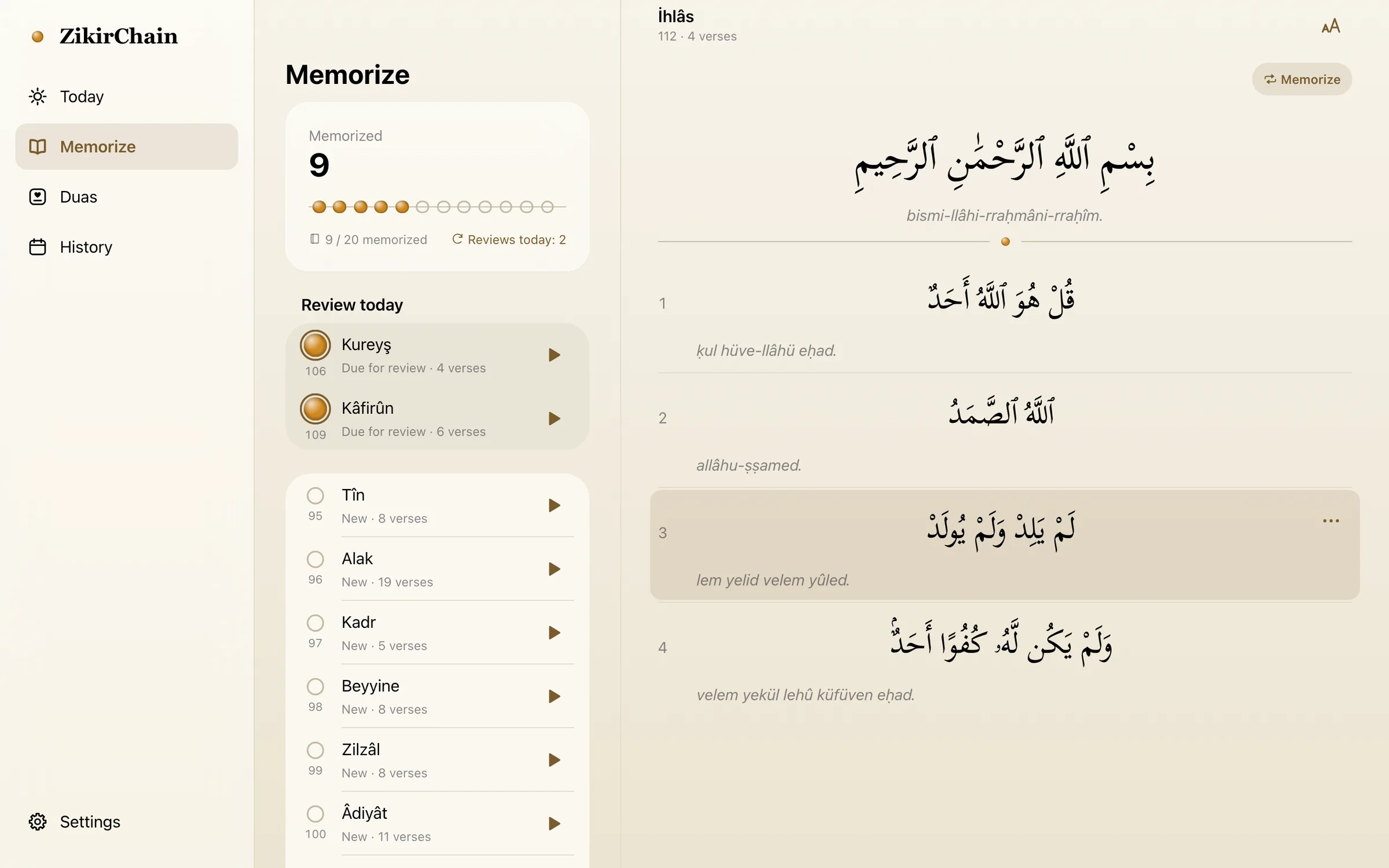
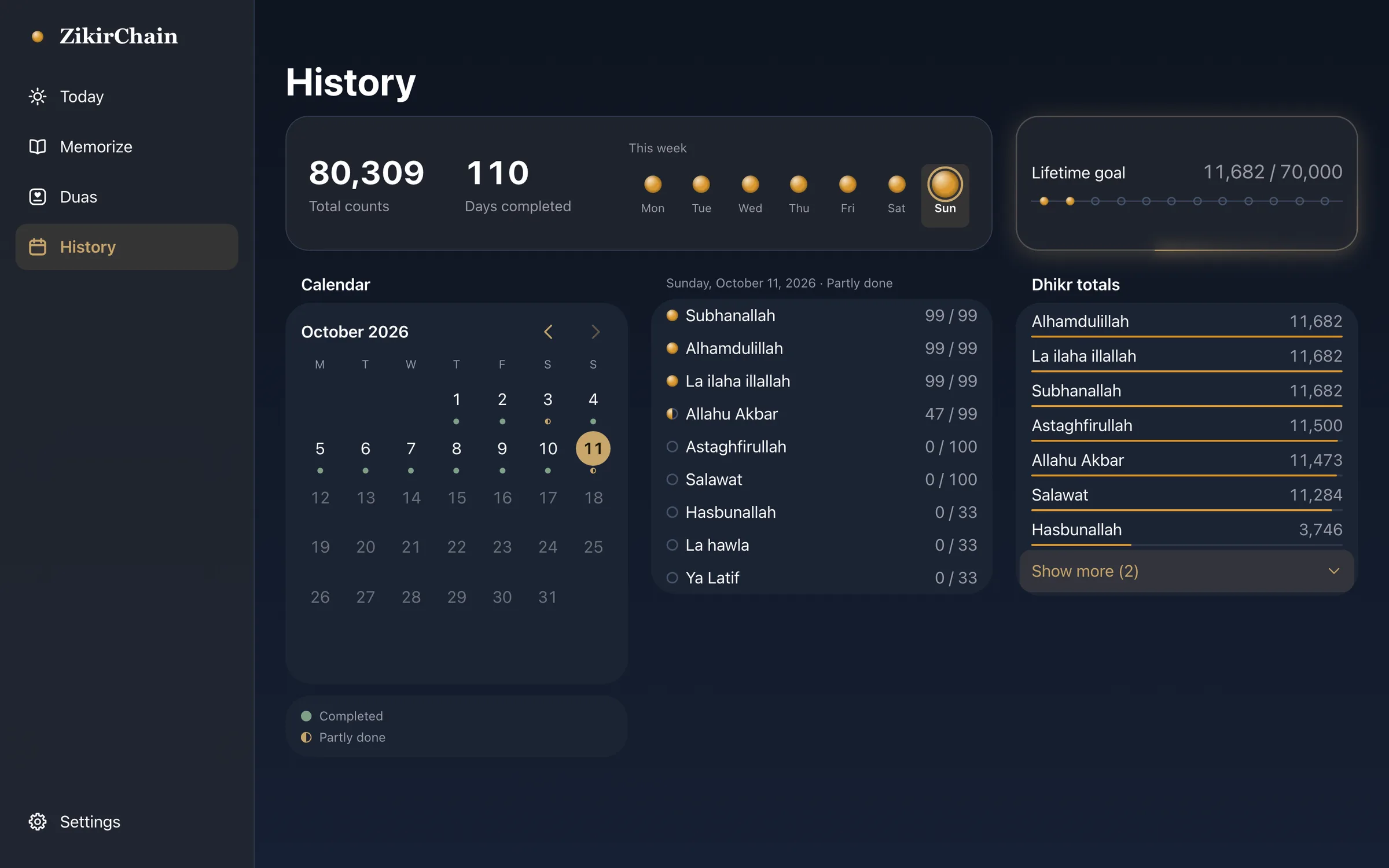
FIG. 04 / DESIGN DIRECTION
Design direction
A tasbih, not a tally counter. The whole interface is built around one object: amber beads on a thin string. A ring of beads opens the app, an arc of them sits under the counter, and small beads mark progress in lists, in the week and on the calendar. The counter itself comes in four designs, from the beads to plain type. Cream paper with a brass accent by day, ink navy with gold by night. The Arabic always comes first and is set large; the system typeface keeps the interface quiet, rounded numerals carry the count, and a serif carries the wordmark and the reading text.
Palette
- Paper#F7F3EA
- Brass#7A5C2E
- Amber bead#D08A22
- Ink navy#0E1420
- Gold#C7A56B
Type
- Scheherazade New
- Arabic: dhikr, verses and duas
- System sans, rounded numerals
- Interface and counts (SF Pro on Apple devices)
- System serif
- Wordmark and reading text (New York on Apple devices)
FIG. 05 / MOTION LANGUAGE
Motion language
Everything moves the way beads move on a string. A tap slides one bead across and lets it settle, without a bounce; the number rolls to the next. When a dhikr is complete the tassel bead arrives and glows once, and the next dhikr comes in by itself. Screens change quietly, and nothing moves for decoration.
Related systems
Genjutsu
LiveGenjutsu replaces the people in a video and keeps the scene, camera, timing and full original soundtrack, with a mask check before every generation.

Mailsort
LiveAn AI spam classifier that shows its work: every verdict comes with the phrases, sender checks and links that decided it.
Chalkline
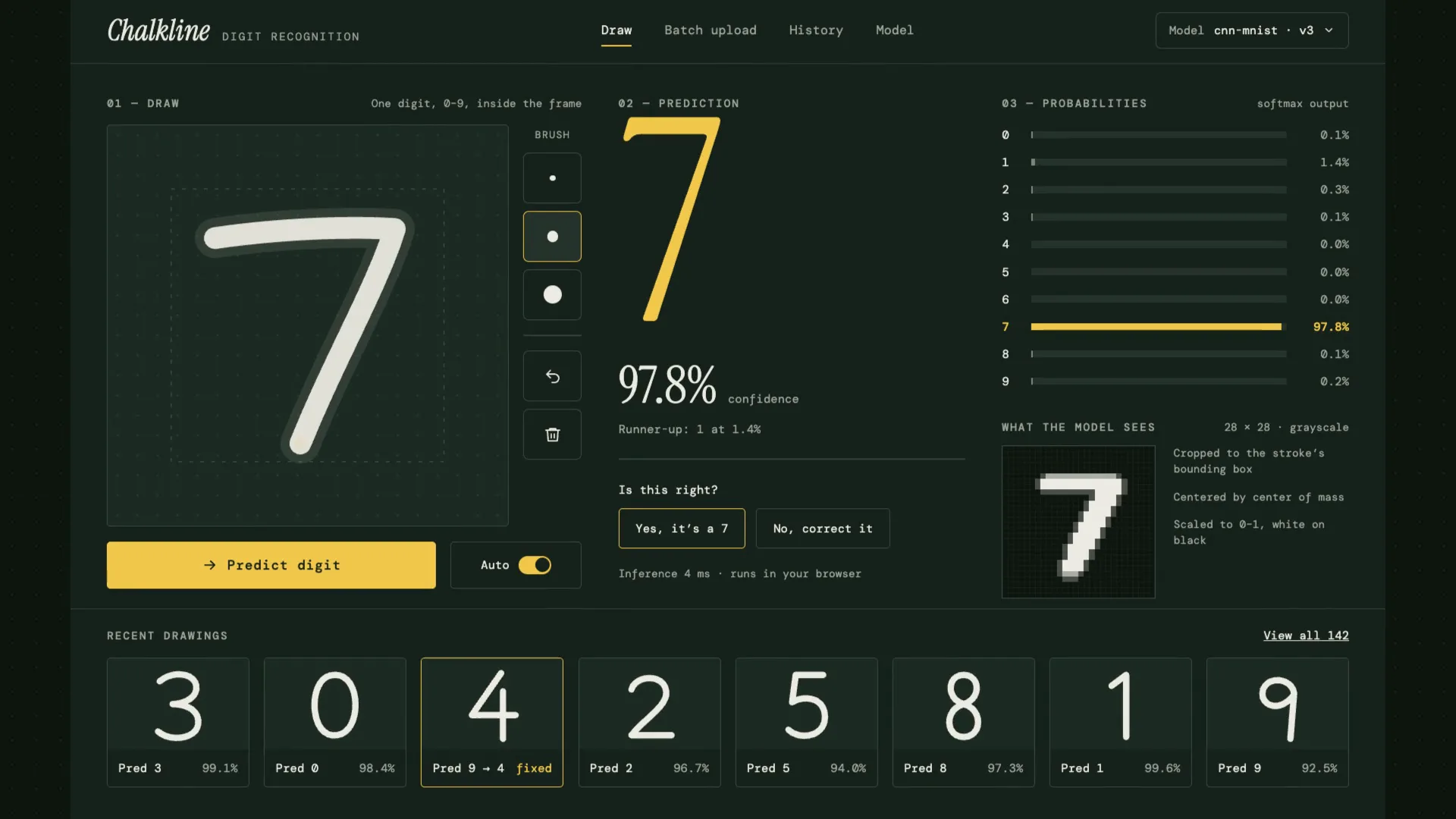
LiveA handwritten digit recognizer that shows its reasoning: your chalk stroke becomes the 28×28 pixels the model sees, then ten probabilities, then an answer.
Have a project like this?
Tell me what you want to build. We map it on a 30-minute call.