

Product
LiveUndertone
A voice journal that reads tone, not just words: it scores each check-in as calm, happy, angry or sad every 2 seconds and shows where the tone changed.
Facts
- Status
- Live
- Platform
- Phone app · web app
- Flows
- Record · Result · Sessions · Insights
- Model
- ut-ser 3.2 on the device: Calm · Happy · Angry · Sad per 2 s window
- Input
- Live recording or an audio file (WAV, MP3, M4A, up to 10 min)
- Privacy
- Audio encrypted and kept for 30 days; tone and transcript stay until you delete them
- Year
- 2026
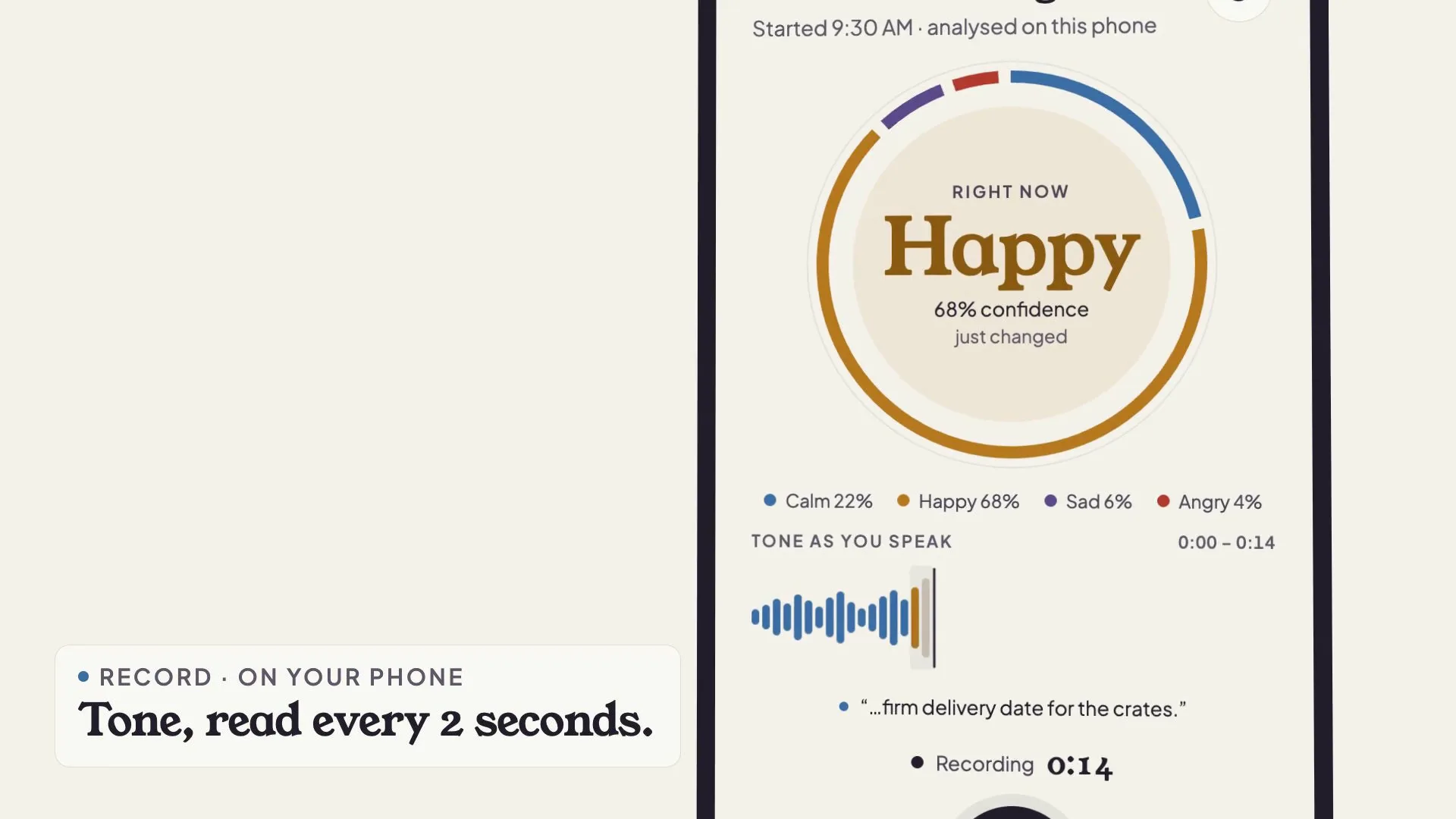
FIG. 01 / PRODUCT FILM
Muted preview · play with sound for the full cut
Who it's for
People who talk things through out loud and want to hear how they come across: a manager recording a quick check-in before a hard call, someone keeping an evening voice diary, or anyone working on how they sound with a communication coach. Made for recording on the phone in the moment and reviewing at a desk later.
The problem
A voice note keeps what you said, not how you said it. Looking back on a hard call or a long week, you remember the words but not the moment your voice tightened, how long it stayed that way, or what you were talking about when it did.
The product
You record a check-in on your phone or at your desk, or upload an audio file, and the ut-ser 3.2 tone model on the device scores every 2-second window as calm, happy, angry or sad while the transcript is written, each phrase tagged with its tone. When you stop, the result shows the overall mix, a timeline of where the tone changed and the lines that carried it; on the desktop it also sets pitch, loudness, speaking rate and pauses against your own voice baseline, so you see what in your voice changed. Sessions keeps every check-in as a tone strip, Insights shows the patterns across weeks, and a session report can go to a coach as tone, transcript and cues, never the audio. Tone is estimated from your voice; it is not a diagnosis.
FIG. 02 / HOW IT WORKS
How it works
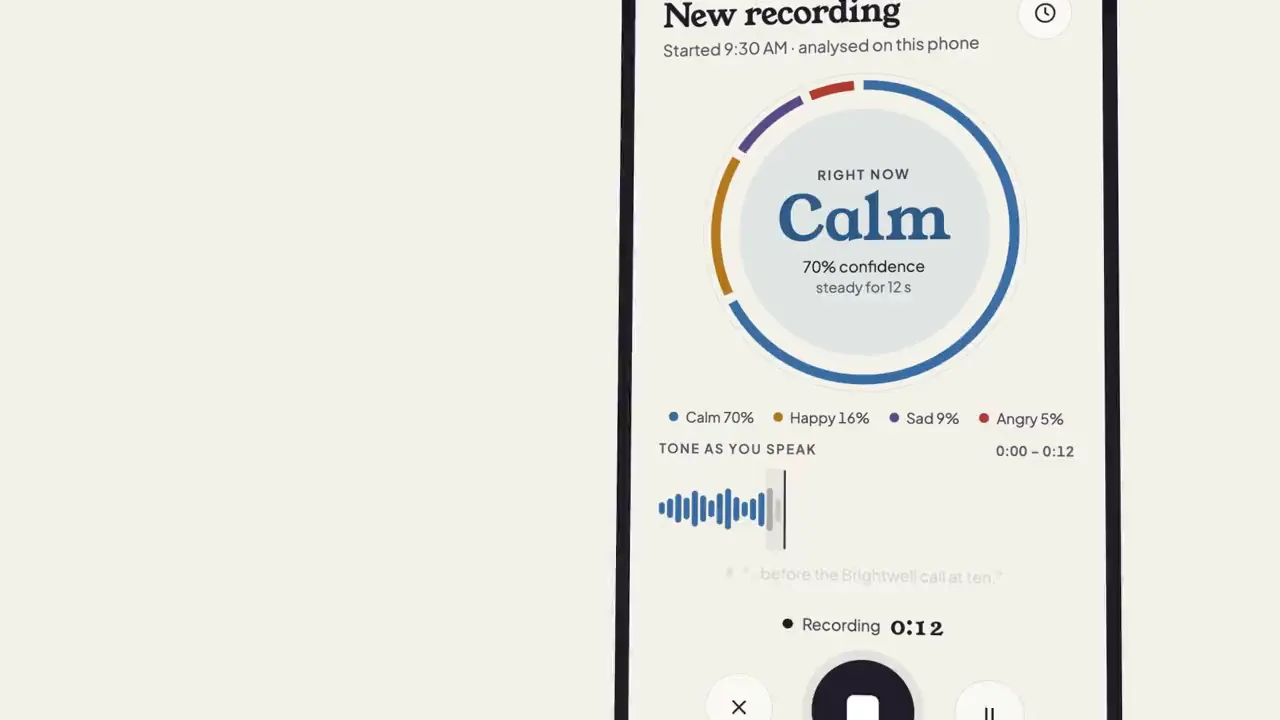
Step 1: Record
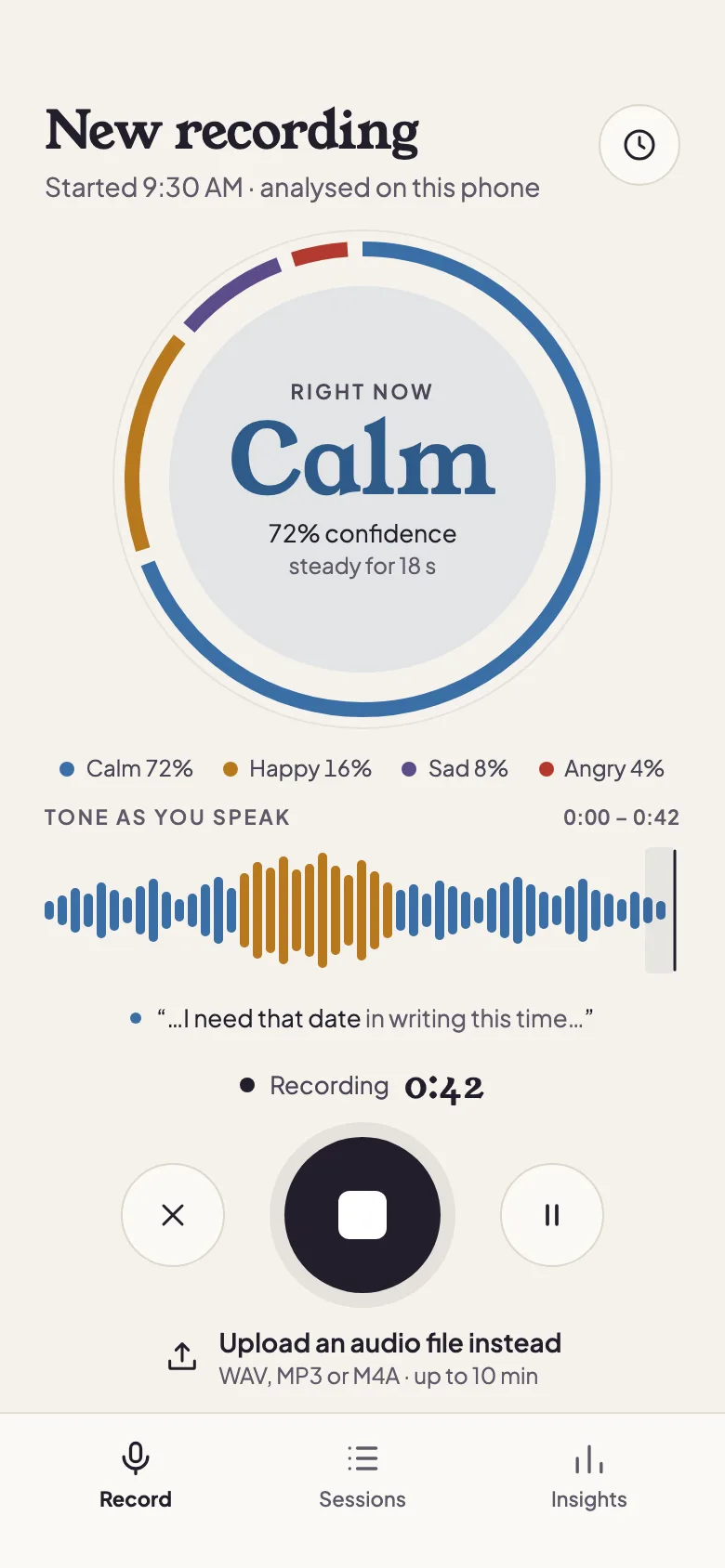
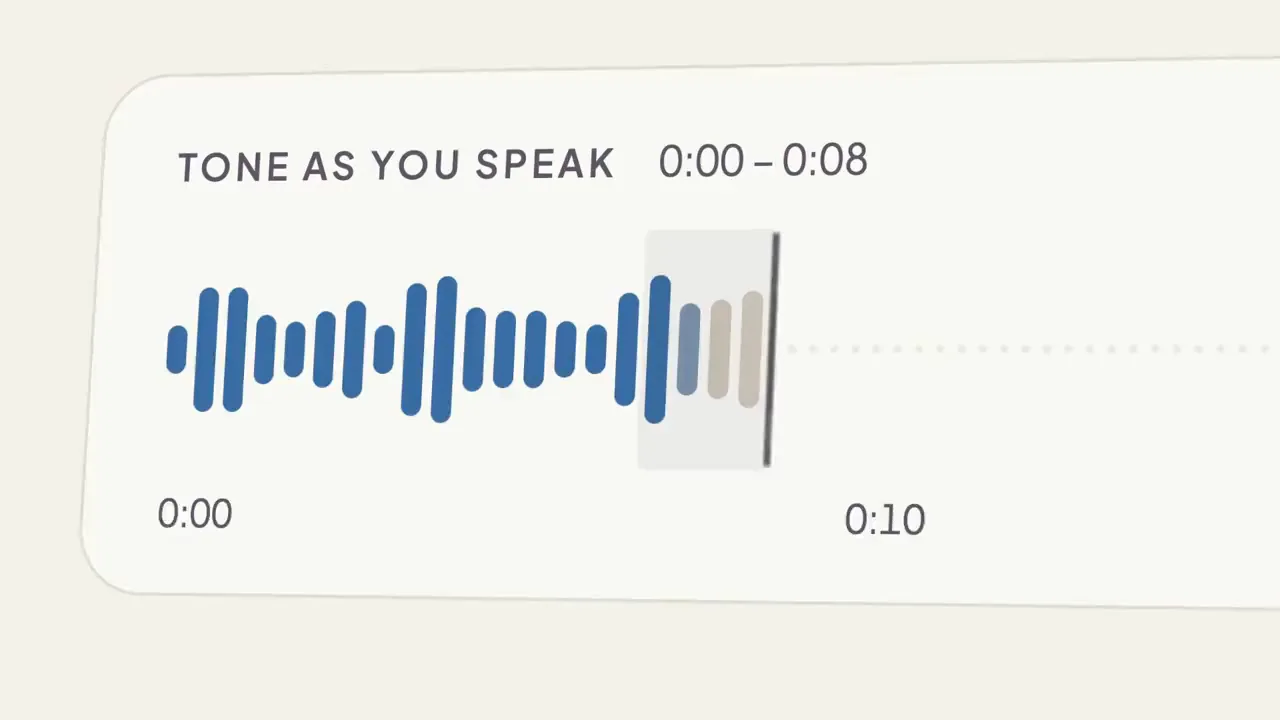
You speak and Undertone listens. Each bar of the waveform arrives grey and takes its tone colour one window later, the ring re-balances with every 2-second read, and the word in its centre changes only when your tone does. A live caption shows the last phrase as it lands, tagged with its tone.
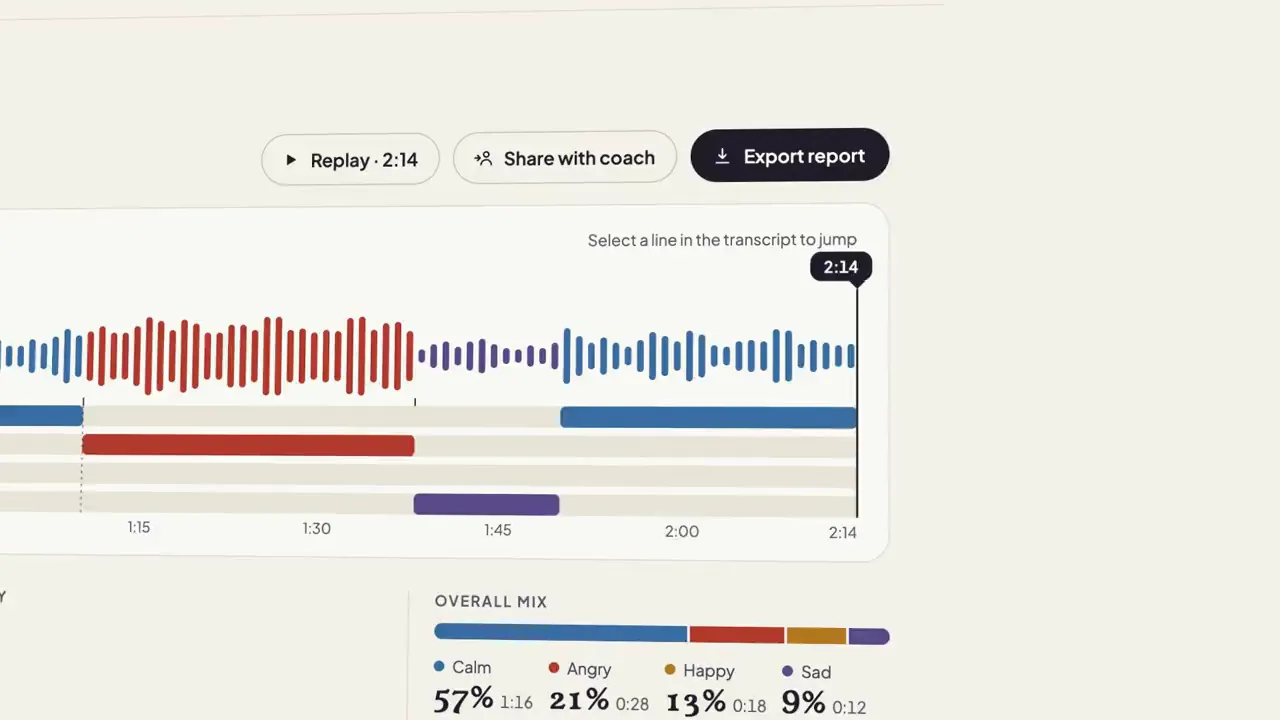
Step 2: Result
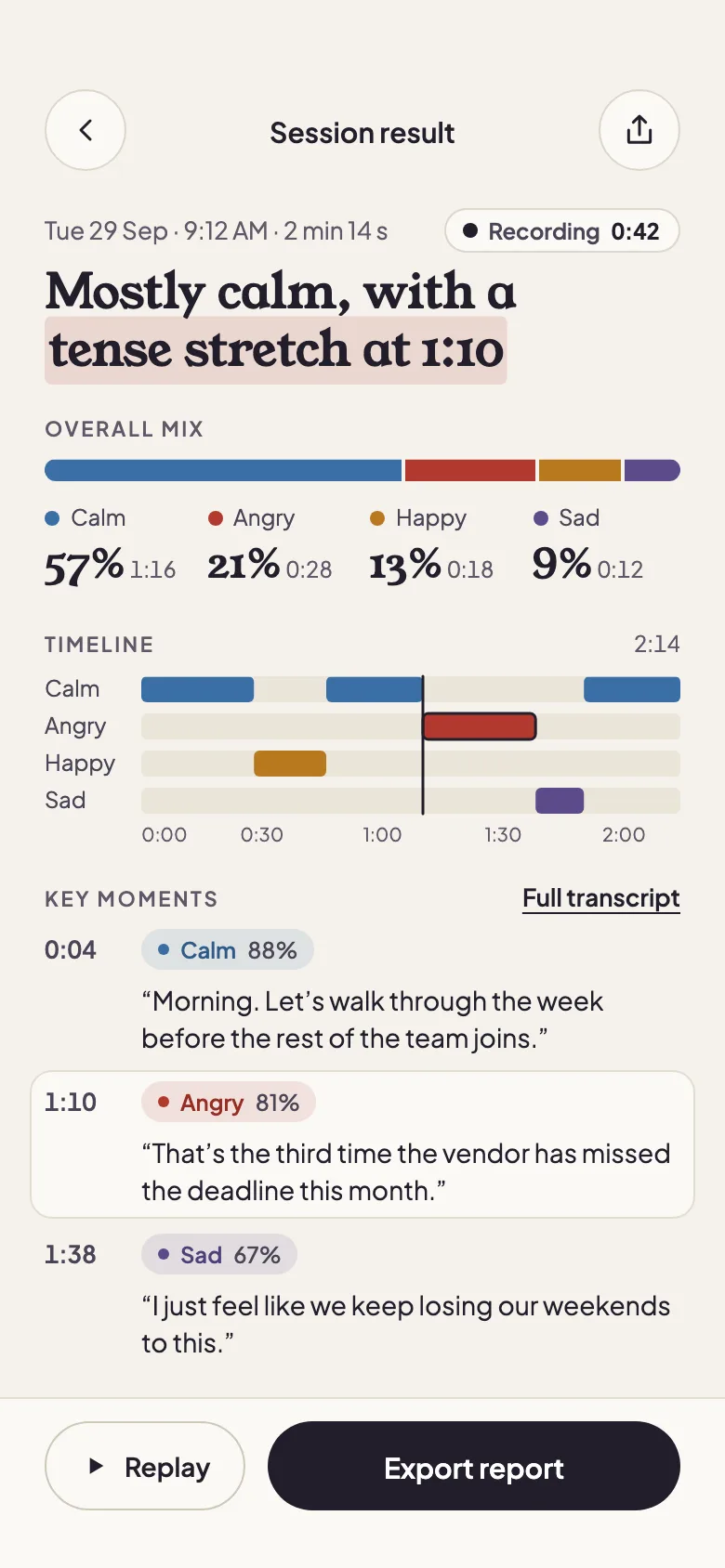
When you stop, the session replays in a few seconds: the tone lanes colour in behind the playhead, the overall mix counts up and the key moments are pinned with their words. On the desktop the playhead goes back to the tense stretch — angry for 20 seconds or more at 70% confidence or higher — a bracket marks how long it lasted, and bars for pitch, loudness, speaking rate and pauses grow from your own baseline.
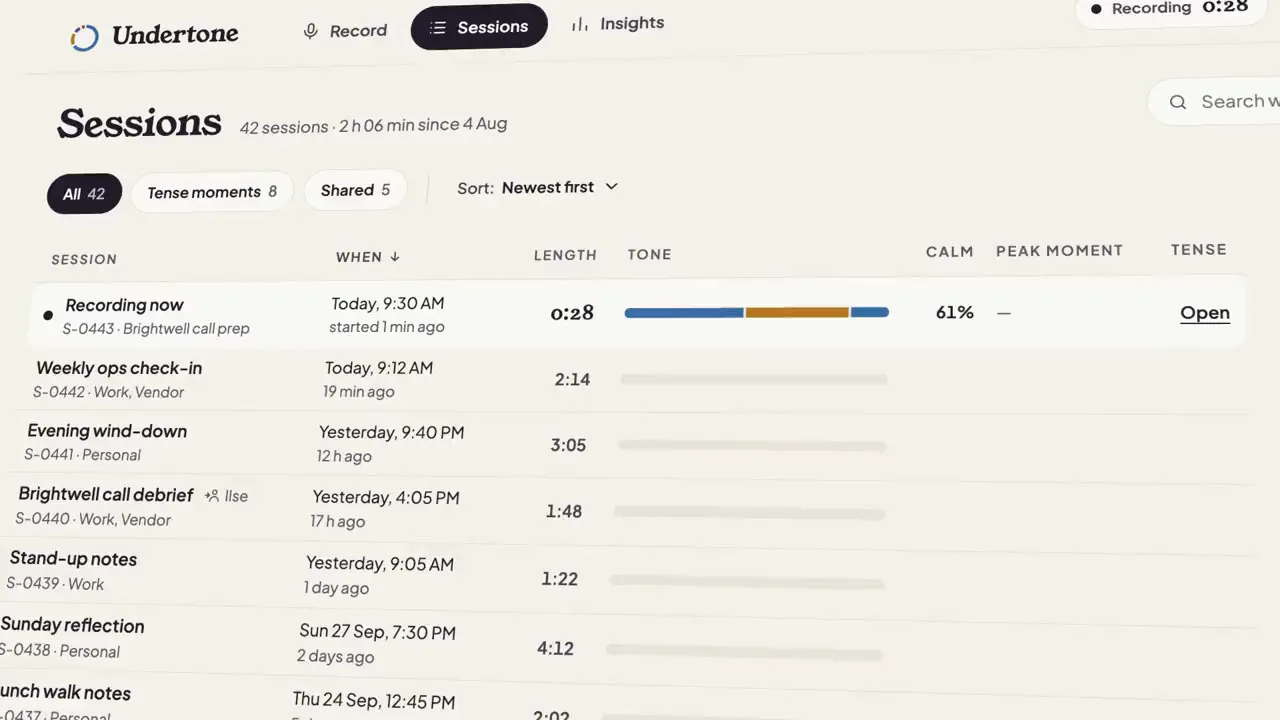
Step 3: Sessions
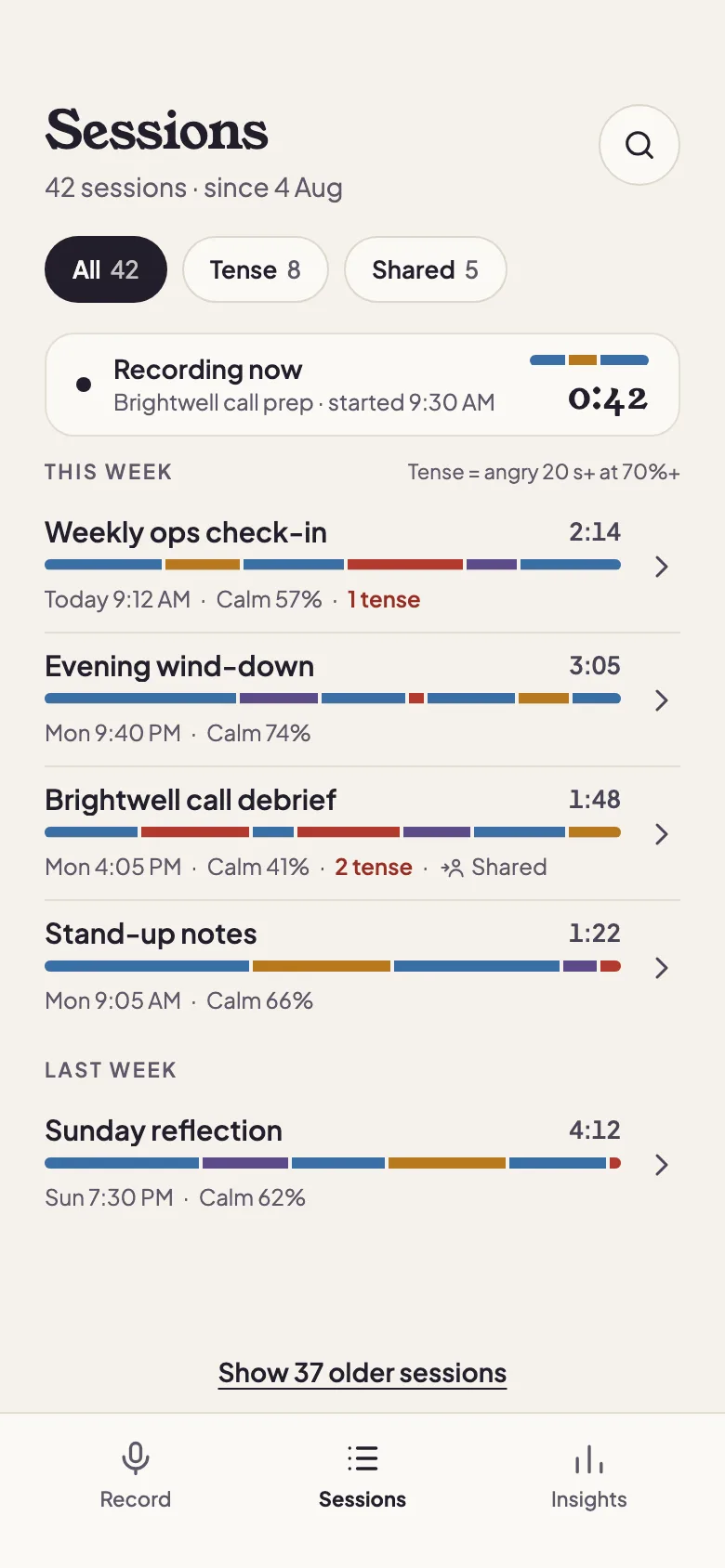
Every check-in lands in the library as a tone strip in time order, with its length, calm share, peak moment and tense count. Filter to the sessions with a tense stretch or the ones shared with your coach, and preview one — its lanes, its mix, its peak quote and related sessions — before you open it.
Step 4: Insights
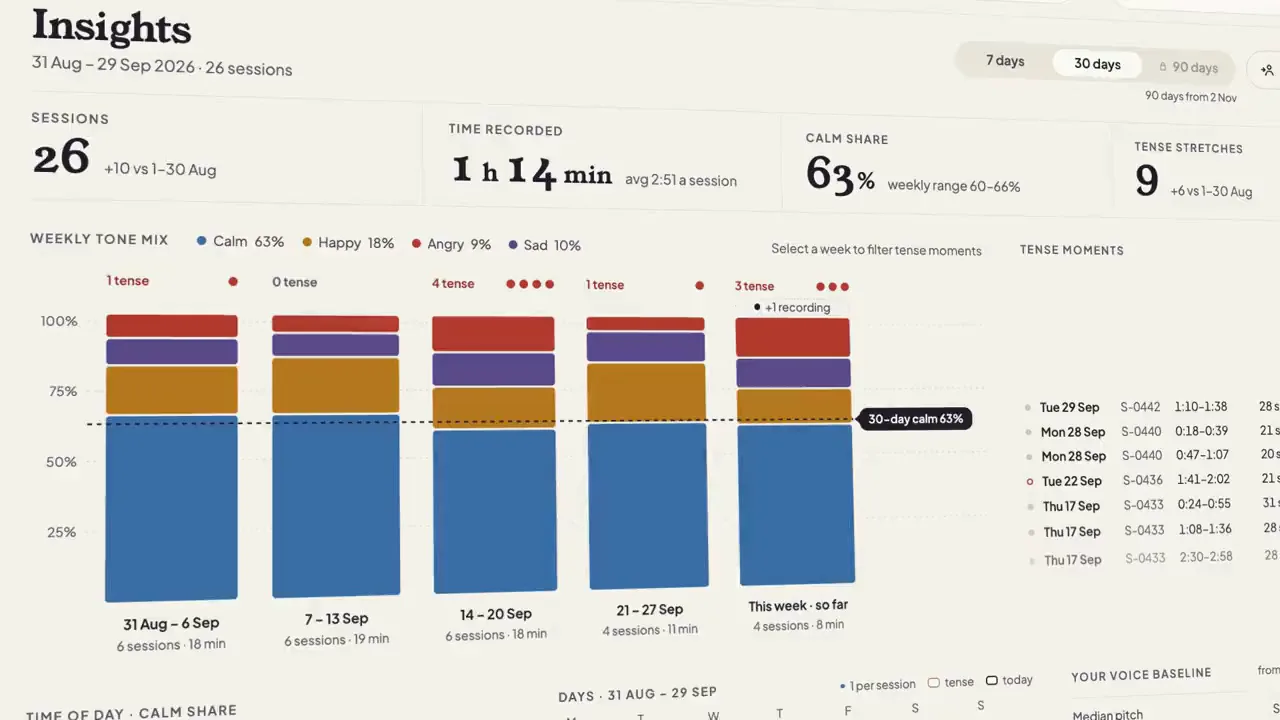
Insights sets the last 7 or 30 days side by side: sessions and time recorded, the weekly tone mix against your calm average, and every tense stretch with the words heard within 30 seconds of it. It also shows the time of day you sound calmest and your voice baseline, and a weekly report can go to your coach.
FIG. 03 / SCREENS
The product, screen by screen
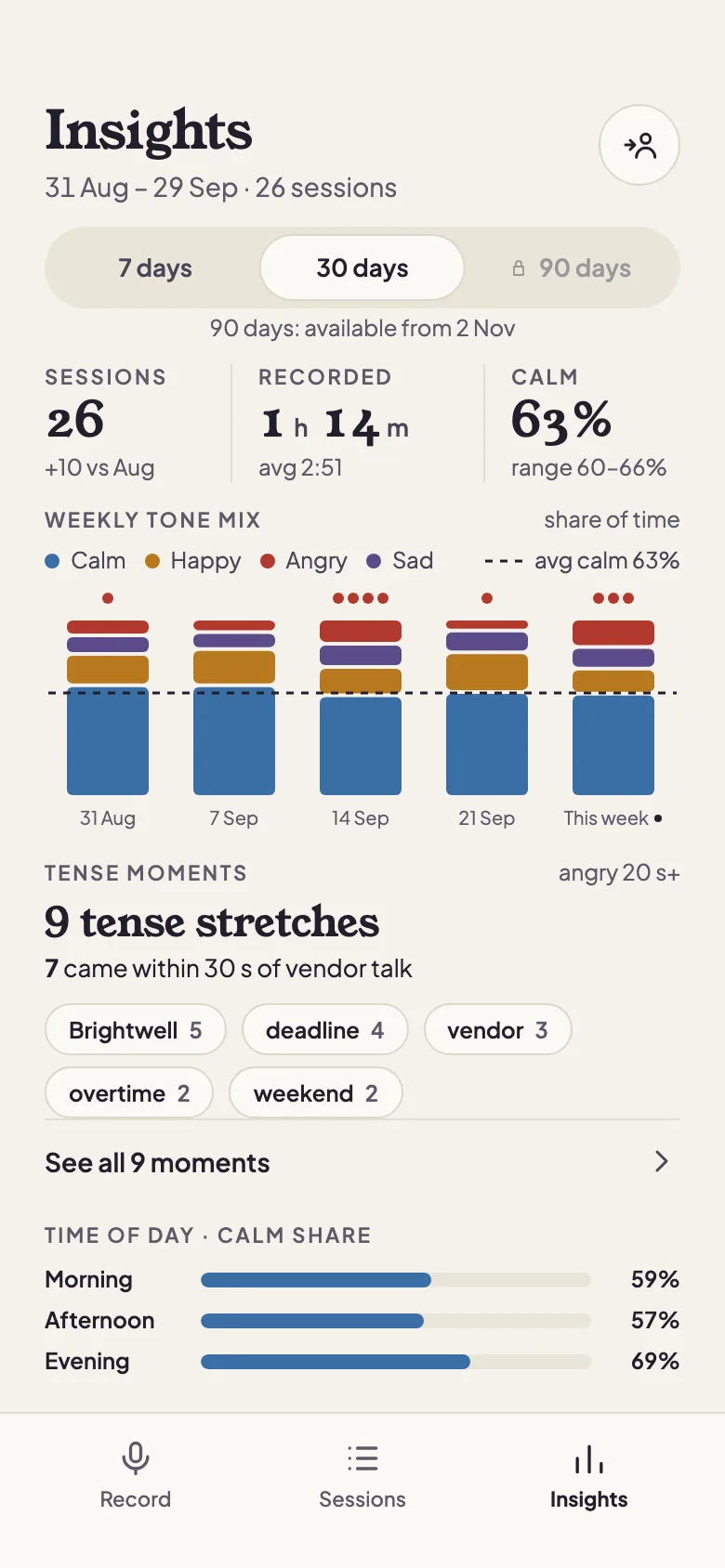
Web app
The same Undertone at a desk: record before a call with the live transcript beside the ring, review a session with the voice cues behind each stretch, scan the library by tone, and read the month's patterns on one screen.
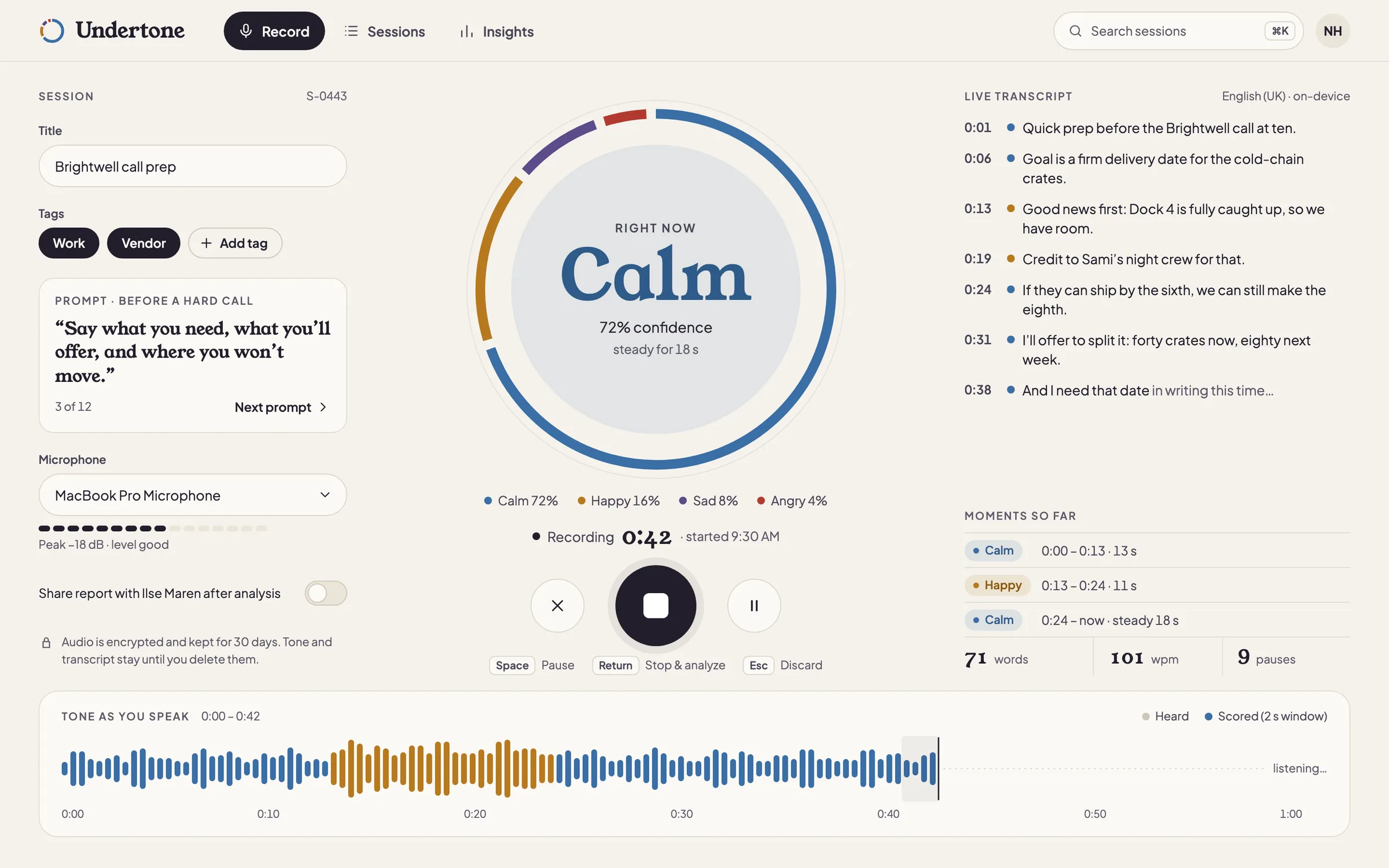
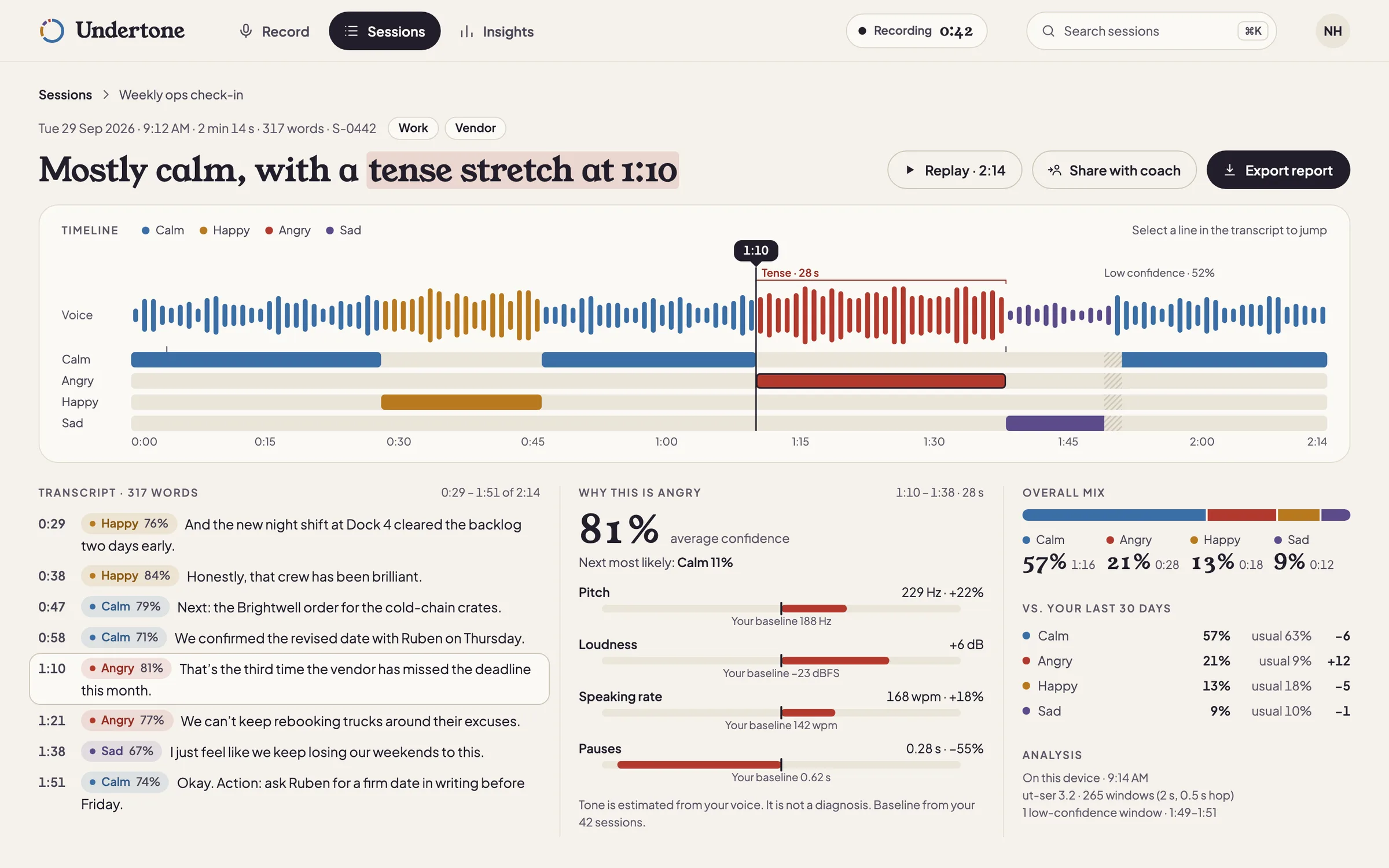
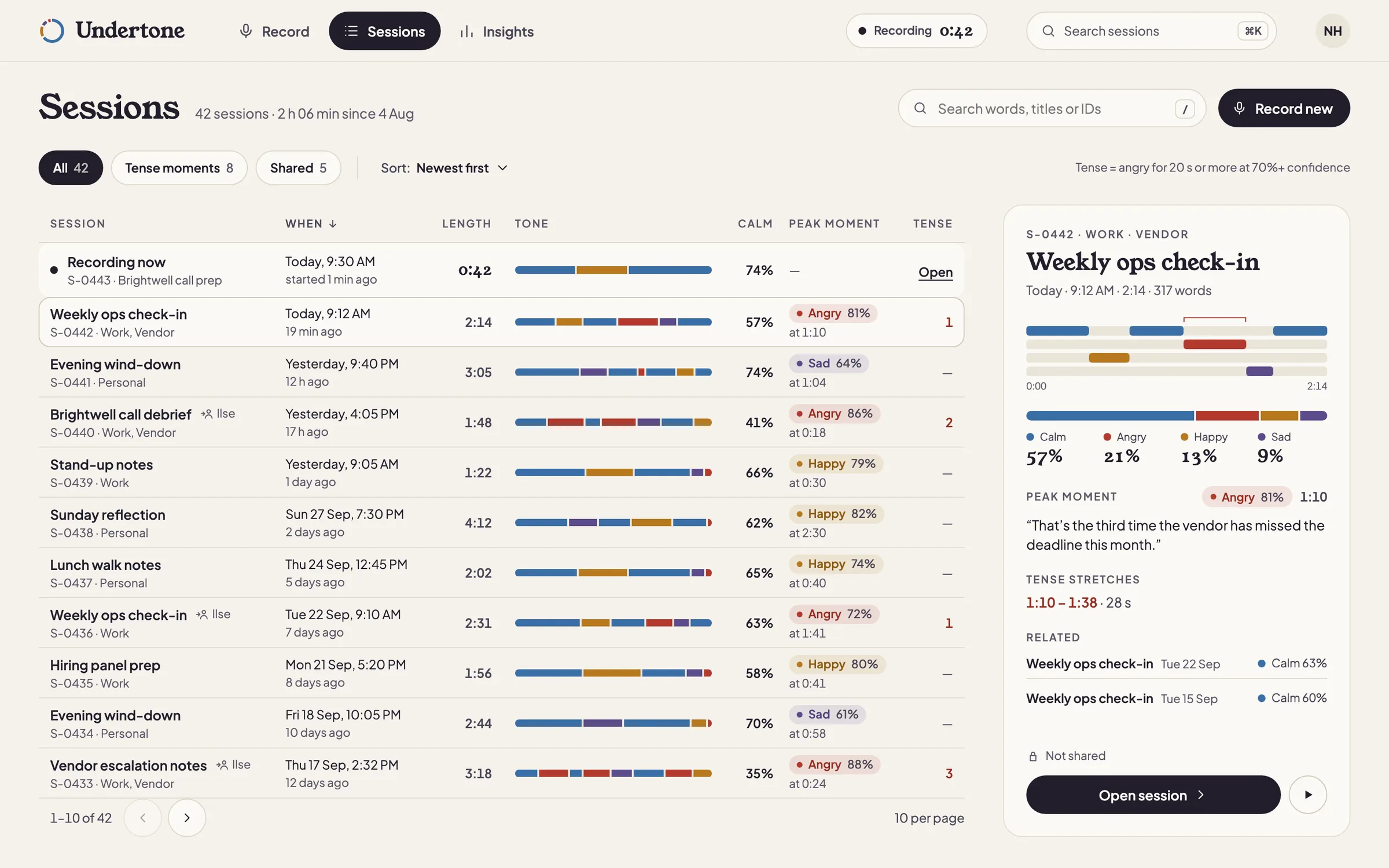
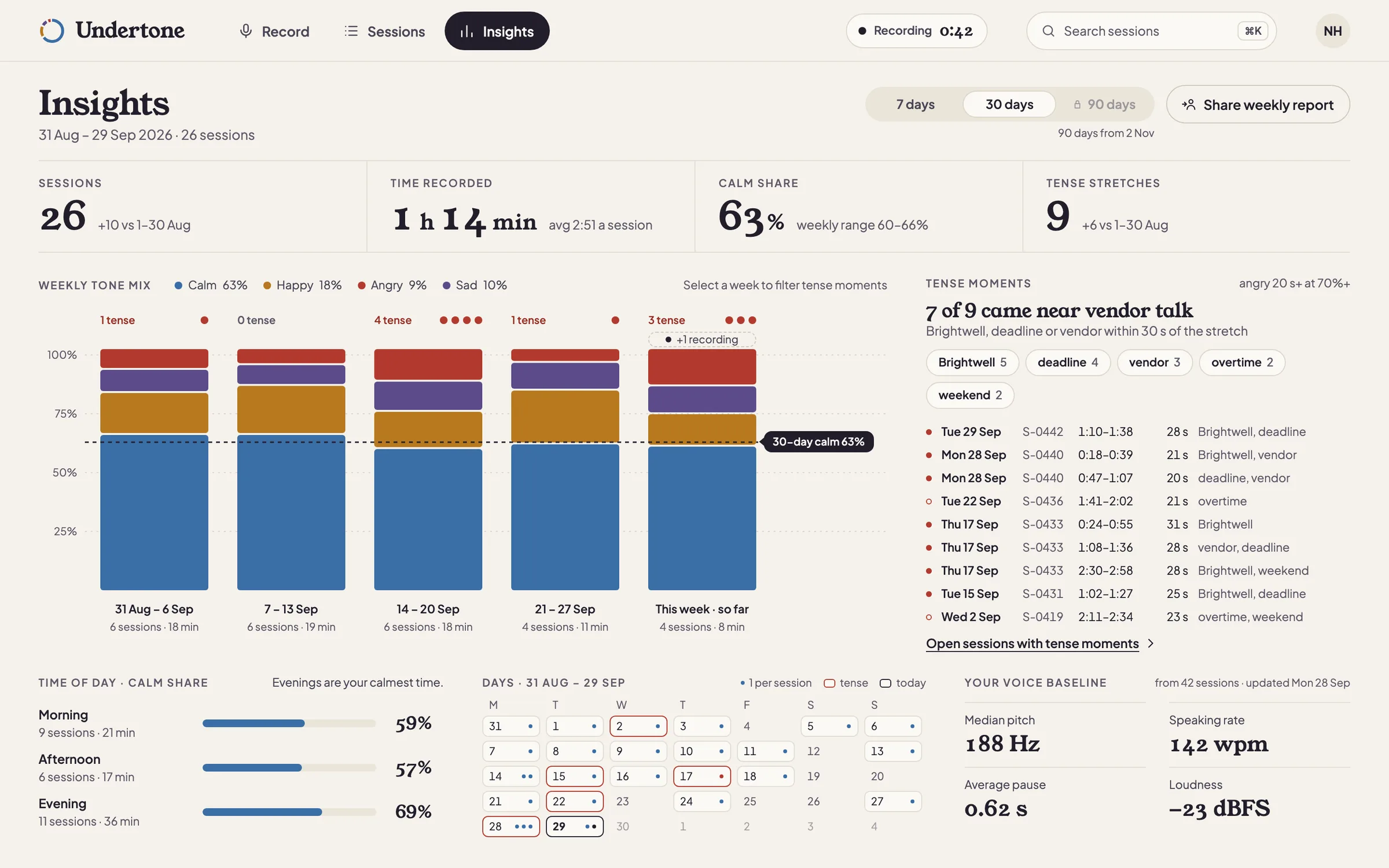
FIG. 04 / DESIGN DIRECTION
Design direction
“Soft sound”, light: a warm paper ground, ink text, no cards on the ground and no shadows but one soft halo around the record button. Young Serif carries the headlines, the emotion words and the big numbers; Plus Jakarta Sans carries everything else. Each emotion has one muted colour — calm blue, happy amber, angry brick, sad violet — always shown with its label, and pills, round icon buttons and hairlines keep the screens quiet.
Palette
- Ground#F5F2EC
- Ink#221E2B
- Calm#3A6EA5
- Happy#B7791F
- Angry#B23A2E
- Sad#5B4B8A
Type
- Young Serif
- Headlines, emotion words, big numbers, clocks
- Plus Jakarta Sans
- Everything else: transcript, labels, buttons, charts
FIG. 05 / MOTION LANGUAGE
Motion language
“Heard, then coloured”: the motion follows how the model works. Sound arrives grey, a playhead hops one 2-second window at a time, and the tone colour lands one window behind it, because the model can only score what it has already heard. Proportions in the ring, the lanes and the charts re-balance by sliding, and words commit as whole phrases instead of typing out. Calm and unhurried, with no bounce or glow: the most dramatic thing on screen is a single word changing.
Related systems
Kiko
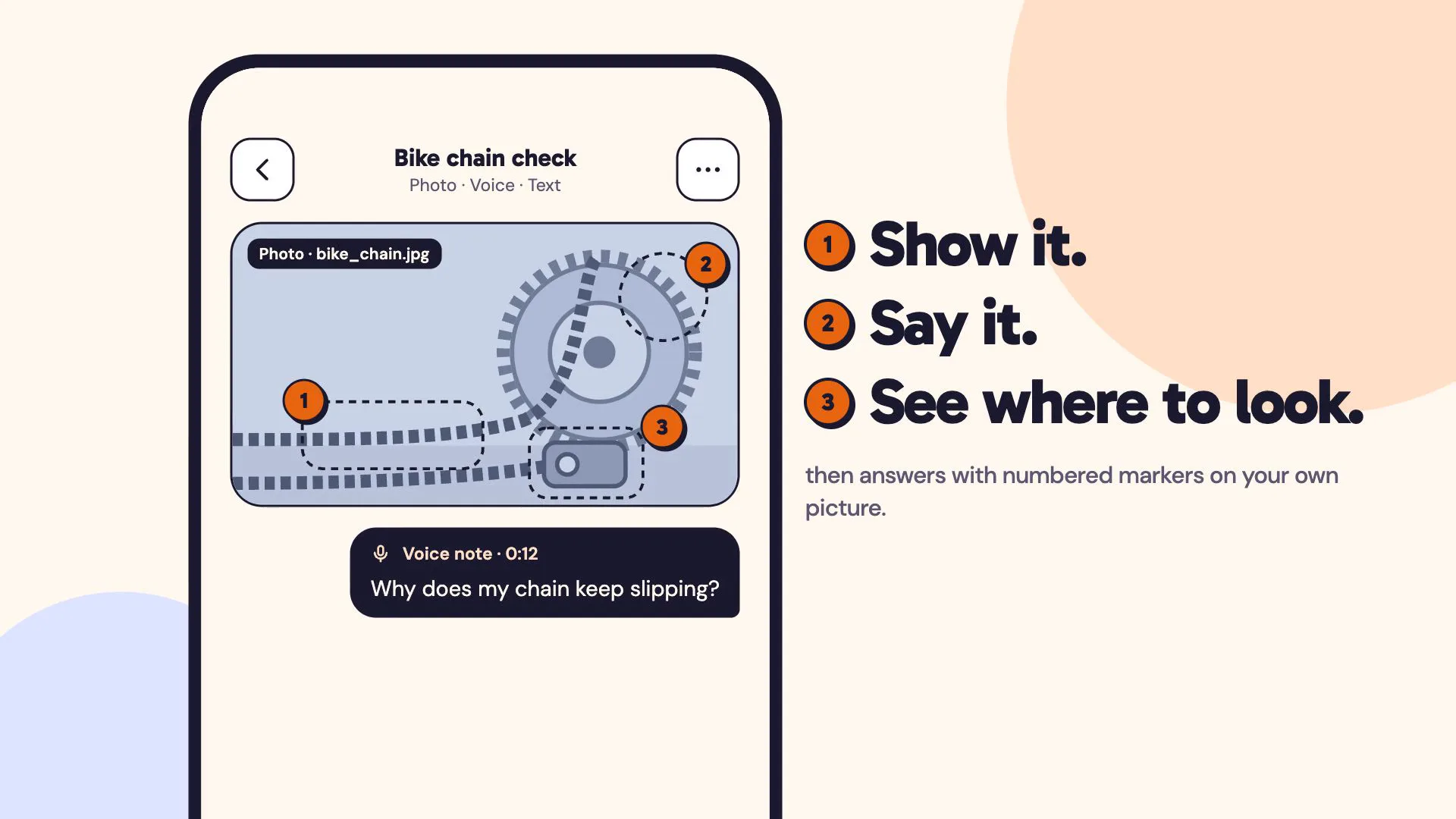
LiveA multimodal AI assistant you can show things to: a photo, a voice note and a line of text in one ask, answered with numbered markers on your own picture.
Voice Typer
Internal toolA push-to-talk Windows dictation and translation tool with a fully local speech pipeline option (faster-whisper + Ollama) alongside cloud APIs.
Voice to Text + Instant Translate
Open sourceWindows tray tool: double-tap ALT to dictate anywhere via Whisper, or select text and double-tap CTRL for an instant floating translation.
Have a project like this?
Tell me what you want to build. We map it on a 30-minute call.