

Product
LiveKiko
A multimodal AI assistant you can show things to: a photo, a voice note and a line of text in one ask, answered with numbered markers on your own picture.
Facts
- Status
- Live
- Platform
- Phone app · web app
- Flows
- Ask · Answer · History
- Input
- Photo · Voice · Text in one ask
- Privacy
- Faces and screens blurred on the phone, before upload
- Year
- 2026
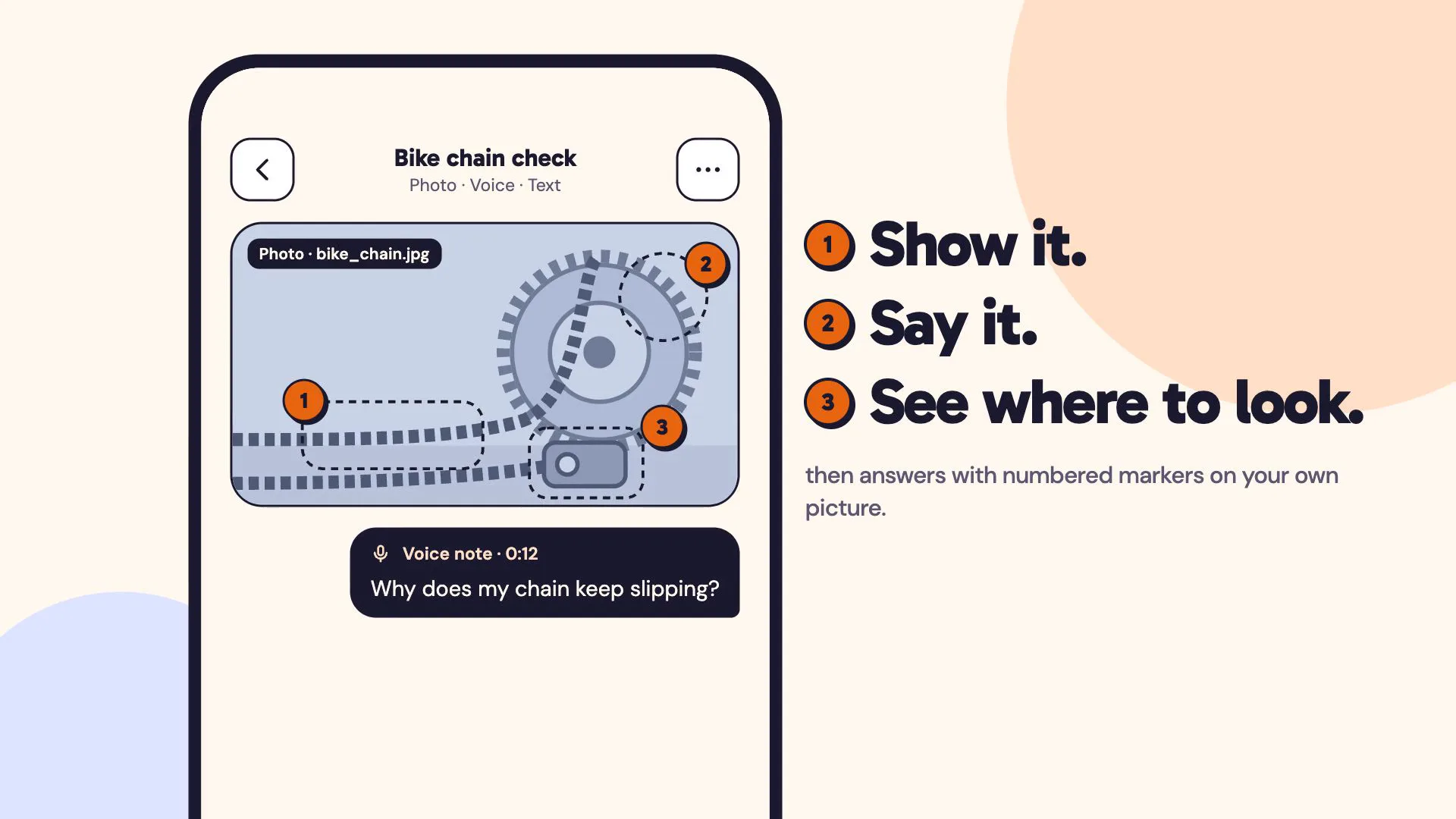
FIG. 01 / PRODUCT FILM
Muted preview · play with sound for the full cut
Who it's for
Anyone with a question about something in front of them that is easier to show than to describe: a bike chain that keeps slipping, a houseplant turning yellow, a menu board abroad, a bolt that is either M6 or M8. Made for asking on the spot with the phone in hand, and for picking the thread up later on a computer.
The problem
Asking for help with something physical is clumsy. You take a photo, then describe the problem in text; the answer comes back as a wall of words — “the part near the back”, “the second one from the left” — and you still have to work out where on the thing in front of you it means.
The product
You send a photo, a voice note and a line of text as one ask, with no modes to pick: Kiko transcribes the voice note and reads all three together. It outlines the regions of the photo it looked at, numbers them, and gives every point in the answer the same number, so you know exactly where to look. Follow-up chips suggest the next question, and every ask stays in a history you can search by words and filter by voice, text or saved, on the phone or in the web app. Faces and screens in the background are blurred on the phone before the photo is sent, and the voice audio is deleted once it is transcribed unless you choose to keep it.
FIG. 02 / HOW IT WORKS
How it works
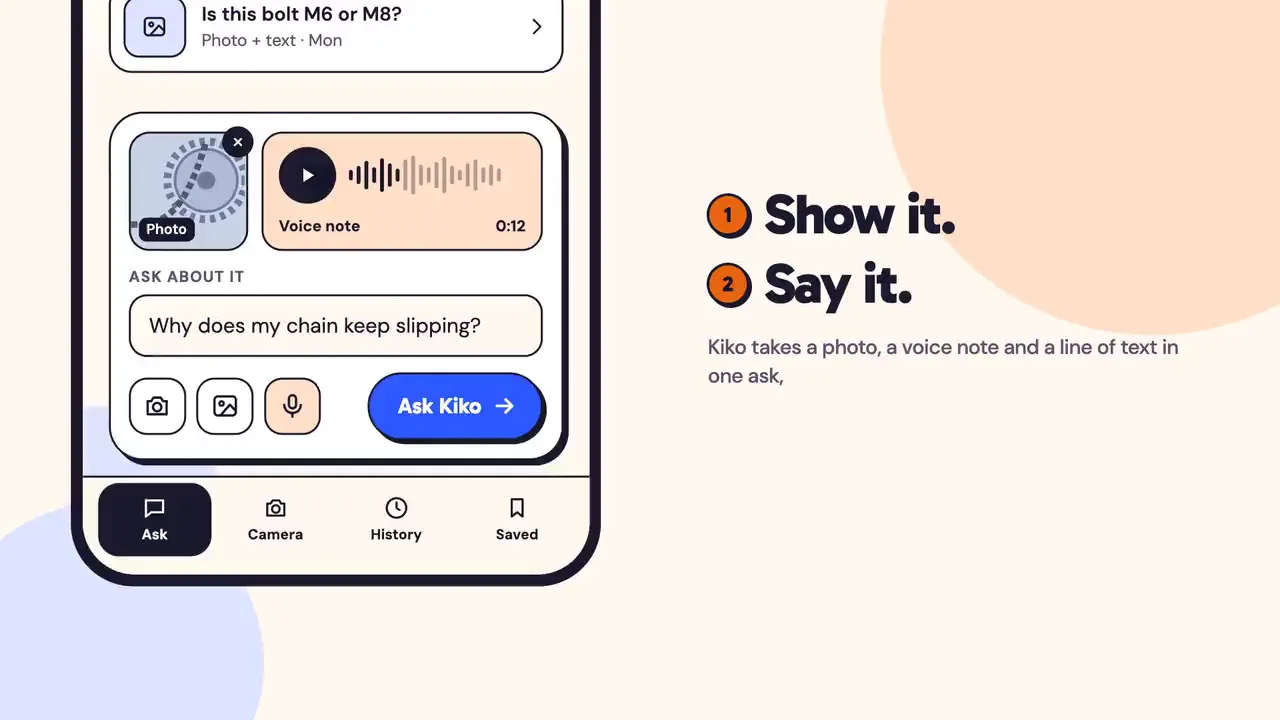
Step 1: Ask
One composer holds everything: take a photo, hold the mic for a voice note, type the detail you want to spell out — then ask. There are no modes to pick; Kiko hears, reads and looks at it all together.
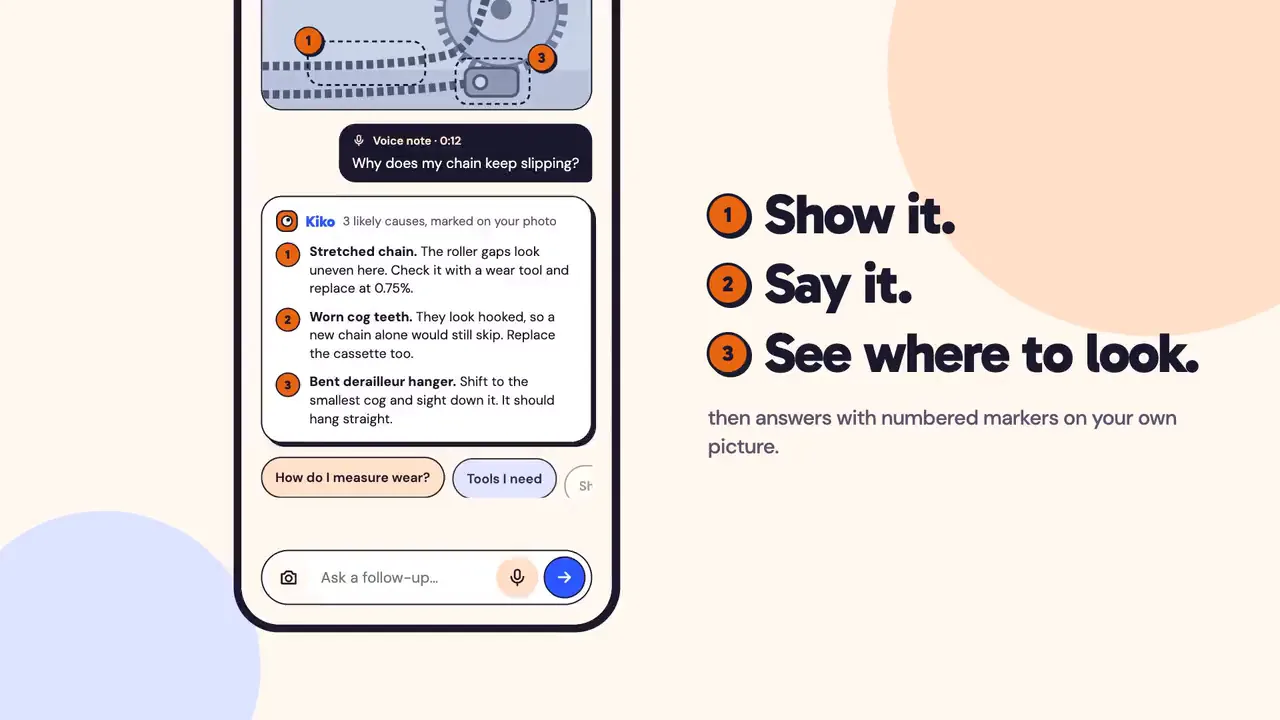
Step 2: Answer
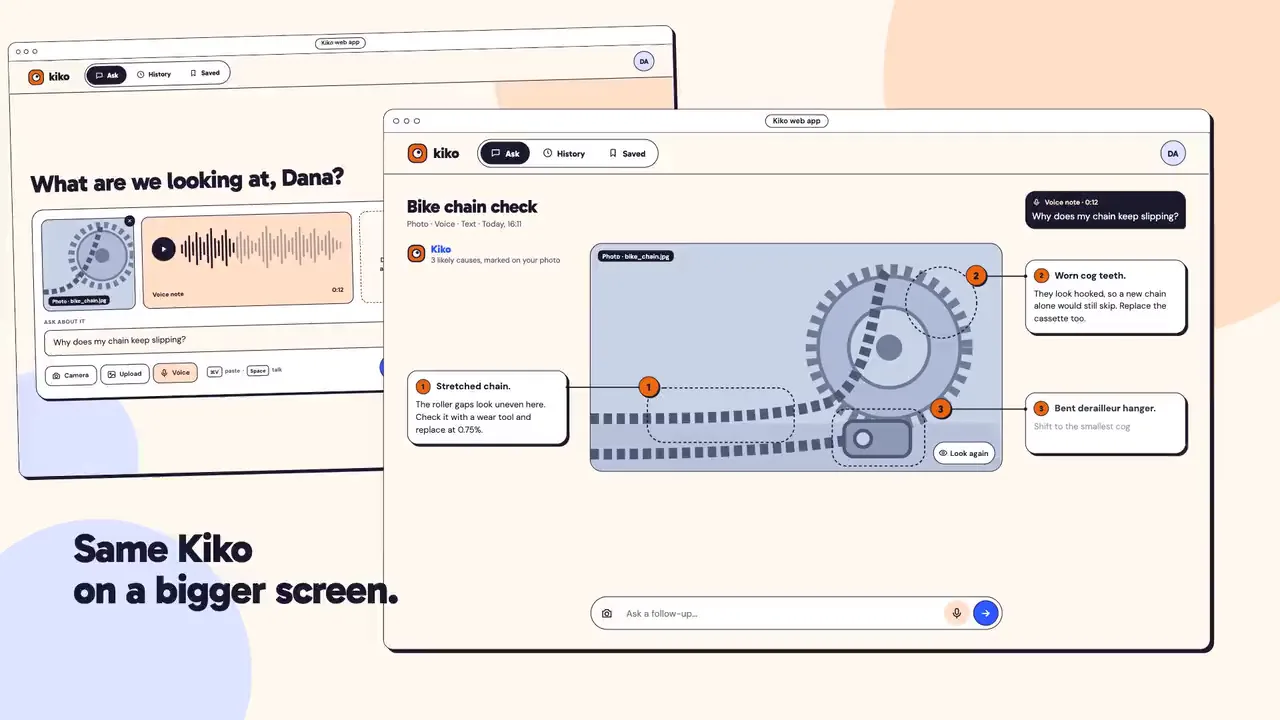
Kiko shows where it looked. Dashed boxes settle on the parts of the photo that matter, numbered markers land on them, and the answer streams in — each point carrying the same number as its marker. Follow-up chips suggest what to ask next.
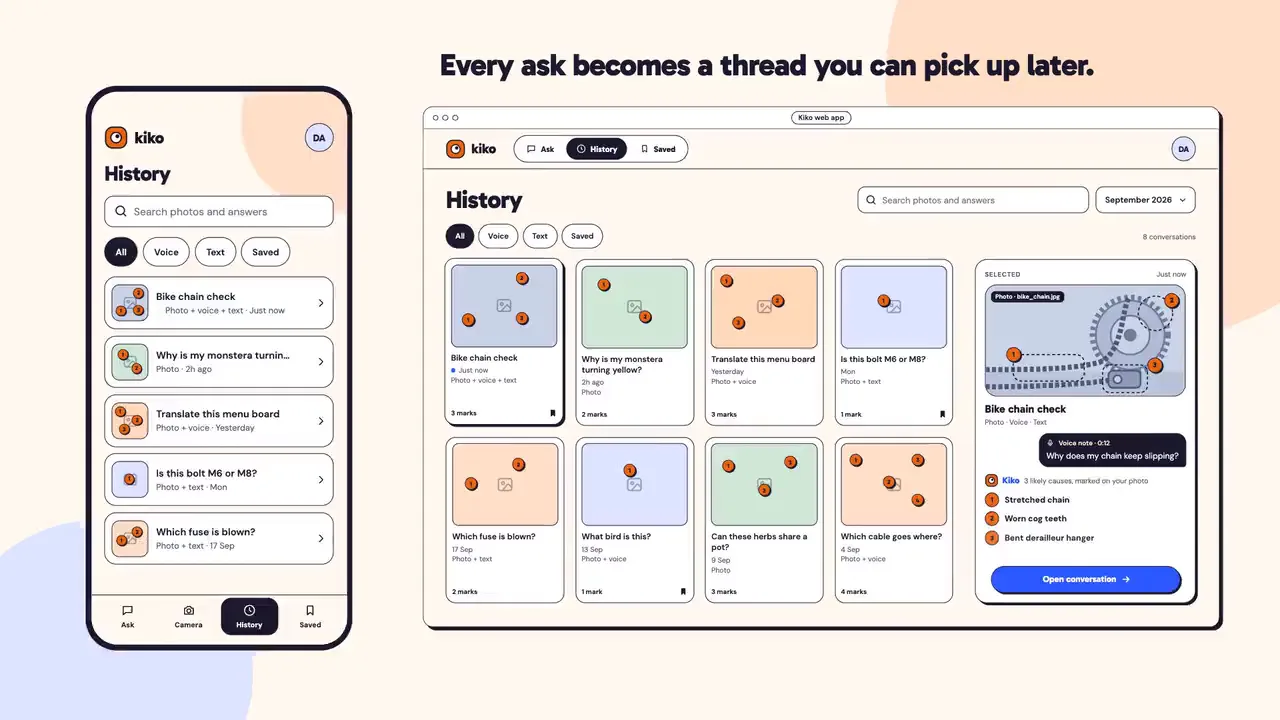
Step 3: History
Every ask becomes a thread you can pick up later: the photo with its markers, what you said, what Kiko answered. Filter by voice, text or saved, search by words — on the phone or in the web app.
FIG. 03 / SCREENS
The product, screen by screen
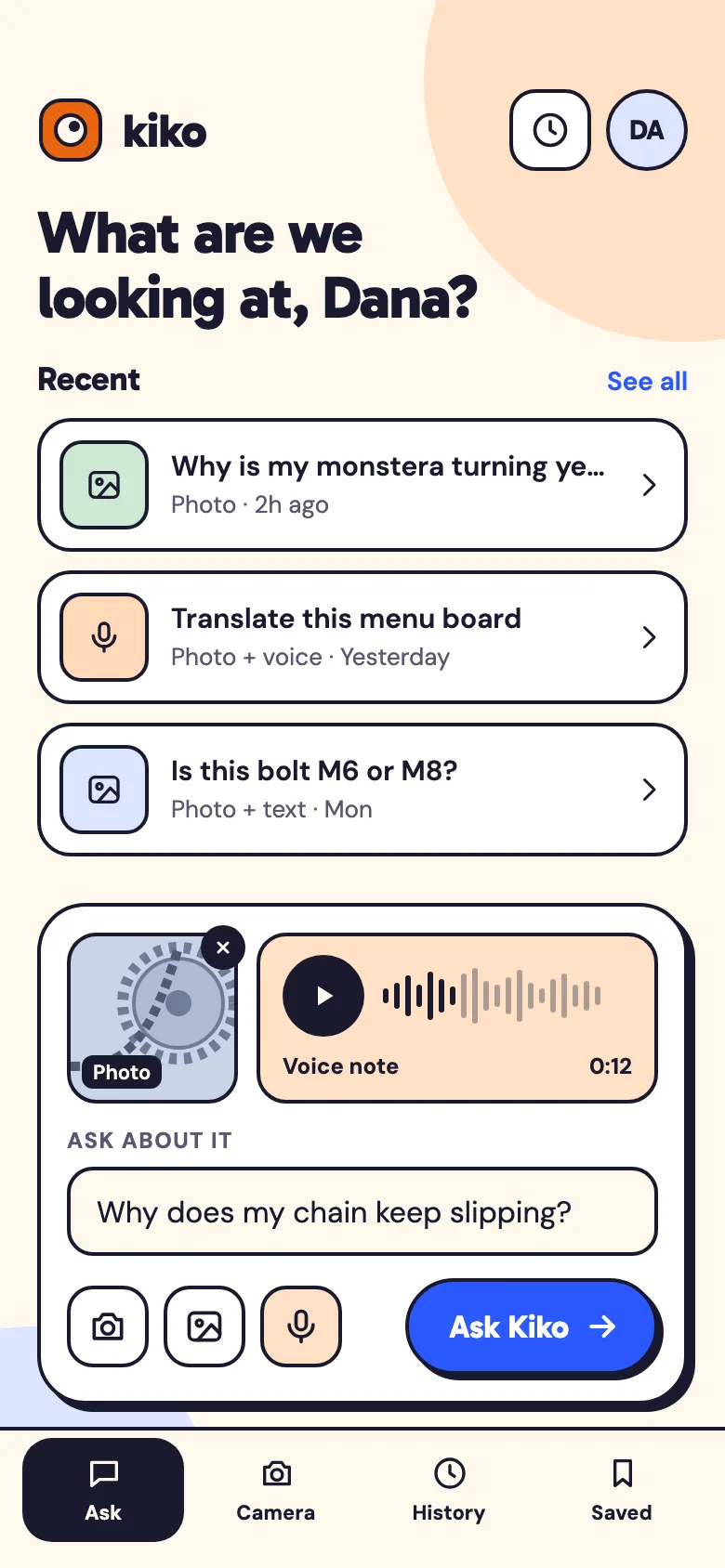
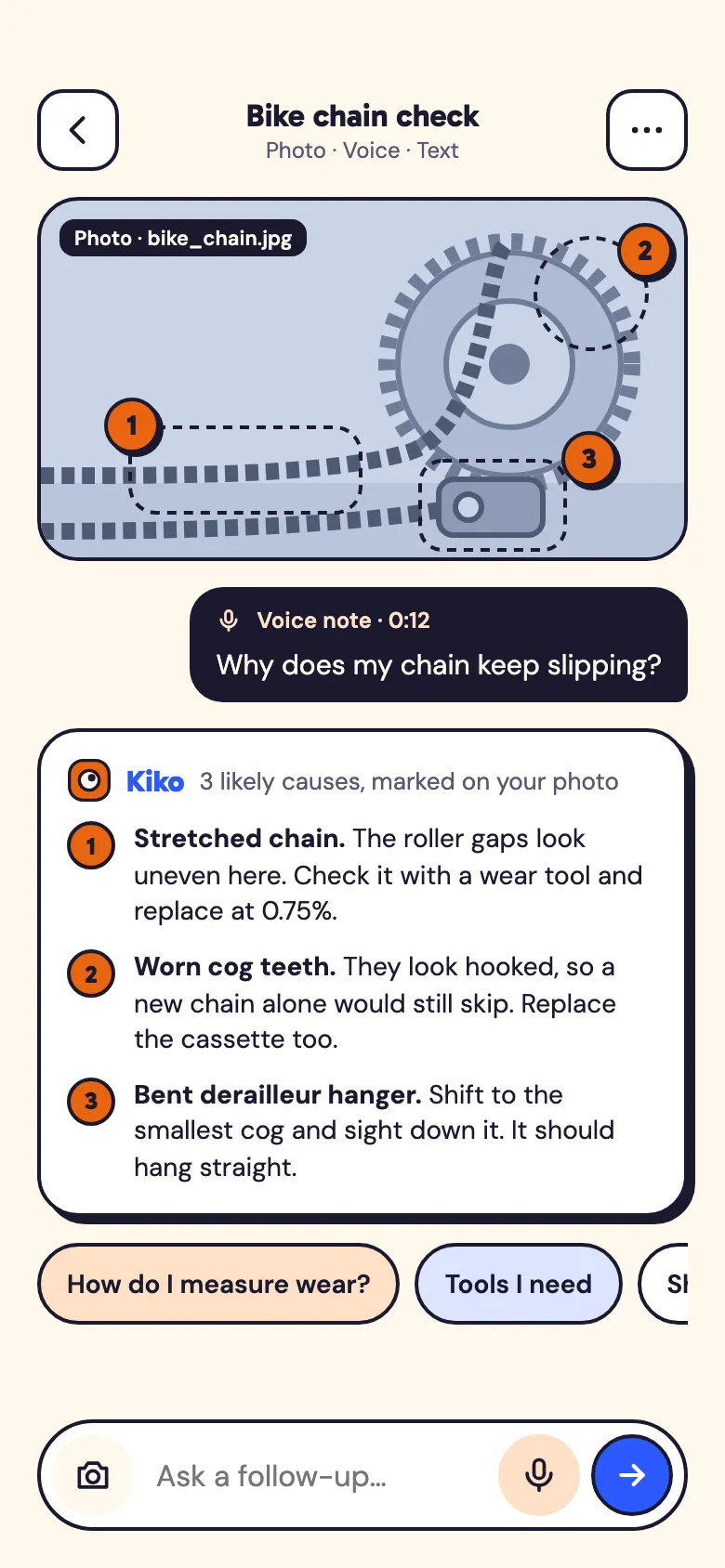
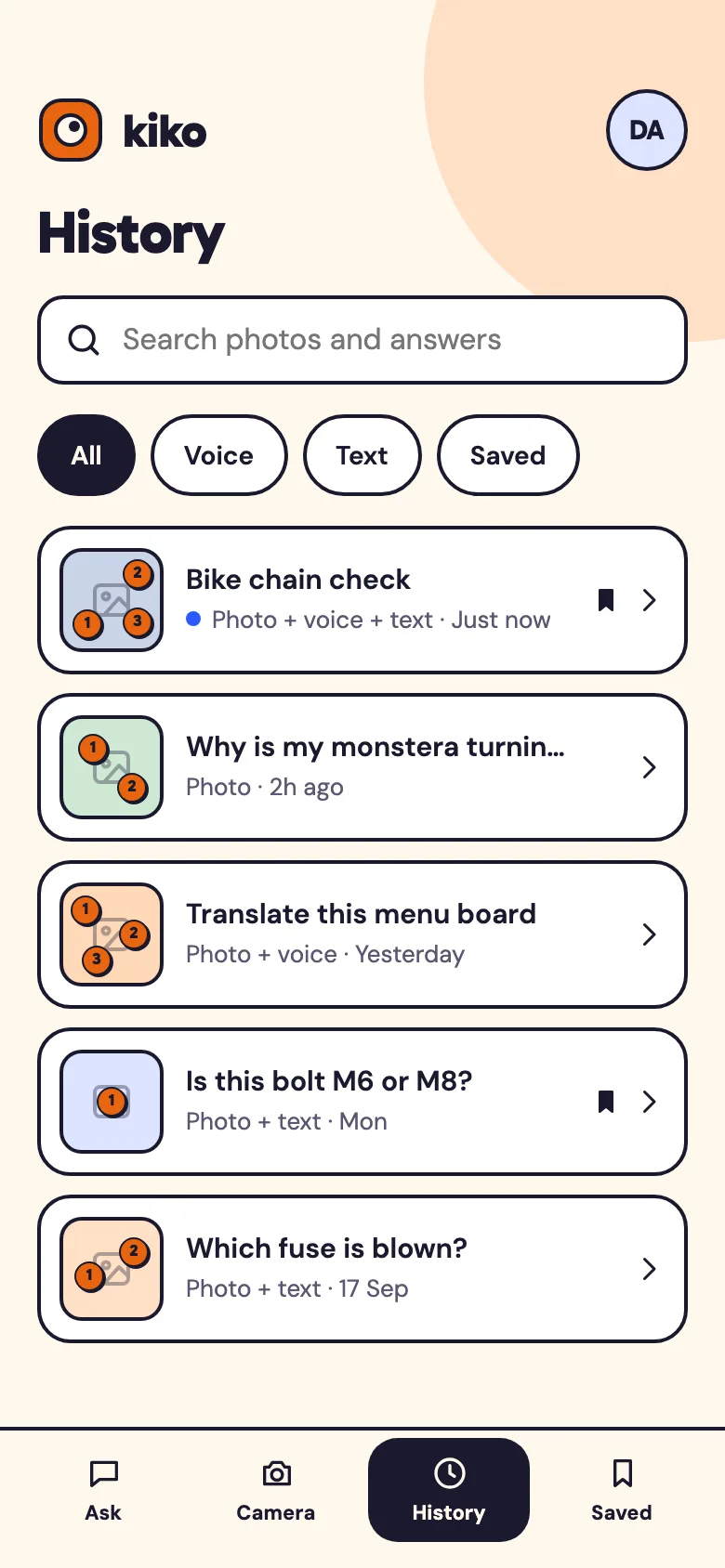
Web app
The same Kiko on a bigger screen: a wider composer that takes a dropped or pasted photo, and answers laid out around the picture, with a leader line from each marker to its card.
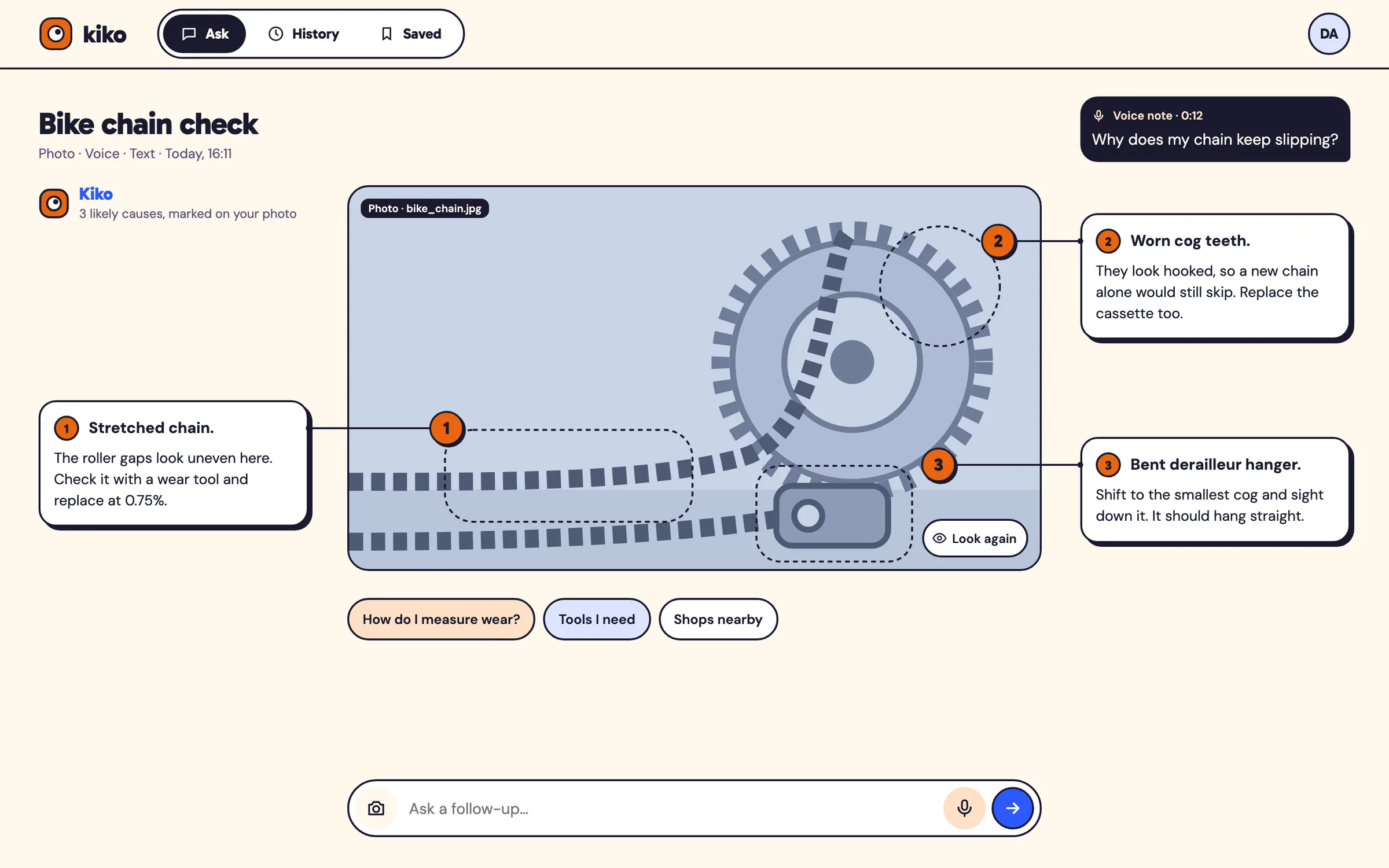
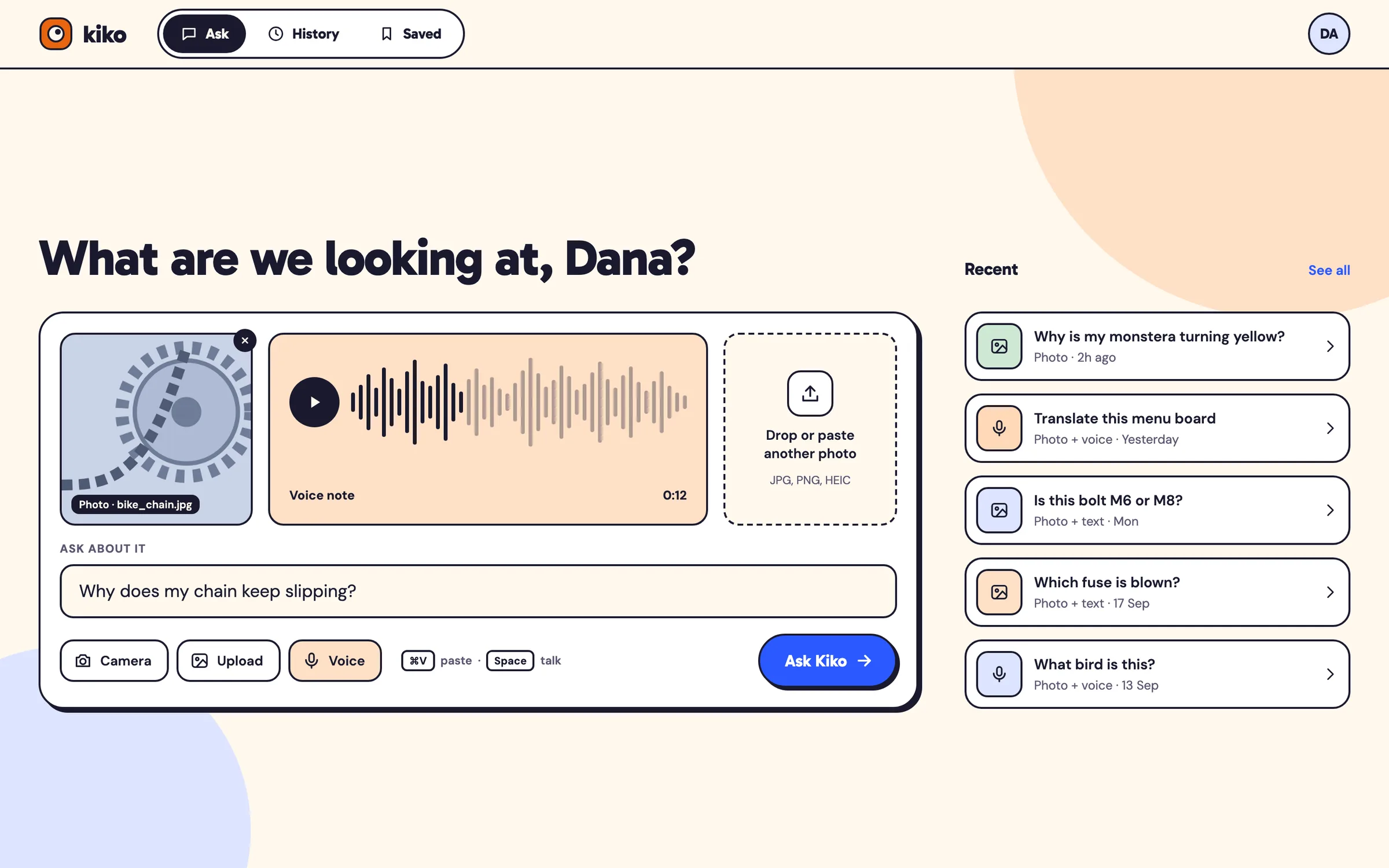
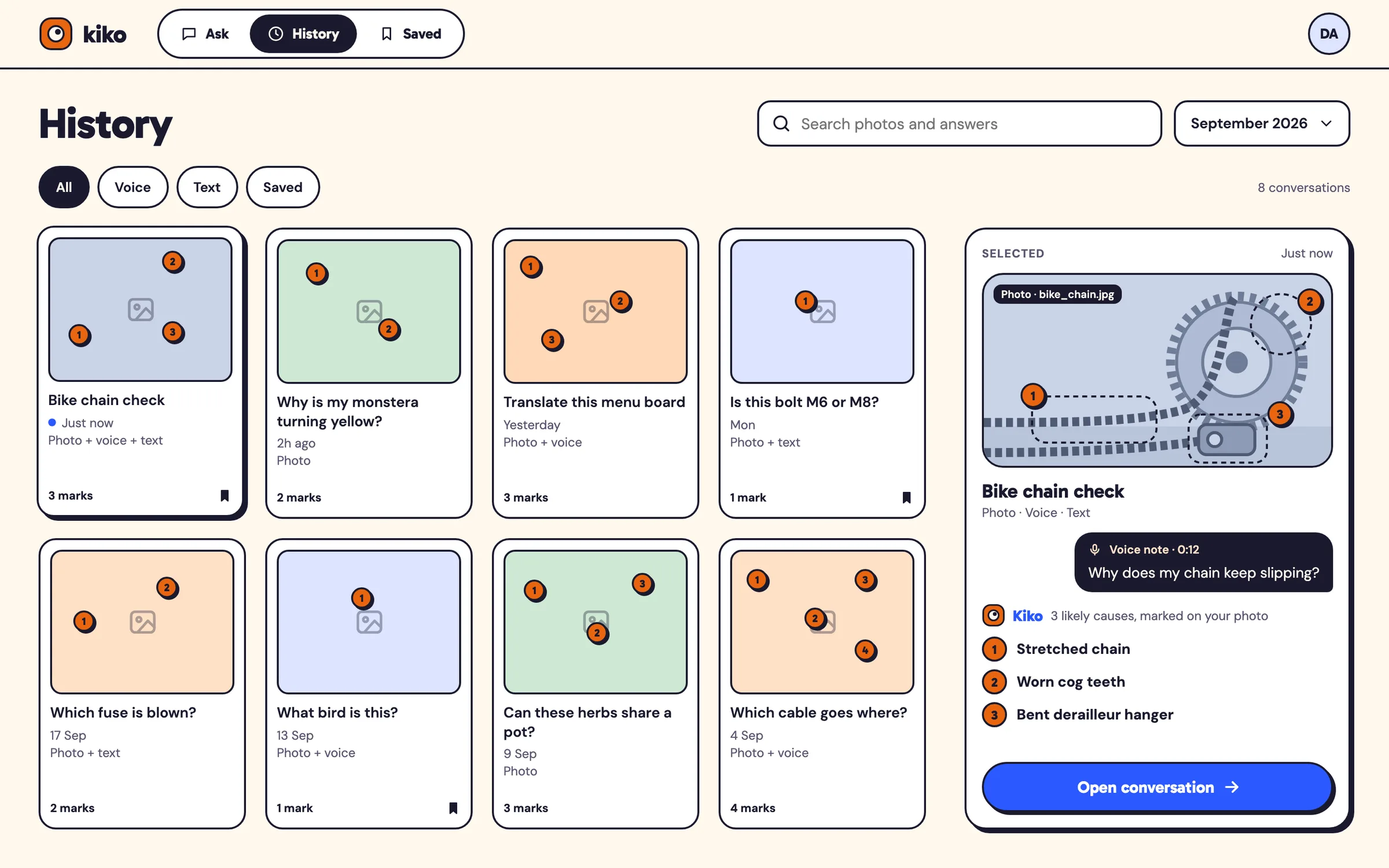
FIG. 04 / DESIGN DIRECTION
Design direction
Playful and friendly without being childish: cream paper, ink outlines on every card and control, and hard offset shadows instead of soft ones. Gabarito, a rounded geometric typeface, carries the wordmark, headings and marker numbers; DM Sans carries the conversation. One bold blue is kept for actions, and orange appears only on the numbered markers — always with ink digits — so the markers read as Kiko's signature.
Palette
- Cream#FFF8EE
- Ink#1A1A2E
- Action blue#2B59FF
- Marker orange#E8650F
- Peach#FFE0C7
Type
- Gabarito
- Wordmark, headings, marker numbers, buttons
- DM Sans
- The conversation: questions, answers, labels
FIG. 05 / MOTION LANGUAGE
Motion language
“Show & Tell”: Kiko's own gestures — look, listen, point, tell — played calmly. A shutter opens on the photo, a voice note grows its waveform, dashed focus boxes settle on the picture and numbered markers spring onto them (the only springy move); then the answer streams in short word groups, each point linked back to its marker. On a bigger screen the same answer spreads out, with leader lines drawn from marker to card. Cream and ink, and the shadows never move.
Related systems
Mailsort
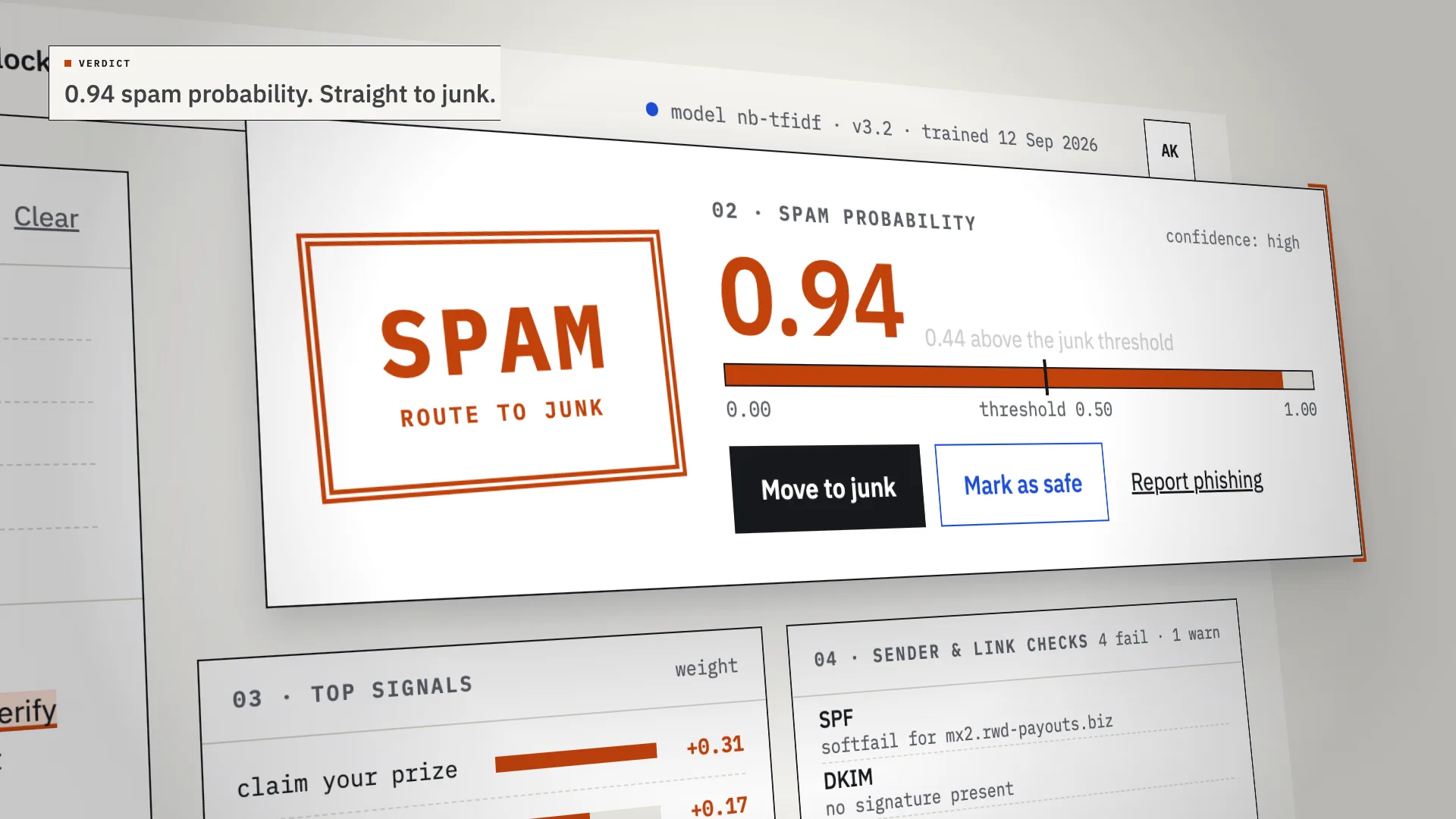
LiveAn AI spam classifier that shows its work: every verdict comes with the phrases, sender checks and links that decided it.
Chalkline
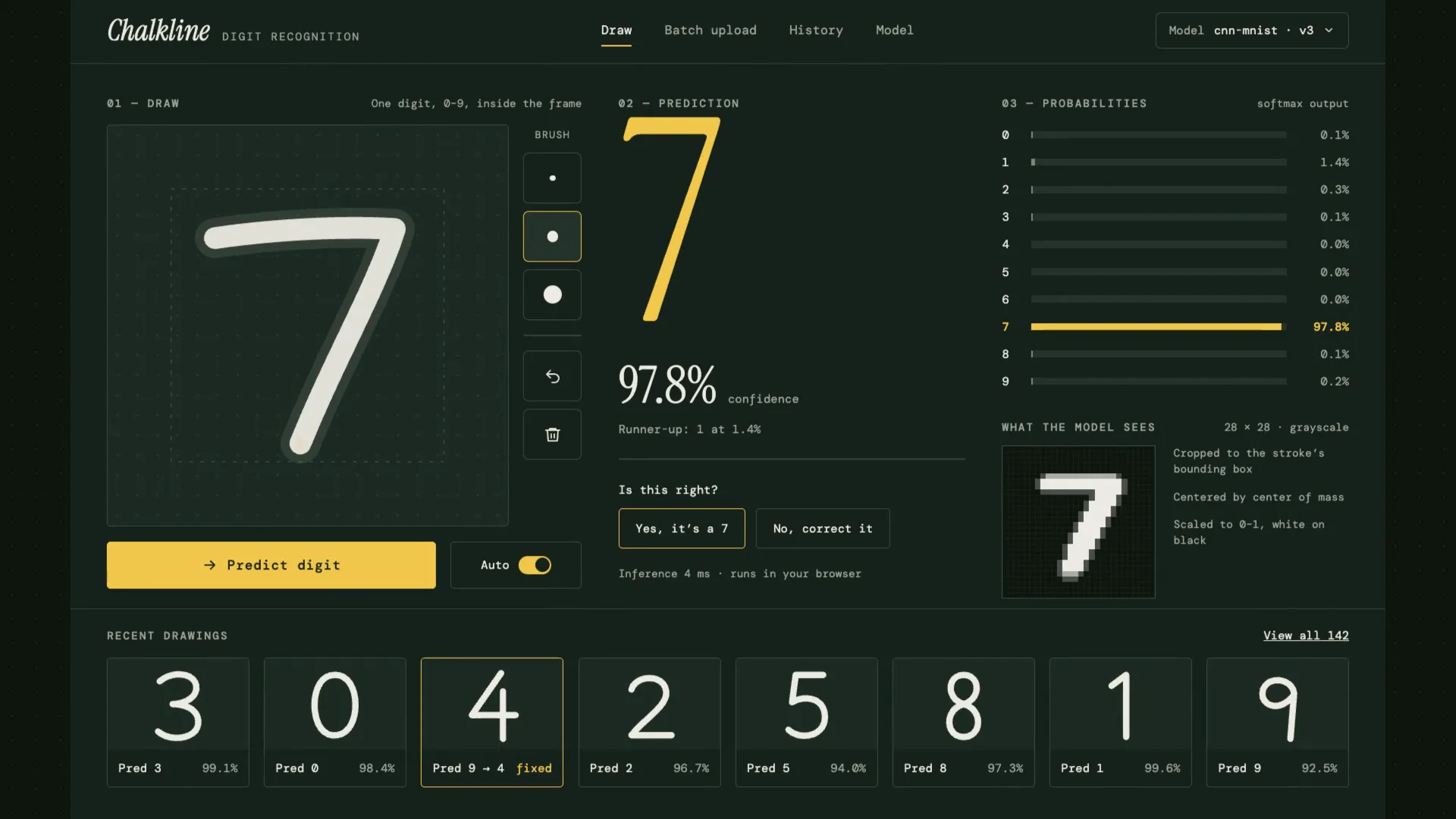
LiveA handwritten digit recognizer that shows its reasoning: your chalk stroke becomes the 28×28 pixels the model sees, then ten probabilities, then an answer.
Relay
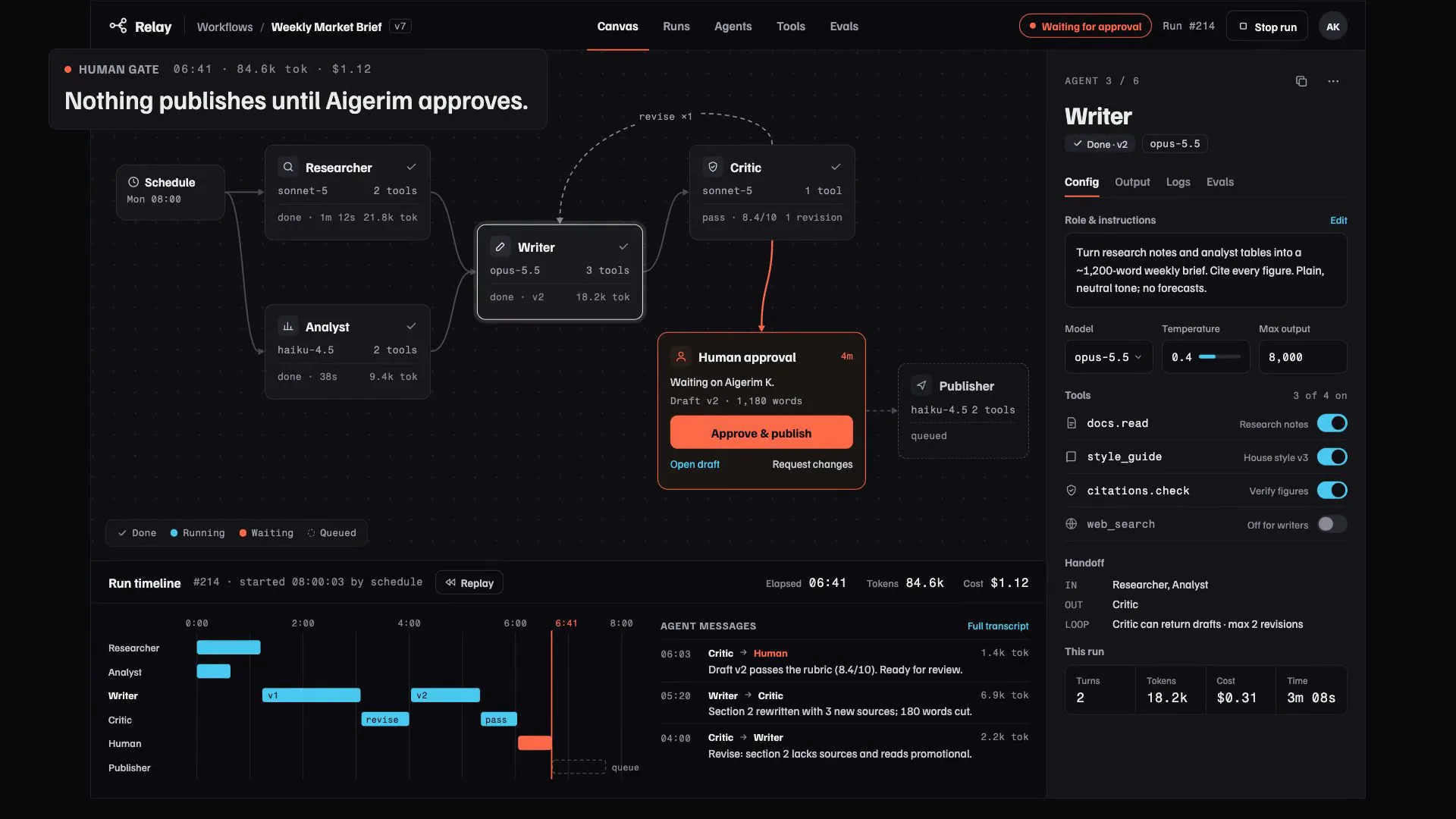
LiveA control room for multi-agent AI workflows: agents pass work along a visible canvas, every step and cost is traced, and nothing ships until someone signs off.
Have a project like this?
Tell me what you want to build. We map it on a 30-minute call.