

Product
LiveFolio
Folio answers questions from your company's own documents and shows the exact passage behind every sentence, or says it has no source.
Facts
- Status
- Live
- Platform
- Web app + mobile
- Flows
- Ask · Collections · Evaluations · Settings
- Engine
- Hybrid search (BM25 + vector) · reranker · citation threshold · answer model with numbered citations
- Sources
- PDF · DOCX · XLSX · web pages; OCR for scanned PDFs
- Year
- 2026
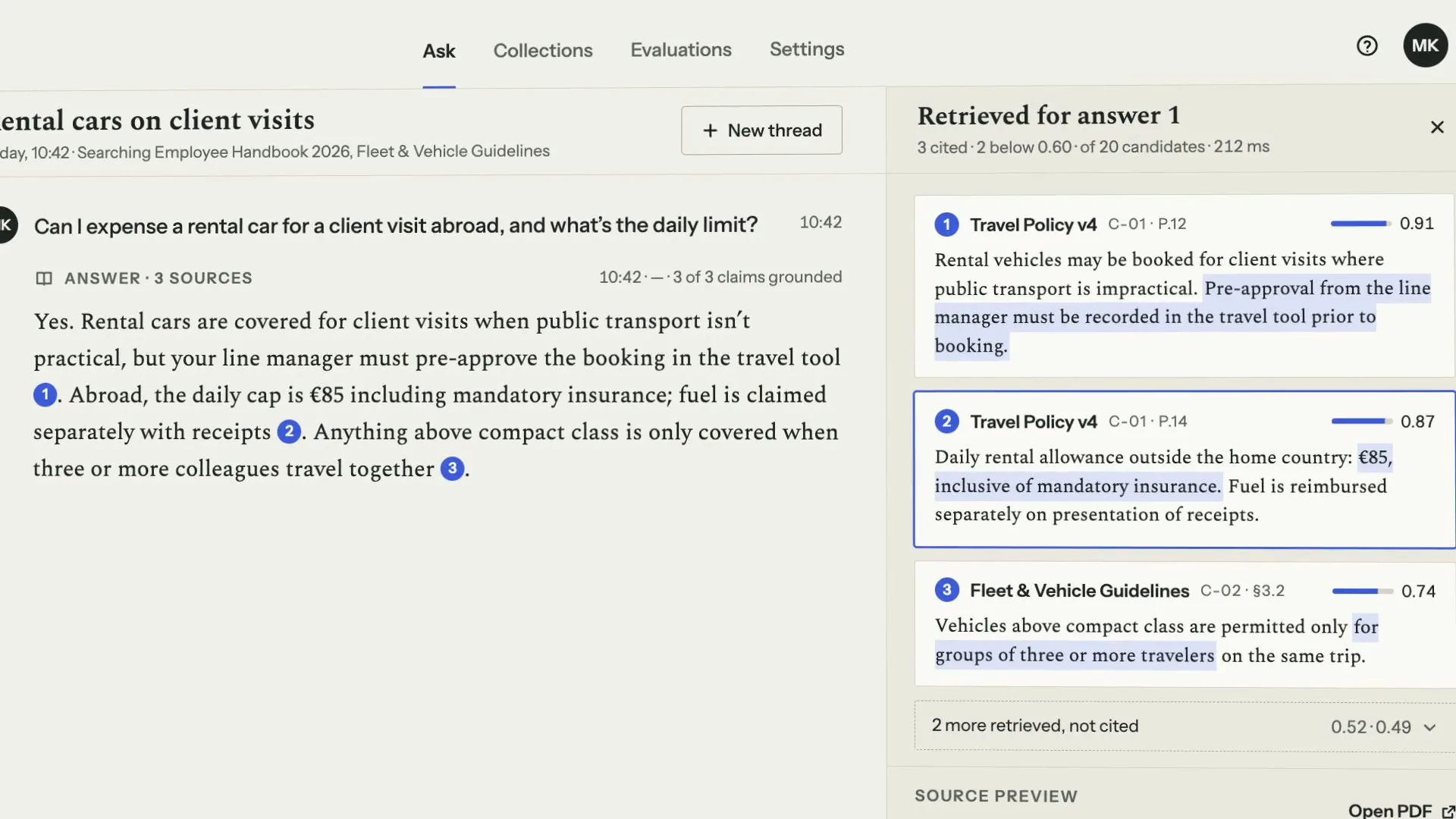
FIG. 01 / PRODUCT FILM
Muted preview · play with sound for the full cut
Who it's for
Teams whose answers live in their own documents and have to be backed by a source: an operations or HR lead fielding policy questions, legal counsel checking contract terms, a finance controller asked about travel rates. And the admin who keeps the collections indexed and tests every retrieval change before it reaches them.
The problem
Company knowledge sits in handbooks, policies, contracts and wikis. Ask a chat assistant about it and the answer arrives fluent and unchecked: nobody can see which page it came from, whether that document is still current, or whether the model filled a gap with a guess. And when someone changes how documents are searched, nothing shows whether the answers got better or worse.
The product
You choose the collections to search and ask in plain words. Folio runs a hybrid keyword and vector search, reranks the candidates and passes only the passages above a citation threshold to the answer model, which answers sentence by sentence, each with a numbered citation that opens its source page with the cited words marked. When no passage clears the threshold, Folio says there is no direct answer in scope and points to the collection that probably holds it. Behind the answers, Collections shows every file becoming searchable page by page (with OCR for scanned PDFs), Evaluations runs a golden set of questions against each settings change and shows why each failure failed, and Settings lets you move the threshold on a test question before anything is saved.
FIG. 02 / HOW IT WORKS
How it works
Step 1: Ask
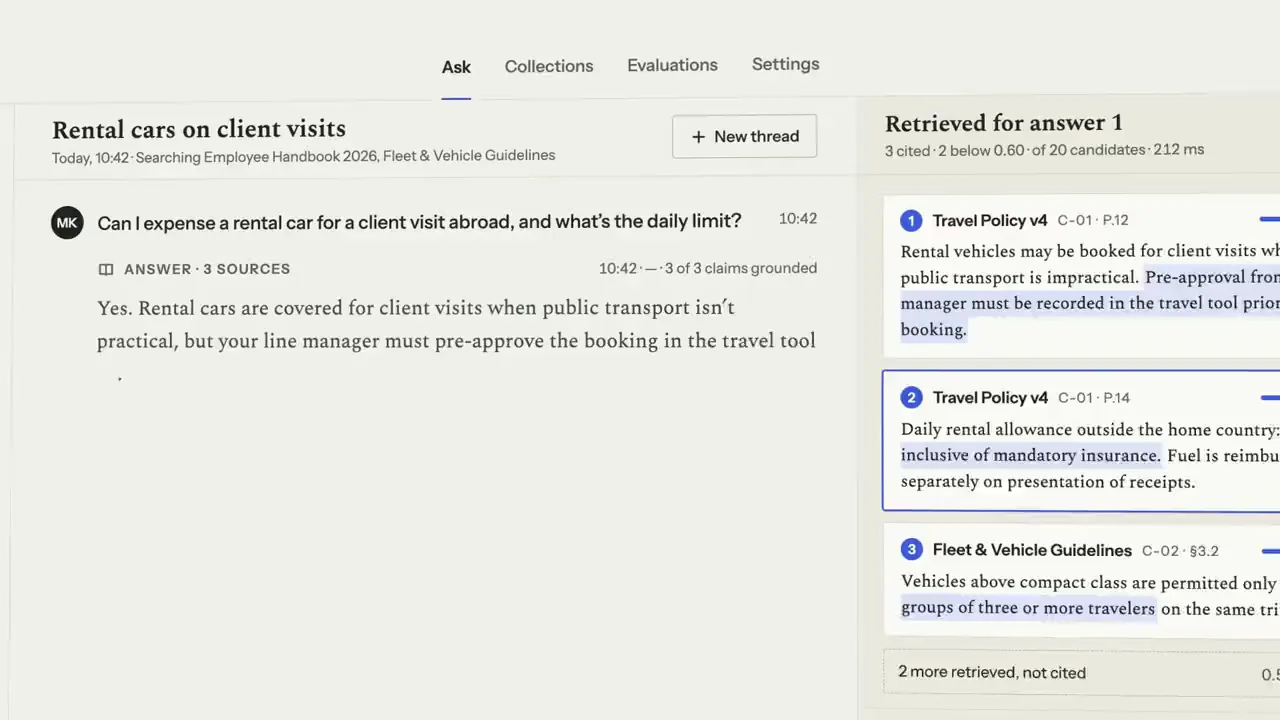
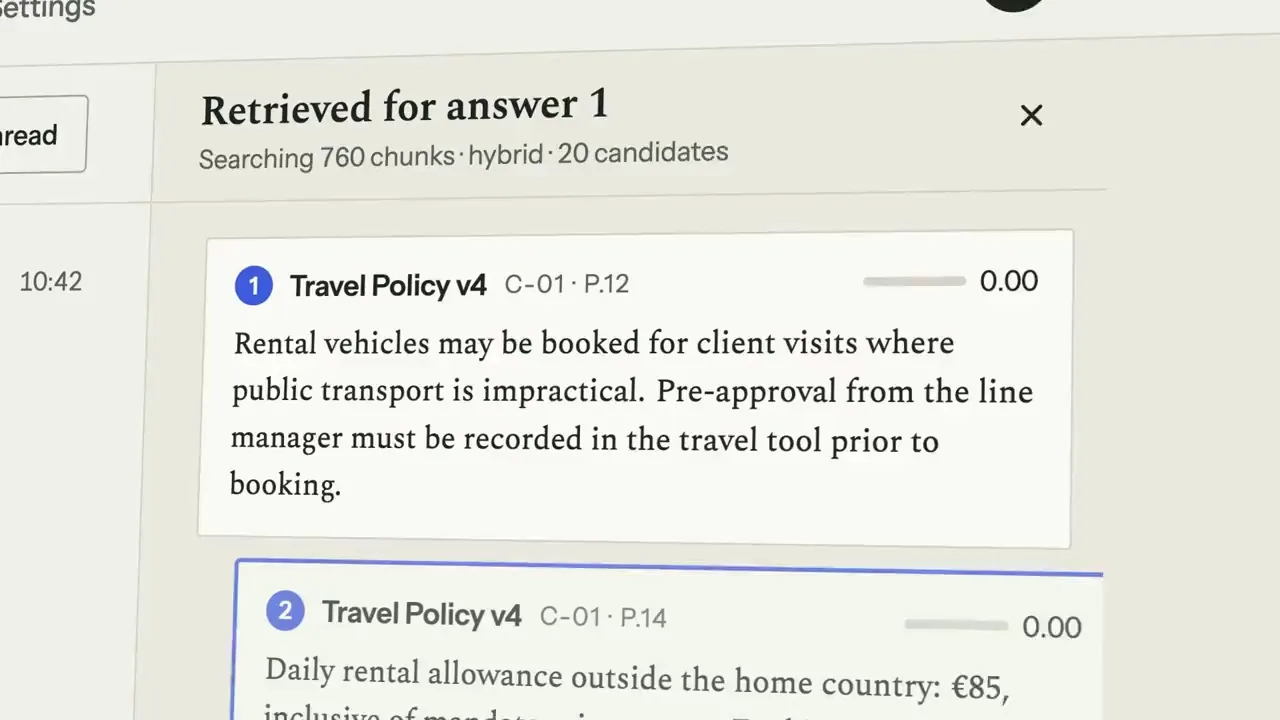
Ask in plain words over the collections you pick. Folio pulls the best passages with their relevance scores and marks the words that matter; then the answer is set one sentence at a time, and each numbered citation appears only after its passage. Click a citation and the source page opens with the cited block bracketed. When nothing clears the threshold, Folio says so and suggests where to look.
Step 2: Collections
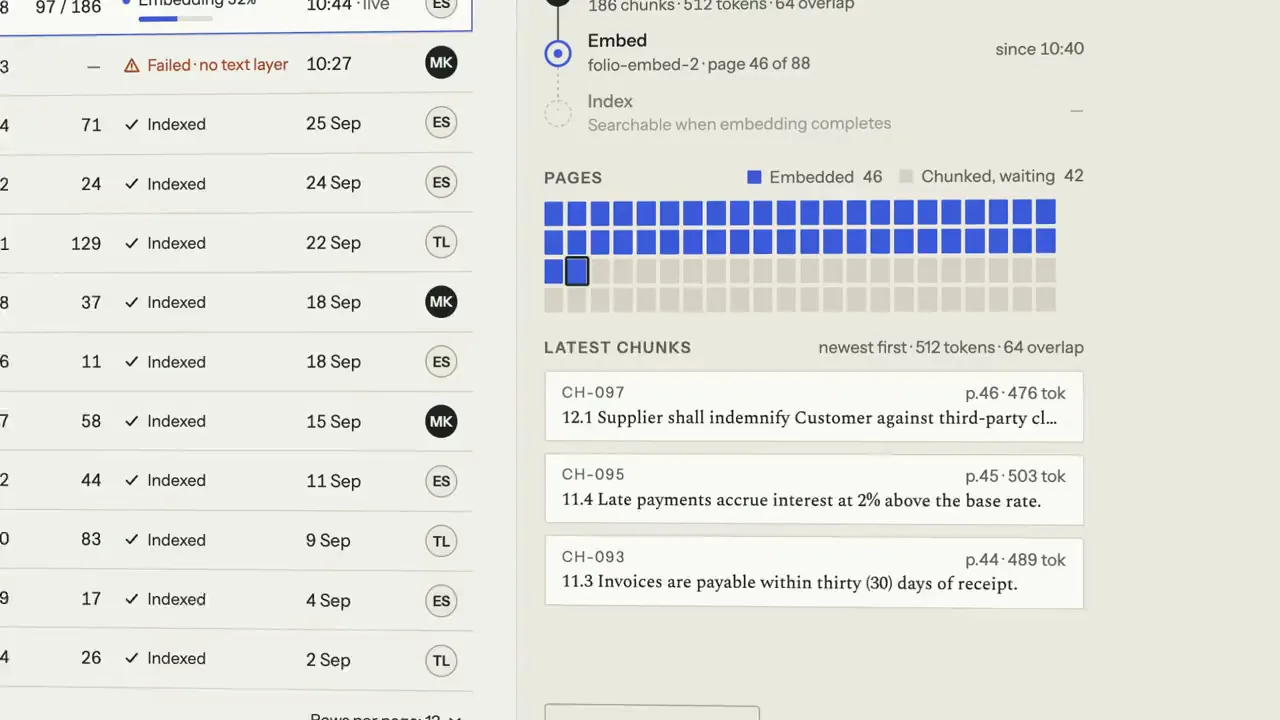
Every collection lists its files, chunks, owner and who can read it. A new contract becomes searchable page by page: text is extracted, chunked, embedded and indexed, a page map fills as each page is embedded, and the newest chunks stack up beside it. A scanned PDF with no text layer is flagged, and one click queues OCR for it.
Step 3: Evaluations
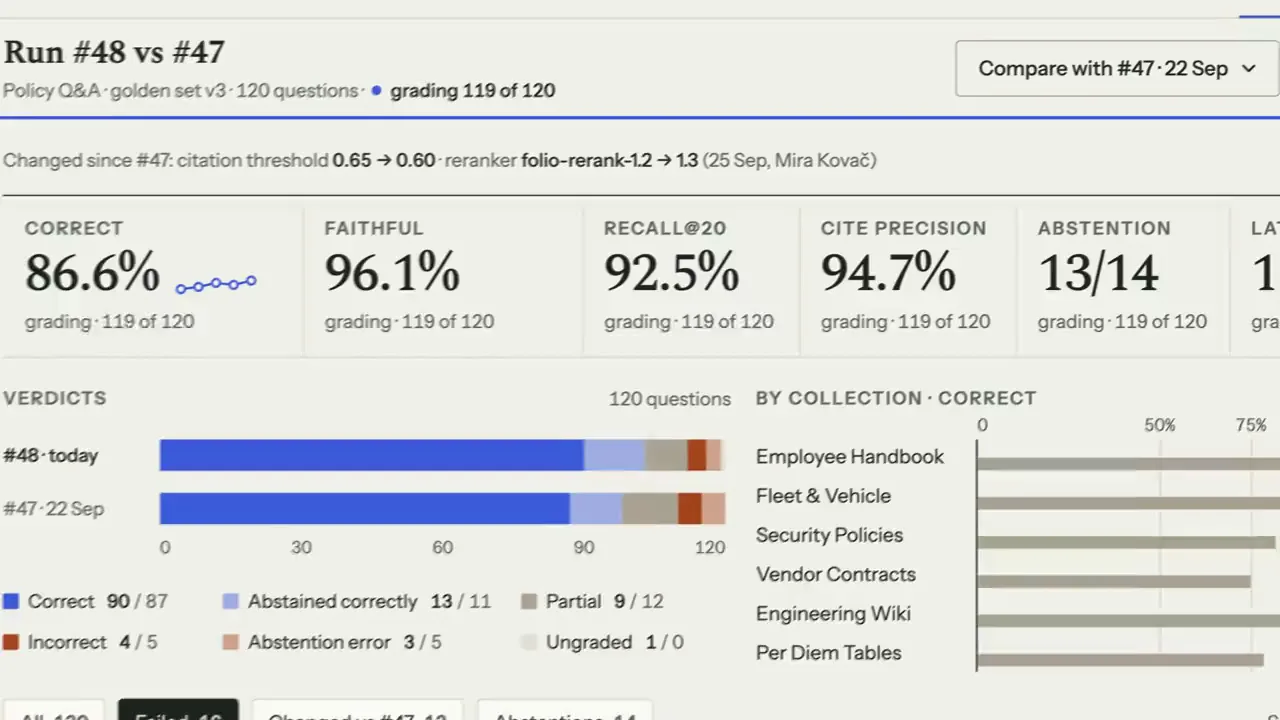
A golden set of questions runs against the current settings and is compared with the previous run: correct answers, faithfulness, recall, citation precision, abstentions and latency, each with its change. Open a failure and Folio shows why it failed — the expected passage ranked just under the threshold, a superseded document cited, a source still indexing — and what to try next.
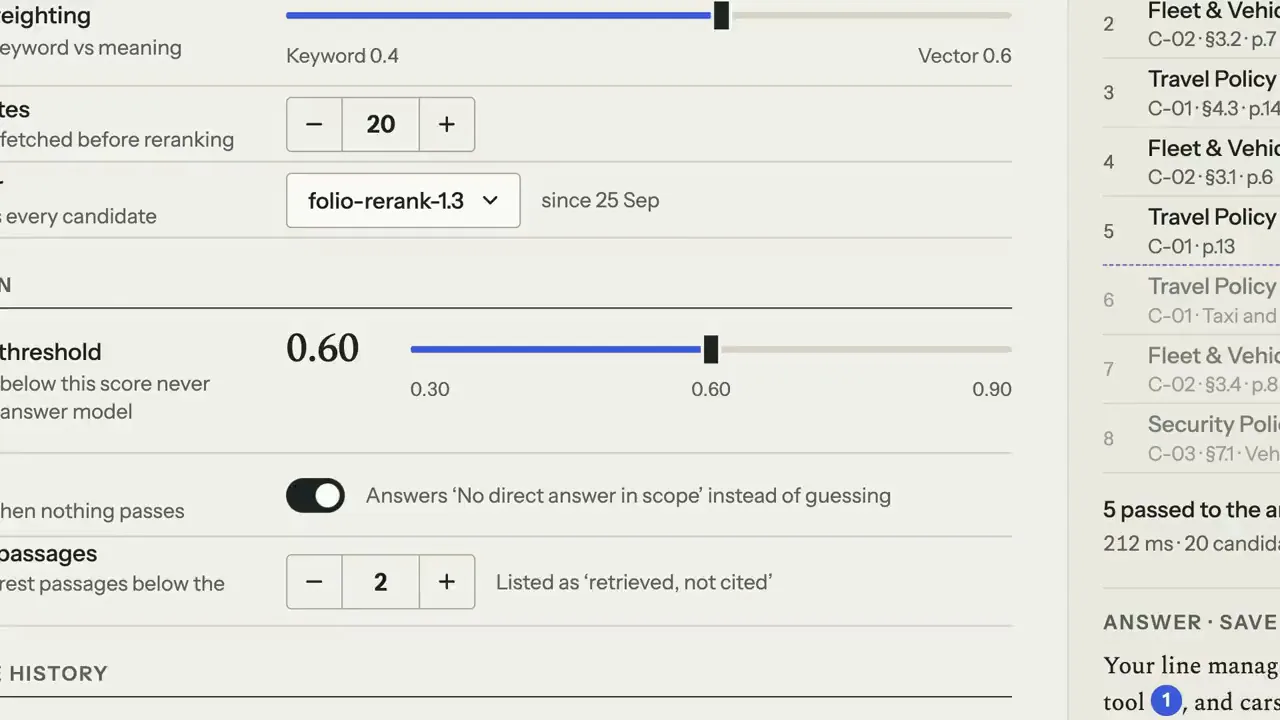
Step 4: Settings
Tune how Folio finds and cites evidence: the keyword and vector weighting, how many candidates it fetches, the reranker and the citation threshold. A test question runs as you move the threshold: the line slides through the ranked passages and you see which ones now reach the answer model. Saving can require an evaluation run first, so no change reaches people untested.
FIG. 03 / SCREENS
The product, screen by screen
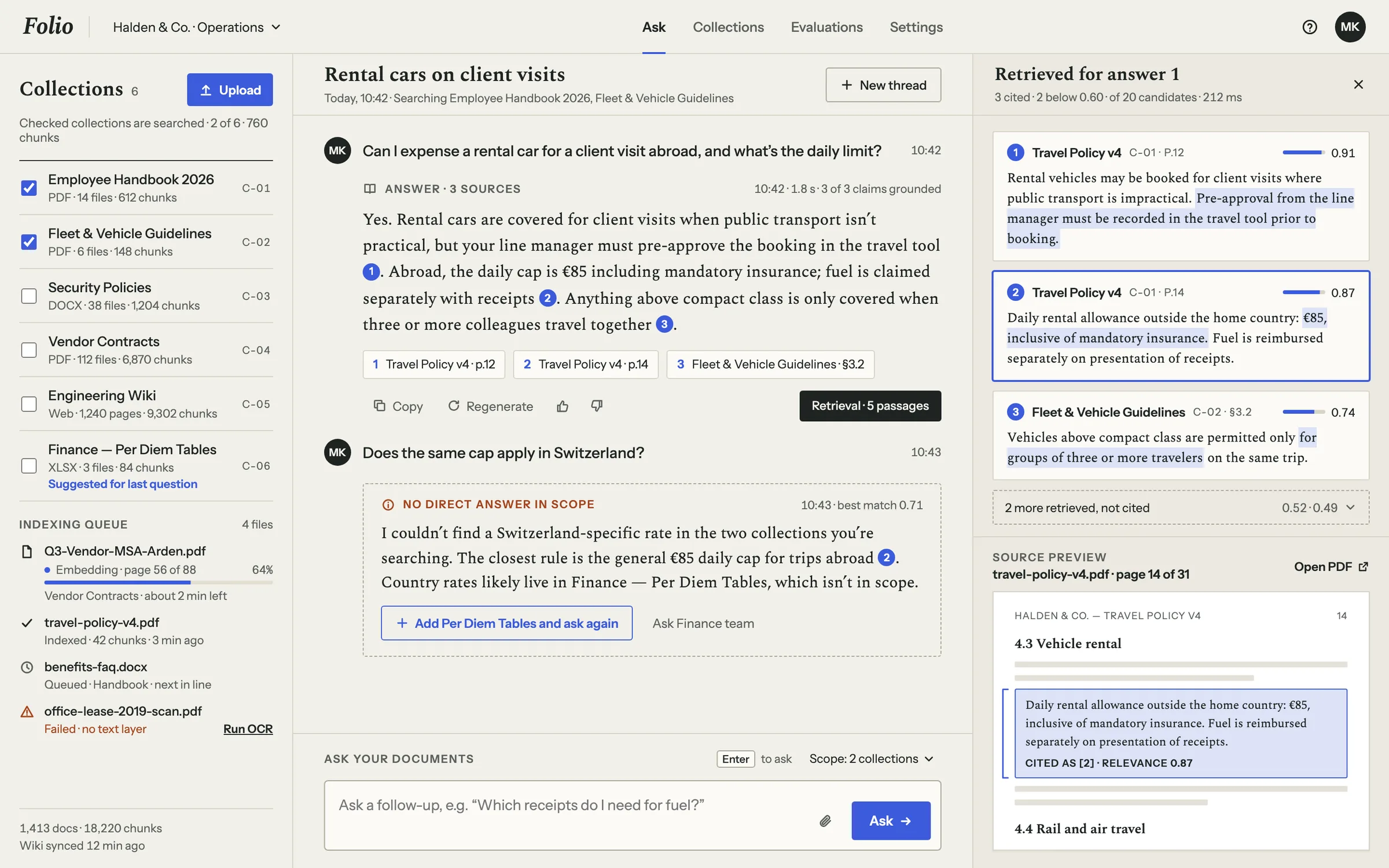
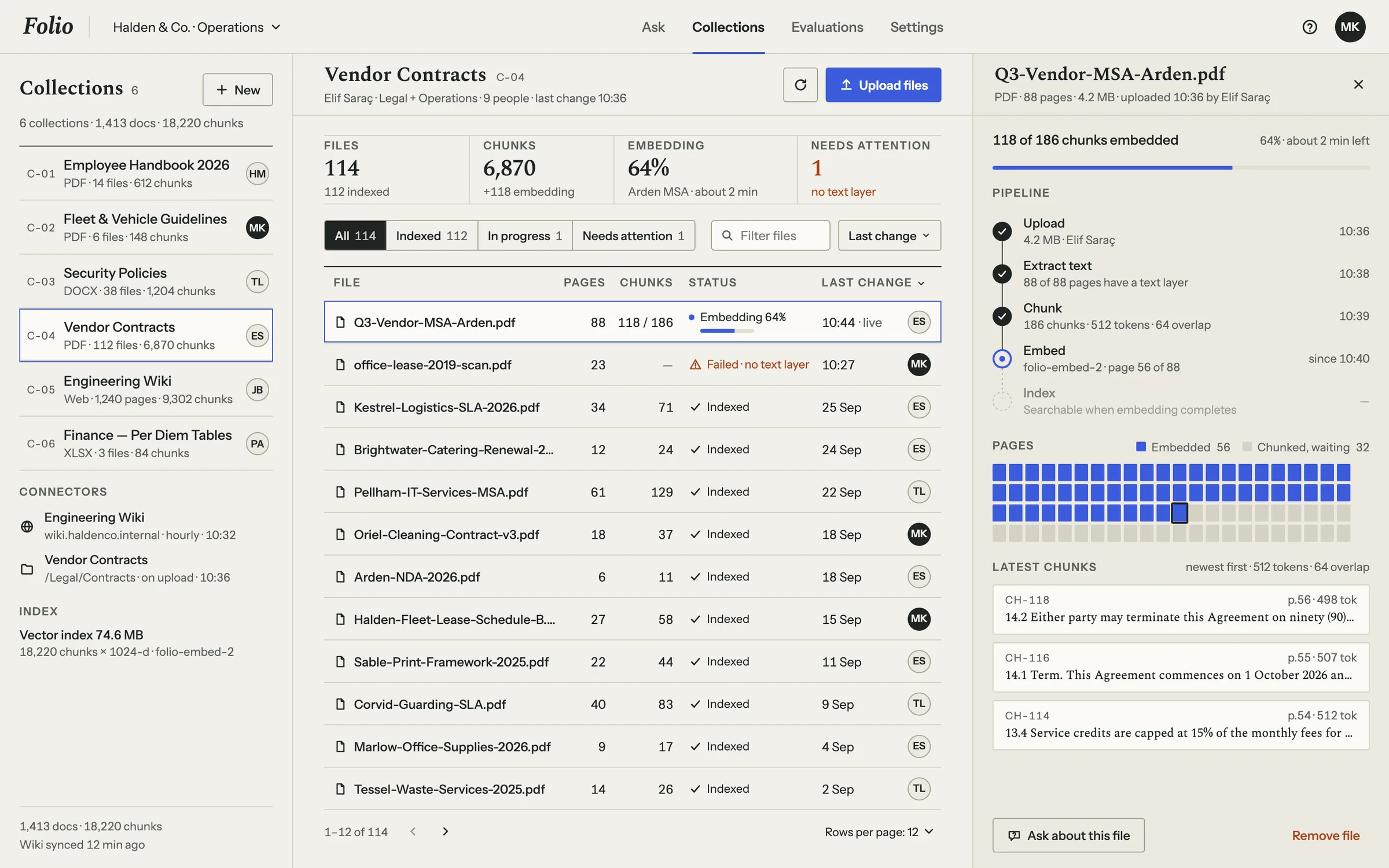
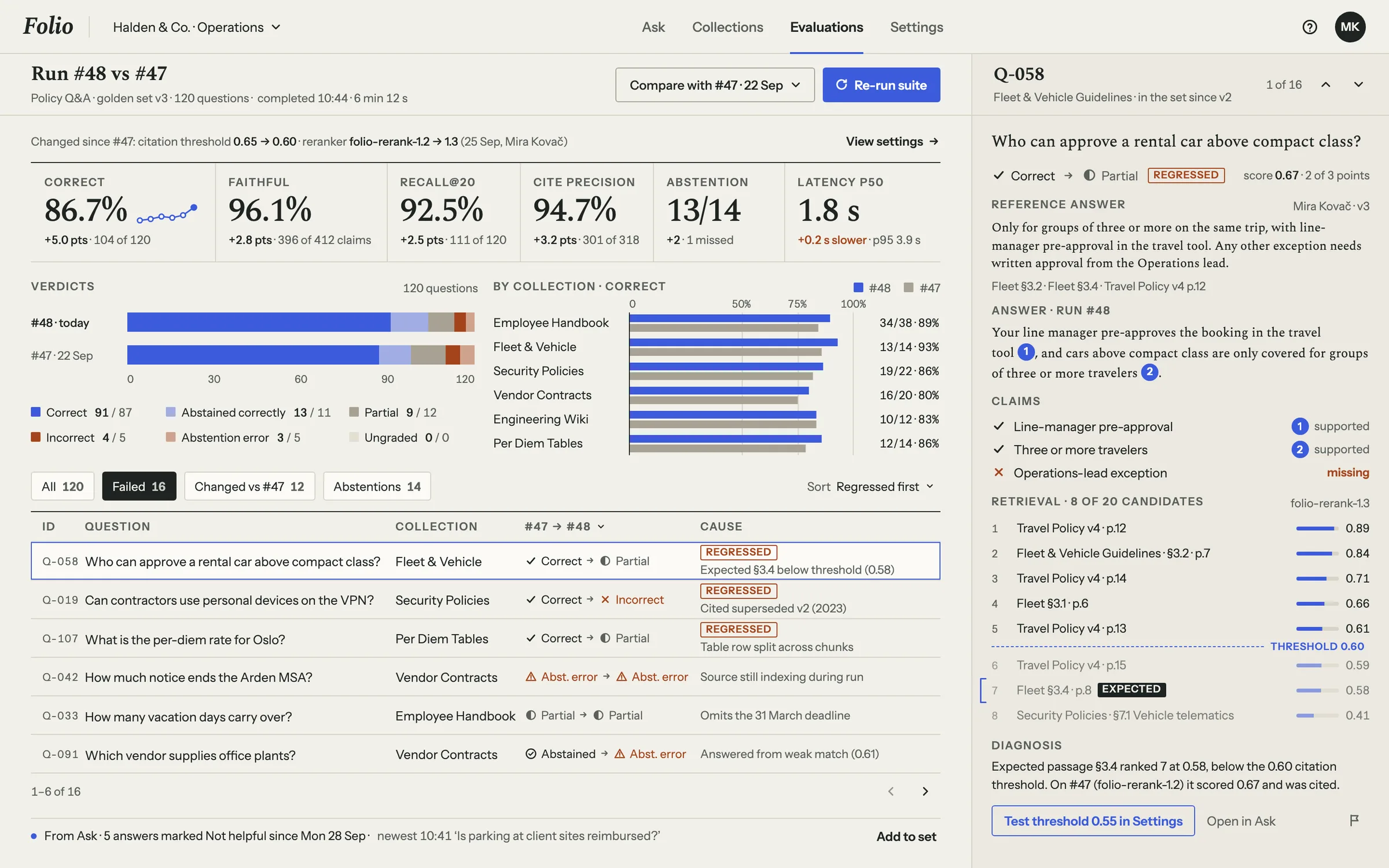
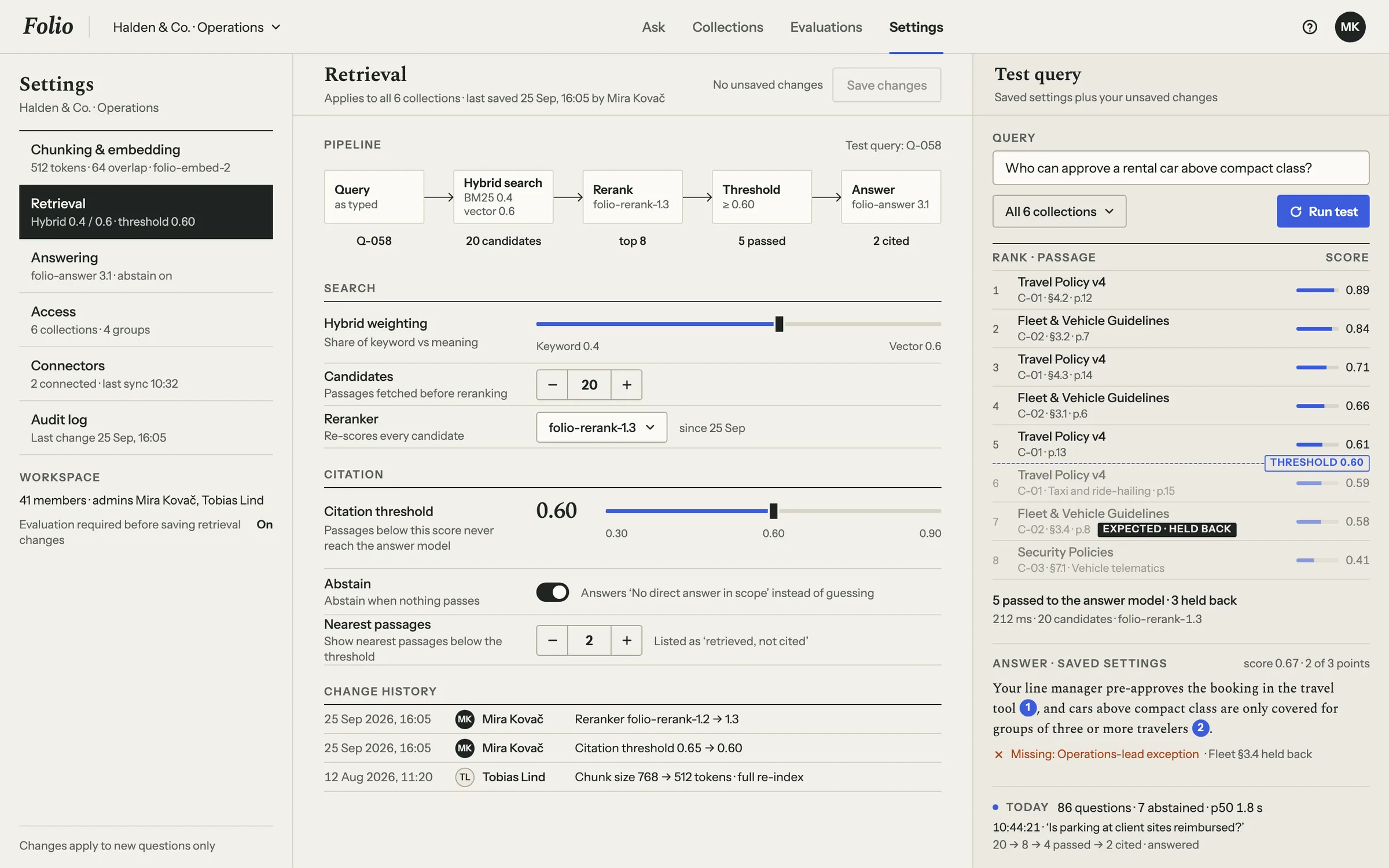
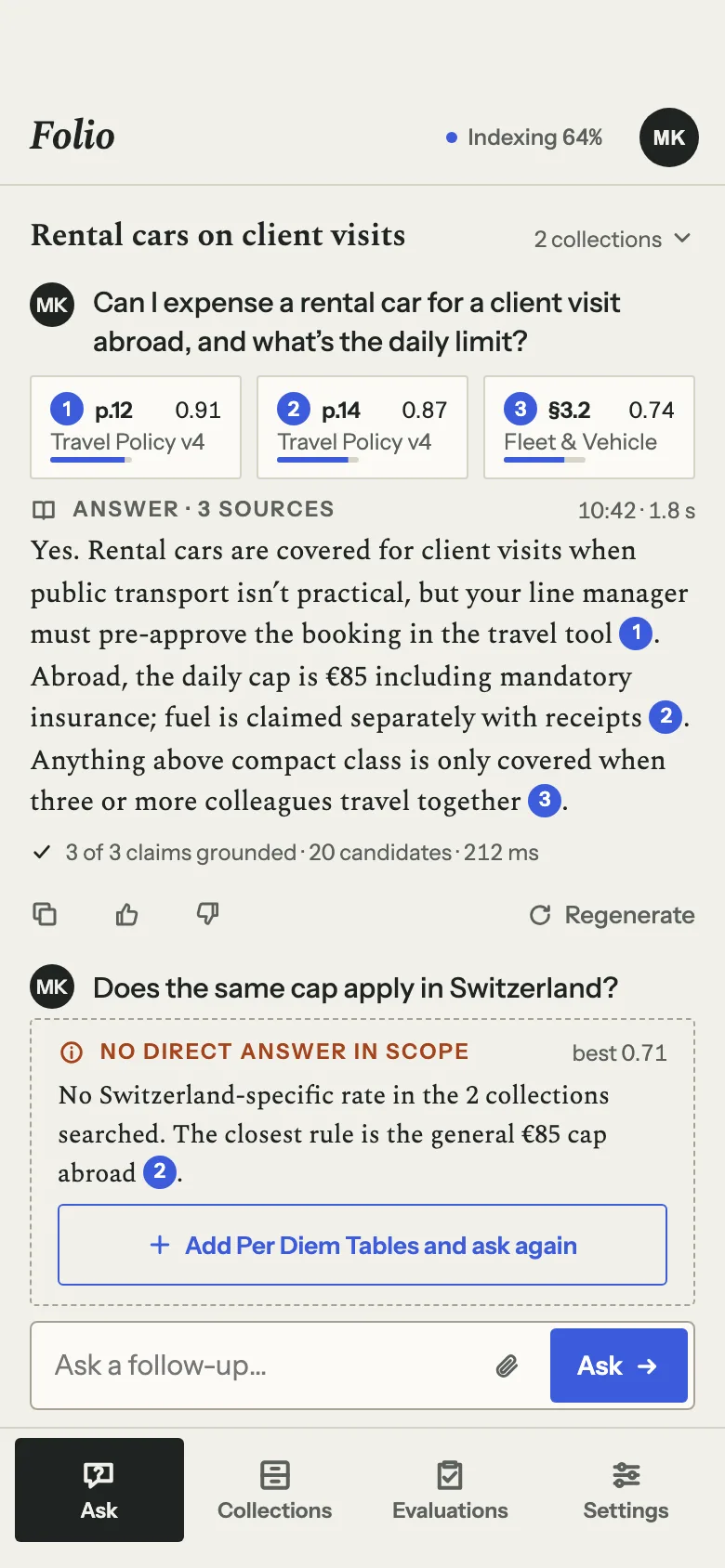
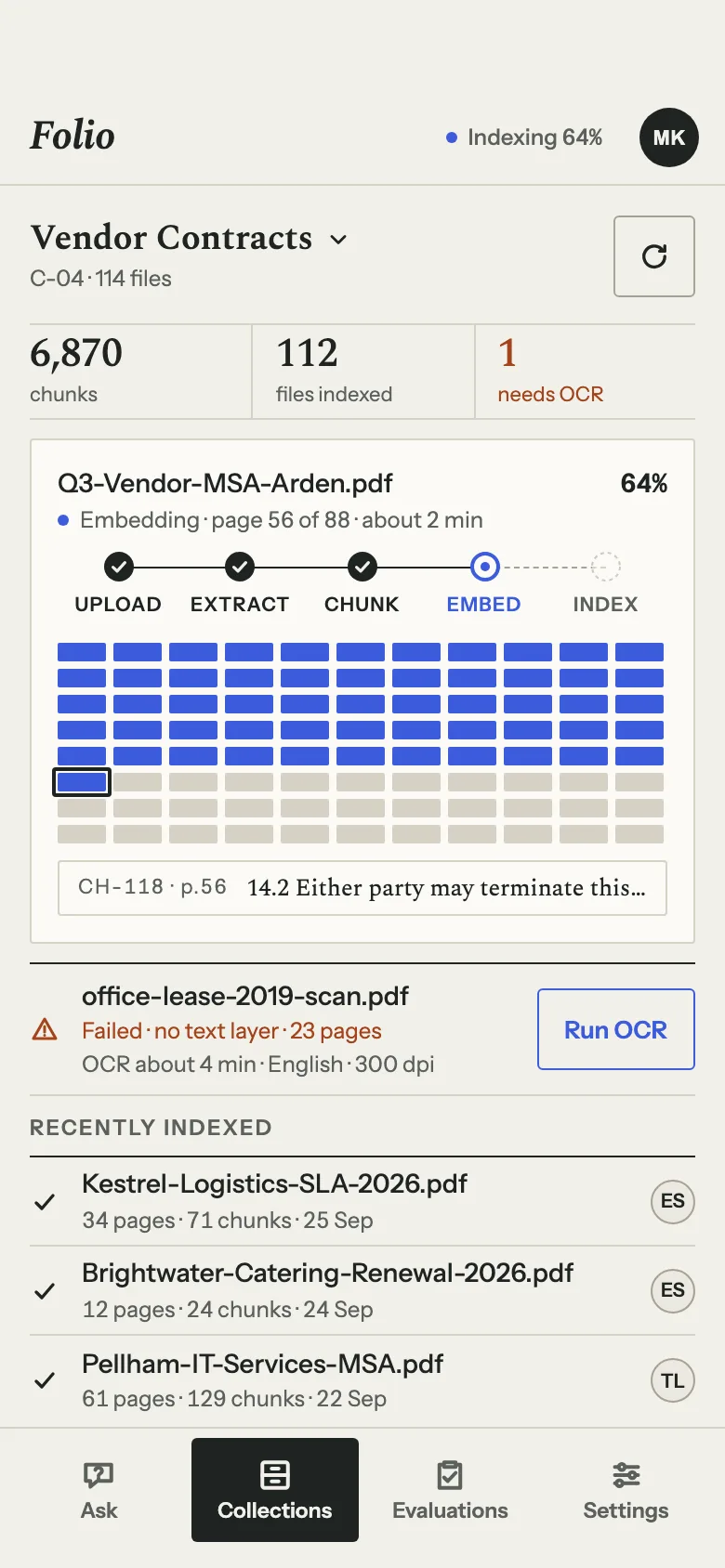
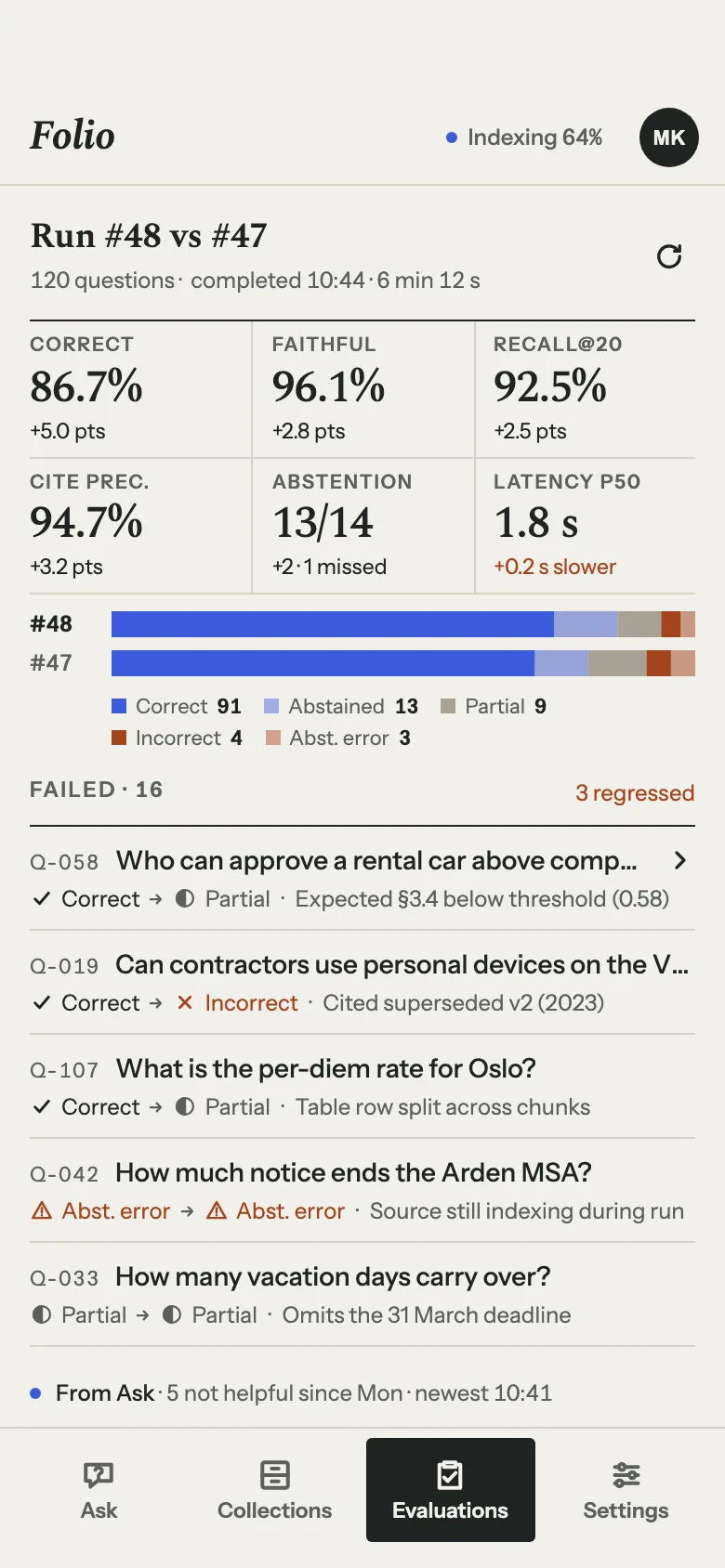
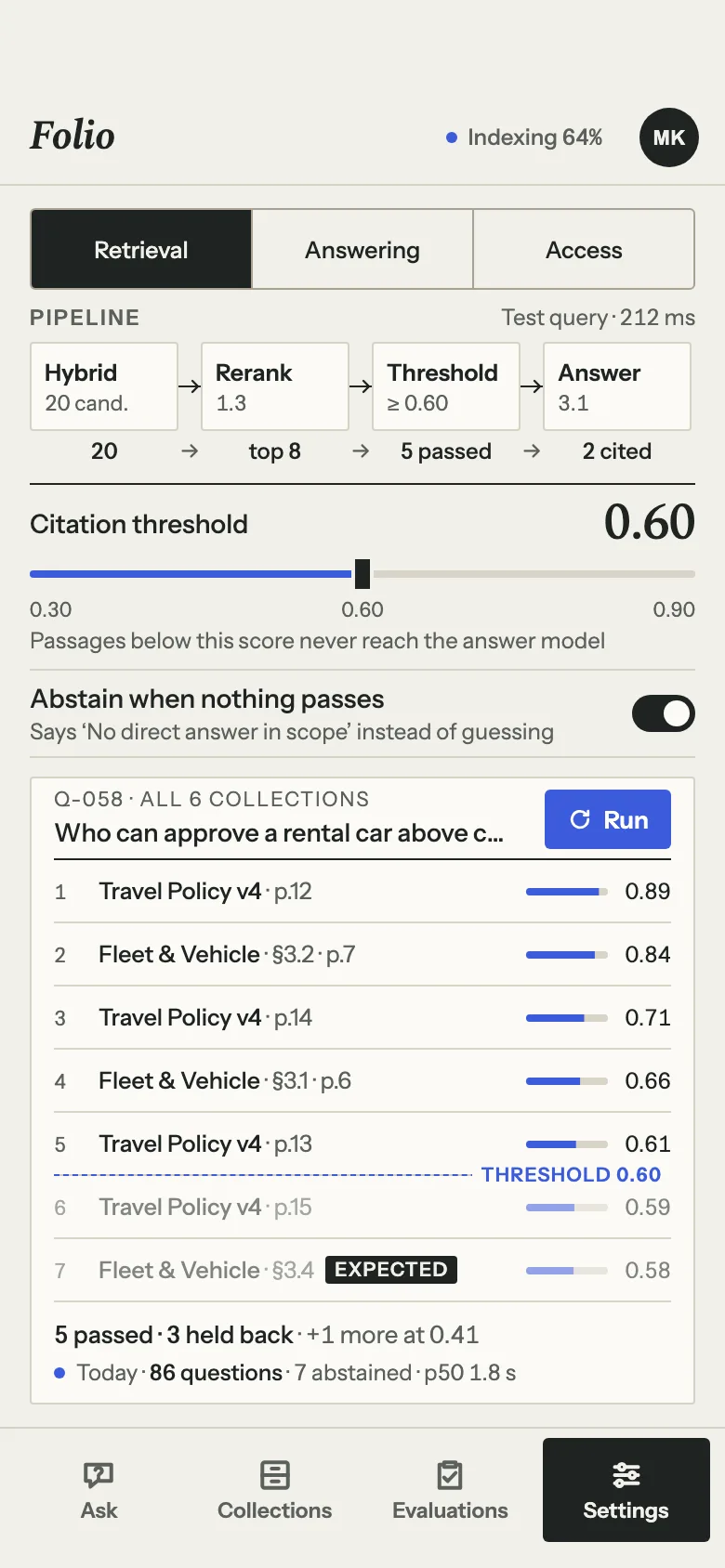
FIG. 04 / DESIGN DIRECTION
Design direction
Library archive: light, quiet and exact. Spectral, a reading serif, carries what is read — answers, passages, titles, metrics — and Instrument Sans what is operated: navigation, tables, buttons, labels. Hairline rules, near-square corners and a single soft shadow, kept for document page sheets. One ink-blue accent marks citations, scores and actions, a pale blue highlight marks cited words, and rust is kept for failures and regressions.
Palette
- Paper#F2F0EA
- Ink#1E2422
- Ink blue#3B5BDB
- Highlight#DCE2F7
- Rust#A4441C
Type
- Spectral
- What is read: answers, passages, titles, metrics
- Instrument Sans
- What is operated: navigation, tables, buttons, labels
FIG. 05 / MOTION LANGUAGE
Motion language
“Evidence first — pull, mark, cite”: passages slide out of the drawer like index cards, a highlighter marks the words that matter, and only then does a sentence, a citation numeral or a verdict appear. Around it the archive keeps its ledger: rules draw left to right, rows are entered one at a time, pages are embedded leaf by leaf. Whole sentences are set, never streamed letter by letter, and nothing glows or bounces.
Related systems
Orrery
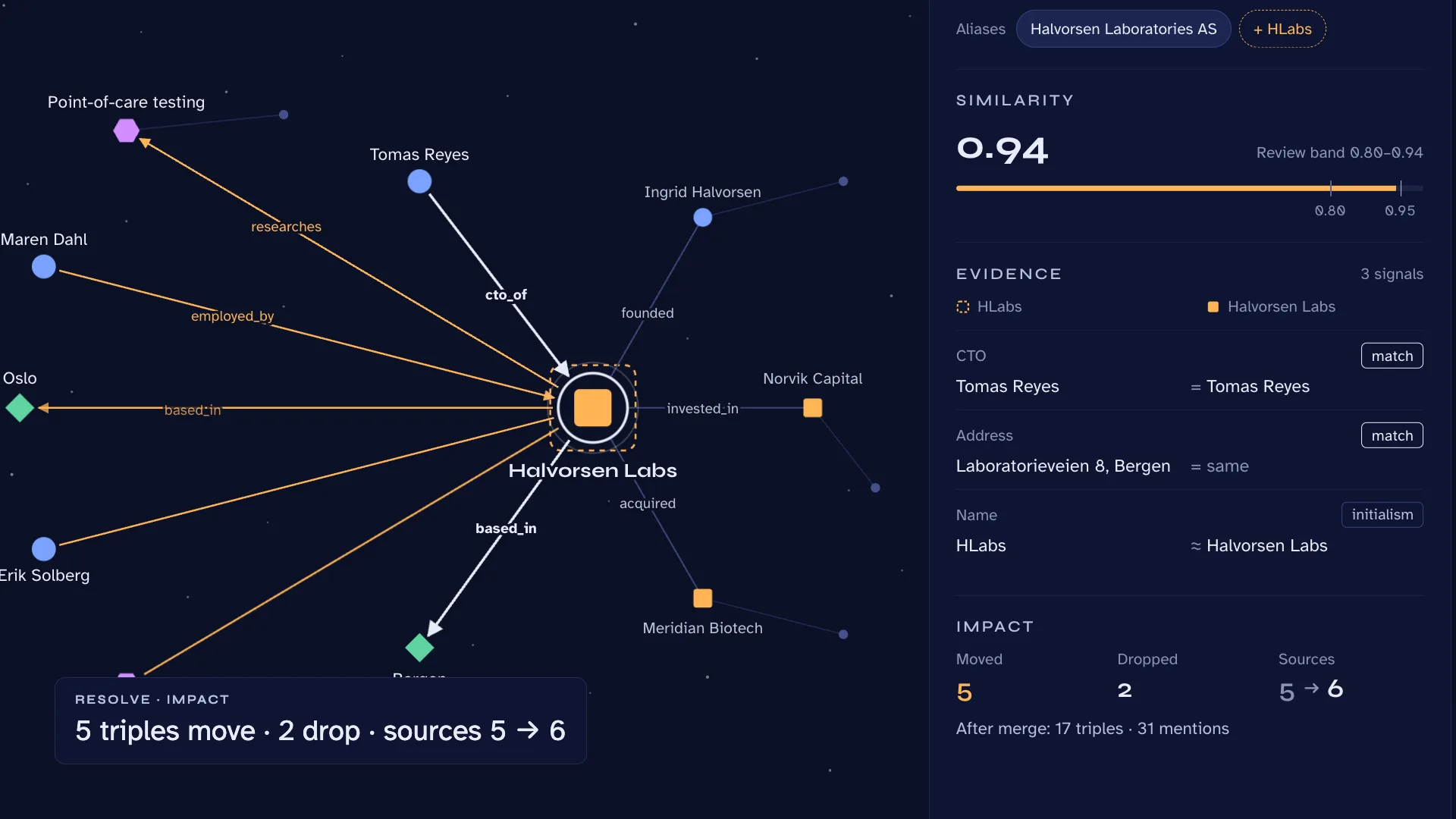
LiveA knowledge-graph extractor that keeps its receipts: people, organizations, places and ideas pulled from your documents, every relation tied to its sentence.
Mailsort
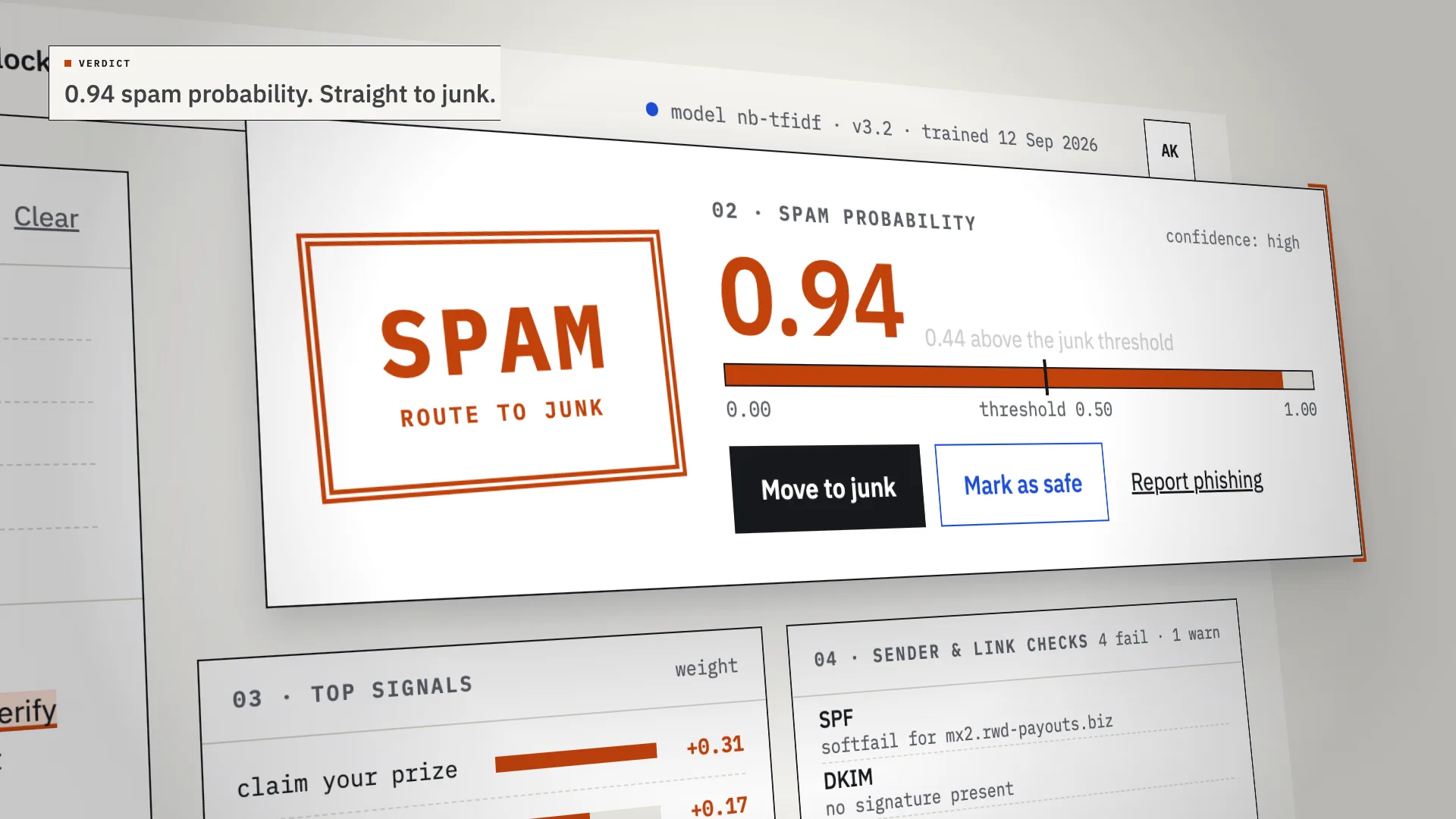
LiveAn AI spam classifier that shows its work: every verdict comes with the phrases, sender checks and links that decided it.
Tidewell
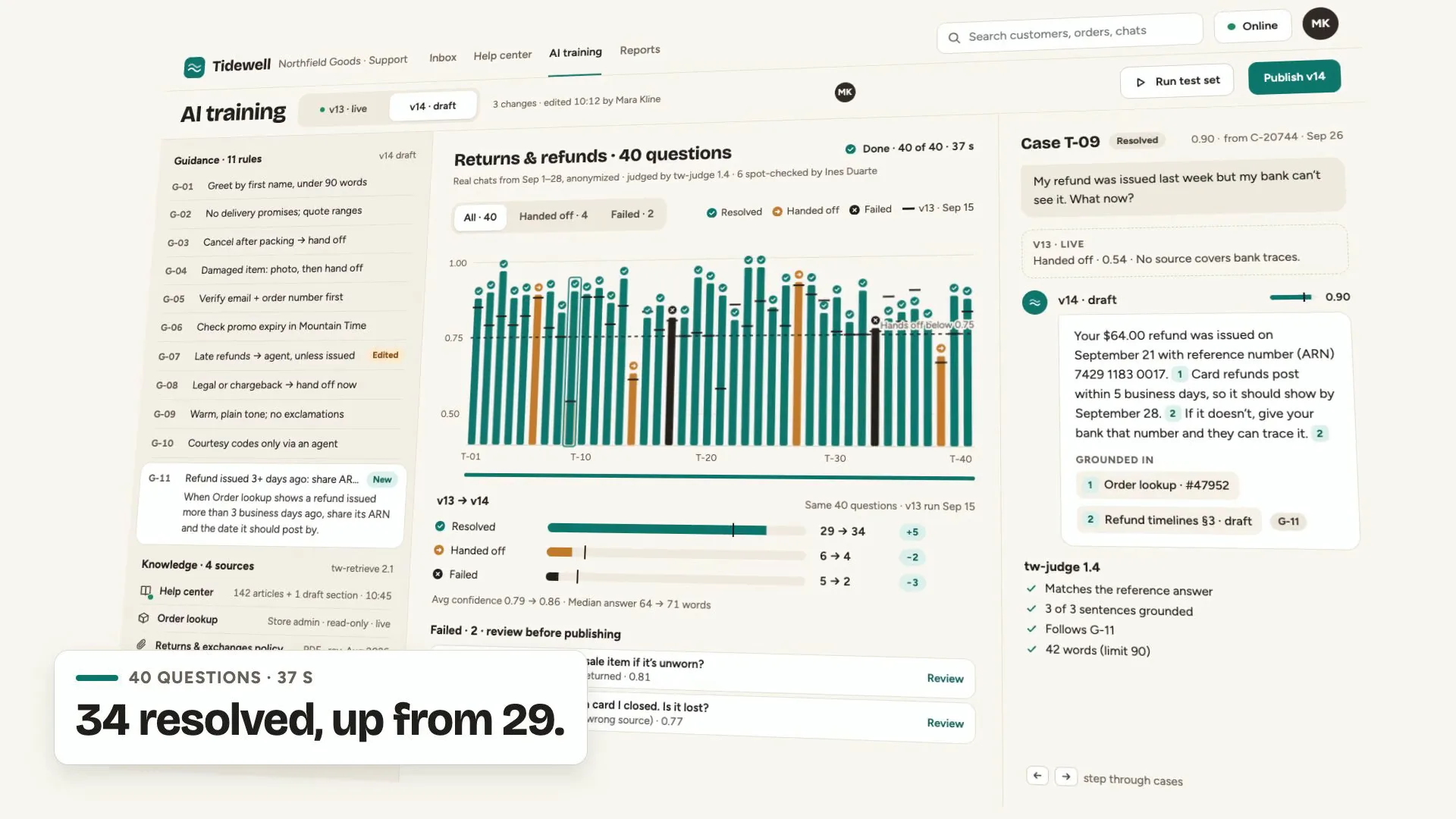
LiveAn AI support agent for online stores: it answers from your help center and order data, shows its sources, and hands off to your team when it should.
Have a project like this?
Tell me what you want to build. We map it on a 30-minute call.