

Product
LiveSentinel
A card-fraud desk for card issuers: every authorization scored in milliseconds, risky ones held or declined, with the evidence to decide.
Facts
- Status
- Live
- Platform
- Web app + mobile app
- Flows
- Live stream · Review queue · Cases · Models
- Model
- fraudnet (gradient-boosted trees) + policy rules
- Scoring
- Every card authorization, in 20–45 ms
- Decisions
- Approve · Review · Hold for an analyst · Decline
- Year
- 2026
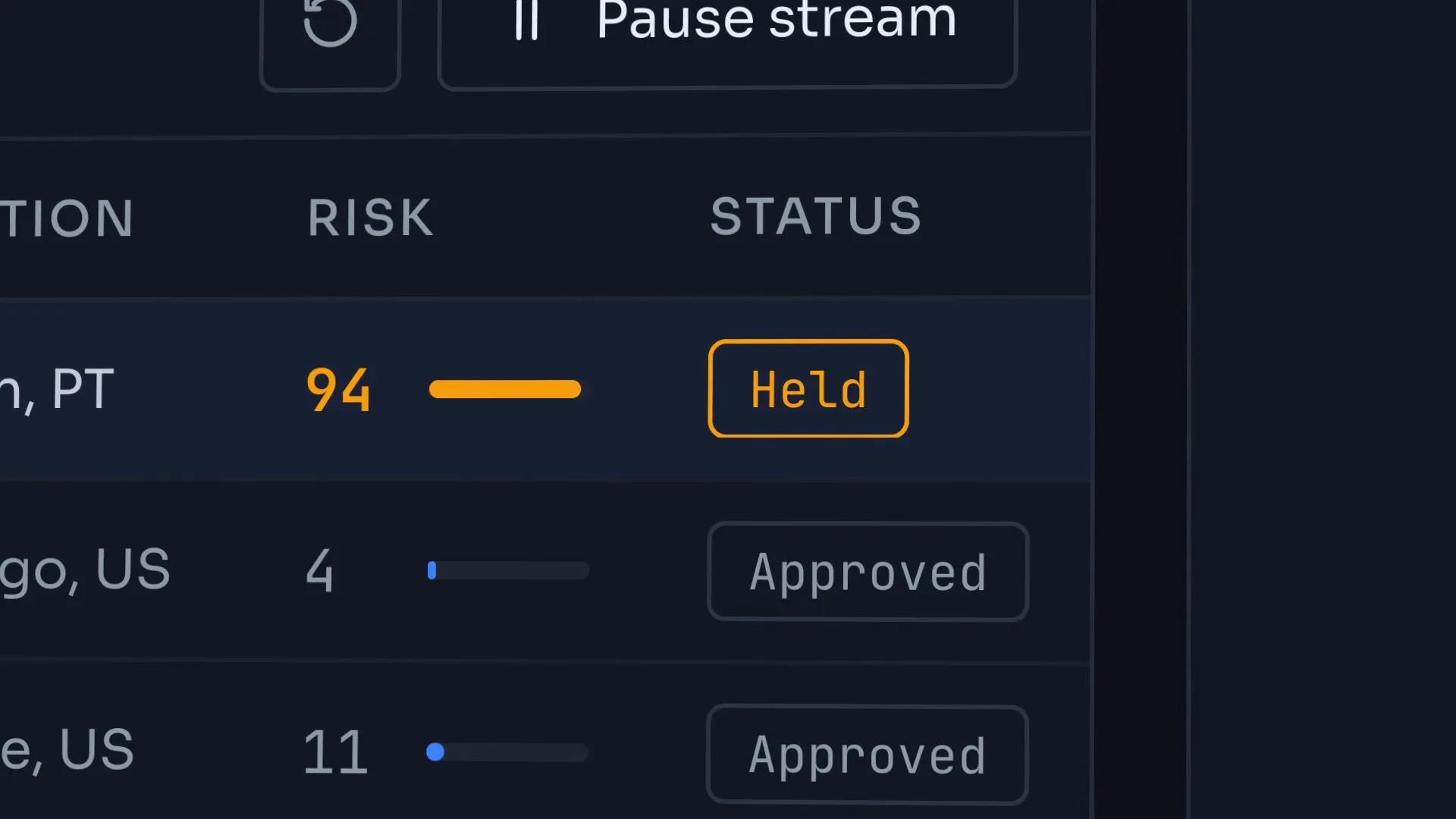
FIG. 01 / PRODUCT FILM
Muted preview · play with sound for the full cut
Who it's for
Fraud analysts and fraud-operations leads at a card issuer who work a shared queue of held payments against the clock, and the ML engineers who own the scoring model and decide when a new version is safe to ship.
The problem
Card fraud moves in seconds, and a card issuer has to decide on each payment while the customer is still at the checkout. A bare risk score with no reasons leaves analysts guessing: decline too much and genuine customers are turned away, decline too little and the fraud goes through. Every held payment has a customer waiting on the answer.
The product
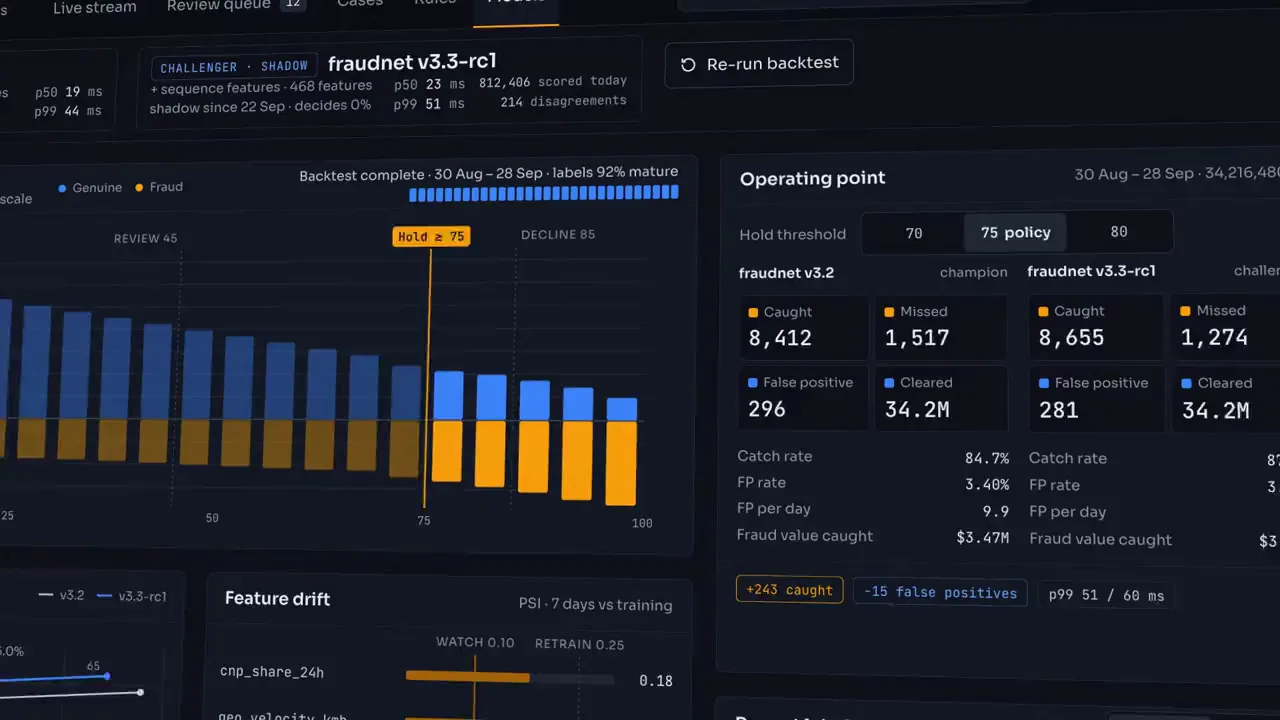
Sentinel scores every card authorization as it arrives, in 20–45 ms, with the fraudnet model plus policy rules. A low score goes straight through; higher scores cross the policy's tripwires, which send the payment to review after approval, hold it for an analyst on a 10-minute clock, or decline it outright. For a held payment the analyst sees why it was flagged, factor by factor, how it compares with the cardholder's normal spending and what the customer answered by SMS, then approves, blocks the card or escalates. A block opens a case with the full timeline, an impossible-travel check and a sweep for other cards on the same device; confirmed outcomes become training labels, and on Models the team runs a challenger model in shadow and sees what each hold threshold trades before a change ships.
FIG. 02 / HOW IT WORKS
How it works
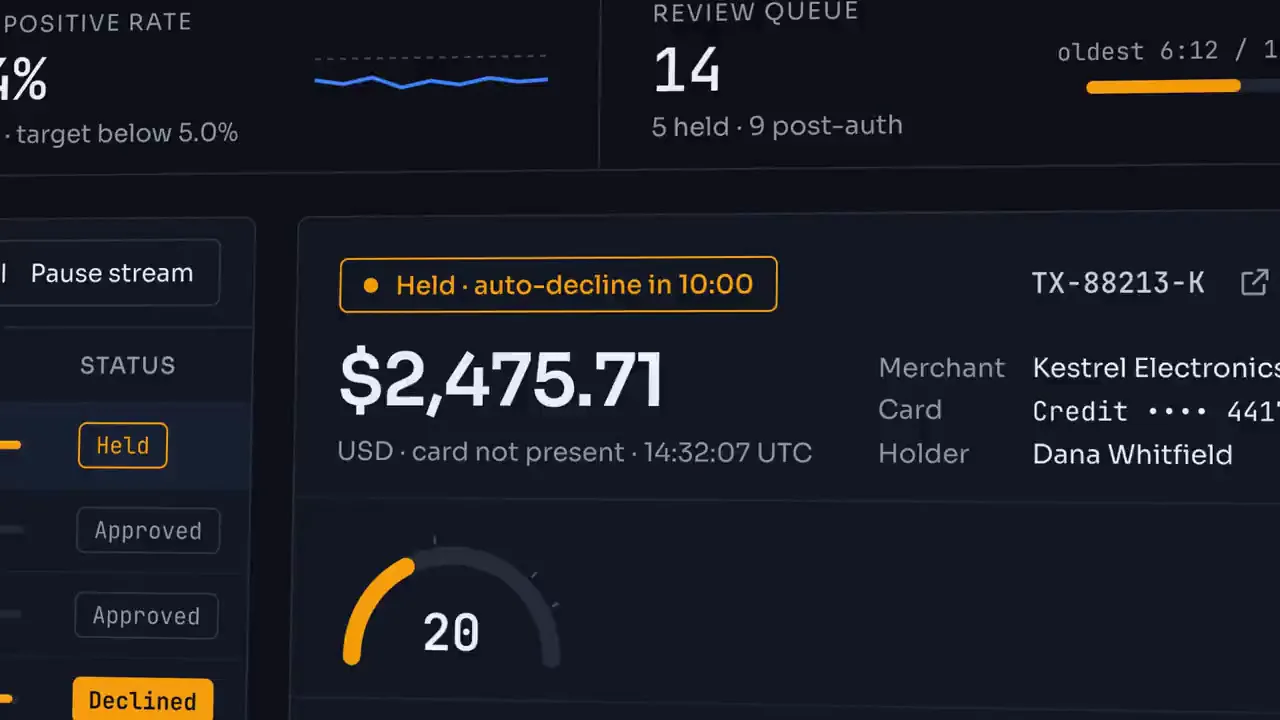
Step 1: Live stream
Every card authorization lands in the stream and is scored as it arrives: the fraudnet probability plus any rule points. Open a held payment and the gauge settles on its score, tripping each policy line it crosses, while the reasons add up factor by factor — impossible travel, spending velocity, a new device — from the base to the total.
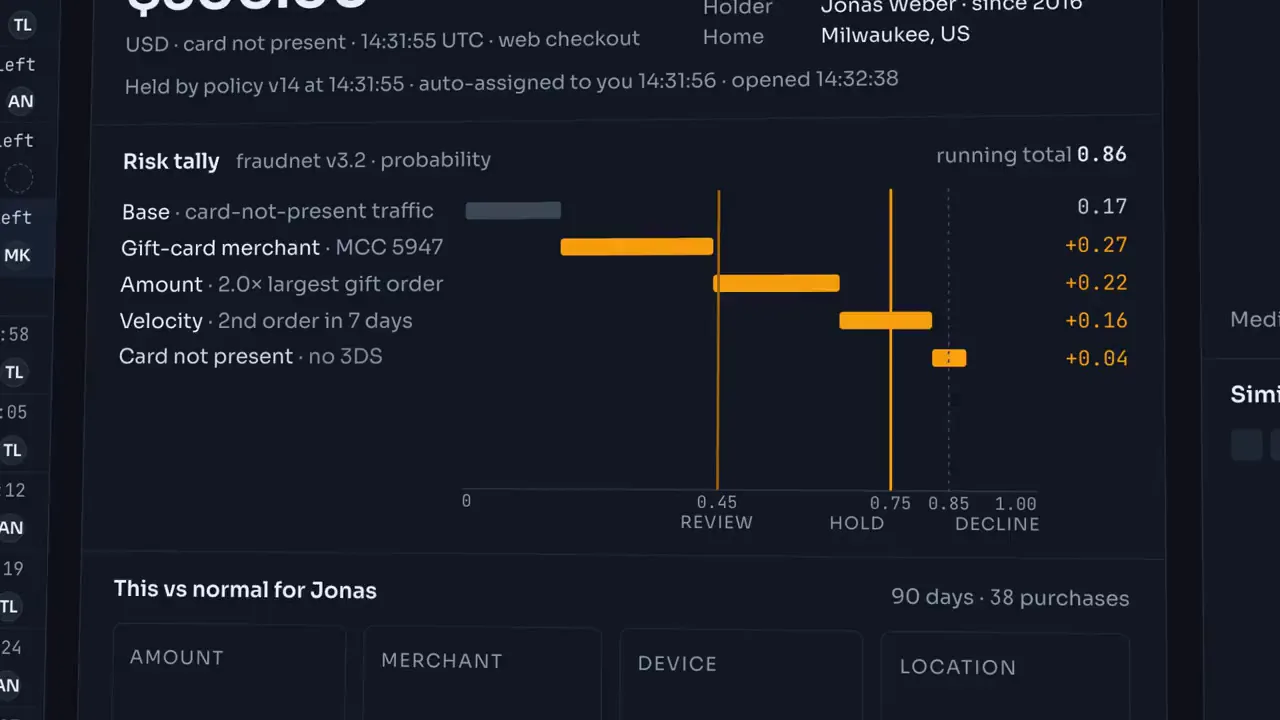
Step 2: Review queue
Held payments wait in one shared queue, ordered by the time left on their 10-minute clock. The risk tally shows each piece of evidence pushing the total across the review, hold and decline lines, and a known device pulling it back. The analyst texts the cardholder from a ready template; a YES makes Approve the recommended action, and the decision labels the payment for training.
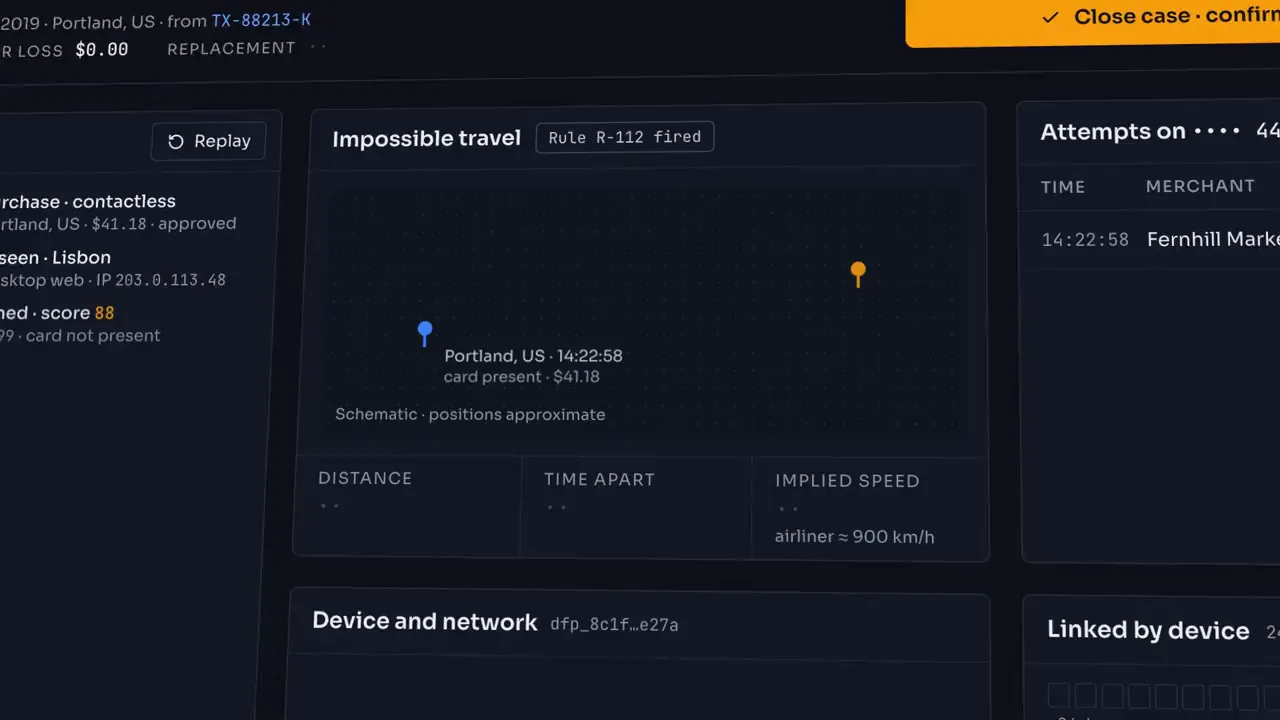
Step 3: Cases
Blocking a card opens a case. The map draws the impossible trip between the last card-present purchase and the new attempt, with distance, time apart and implied speed; the padlock closes, the held payment is declined and the cardholder is texted. The timeline keeps every event, and a sweep of the same device surfaces the other cards it touched, each opened as a linked case.
FIG. 03 / SCREENS
The product, screen by screen
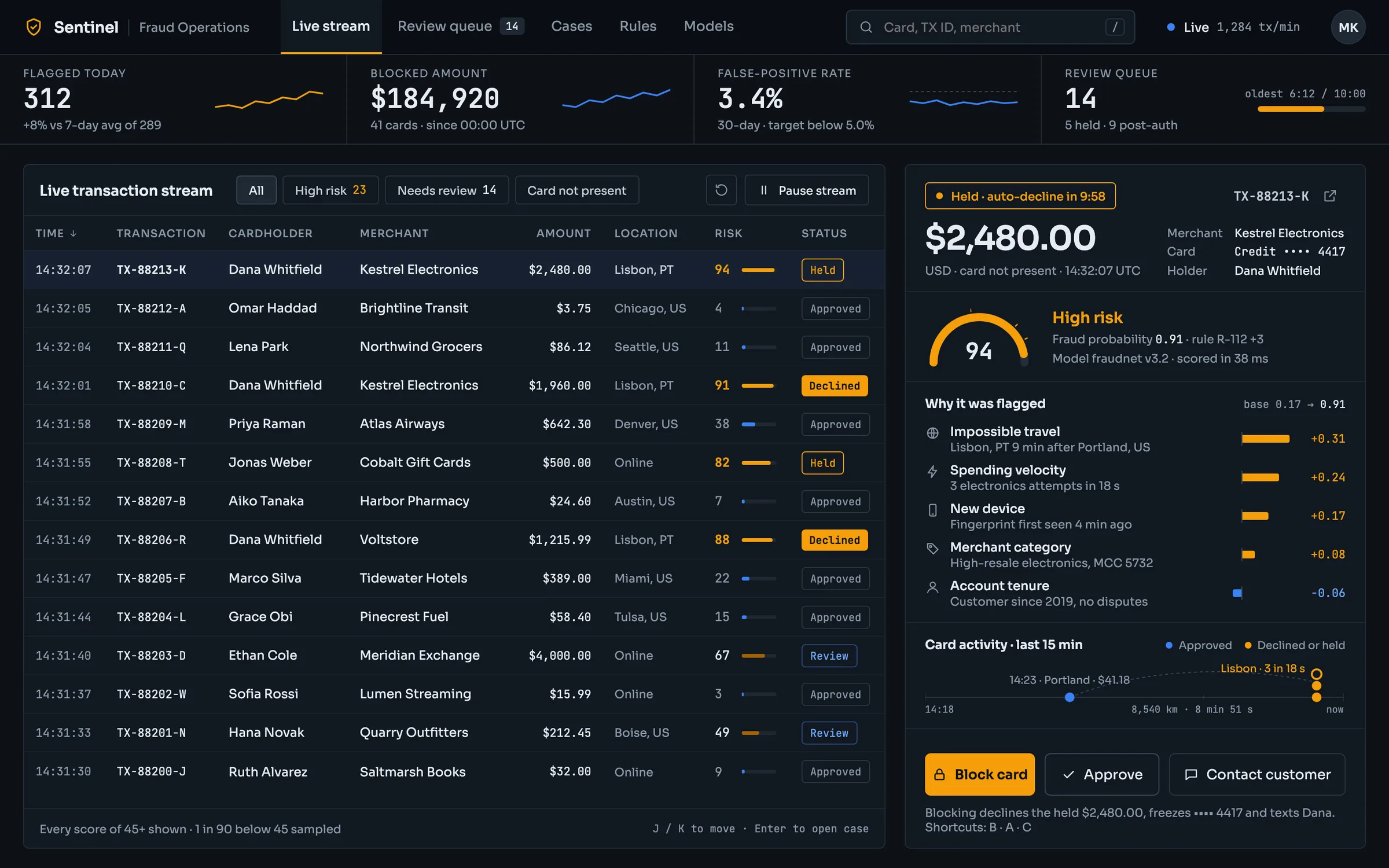
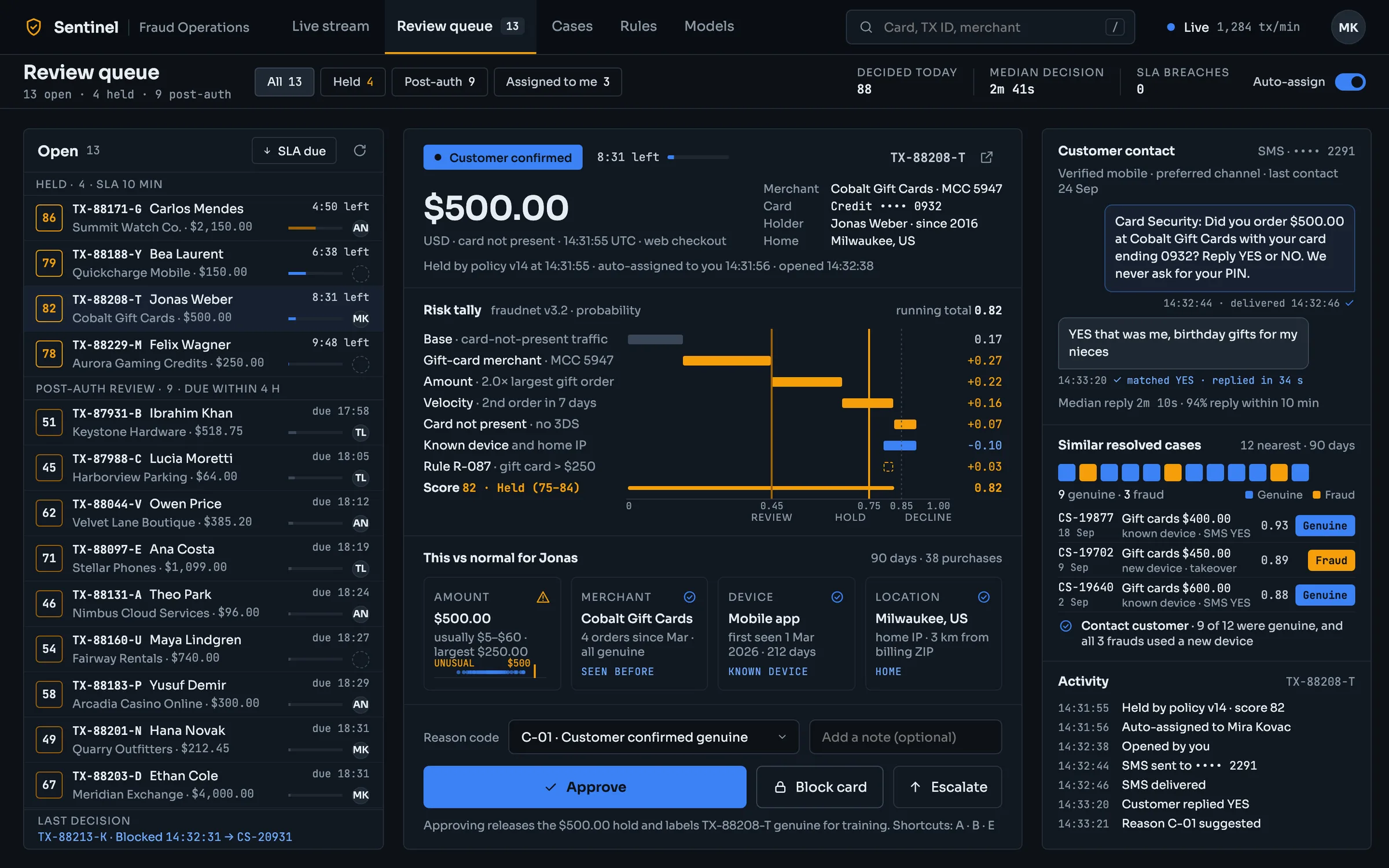
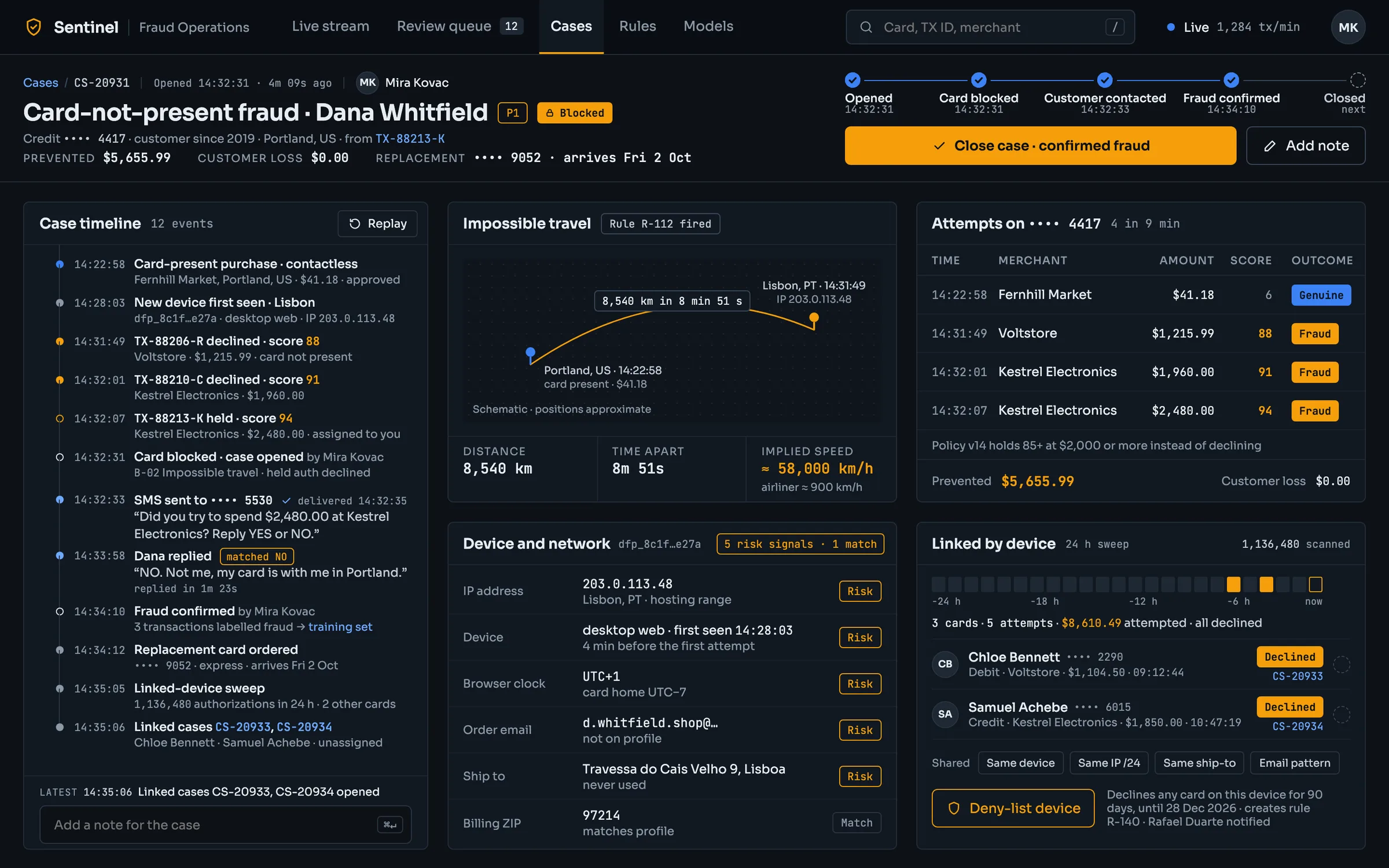
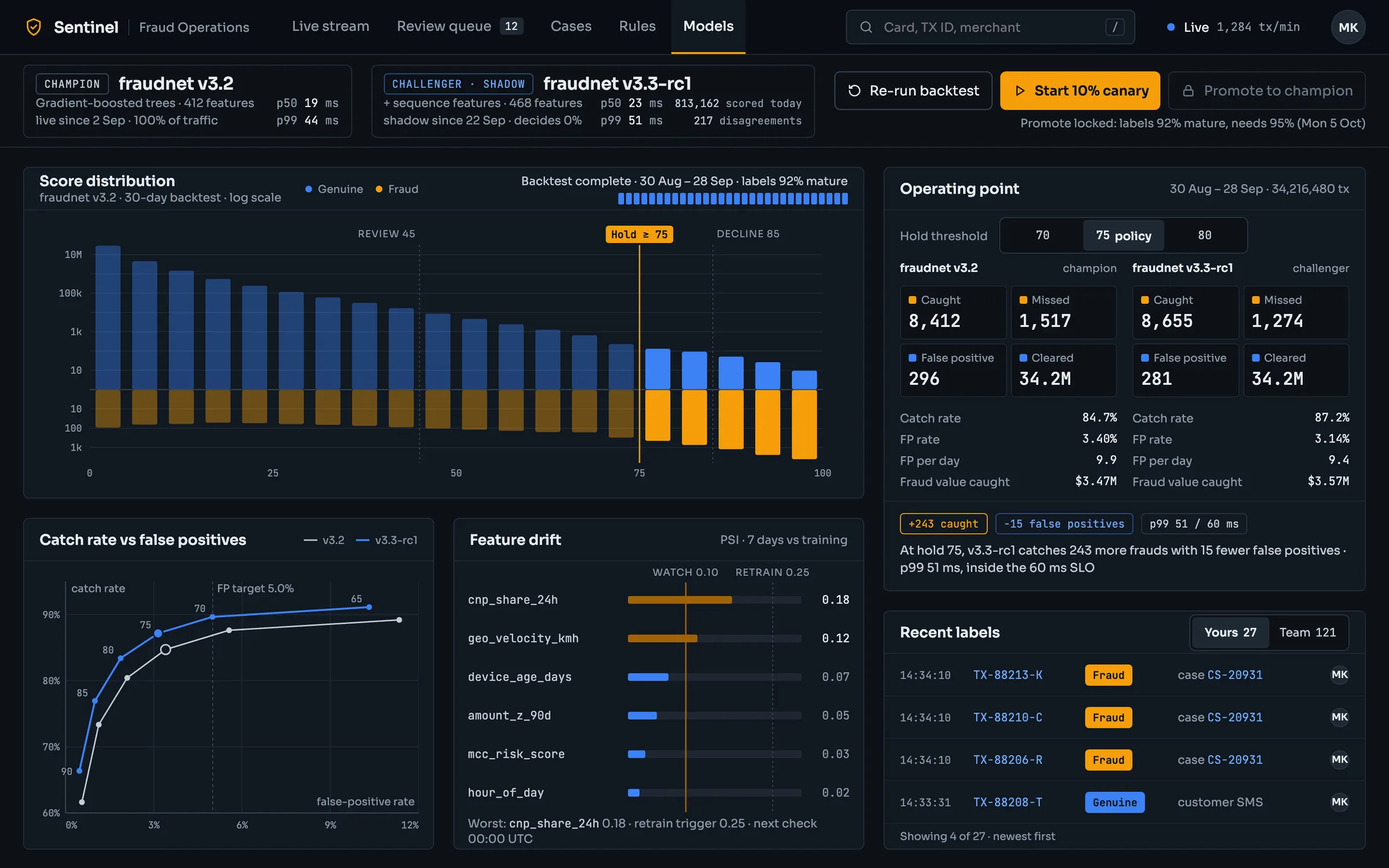
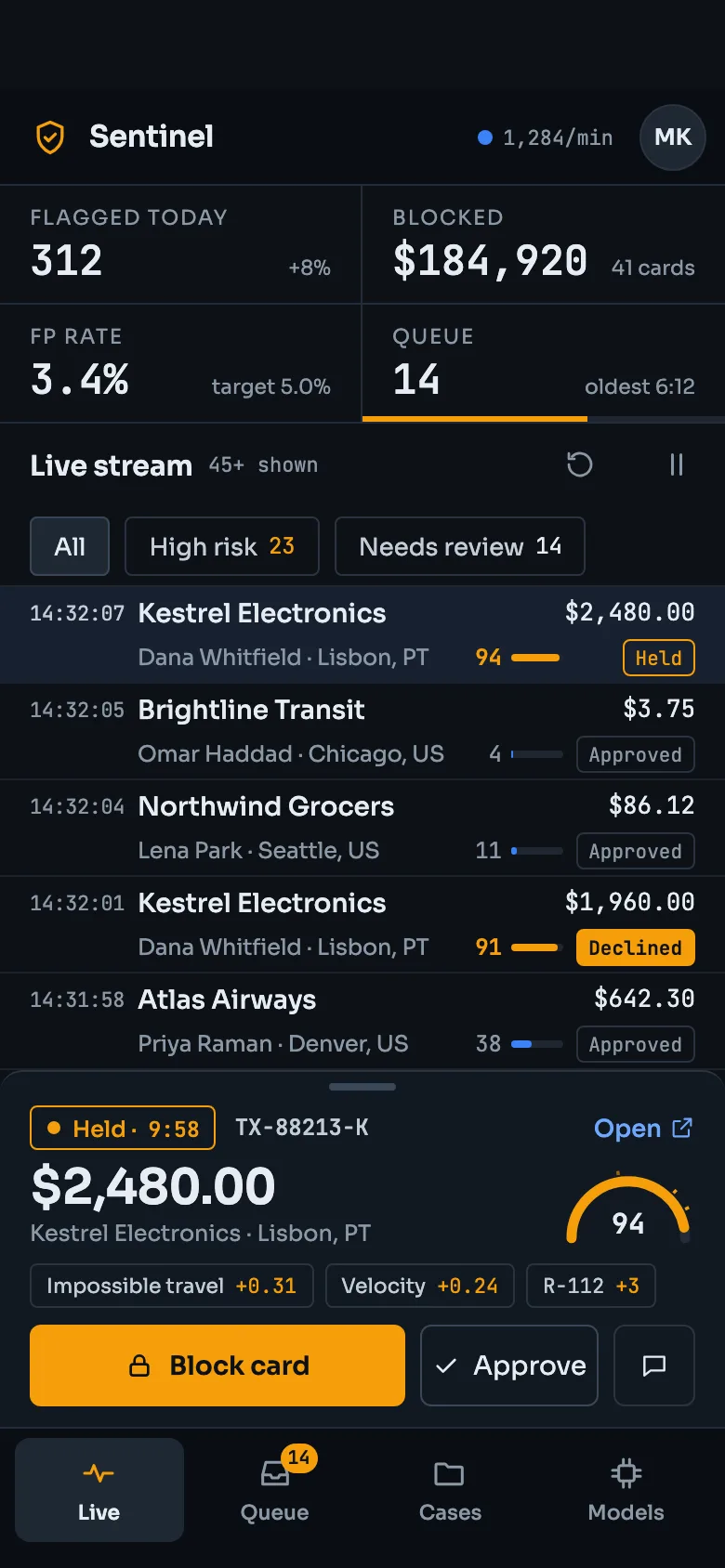
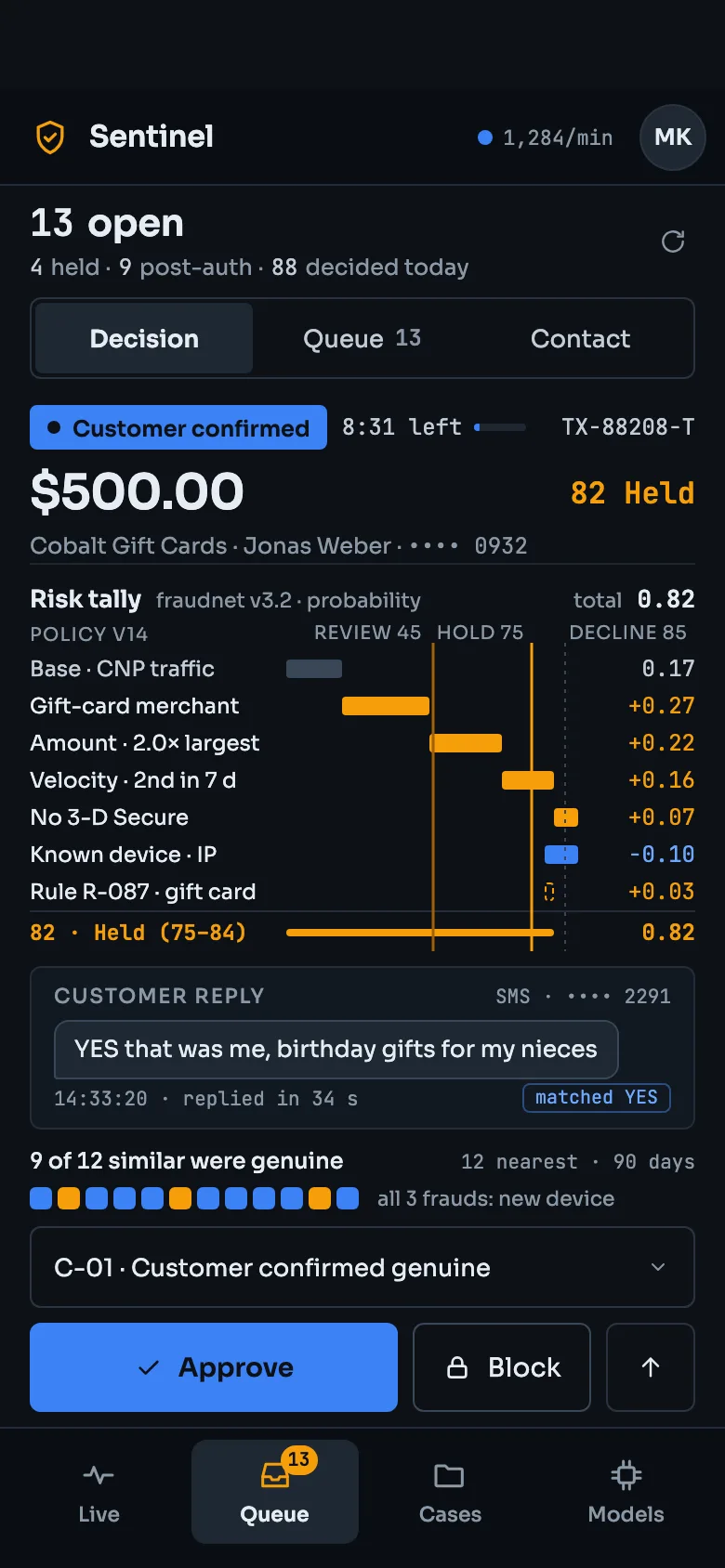
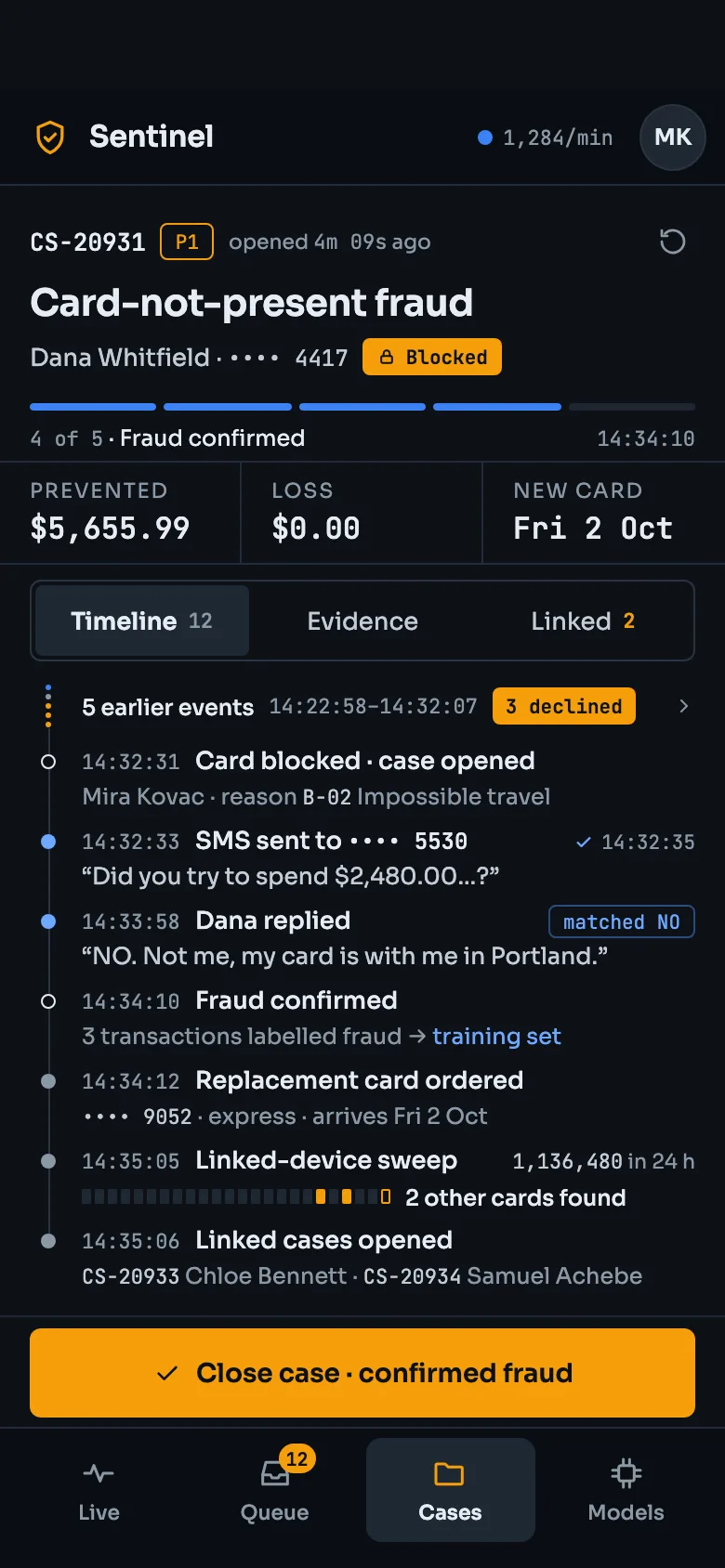
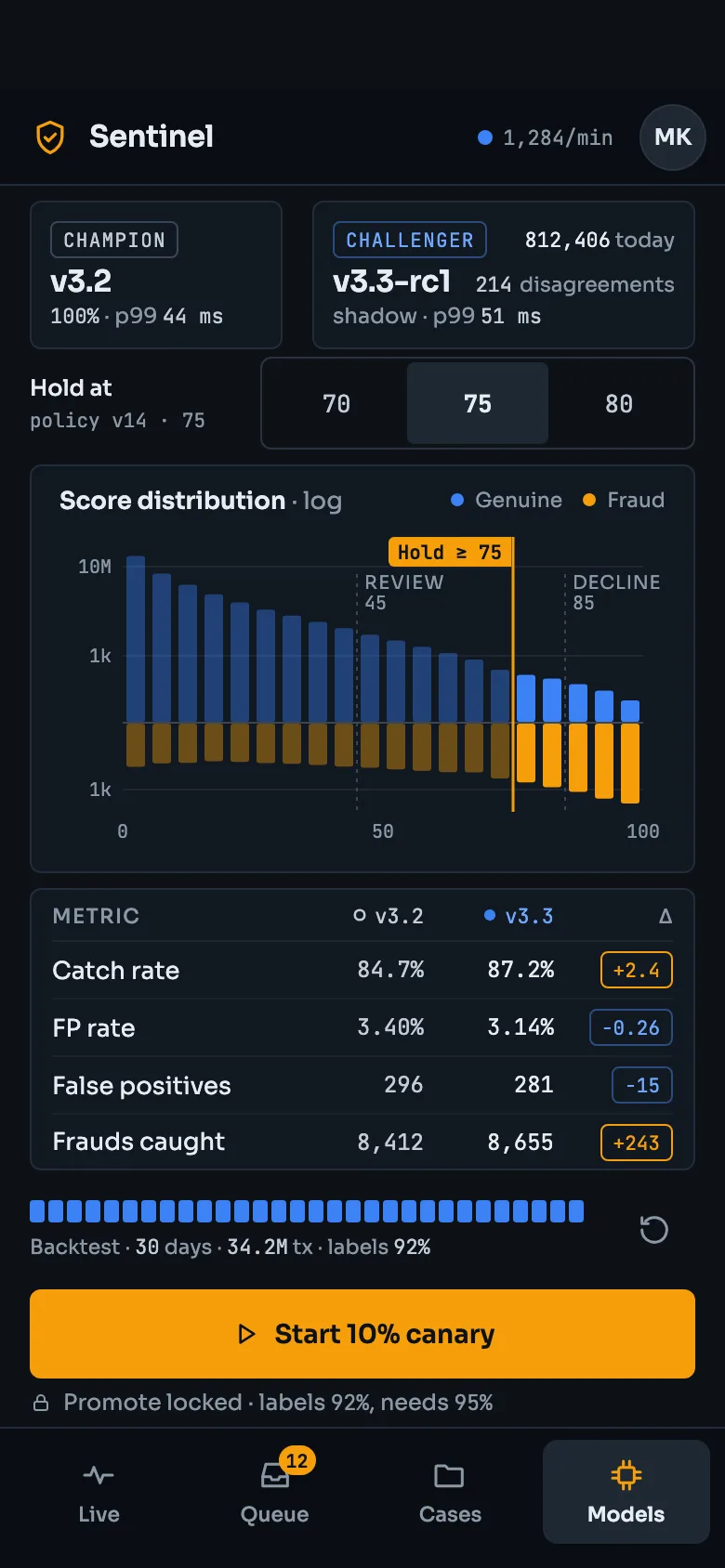
FIG. 04 / DESIGN DIRECTION
Design direction
A dark operations desk for the analyst on shift: near-black panels separated by thin borders, never shadows. Sora carries every word; JetBrains Mono carries every number, ID, time, amount and score, so figures line up and read at a glance. One amber accent means risk — high scores, held and declined payments, the primary action — and blue means genuine or informational. The signature element is the tripwire: each policy threshold drawn as a dashed line that turns solid when a score crosses it.
Palette
- Desk#0D1117
- Panel#111821
- Risk amber#F59E0B
- Genuine blue#3B82F6
- Text#E6EDF3
Type
- Sora
- Every word: headings, labels, buttons, messages
- JetBrains Mono
- Every number: scores, amounts, IDs, times, status chips
FIG. 05 / MOTION LANGUAGE
Motion language
“Tripwire tally”: Sentinel puts a number on risk and acts when the number crosses a line, so every move does one of four things. A payment arrives unscored and its score counts up; evidence adds up factor by factor; a dashed policy line turns solid the moment the total crosses it, and lets go if a later factor pulls the total back; the decision latches through a shutter wipe, and a padlock closes on a blocked card. On Models the hold line glides from one threshold to the next while every count re-tallies. Nothing bounces, nothing pulses, and there are no gradients, glow or shadows.
Related systems
Kiko
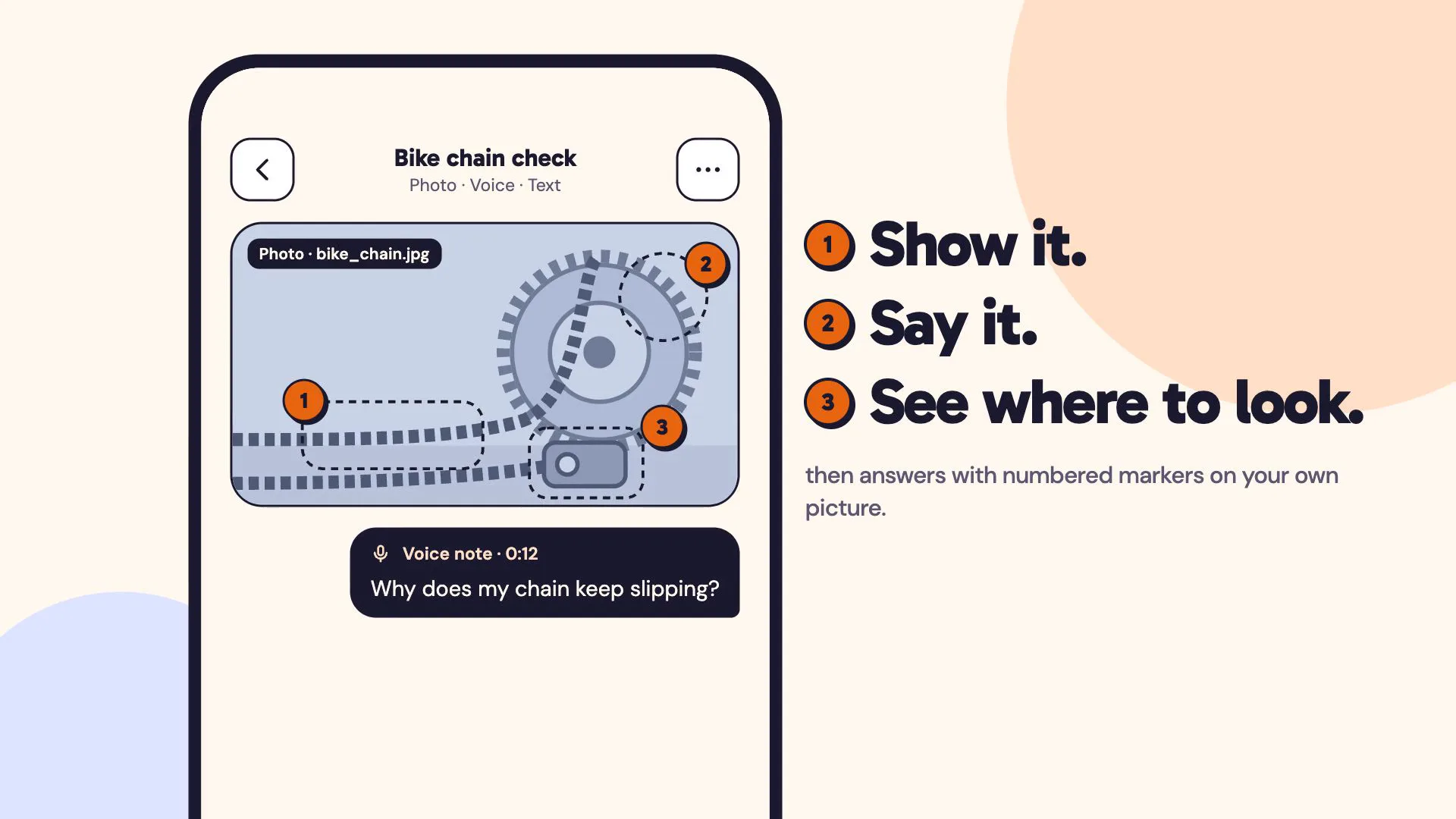
LiveA multimodal AI assistant you can show things to: a photo, a voice note and a line of text in one ask, answered with numbered markers on your own picture.
Mailsort
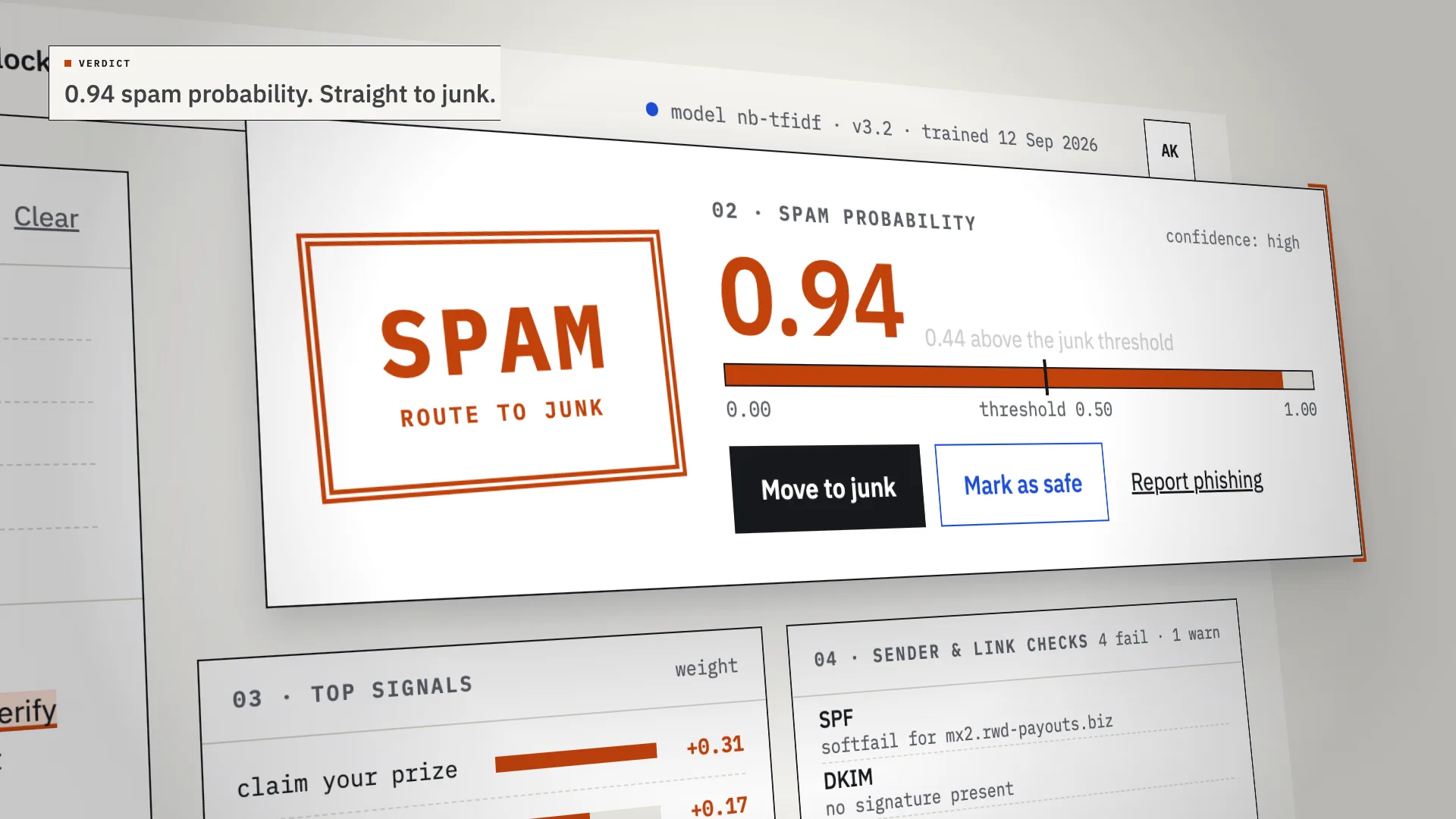
LiveAn AI spam classifier that shows its work: every verdict comes with the phrases, sender checks and links that decided it.
Chalkline
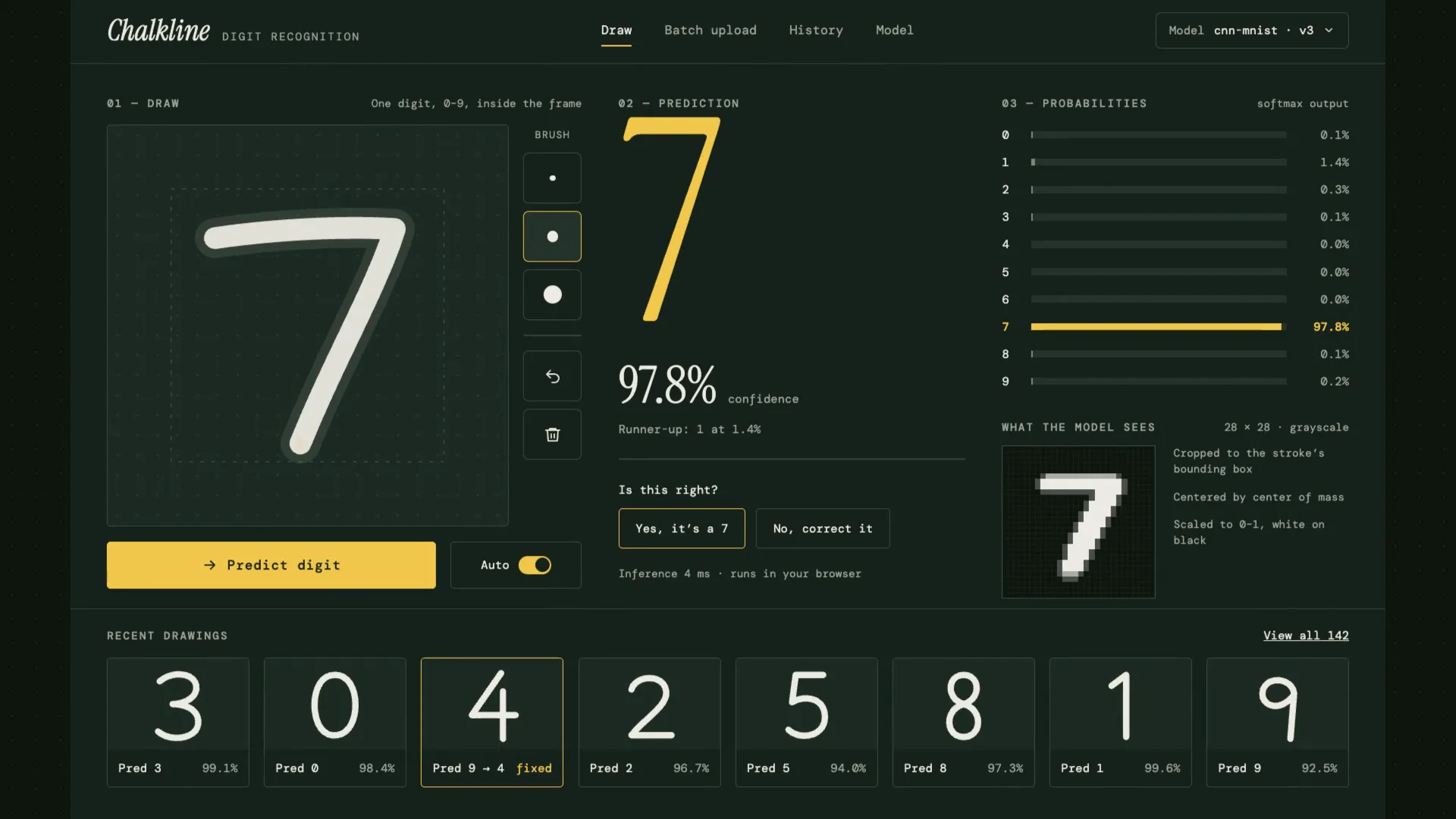
LiveA handwritten digit recognizer that shows its reasoning: your chalk stroke becomes the 28×28 pixels the model sees, then ten probabilities, then an answer.
Have a project like this?
Tell me what you want to build. We map it on a 30-minute call.