


Product
Liveishflow
A business platform on the 1C model: describe a catalog, document or ledger in TypeScript, and one engine builds the database, screens and posting.
Facts
- Status
- Live
- Platform
- Web app + iOS + Android
- Modules
- Sales · Purchases · Inventory · Treasury · Finance · Fixed assets
- Engine
- TypeScript metadata, PostgreSQL + RLS
- Year
- 2026
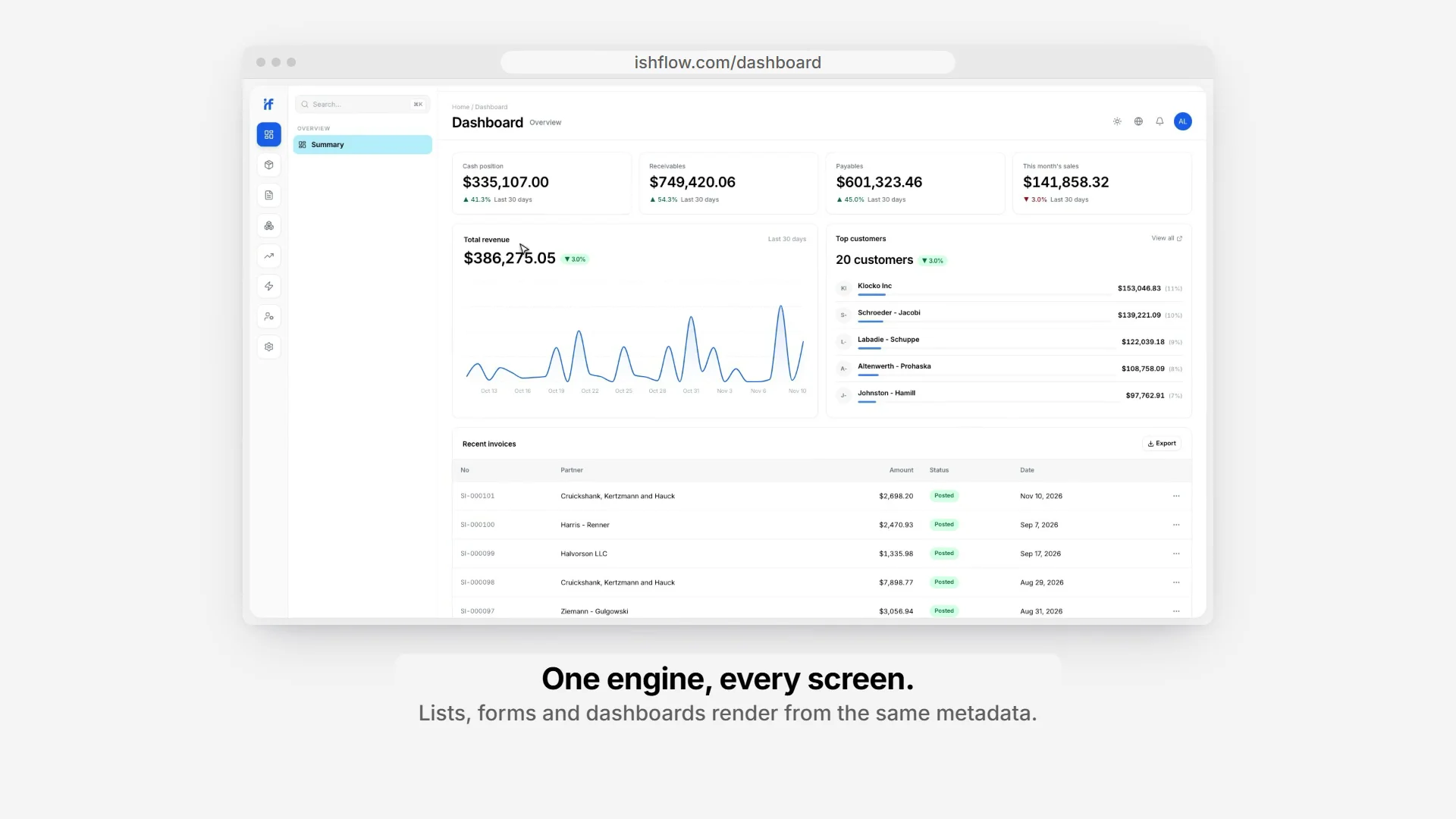
FIG. 01 / PRODUCT FILM
Muted preview · play with sound for the full cut
Who it's for
Small and mid-size businesses that keep their books the 1C way — catalogs, documents, registers, posting — but want a fast web app, phone apps for daily operations and nothing to install on their own servers. The interface is in five languages: Russian by default, plus English, Turkish, Uzbek and Kyrgyz.
The problem
1C:Enterprise runs a large share of small and mid-size business accounting in Russian-speaking markets, and its core idea is still one of the best in business software: you don't hand-build every screen and table, you describe catalogs, documents and registers as metadata, and the platform turns that description into a working application. What has aged is the delivery. Desktop clients, a proprietary language and on-premise installs are a poor fit for small teams that expect a fast web app, a phone app and sensible pricing.
The product
ishflow carries the 1C model onto a modern web stack. Business objects are TypeScript files: 40 document types, 11 catalogs and 10 registers across sales, purchases, inventory, treasury, finance and fixed assets. A generator turns them into the PostgreSQL schema and types; one generic engine lists, creates, updates, soft-deletes and restores every object; list, form and detail screens render from the same description, with labels in the active language. Posting a document runs all of its posting functions in one serializable transaction and writes immutable movements to the registers, so balances, turnovers and the 15 reports, from aging to cash flow, can always be recomputed from history. All tenants share one database, kept apart by PostgreSQL row-level security that even the app's own connection cannot bypass. The web app, the native iOS and Android apps, a REST API and an MCP server for AI agents all go through that engine, under 9 built-in roles and an audit trail that records where every change came from. ishflow is a working product, built solo between April and June 2026.
FIG. 02 / HOW IT WORKS
How it works
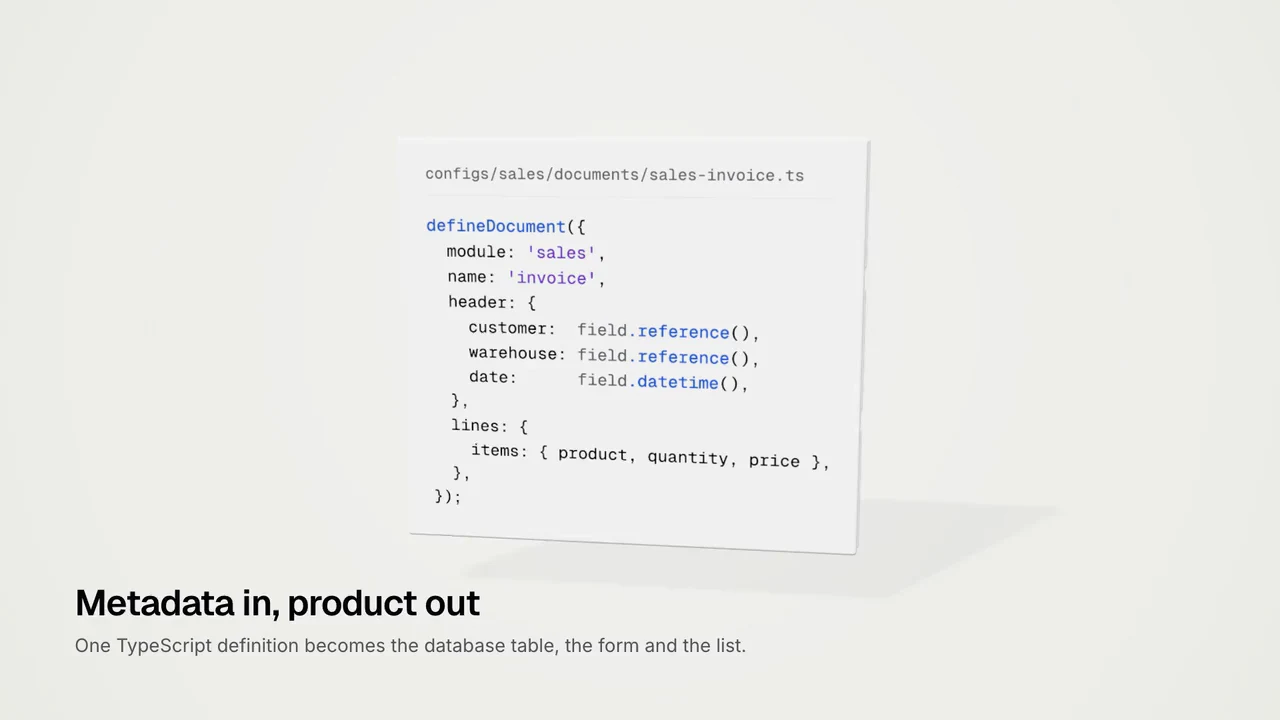
Step 1: Metadata in, product out
One TypeScript definition becomes the database table, the form and the list. A document declares its header fields, line sections and a posting map; the generator writes the PostgreSQL table and types, and the same file renders the screens: a reference field becomes a searchable picker, a line section an editable table, and labels follow the active language.
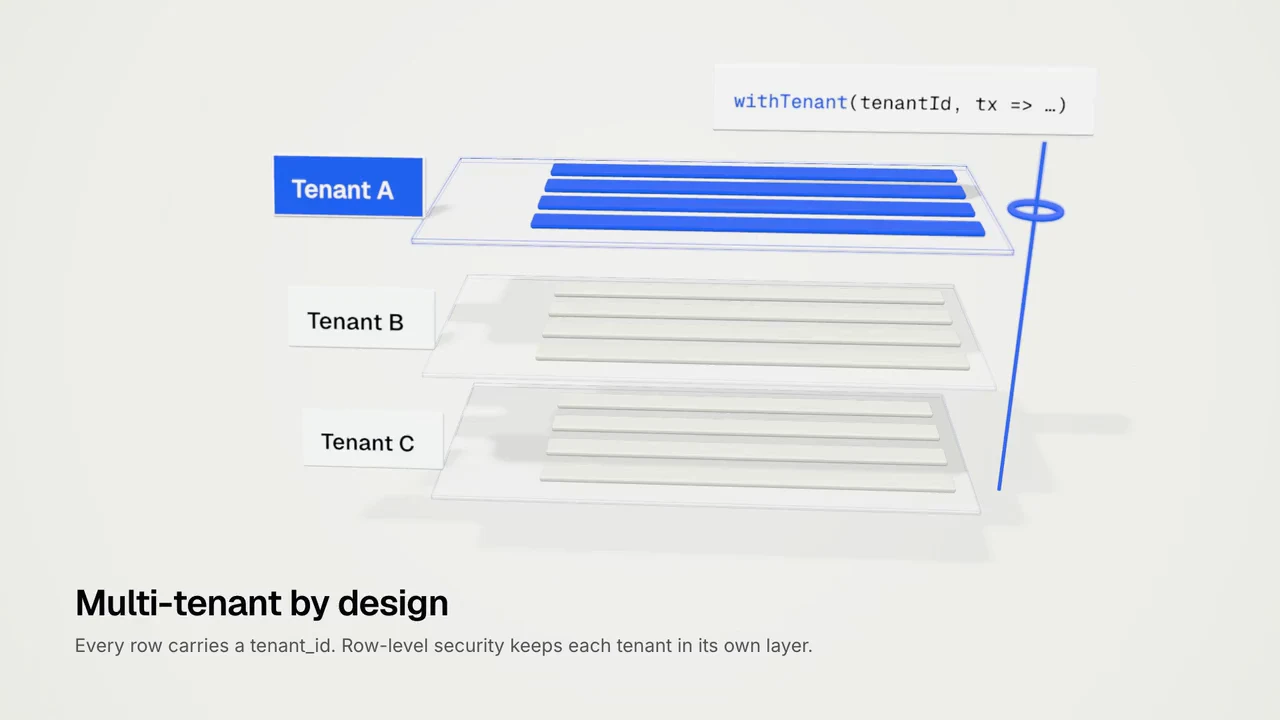
Step 2: Multi-tenant by design
Every row carries a tenant_id, and PostgreSQL row-level security keeps each tenant in its own layer. Each request sets its tenant with withTenant for a single transaction, and the app connects as a role that cannot bypass the policies, so isolation is enforced by the database, not by filters in the code.
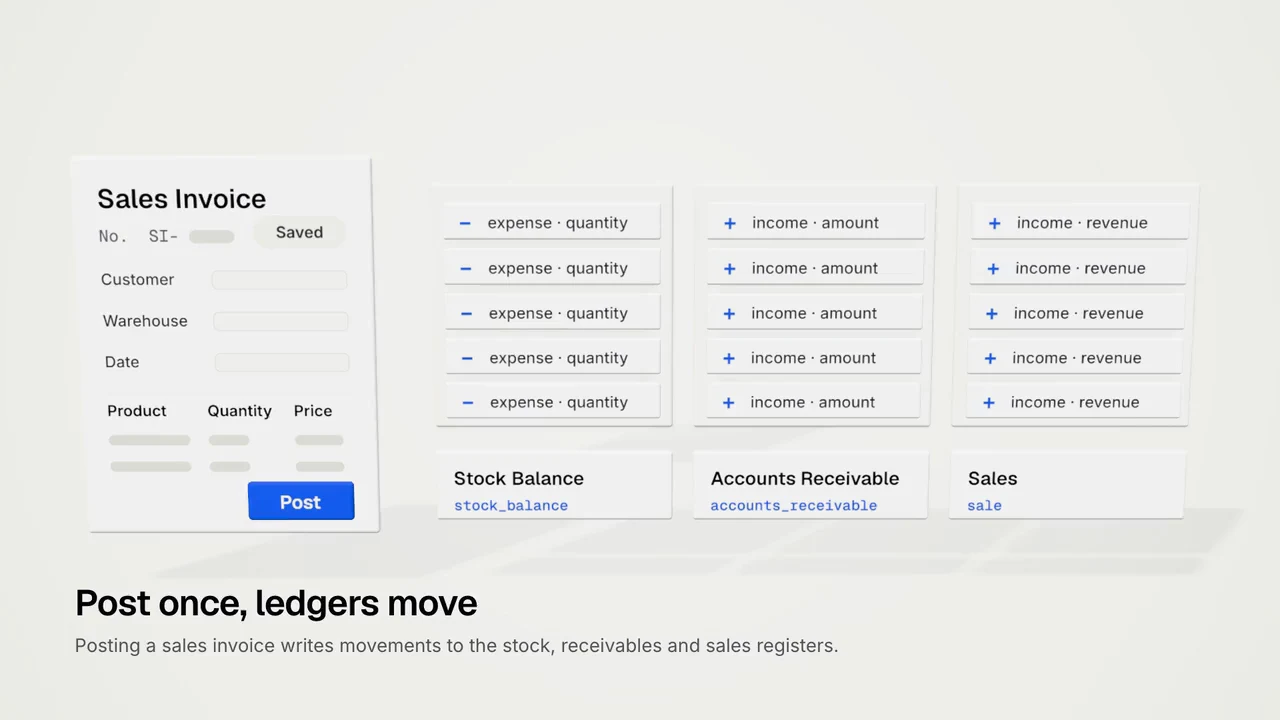
Step 3: Post once, ledgers move
Posting a sales invoice writes movements to the stock, receivables and sales registers in one serializable transaction: stock goes out at average cost, the customer's debt is recorded with output VAT, revenue and cost land per line, and the invoice turns POSTED with an audit entry. Short stock or a price below cost blocks the post; unposting deactivates the movements instead of deleting them.
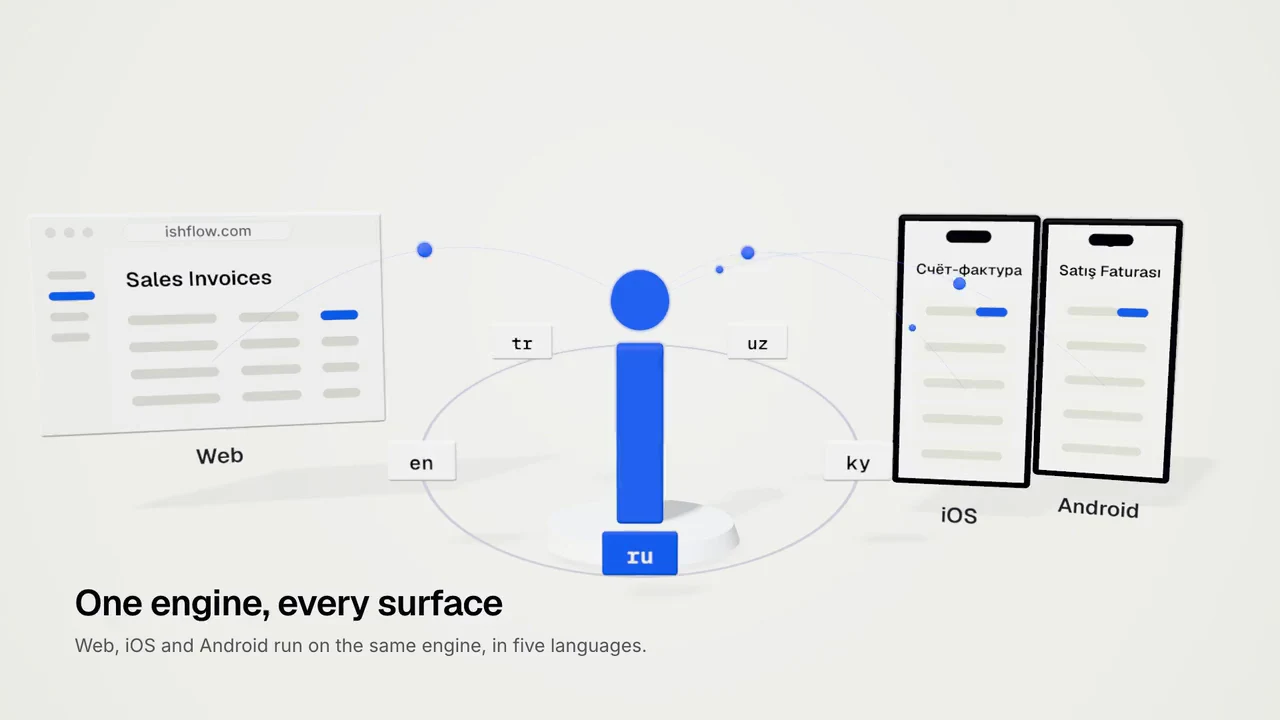
Step 4: One engine, every surface
Web, iOS and Android run on the same engine, in five languages, and so do the REST API and the MCP server for AI agents. Every client uses the same permission codes, each user sees only the screens their role allows, and the audit trail records whether a change came from web, mobile, API or MCP.
FIG. 03 / SCREENS
The product, screen by screen
Web app
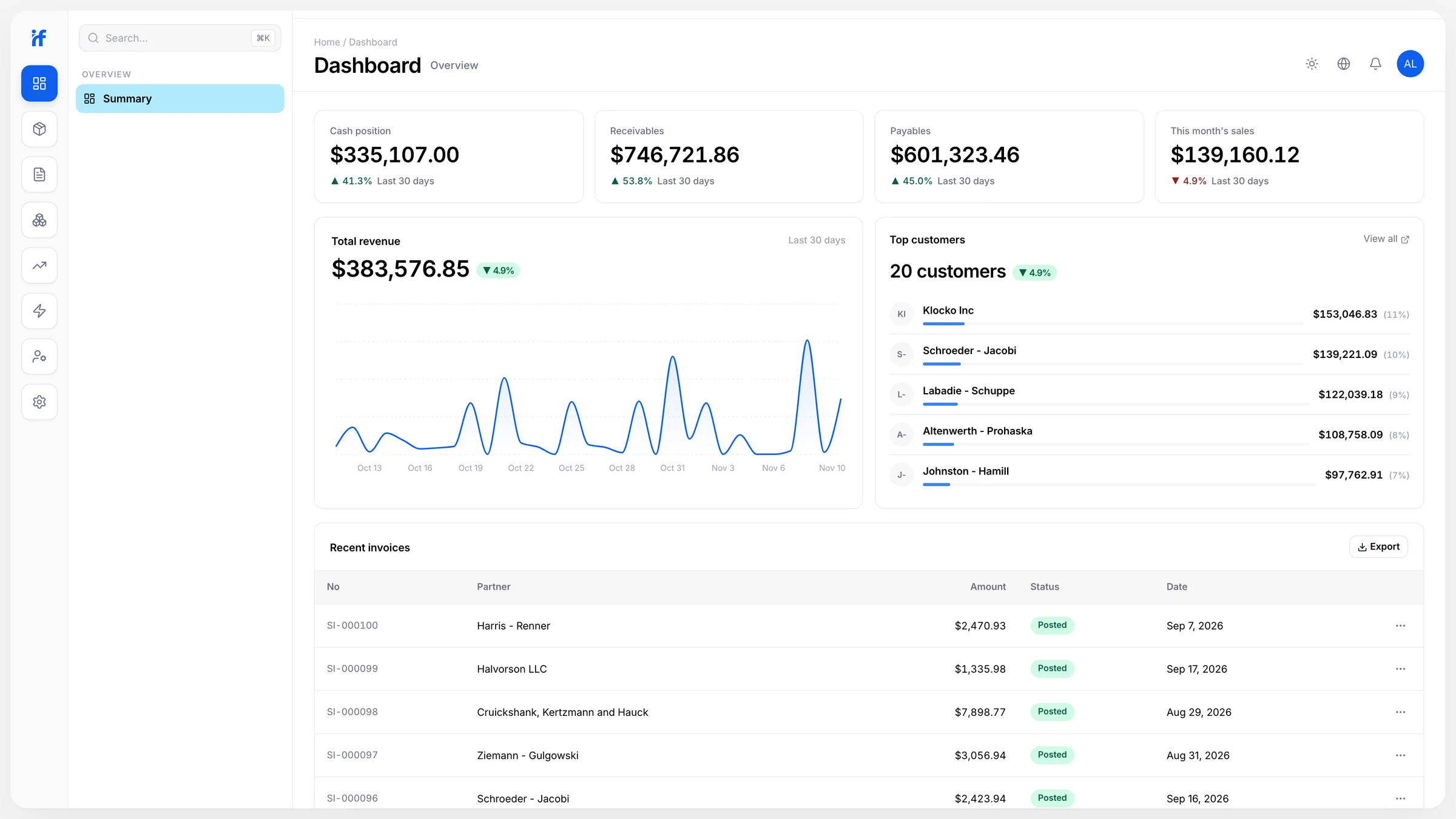
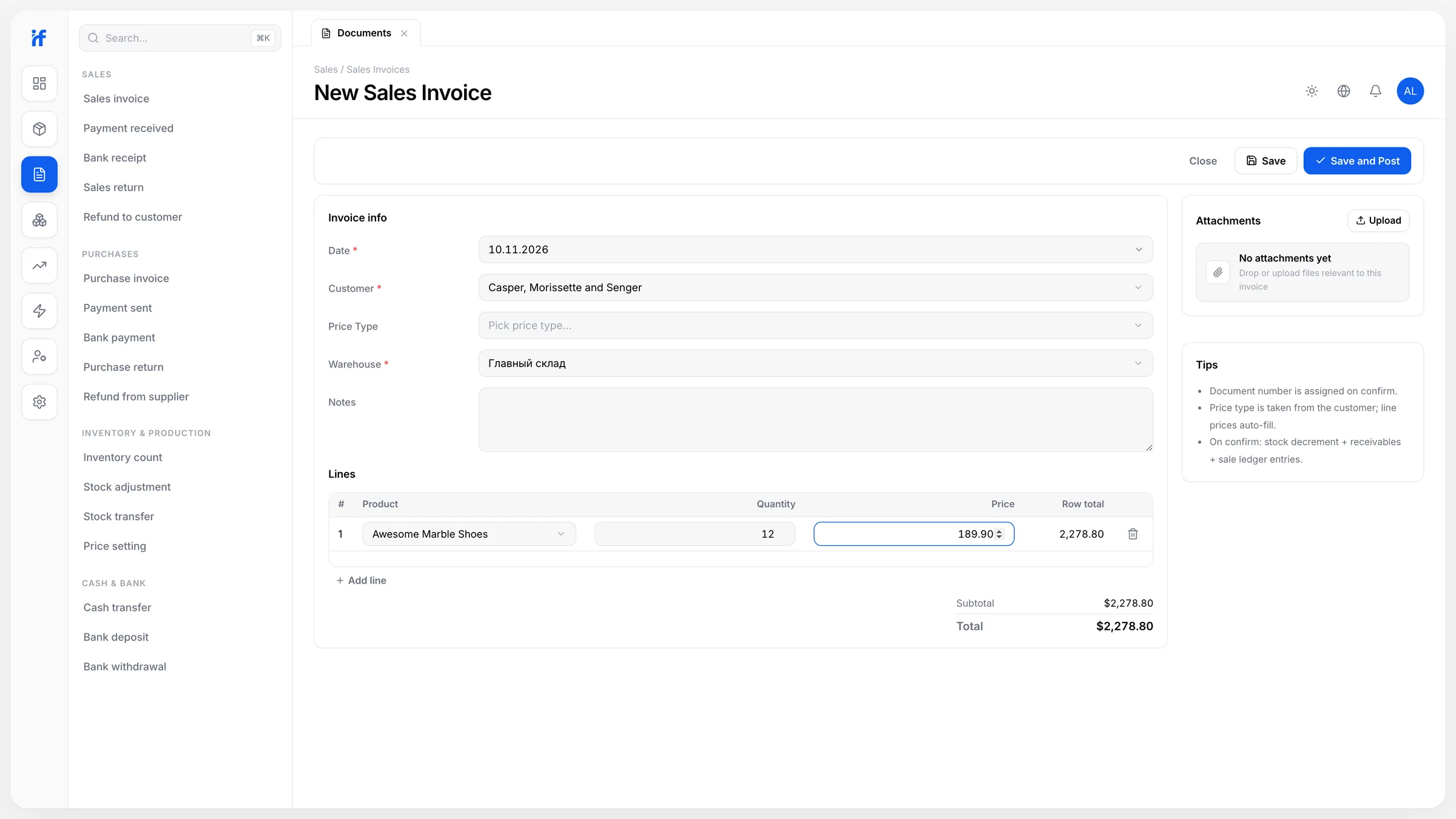
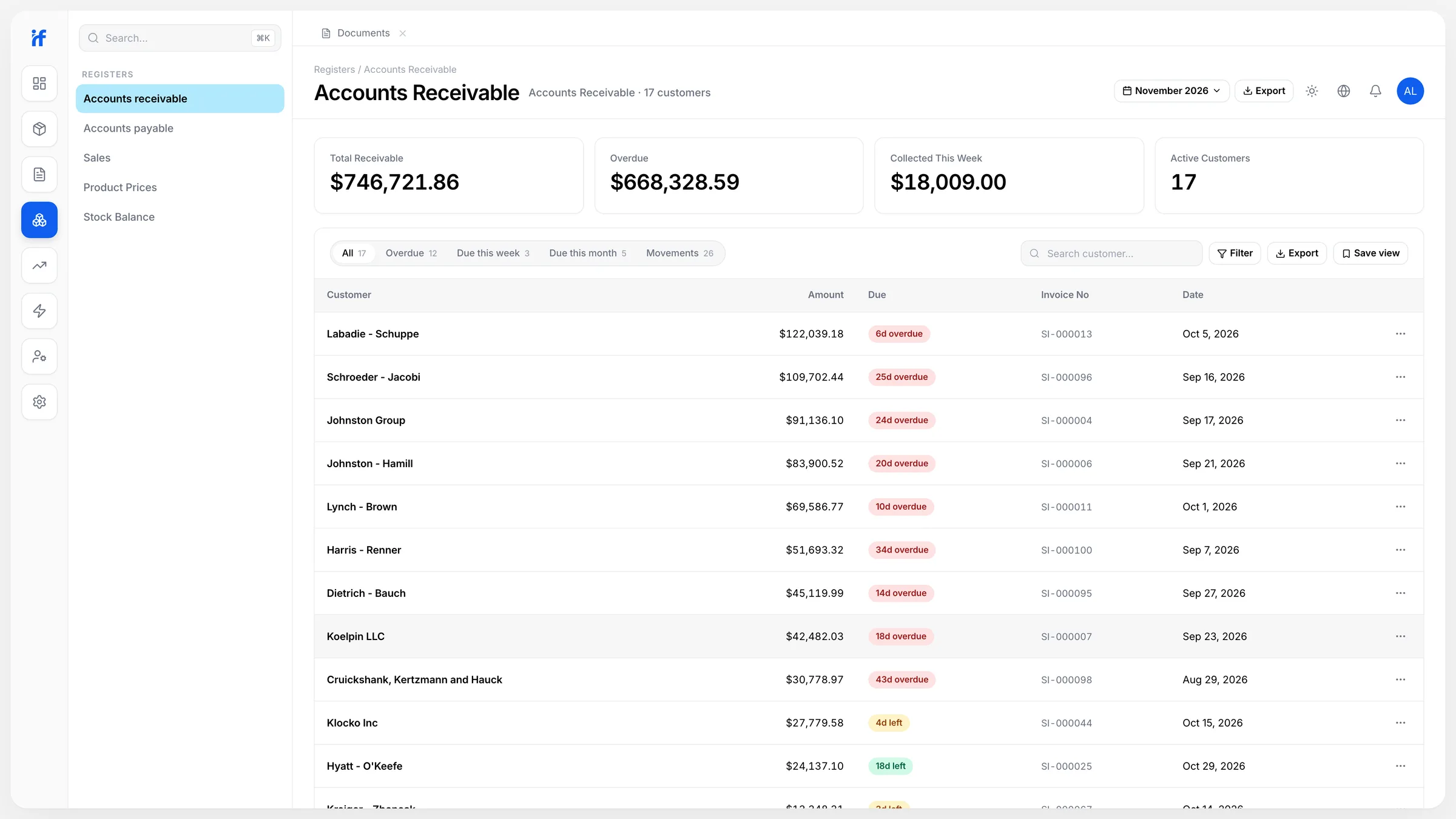
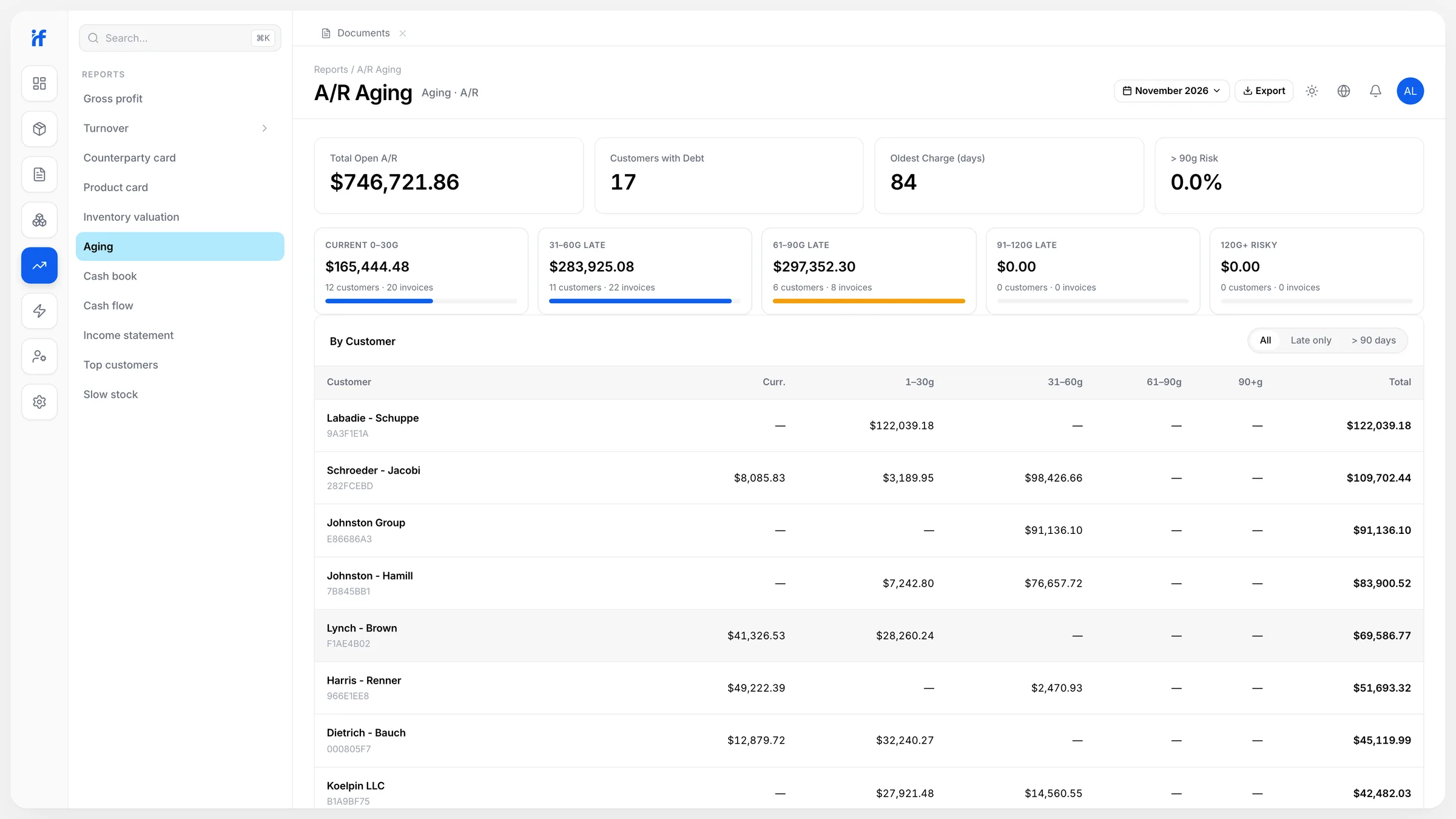
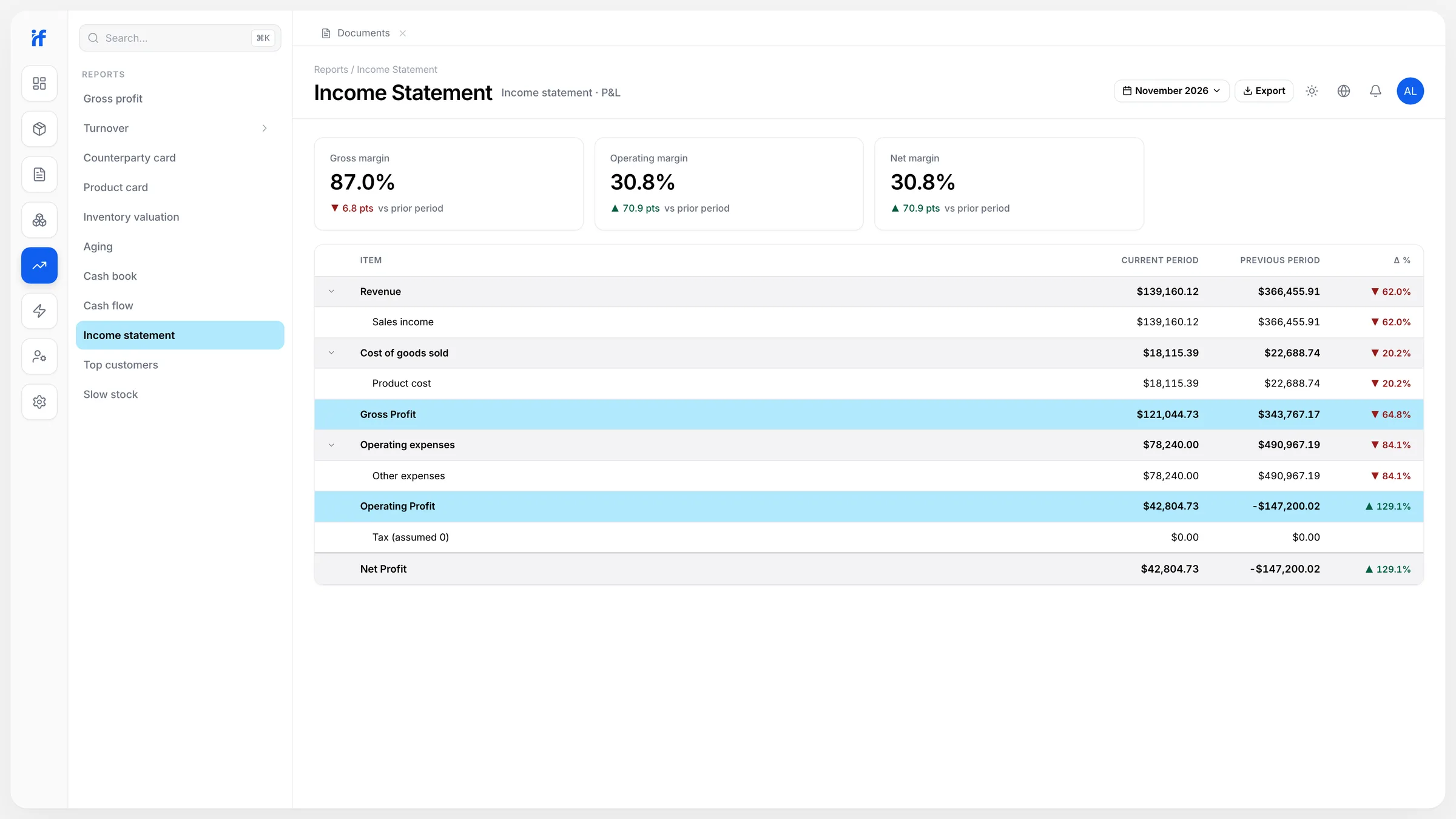
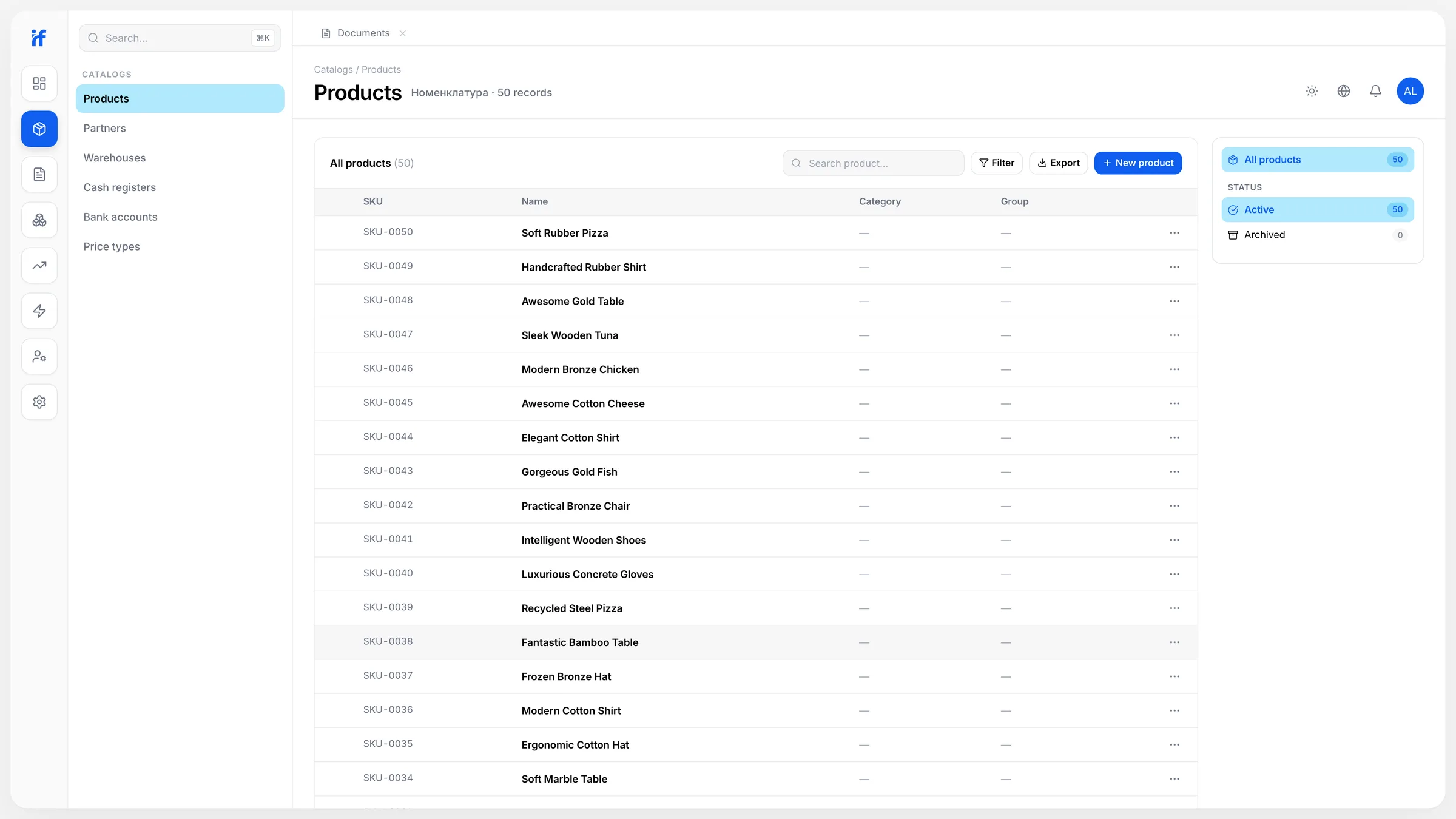
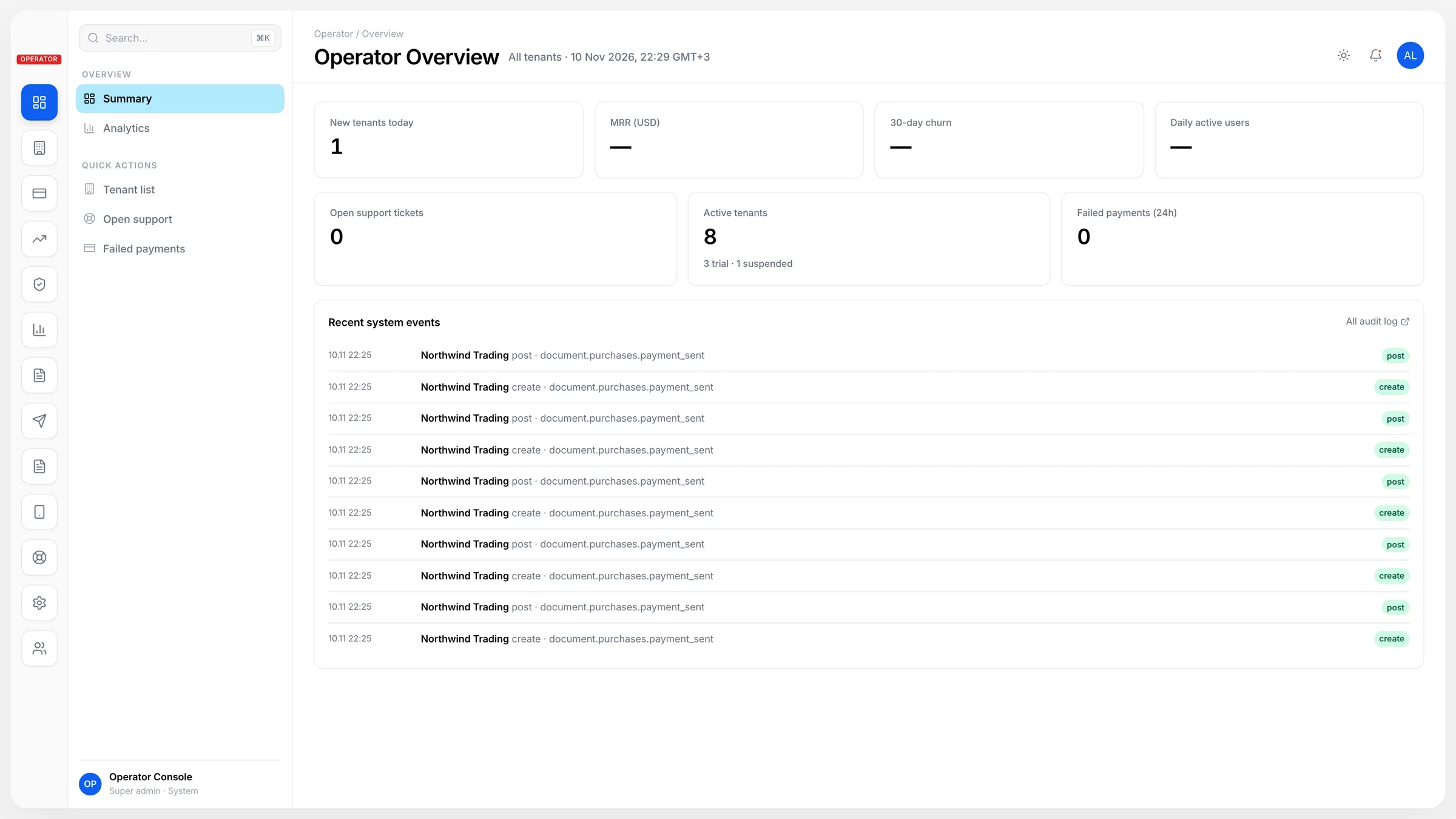
The whole product runs in the browser: daily operations, master data, reports, settings and the operator console, in a light and a dark theme.
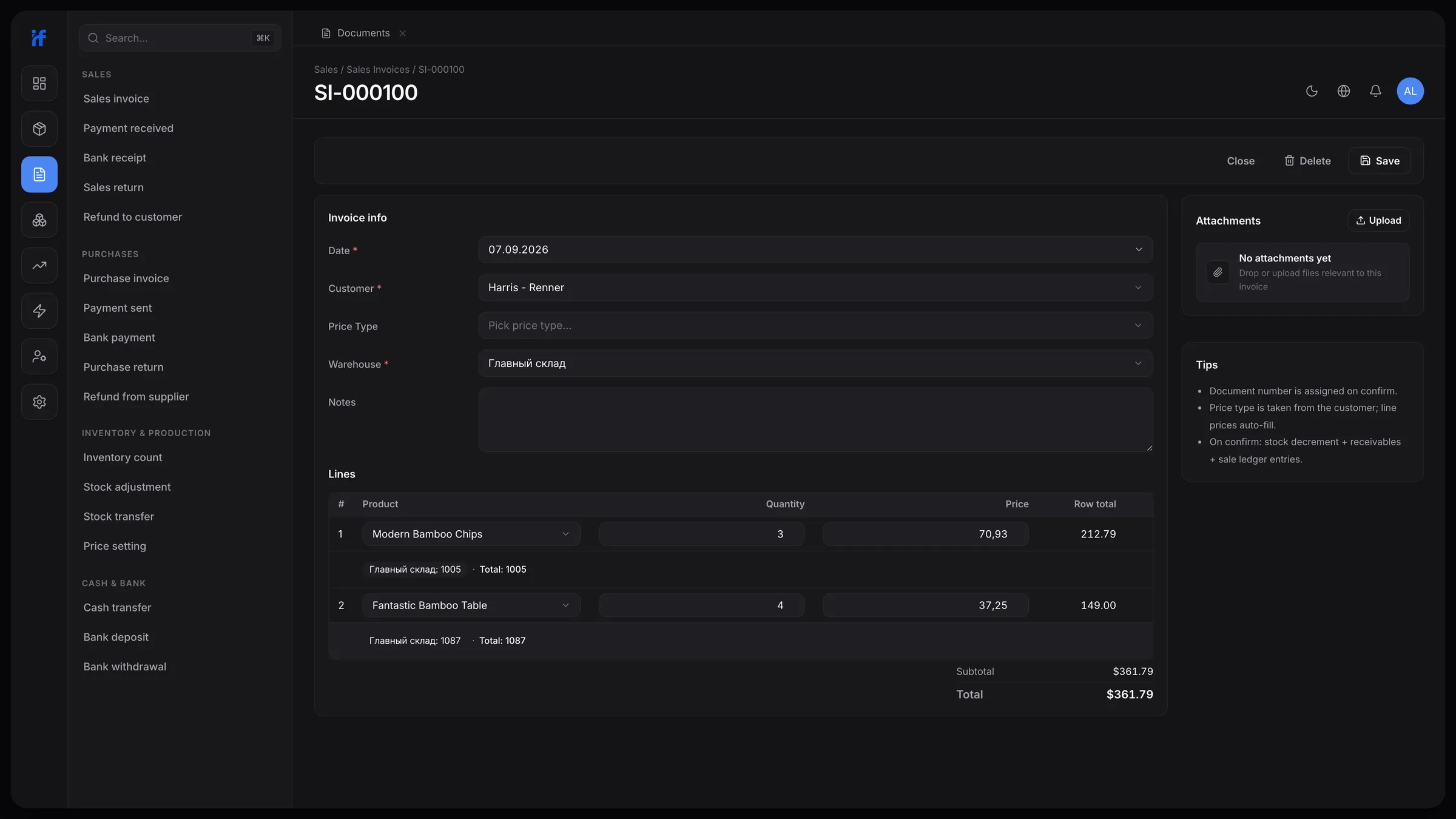
Dark theme
Every screen also has a dark version, made from the same theme tokens; here, a posted sales invoice.
iOS app
Daily operations on the phone: dashboard, documents, stock and a new-sale wizard, in the light and dark themes and in the same five languages as the web app.
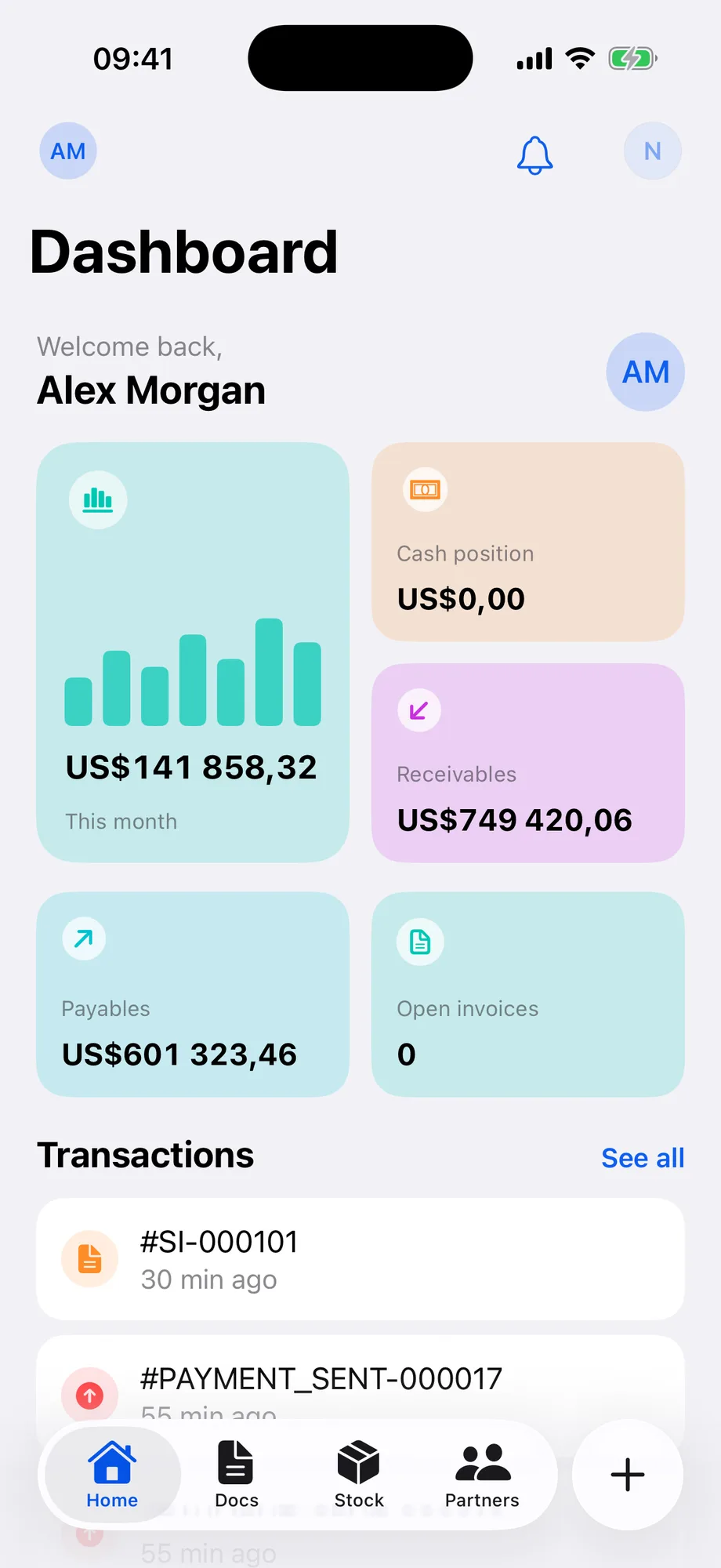
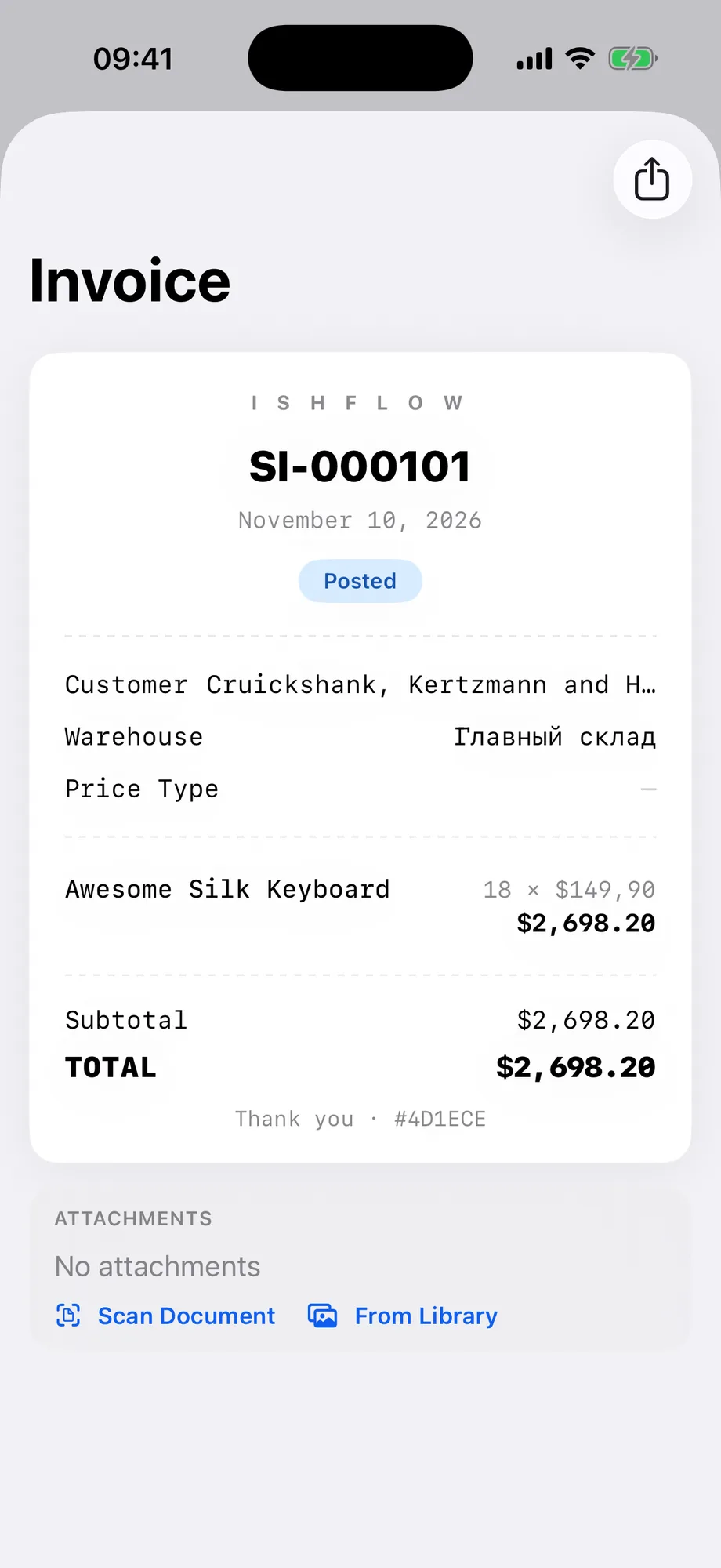
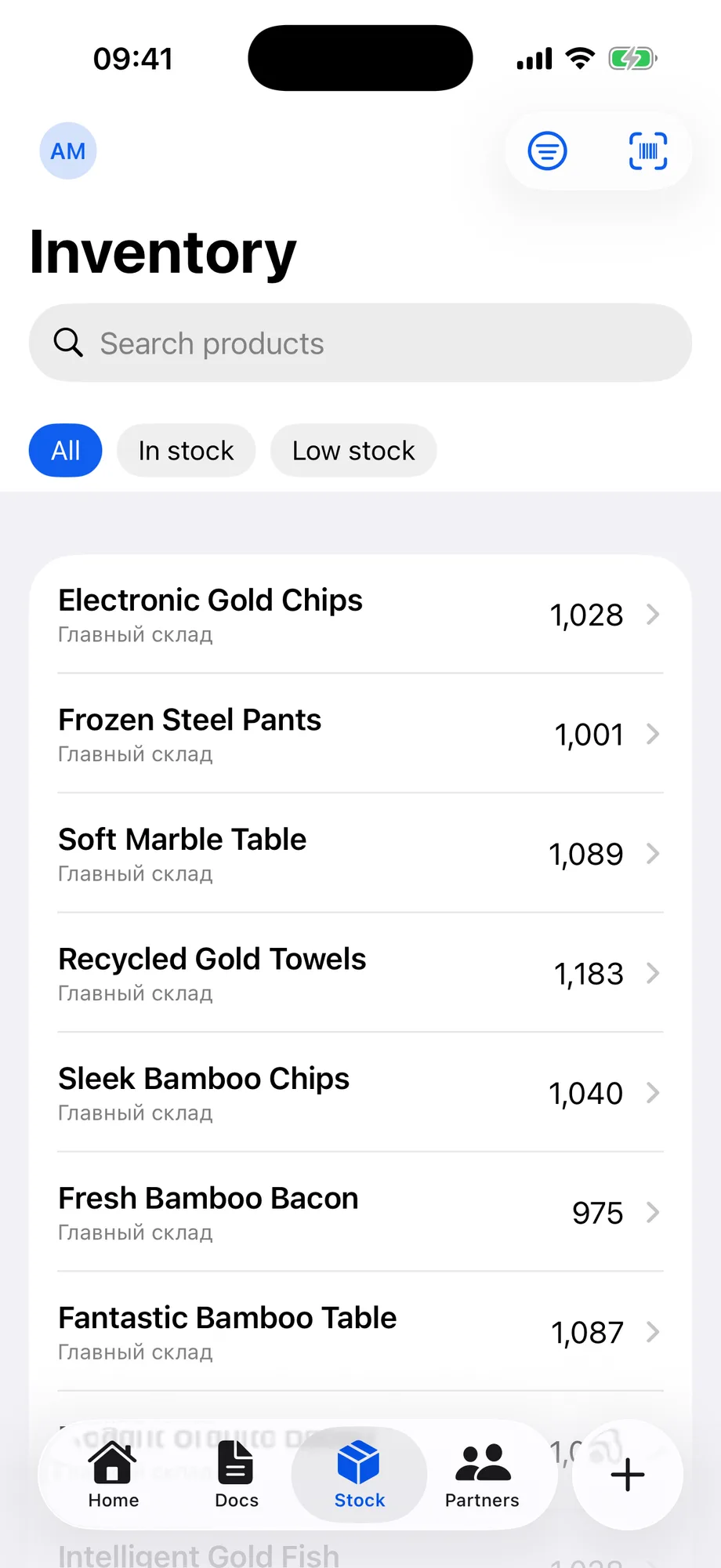
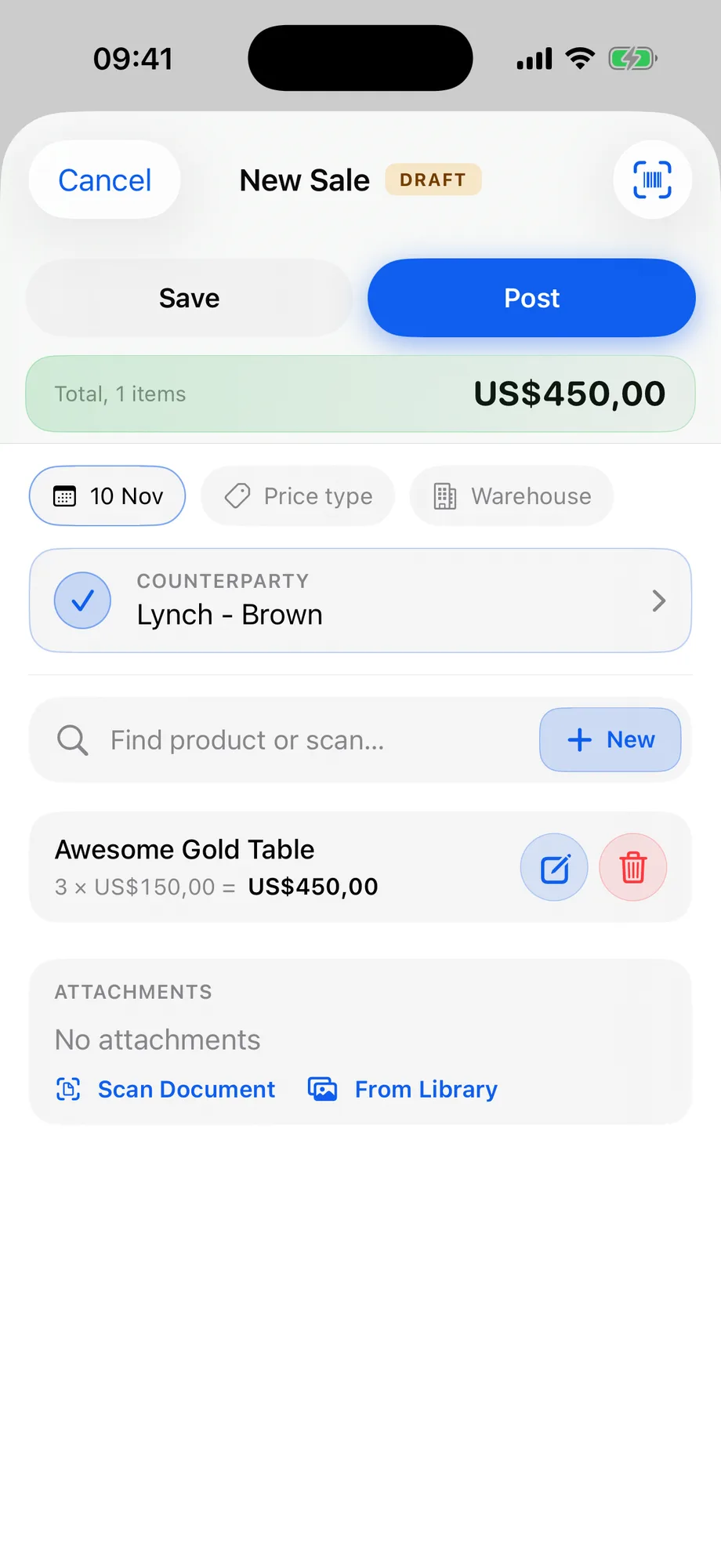
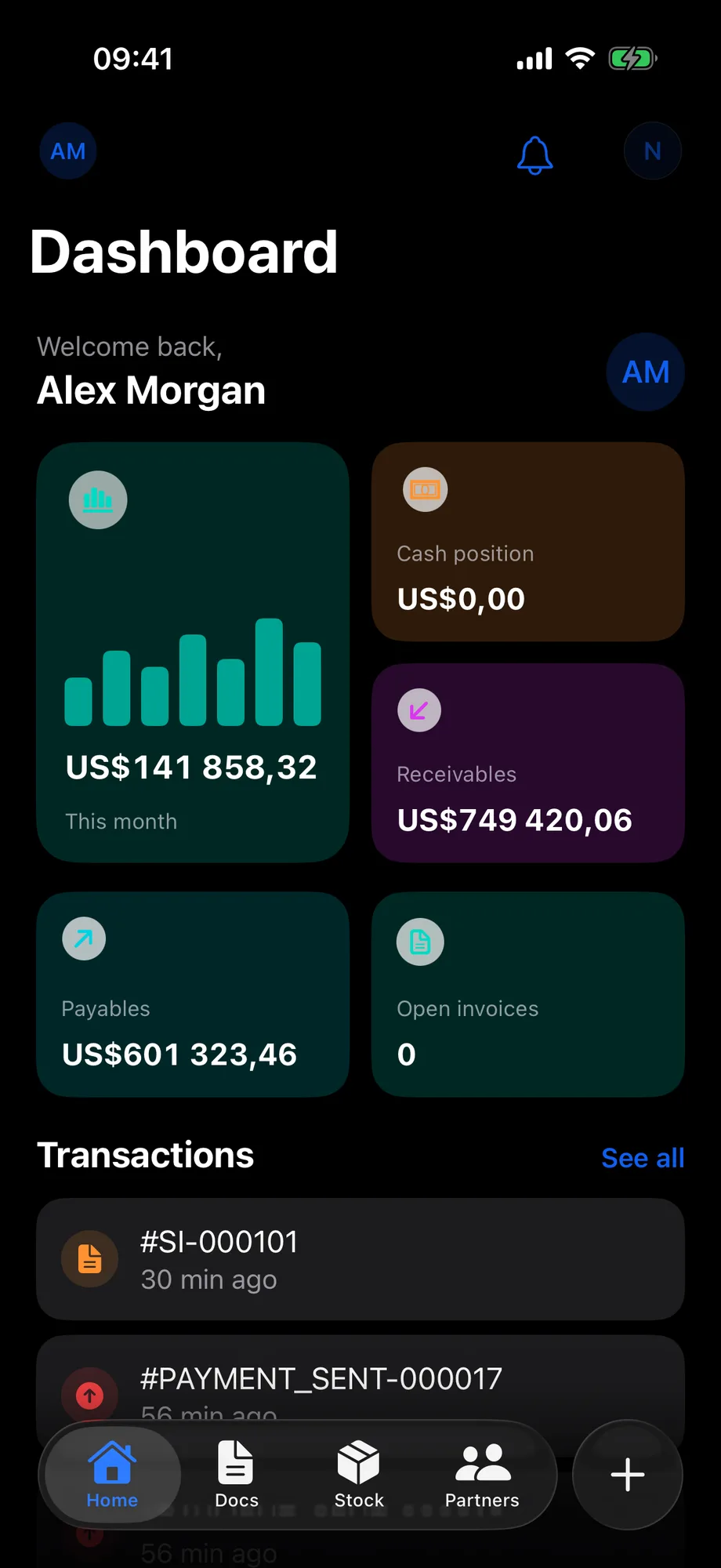
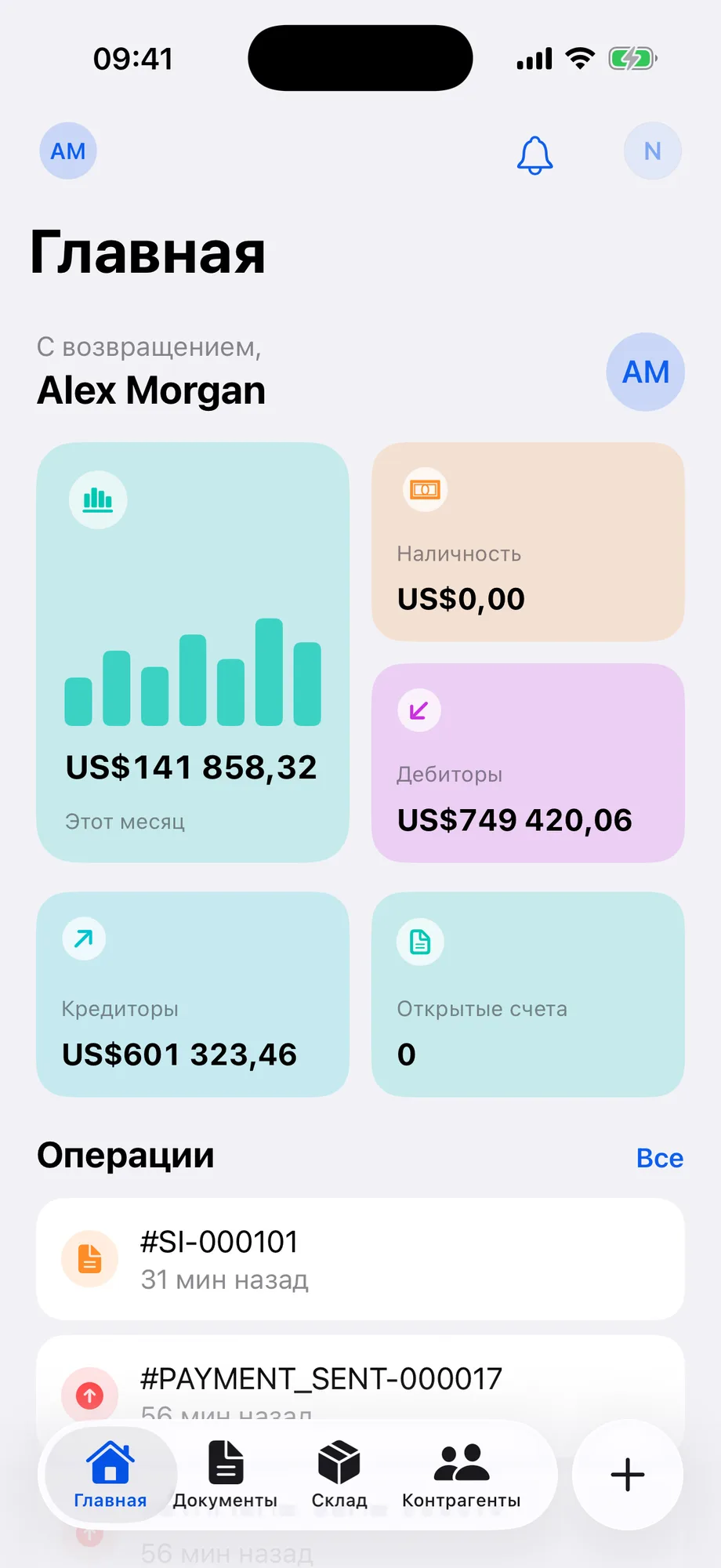
FIG. 04 / DESIGN DIRECTION
Design direction
Quiet greys and one blue. Content sits on white cards over a light grey ground, text is black, and the brand blue of the logo, #0F5EEF, marks the primary action, the current section and the charts; a pale blue highlights the selected item in the sidebar. Every colour is a shadcn/ui theme token, so each screen has a dark version made from the same tokens. Geist sets the headings, Inter everything else.
Palette
- Brand blue#0F5EEF
- Pale blue#B0E9FD
- Ground#F4F4F4
- Ink#000000
- Dark ground#1A1A1A
Type
- Geist
- Headings and display text
- Inter
- Body text, navigation, forms and tables
- Geist Mono
- Monospaced text
FIG. 05 / MOTION LANGUAGE
Motion language
The loops on this page are short 3D scenes in the product's own palette: light grey planes and white cards, with the brand blue kept for what changes — the TypeScript file that turns into a table, a form and a list; the one tenant layer a request can reach; the register rows a posting writes; the screens one engine serves. Each scene runs five and a half seconds, without sound.
Related systems
ZikirChain
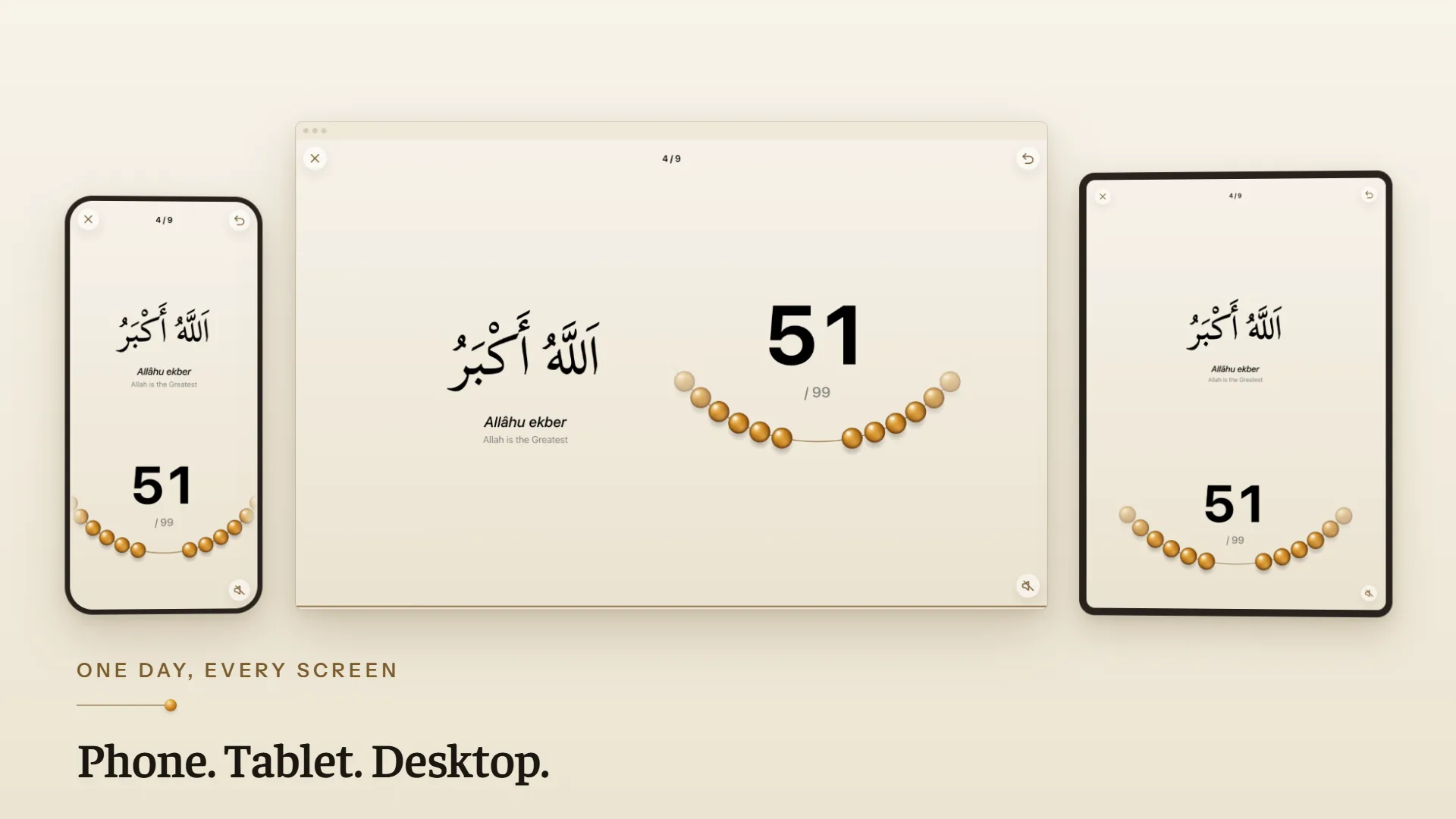
LiveA dhikr counter that feels like prayer beads: the teacher publishes the day's program, you tap, a bead slides. No sign-up, no login.

Genjutsu
LiveGenjutsu replaces the people in a video and keeps the scene, camera, timing and full original soundtrack, with a mask check before every generation.
Mailsort
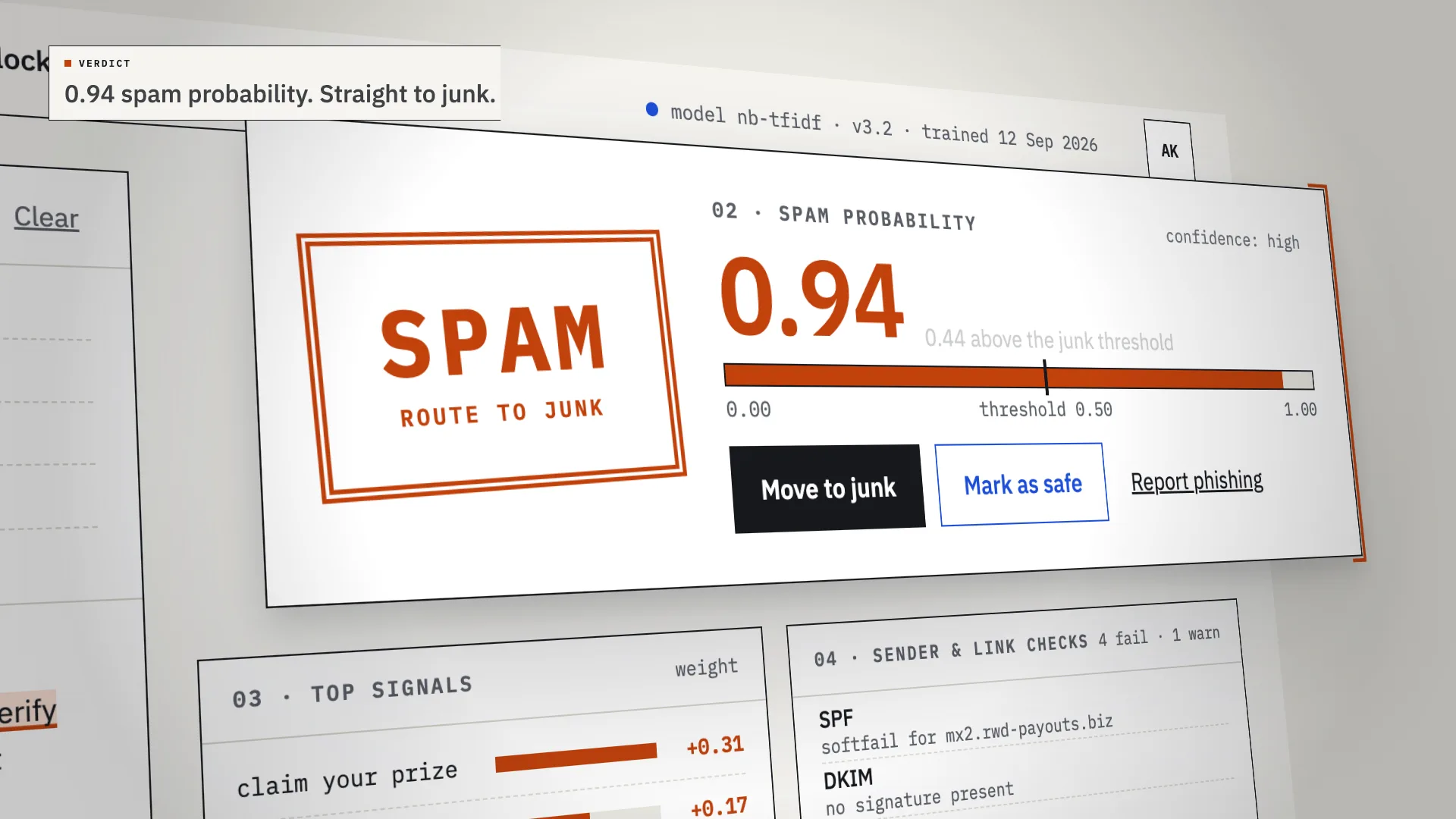
LiveAn AI spam classifier that shows its work: every verdict comes with the phrases, sender checks and links that decided it.
Have a project like this?
Tell me what you want to build. We map it on a 30-minute call.