

Product
LiveBinwise
An AI inventory agent for warehouses: it watches stock, drafts each reorder with its reasons for a person to approve, and guides cycle counts on the phone.
Facts
- Status
- Live
- Platform
- Web dashboard + phone scanner
- Flows
- Dashboard · Agent · Count
- Agent run
- Stock · Forecast · Lead times · Proposals
- Orders
- Approved by a person
- Year
- 2026
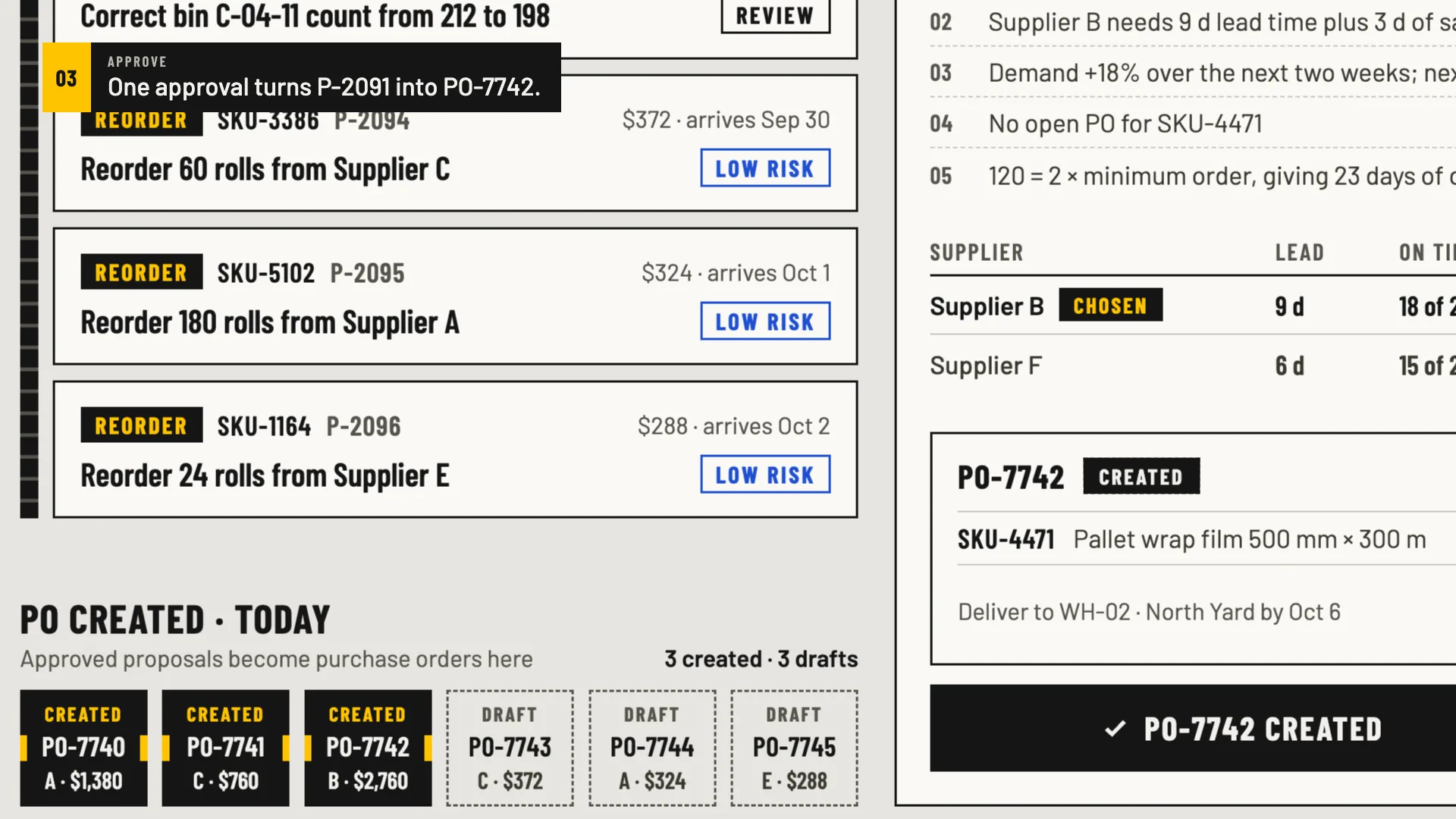
FIG. 01 / PRODUCT FILM
Muted preview · play with sound for the full cut
Who it's for
Inventory and purchasing managers who decide what to reorder and when, and the warehouse staff who run cycle counts on the floor. It suits operations that keep many SKUs in bins, in one warehouse or several, and buy from suppliers with different lead times.
The problem
Stockouts are usually found too late — when a picker reaches an empty bin or an order can't ship. Reorder points live in spreadsheets, shelf counts drift away from the system, and whoever places orders has to piece together lead times, demand and open purchase orders by hand.
The product
On every run, Binwise reads stock in every bin, forecasts demand and checks supplier lead times and open purchase orders, then drafts the next move as a proposal: a reorder, a transfer between warehouses or a count correction. Each proposal carries its reasons — days of cover now and after, lead time plus safety stock, the demand trend, what's already on order. Transfers and corrections always wait for review; small reorders from on-time suppliers at high confidence are marked low-risk and can be approved together, and every approval becomes a purchase order. On the floor, the phone is the scanner: scan a bin, check the item, count and confirm.
FIG. 02 / HOW IT WORKS
How it works
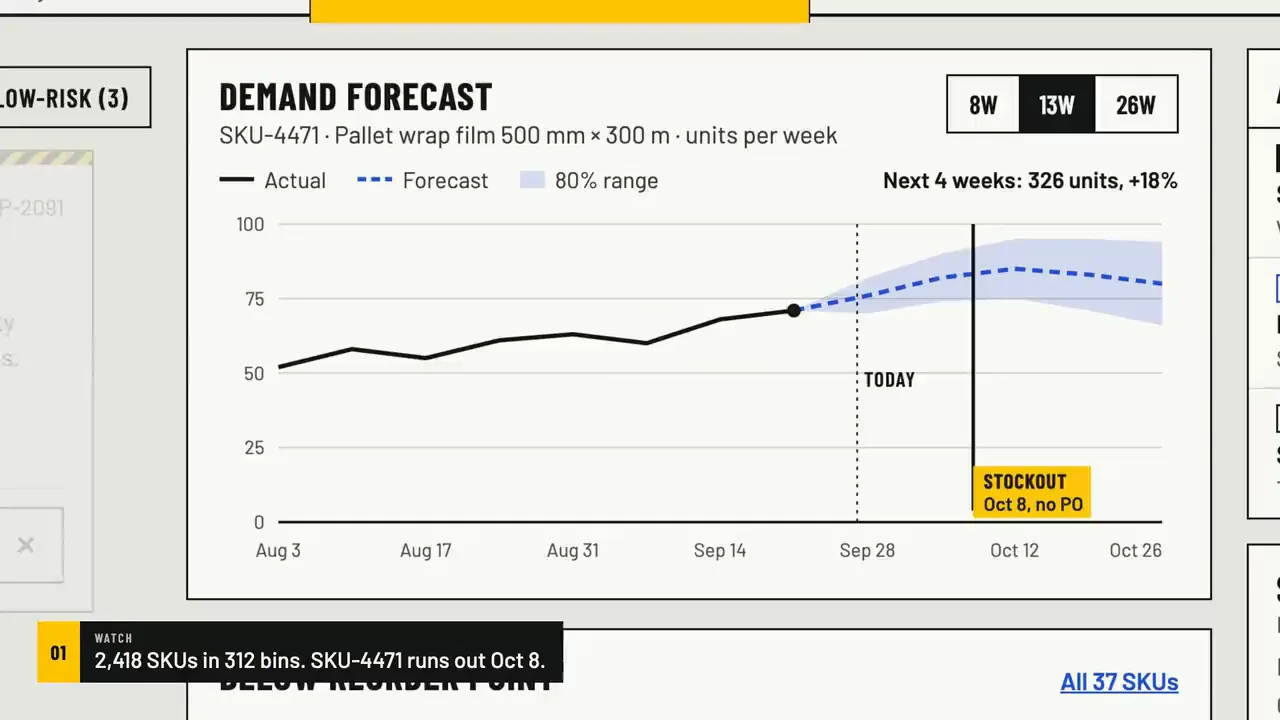
Step 1: Dashboard
Stock at a glance: SKUs tracked, items below their reorder point, stockout risk, open orders. The demand forecast runs on into the coming weeks with its range, and the day an item runs out without a new order is marked — next to the agent's proposals and the alerts that need someone.
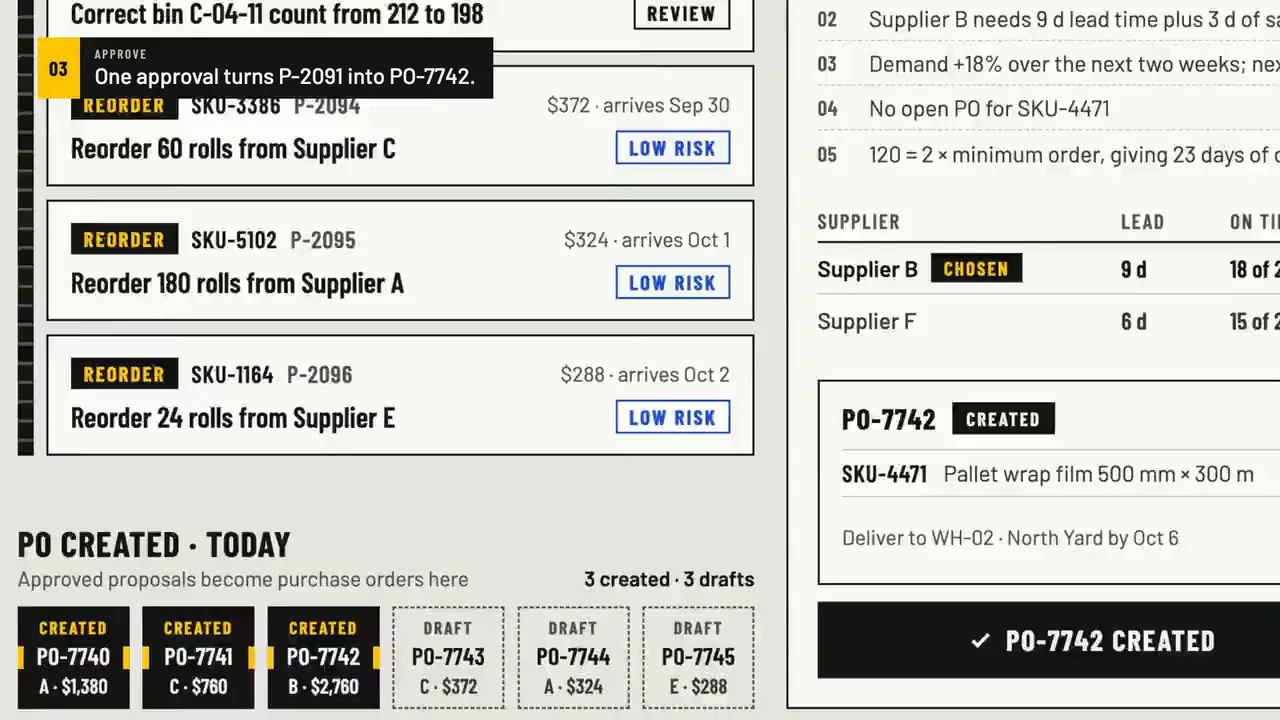
Step 2: Agent
Every proposal shows its working: days of cover now and after the order, the supplier's lead time plus safety stock, the demand trend, open orders, and how the chosen supplier compares with the alternative. Approving turns the draft into a purchase order, and the dock fills one bay at a time.
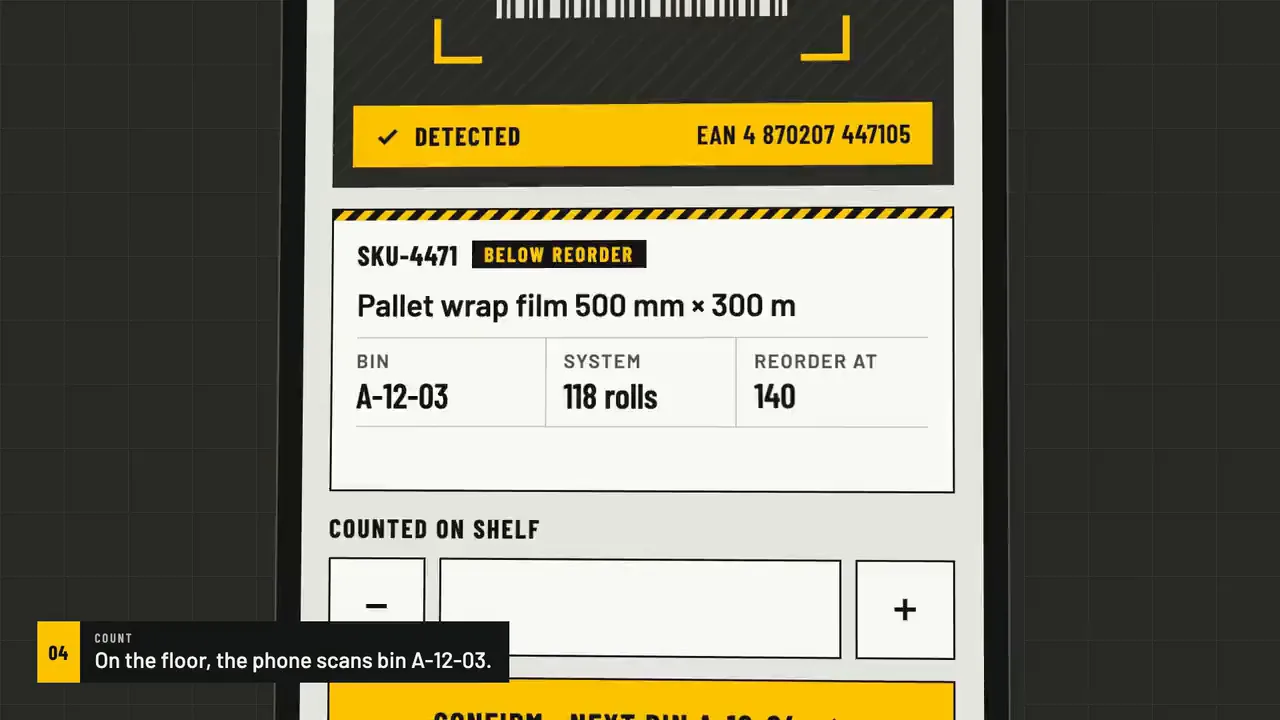
Step 3: Count
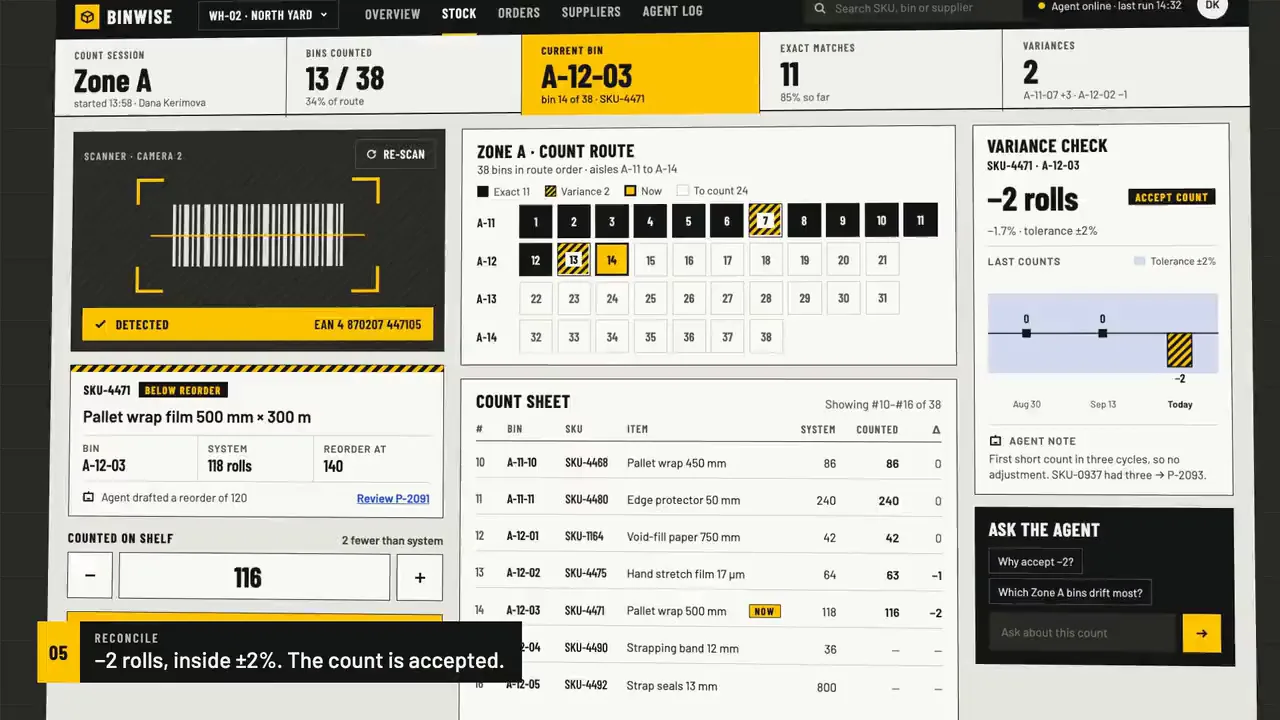
On the floor, the phone is the scanner. Scan the bin's barcode, check the item against the system, count what's on the shelf and confirm, then move to the next bin on the route. A small difference inside tolerance is accepted; anything bigger becomes a proposal for review.
FIG. 03 / SCREENS
The product, screen by screen
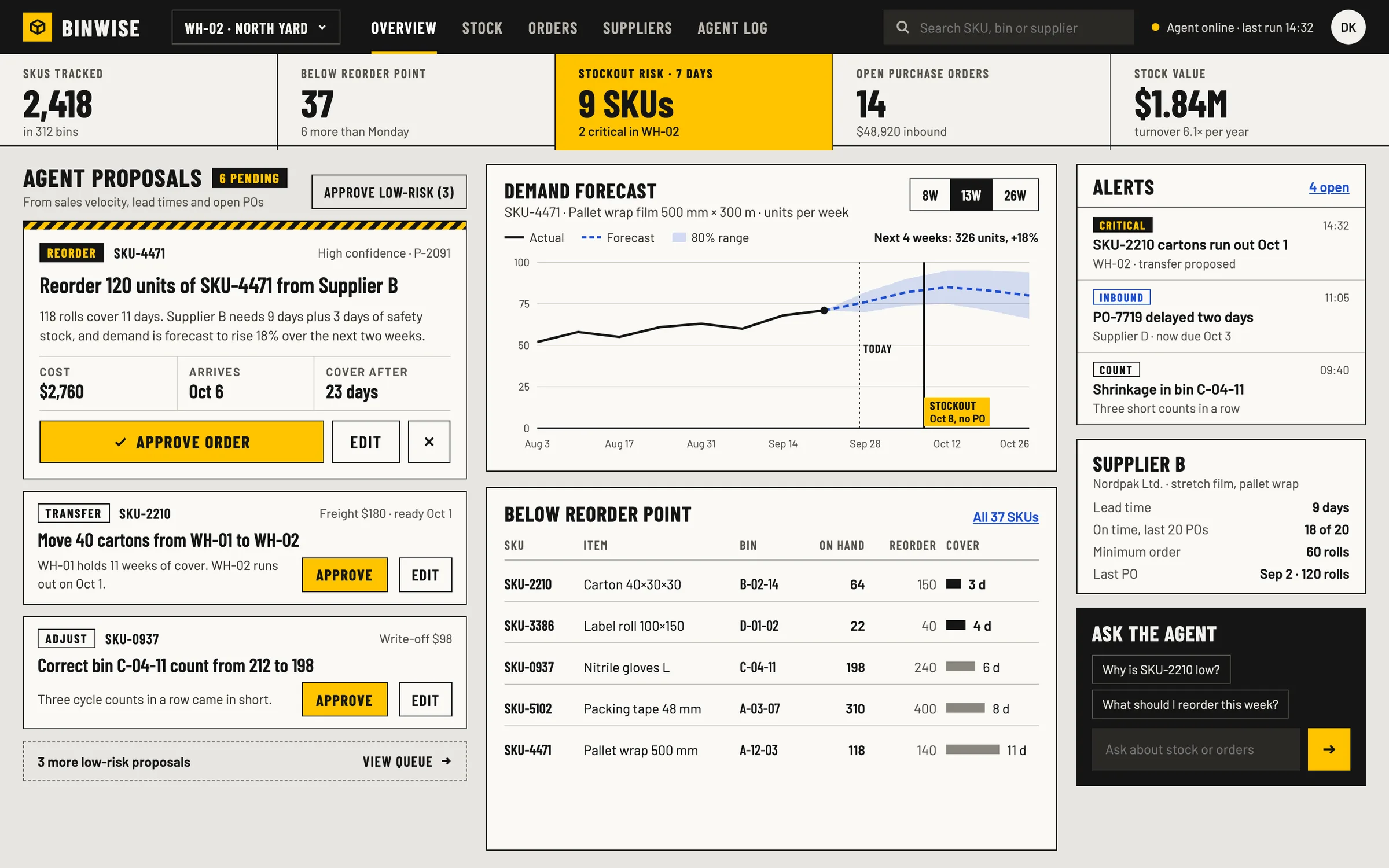
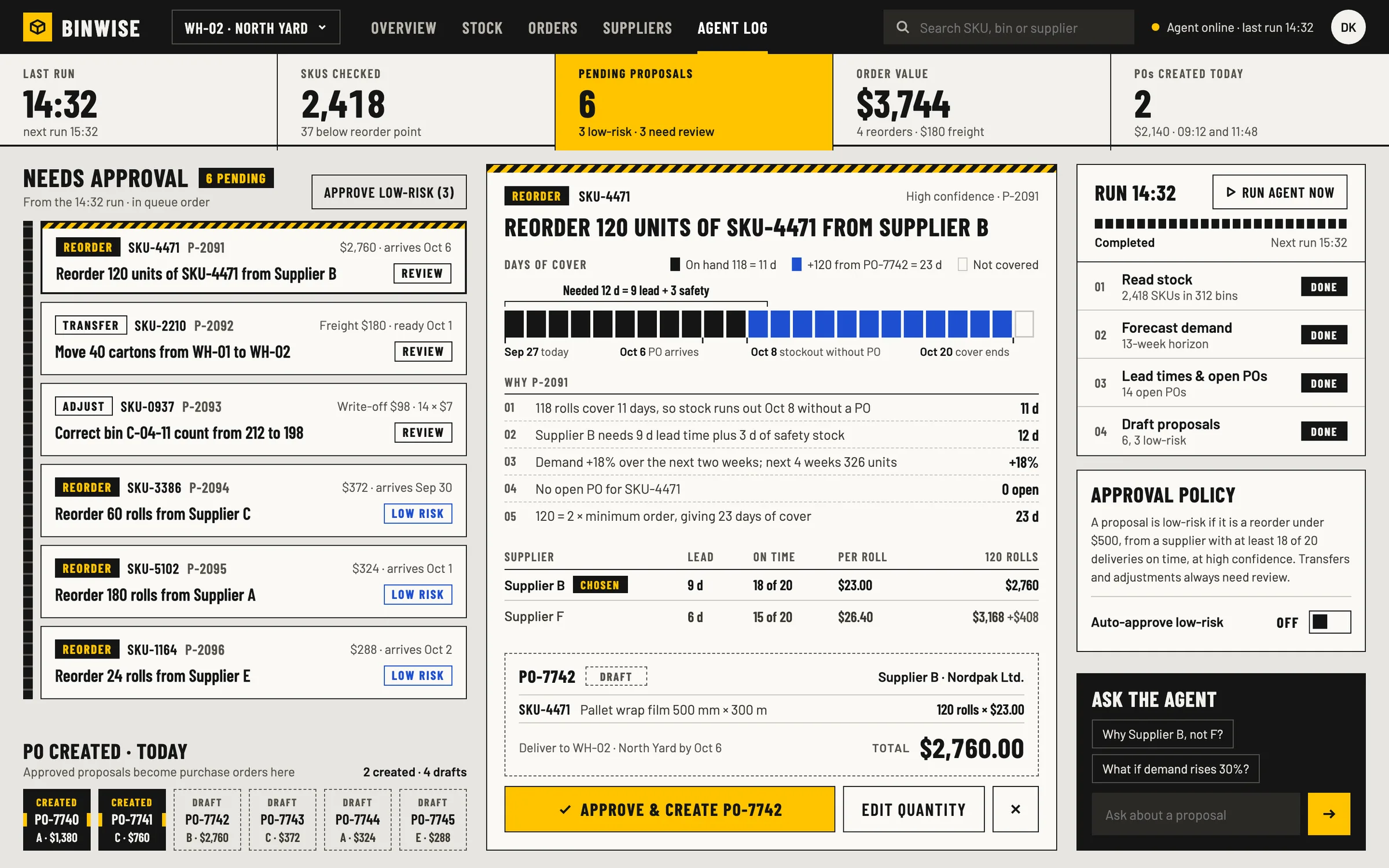
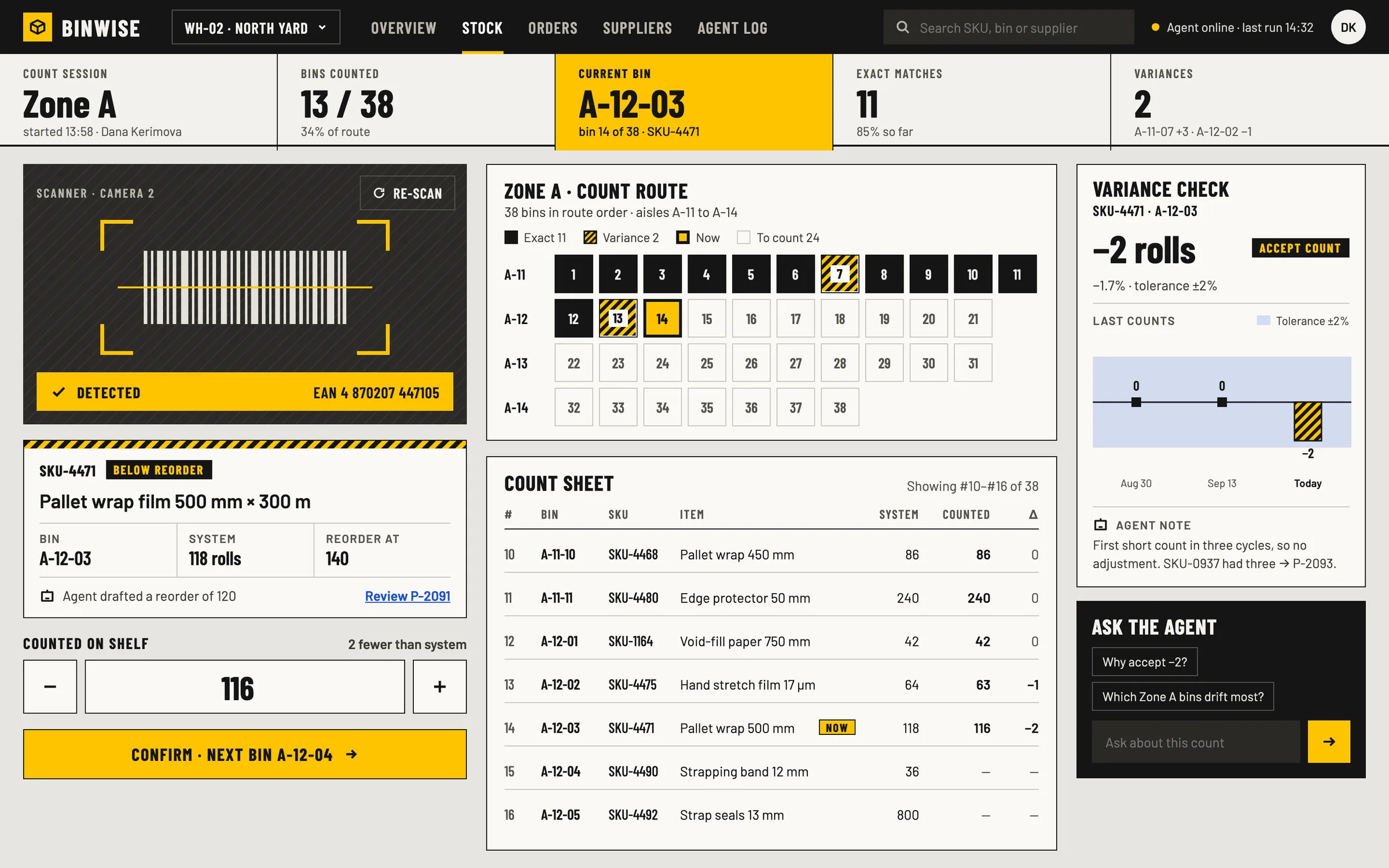
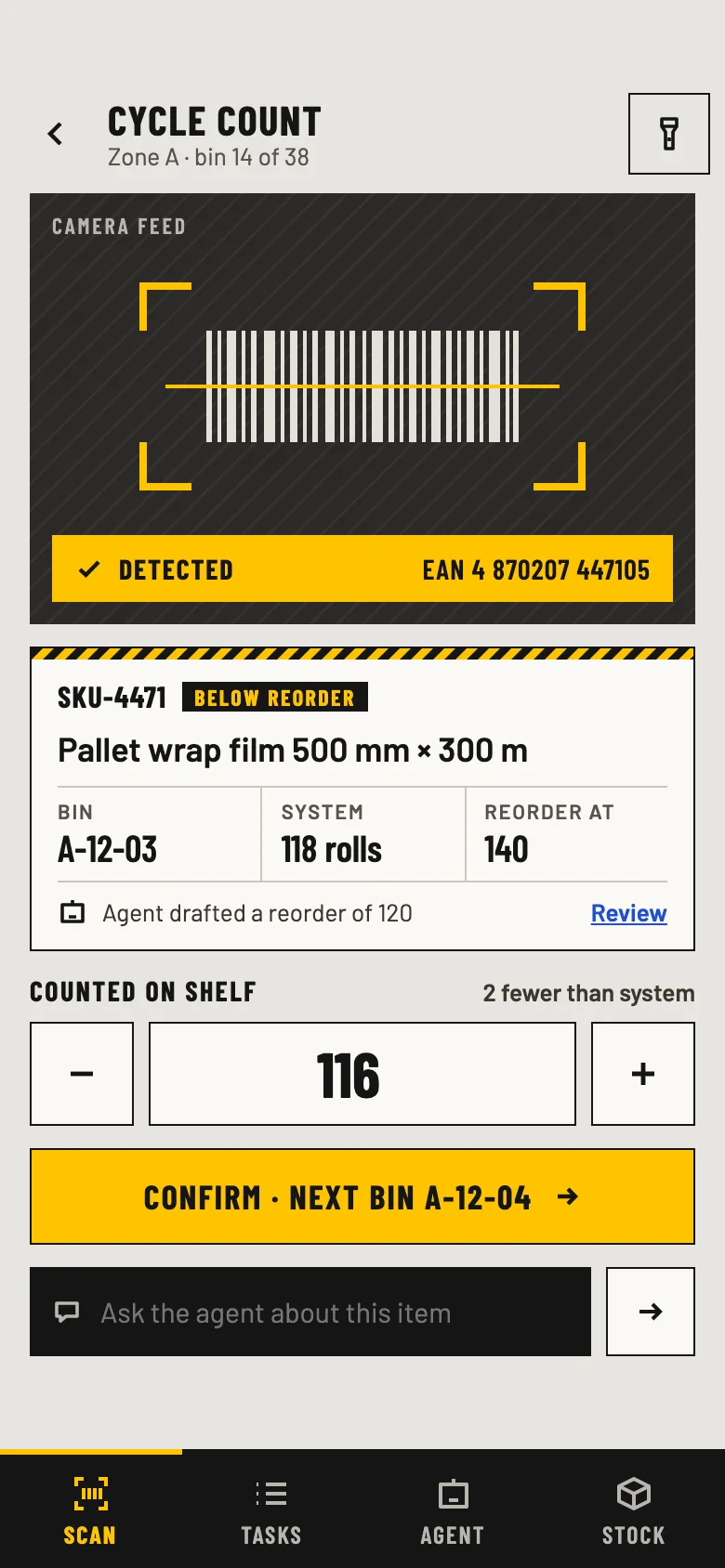
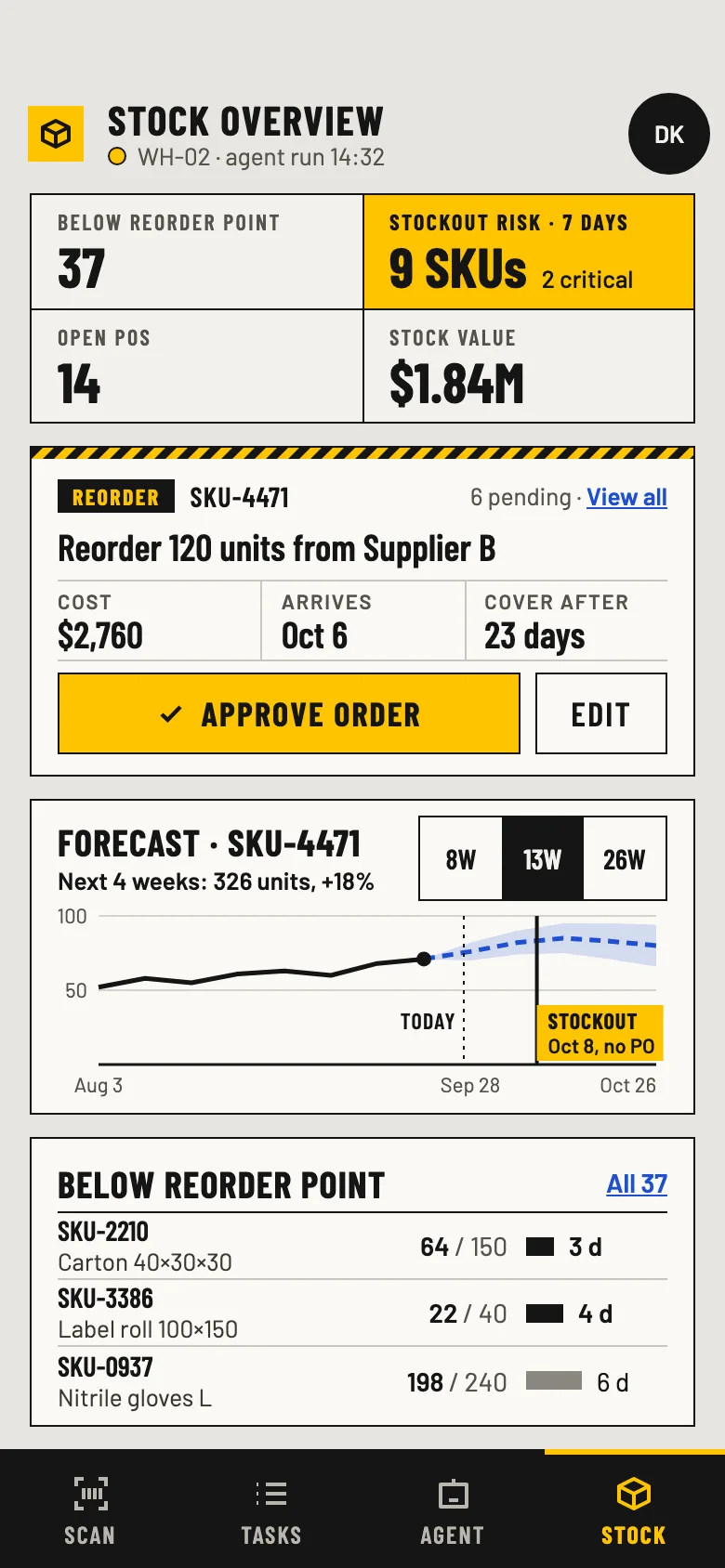
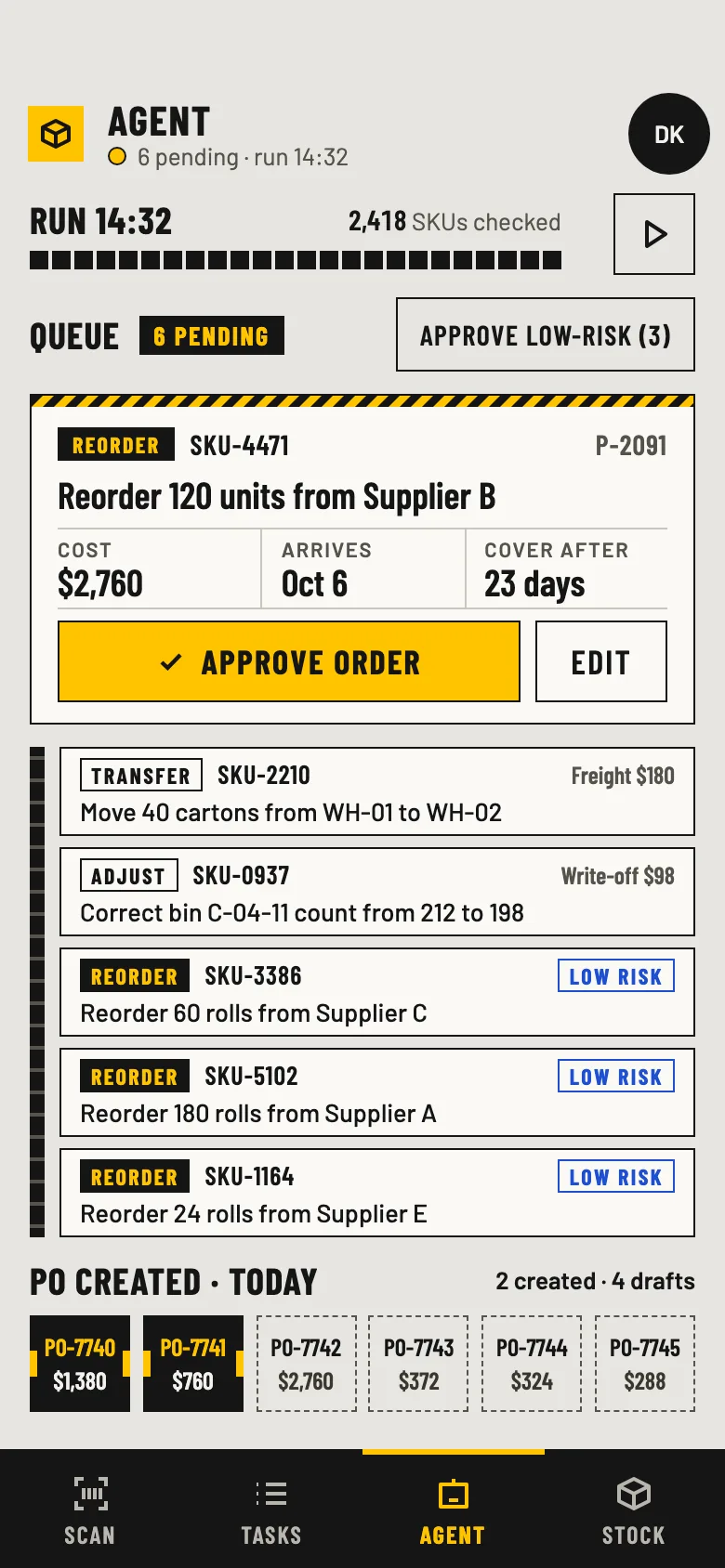
FIG. 04 / DESIGN DIRECTION
Design direction
Warehouse industrial, light and square. Barlow Condensed — the typeface of signage and labels — carries headings, numbers, SKU and bin codes; Barlow carries the reading text. Concrete grey, black ink and one safety yellow, used as a fill under black text the way it's used on floor markings, never as thin text on a light ground; blue is kept for links, forecasts and inbound stock. Square corners, ink borders, and hazard stripes only on the card that needs attention.
Palette
- Concrete#E7E5E0
- Ink#151515
- Safety yellow#FFC400
- Signal blue#1F4FD1
- Muted#55524B
Type
- Barlow Condensed
- Headings, numbers, SKU and bin codes, buttons
- Barlow
- Reading text and descriptions
FIG. 05 / MOTION LANGUAGE
Motion language
“Indexing conveyor”: the warehouse machine at work. Everything advances in discrete steps and stops dead at its station — scanner brackets lock onto the barcode, a laser sweeps and settles, counters click through their digits, bays drop into the count route one by one, proposals ride in on a belt and a purchase order latches into its dock. Calm, mechanical and exact; when the run is done, only the scanner's aimer blinks now and then.
Related systems
Kiko
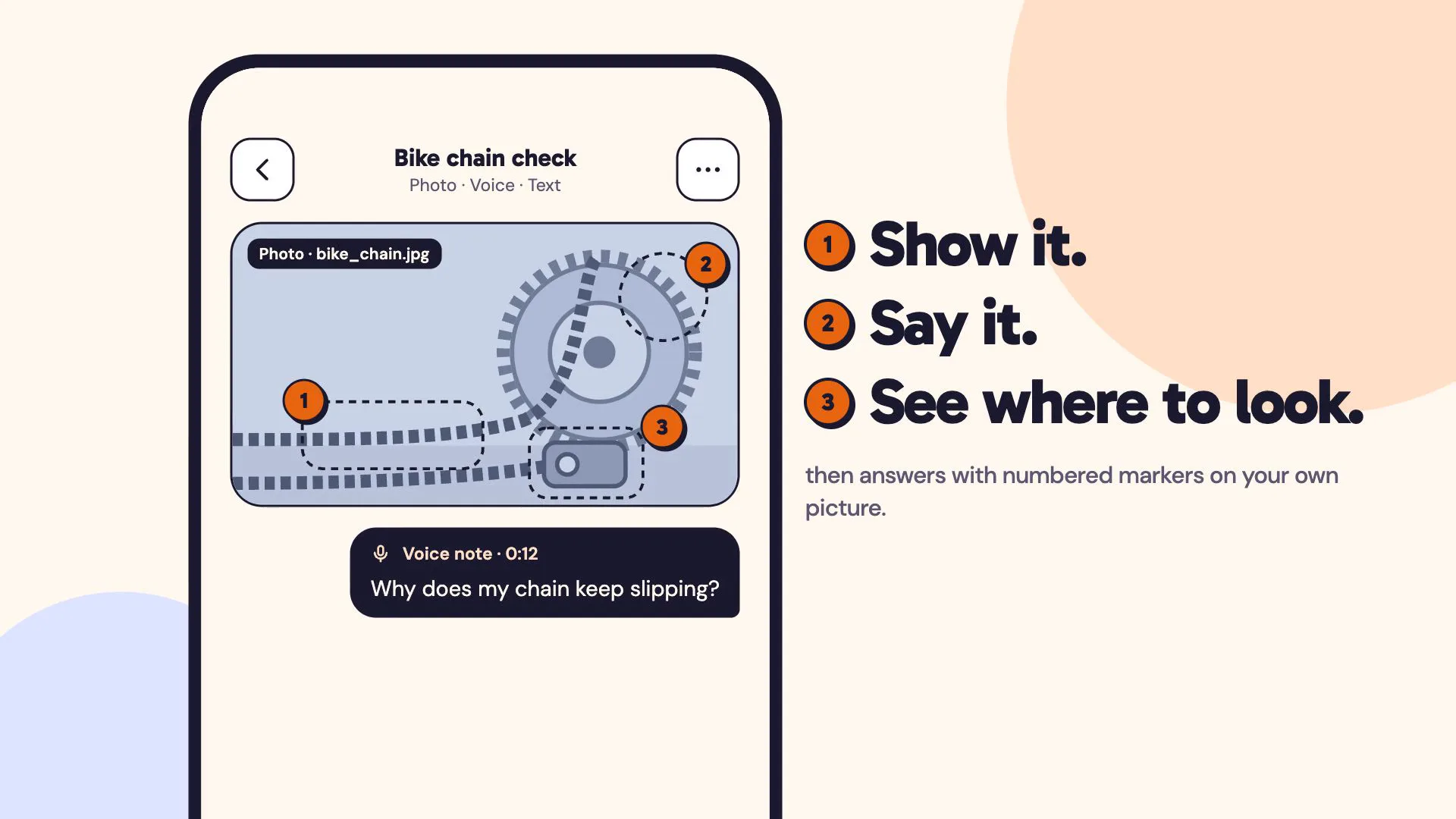
LiveA multimodal AI assistant you can show things to: a photo, a voice note and a line of text in one ask, answered with numbered markers on your own picture.
Mailsort
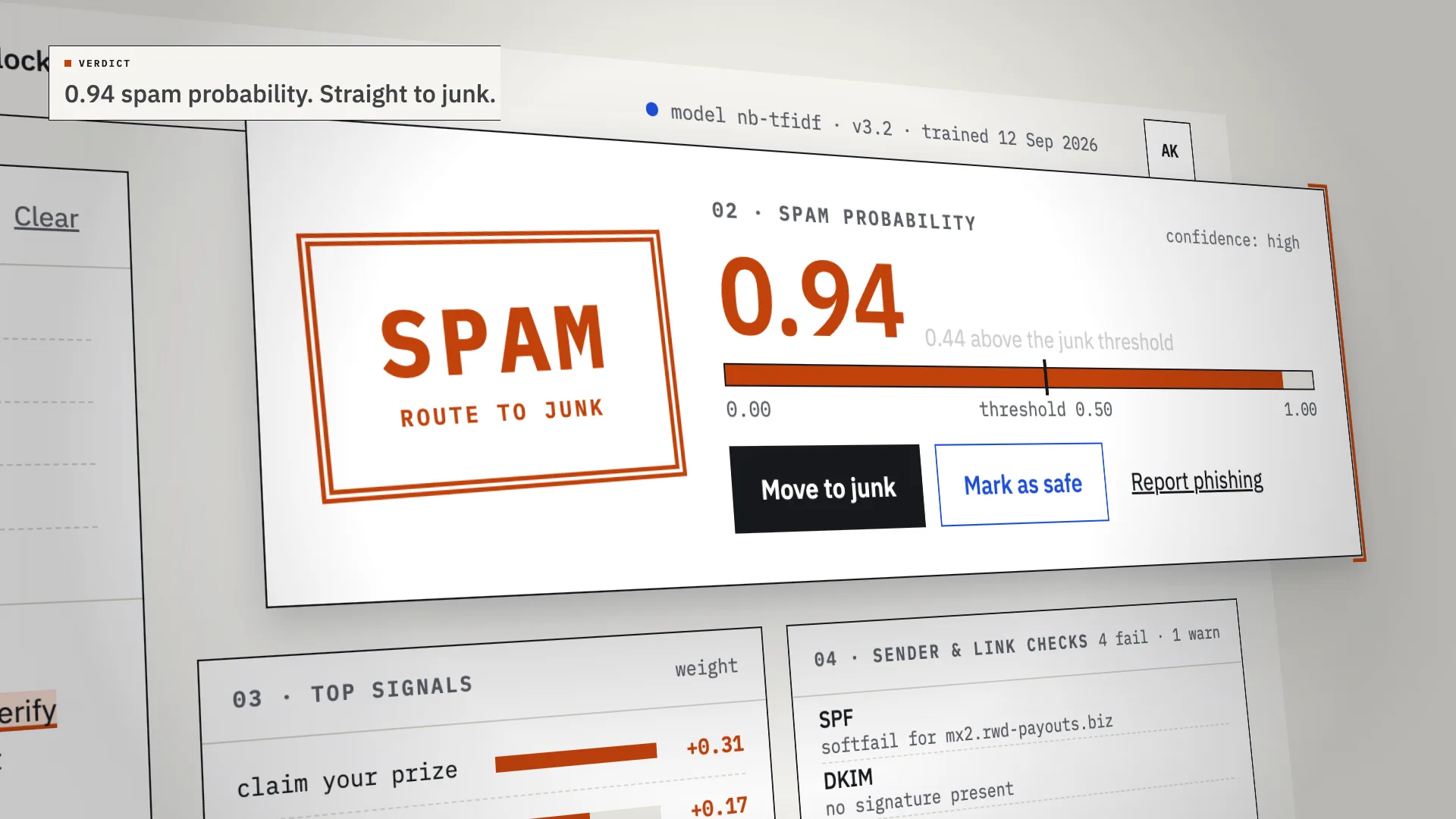
LiveAn AI spam classifier that shows its work: every verdict comes with the phrases, sender checks and links that decided it.
Chalkline
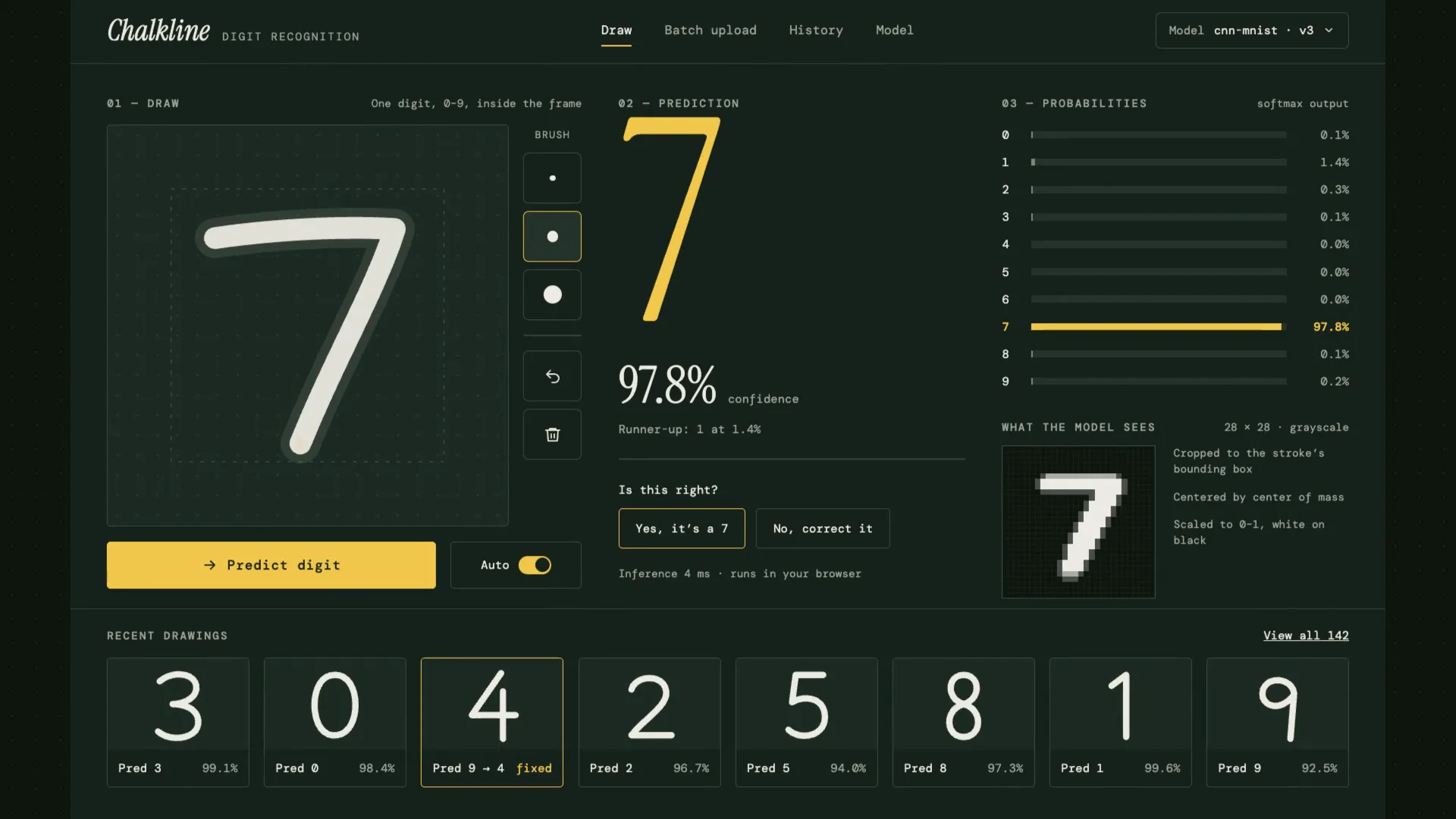
LiveA handwritten digit recognizer that shows its reasoning: your chalk stroke becomes the 28×28 pixels the model sees, then ten probabilities, then an answer.
Have a project like this?
Tell me what you want to build. We map it on a 30-minute call.