

Product
LiveSieve
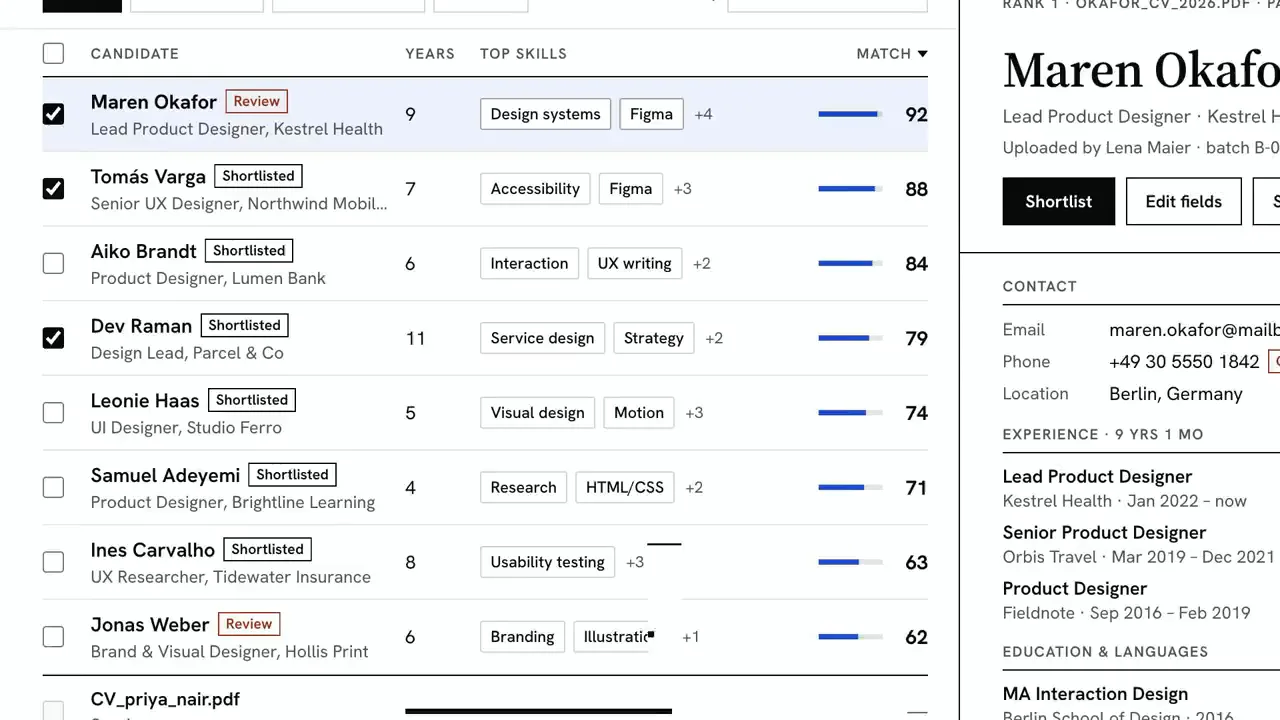
A resume parser that shows its sources: every field it pulls from a CV points back to its line in the original, and every match score explains itself.
Facts
- Status
- Live
- Platform
- Web app + mobile
- Flows
- Candidates · Jobs · Exports · Settings
- Models
- sieve-parse for extraction · sieve-match for scoring
- Input
- PDF · DOCX · RTF · ODT, by upload or email
- Exports
- ATS, upserted by email · CSV
- Year
- 2026
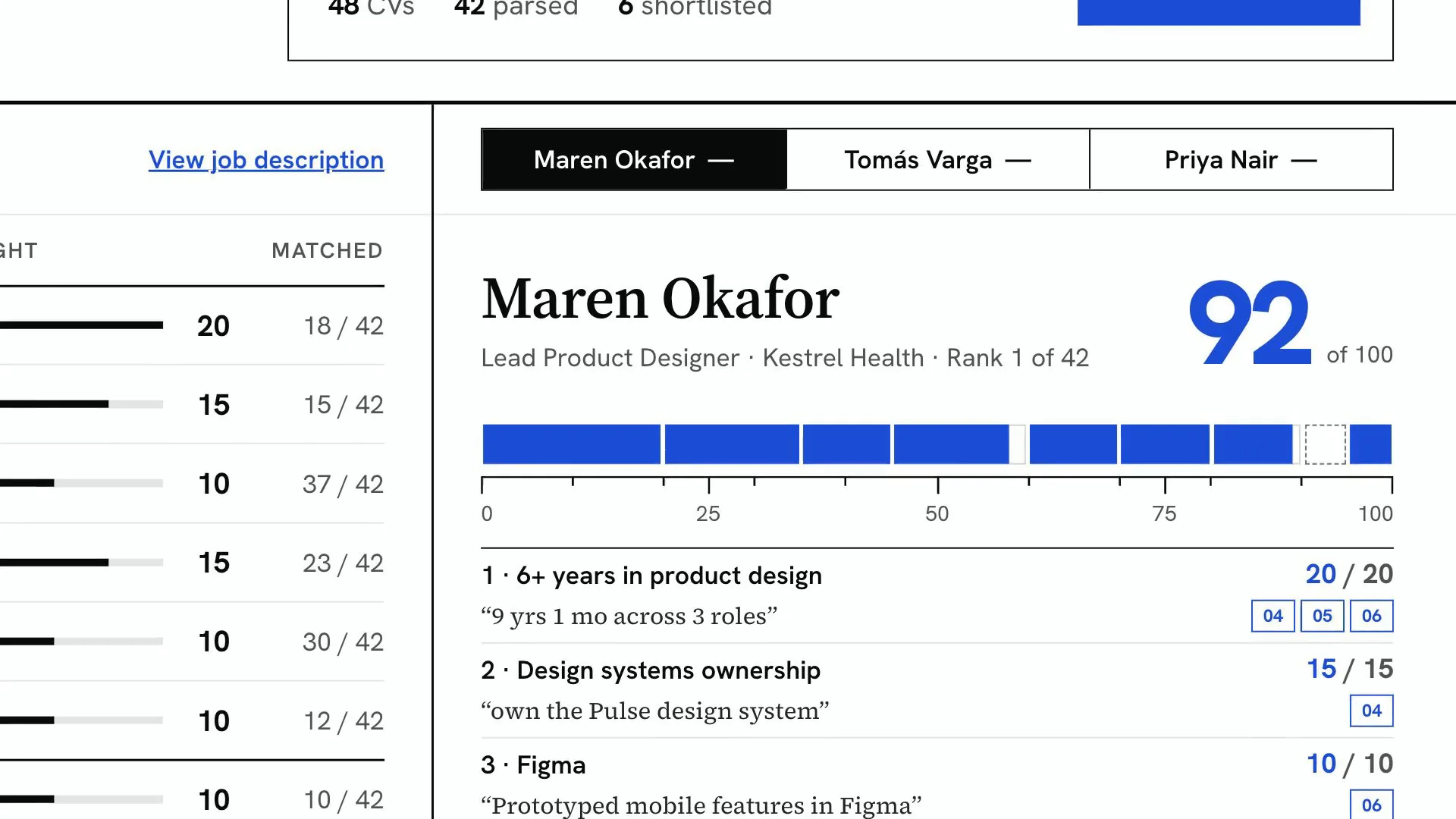
FIG. 01 / PRODUCT FILM
Muted preview · play with sound for the full cut
Who it's for
In-house recruiting teams with a stack of CVs for every open role: the talent partner who parses, checks and shortlists them, and the hiring manager who wants to see why one candidate scored above another.
The problem
A recruiter with a pile of CVs for one role reads each one, retypes names, dates and skills into the ATS, and ranks people on a skim. A parser that fills the fields in saves the typing, but if it cannot show where each value came from, every one still has to be checked against the original, and a bare match score says nothing about why one candidate ranks above another.
The product
You drop a batch of CVs onto a job, or they arrive by email. Sieve reads each one, pulls out contact details, experience, education, languages and skills, and ties every field to its highlighted line in the original with a matching index number; each field carries a confidence value, and a low one is flagged for a person to check. It scores every candidate against the job's weighted criteria, quoting the CV line behind each point, and re-sets the ranking as each new CV is parsed. The shortlist goes to your ATS field by field, or to a CSV, and blind review hides names, contact details and graduation years from the first screen without changing a score.
FIG. 02 / HOW IT WORKS
How it works

Step 1: Parse
Crop marks close in on a line of the CV, the line tints and an index number drops beside it; the same number lands next to the field Sieve pulled from it. Email, phone, location, each role, education, languages and skills are set one by one with their confidence, and a field it is unsure of is flagged to check.
Step 2: Score
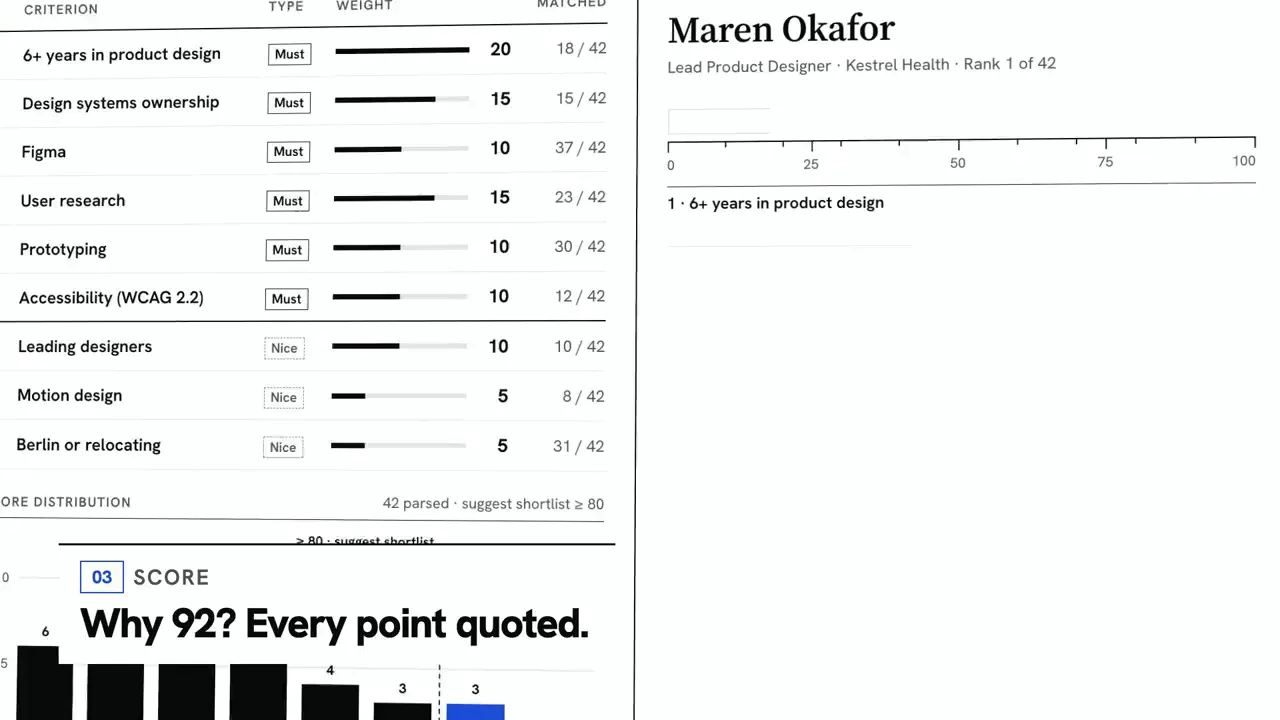
The job description becomes weighted criteria, must-haves and nice-to-haves that add up to 100. A candidate's score is measured on a ruler, criterion by criterion: each segment fills with the points earned, the CV line that earned them sets beneath it with its source index, and a criterion with no evidence stays an empty dashed cell.
Step 3: Export
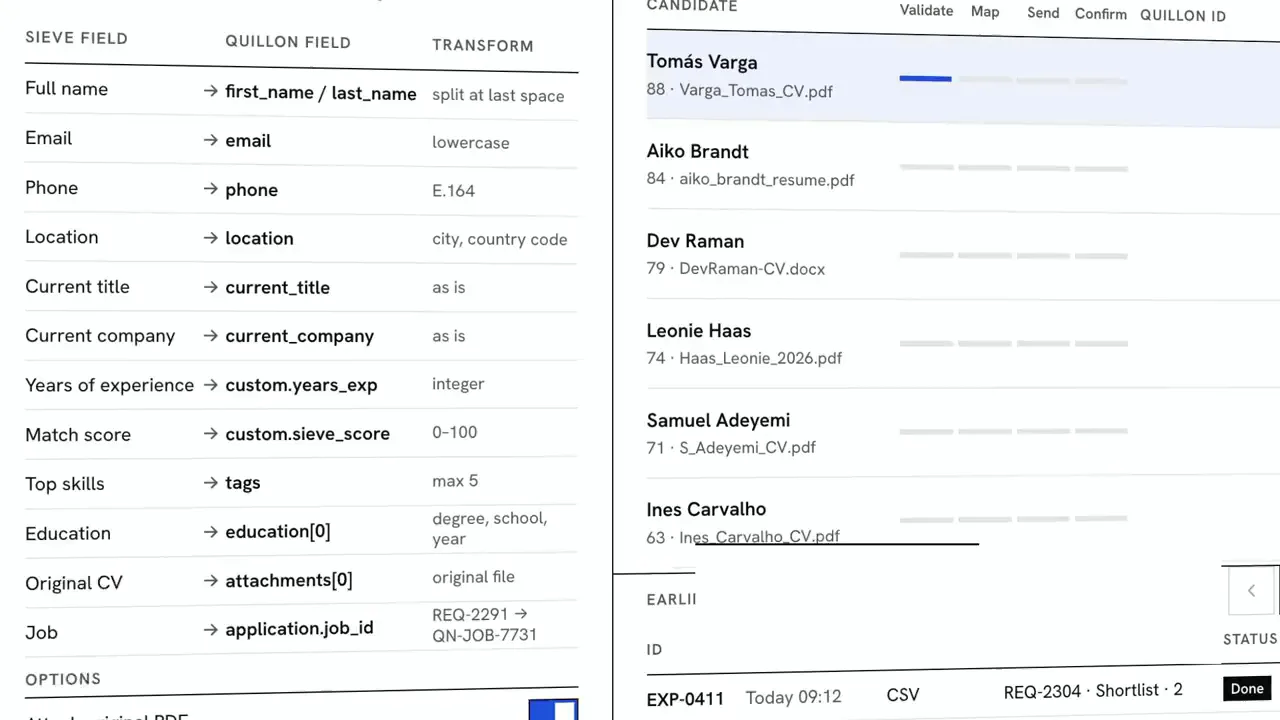
The shortlist goes to your ATS with the mapping in view: each Sieve field, the ATS field it fills and how it is transformed. Every record steps through Validate, Map, Send and Confirm while its values fill in, and the ATS record ID lands in the run ledger. Records are upserted by email, so a re-sync never makes duplicates, and a CSV of the same run is kept alongside.
Step 4: Review
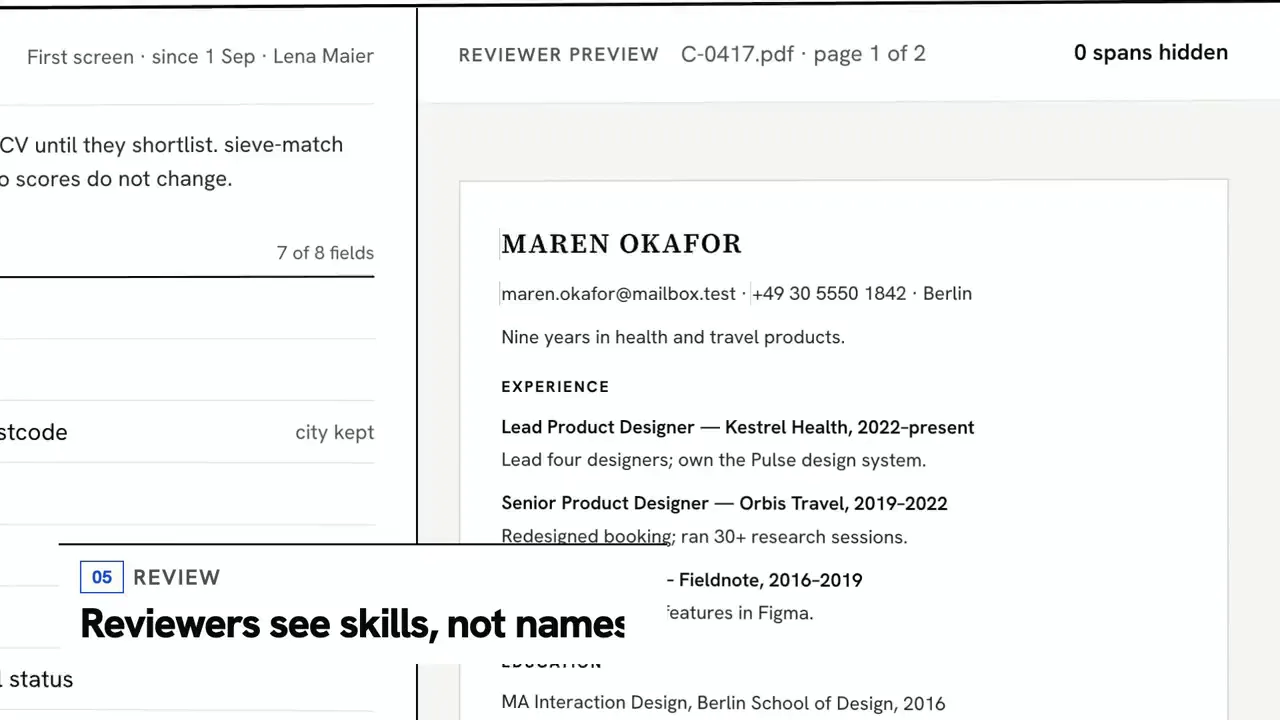
With blind review on, reviewers see the CV under a candidate number: black bars set across the name, email, phone and graduation year, each tagged with its reason in the margin. The match score stays the same, because scoring never reads the hidden fields.
FIG. 03 / SCREENS
The product, screen by screen
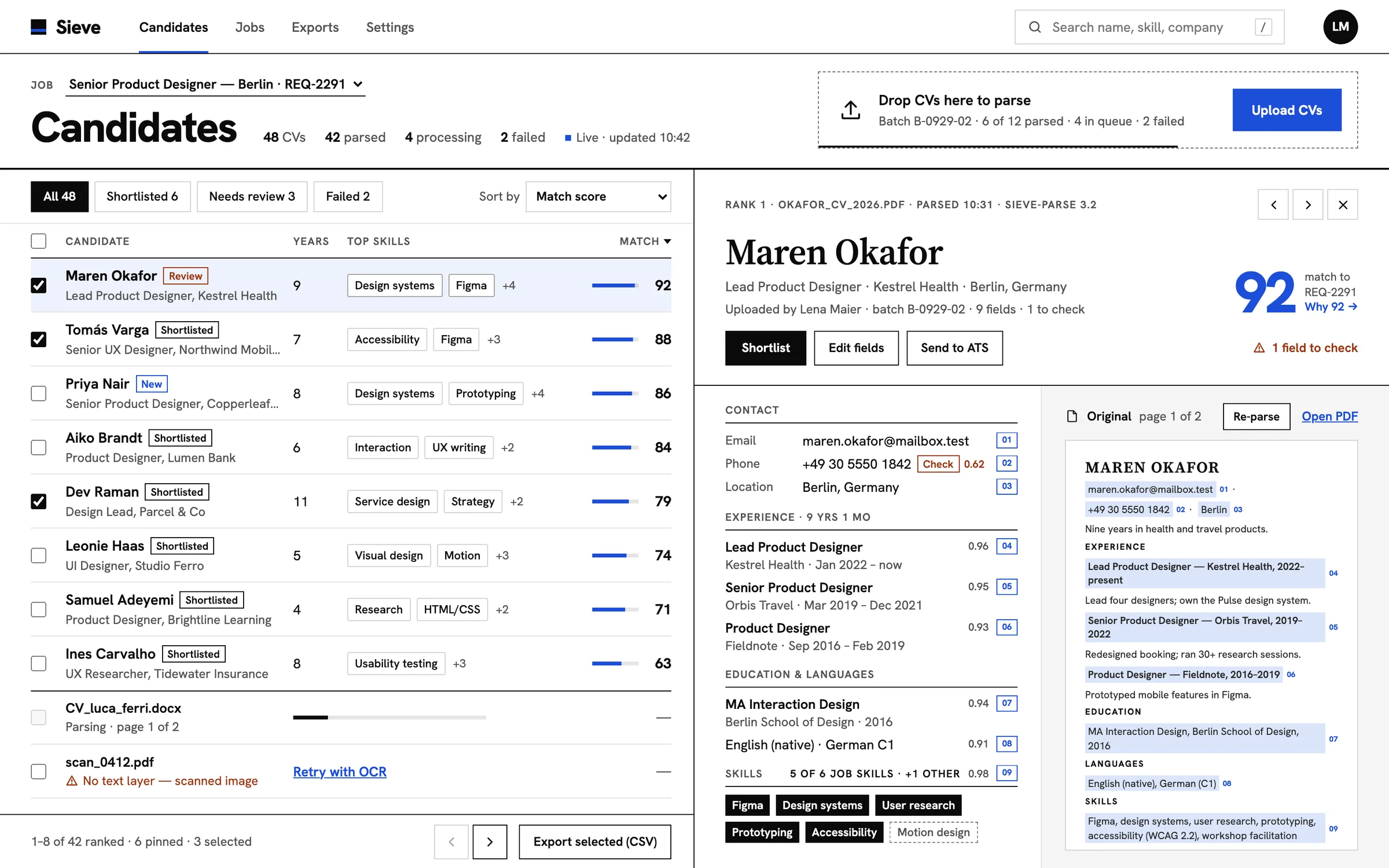
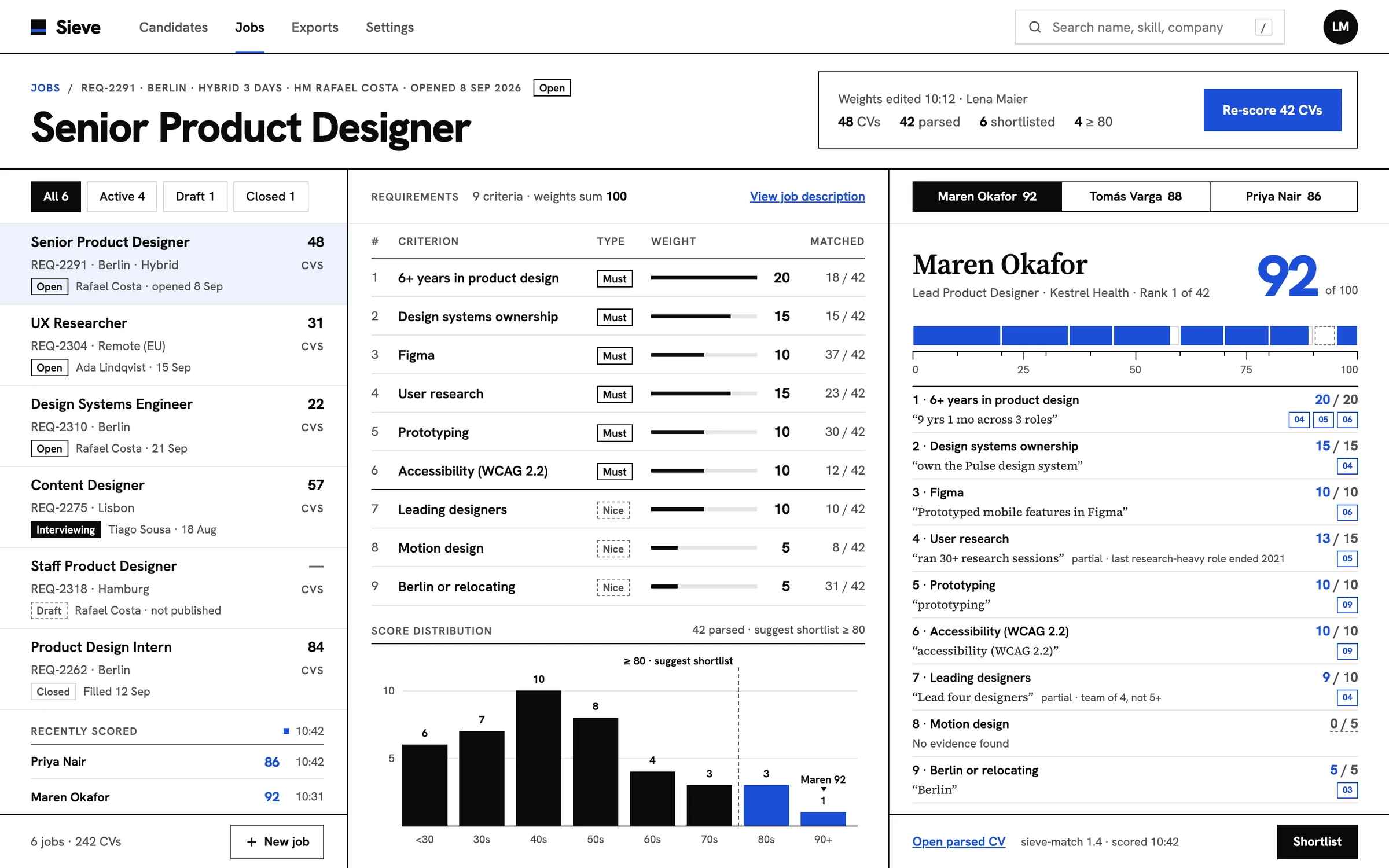
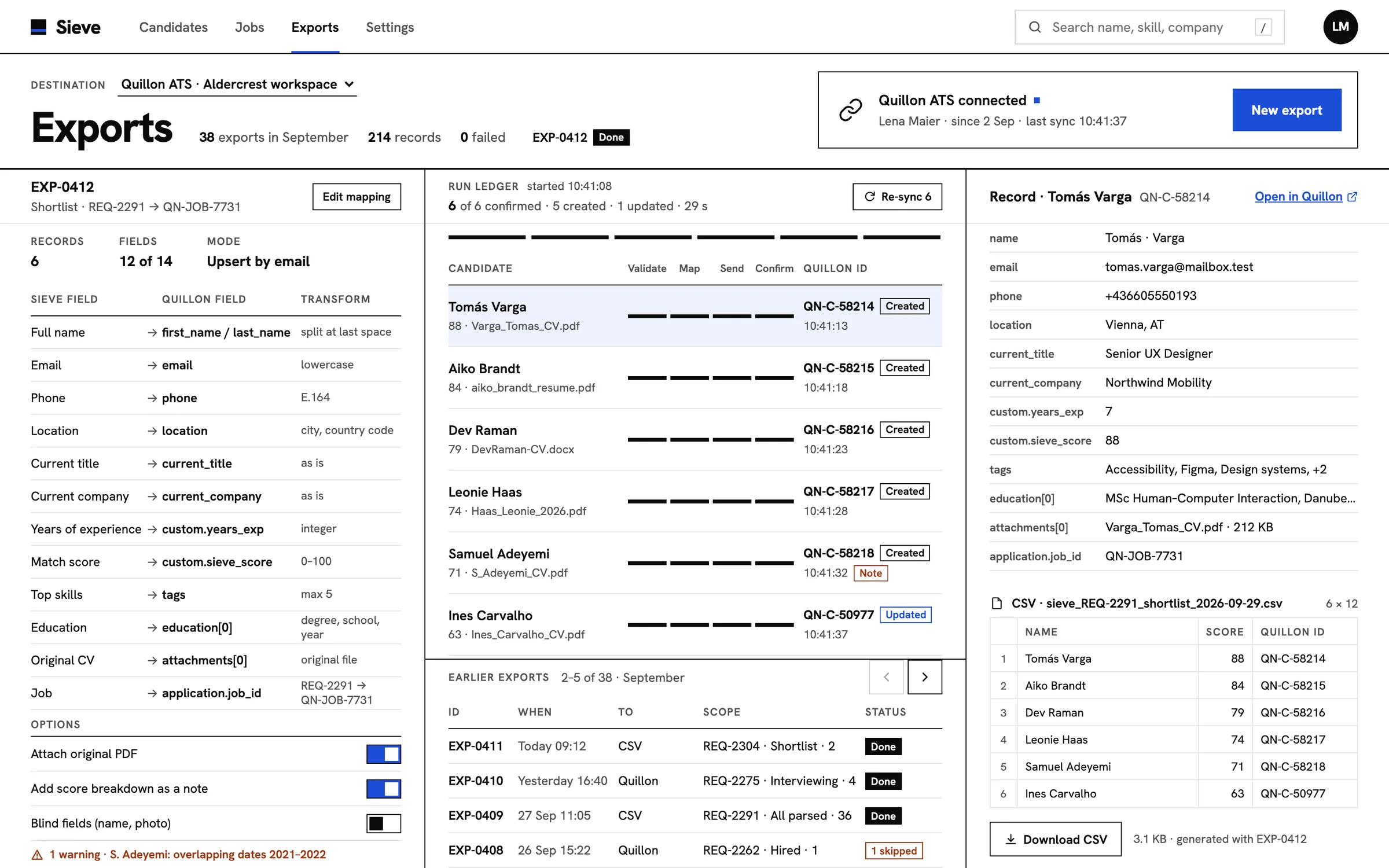
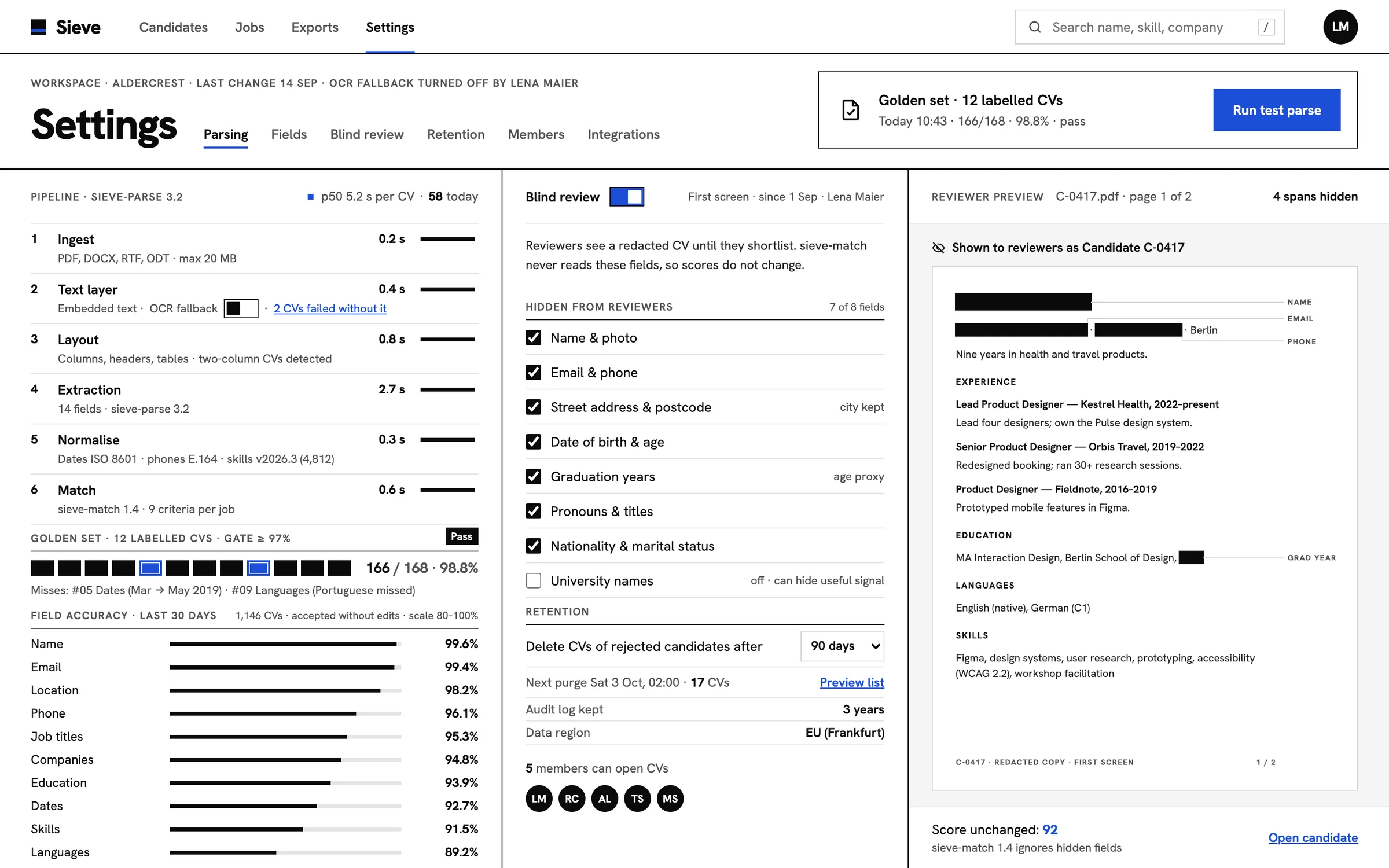
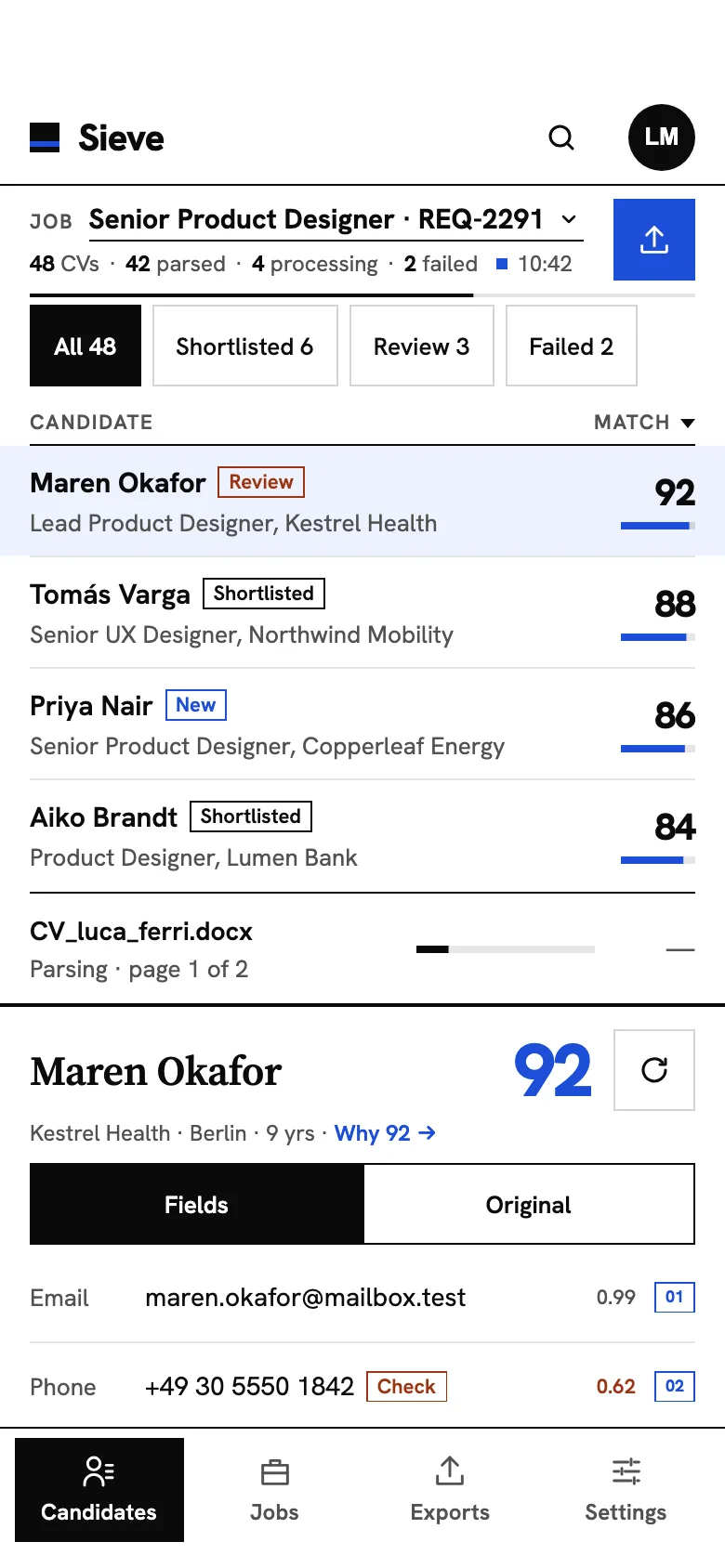
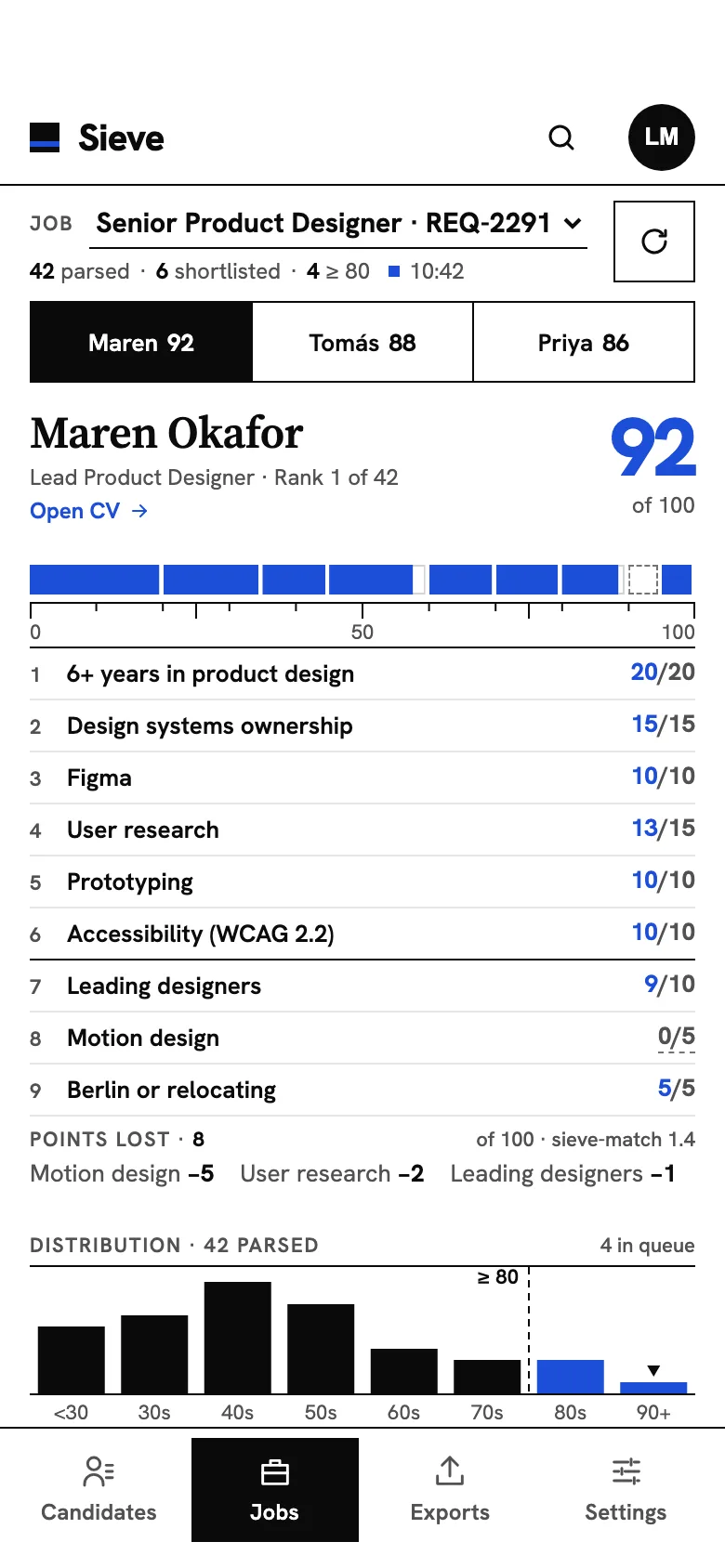
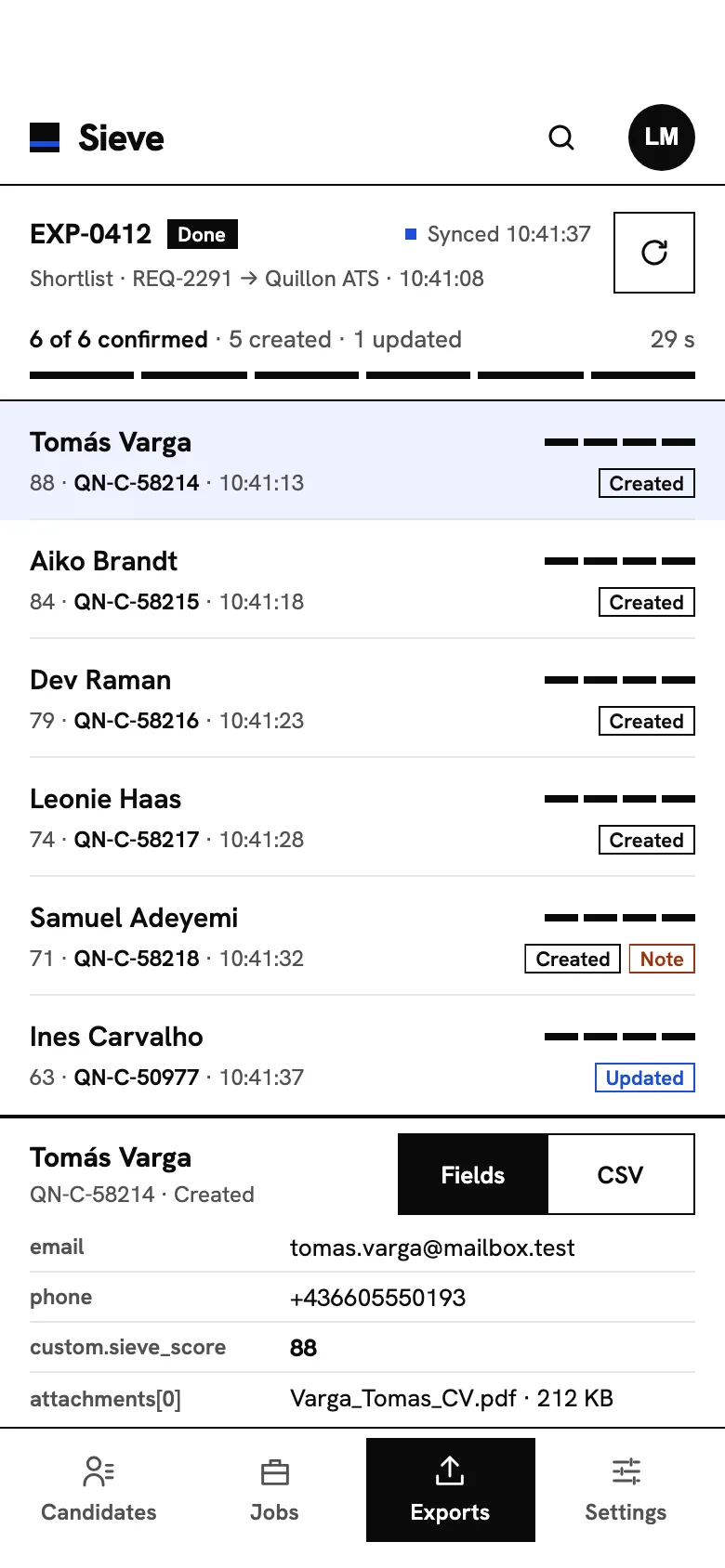
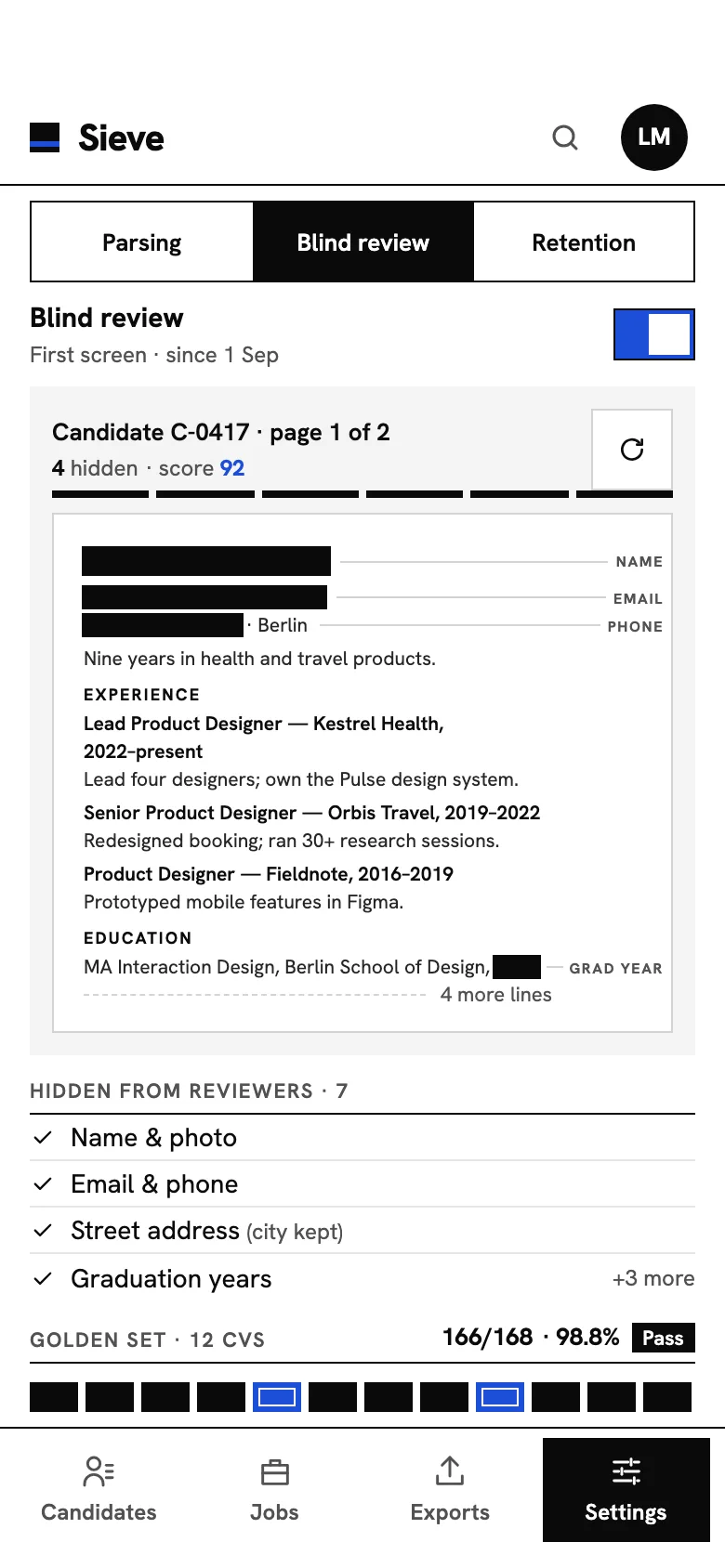
FIG. 04 / DESIGN DIRECTION
Design direction
Swiss and strict, like a well-set page: white paper, black hairline rules that divide the screen into columns, square corners, and no shadows, gradients or floating cards. One colour, cobalt, means “the machine found this” or “you are here”: index tags, match scores, the score ruler. Warnings take a single rust tone, and done is simply ink. Hanken Grotesk carries every label and number; Source Serif 4 is kept for two things only, the person or job under inspection and the CV page itself.
Palette
- Paper#FFFFFF
- Ink#0A0A0A
- Cobalt#1D4ED8
- Source tint#DBE5FB
- Check rust#9A3412
Type
- Hanken Grotesk
- Every label, table, number and button
- Source Serif 4
- The candidate or job being inspected, and the CV page
FIG. 05 / MOTION LANGUAGE
Motion language
“Proof & index”: Sieve moves like a typesetter proofing a page. The grid's rules draw first, and each line of data is set into its cell with a left-to-right wipe, never typed out. When the parser finds something, crop marks close in on the source line, the line tints and an index number drops into place on both sides. Scores are measured on a ruler, segment by segment; when a new CV is scored, the ranking re-sets, the new row travelling to its rank while the rows below step down one slot. Privacy is a black bar that sets across a line. Calm and exact: no springs, bounces, glows or decorative loops.
Related systems
Orrery
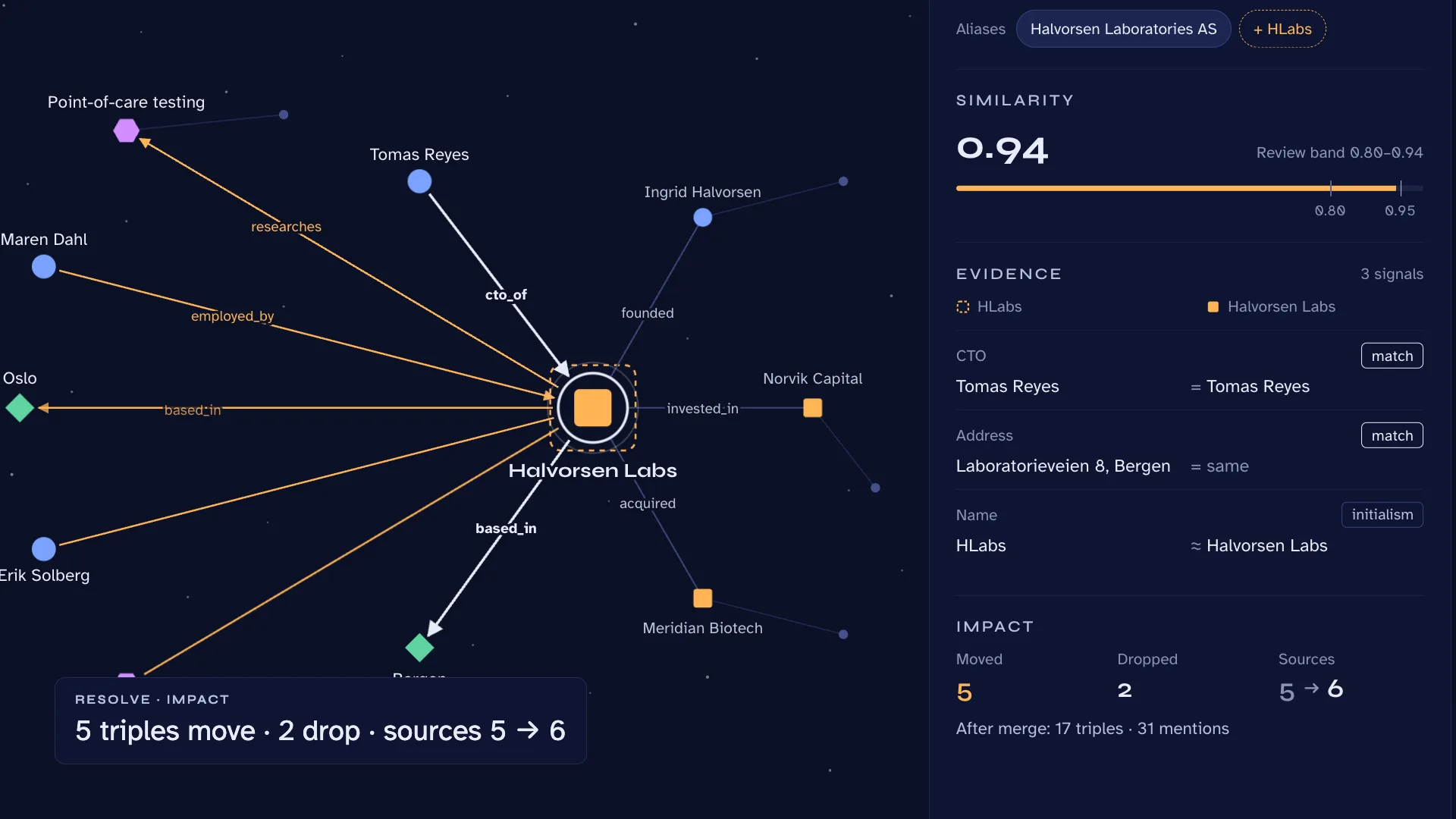
LiveA knowledge-graph extractor that keeps its receipts: people, organizations, places and ideas pulled from your documents, every relation tied to its sentence.
Mailsort
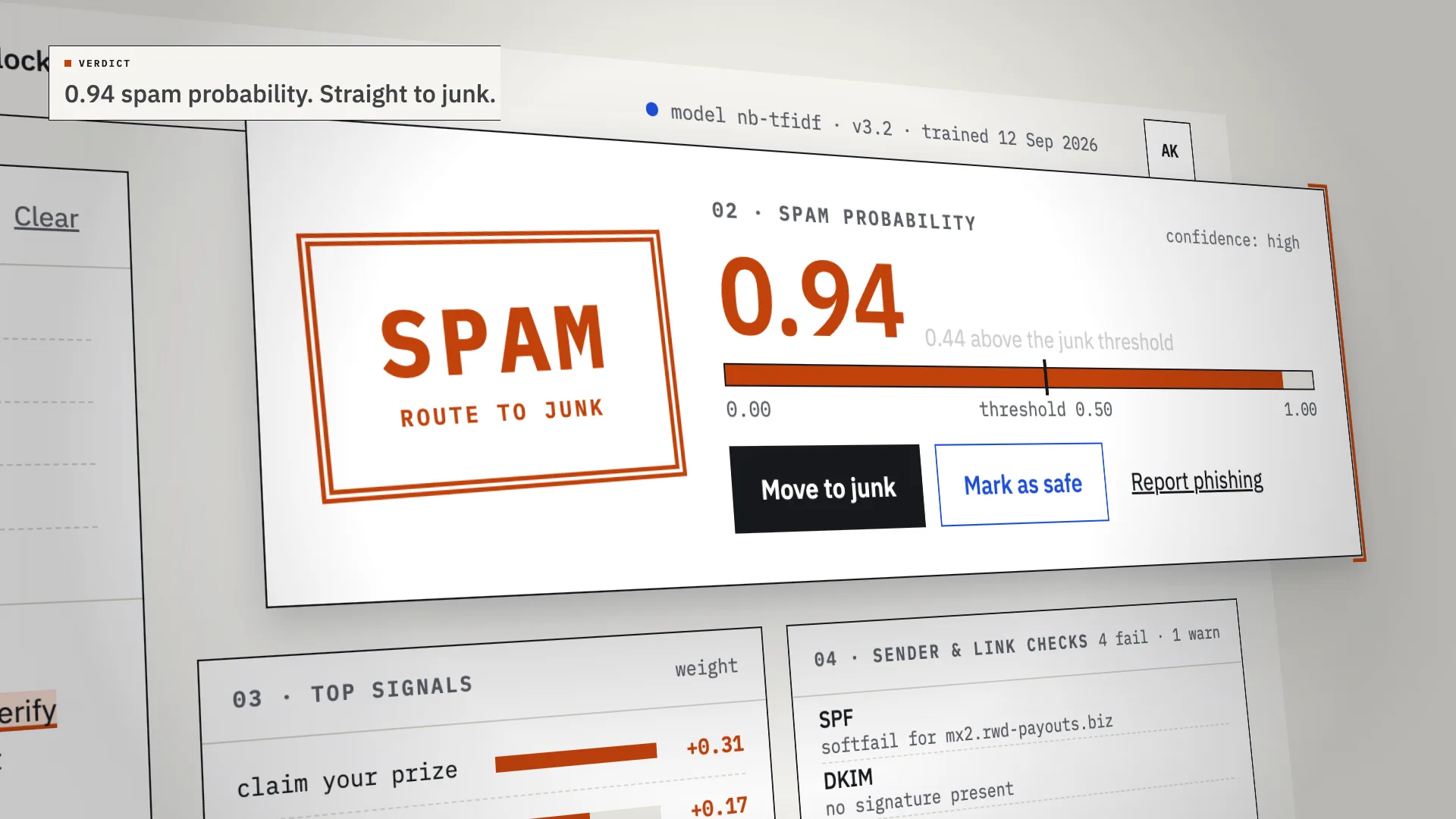
LiveAn AI spam classifier that shows its work: every verdict comes with the phrases, sender checks and links that decided it.
Kiko
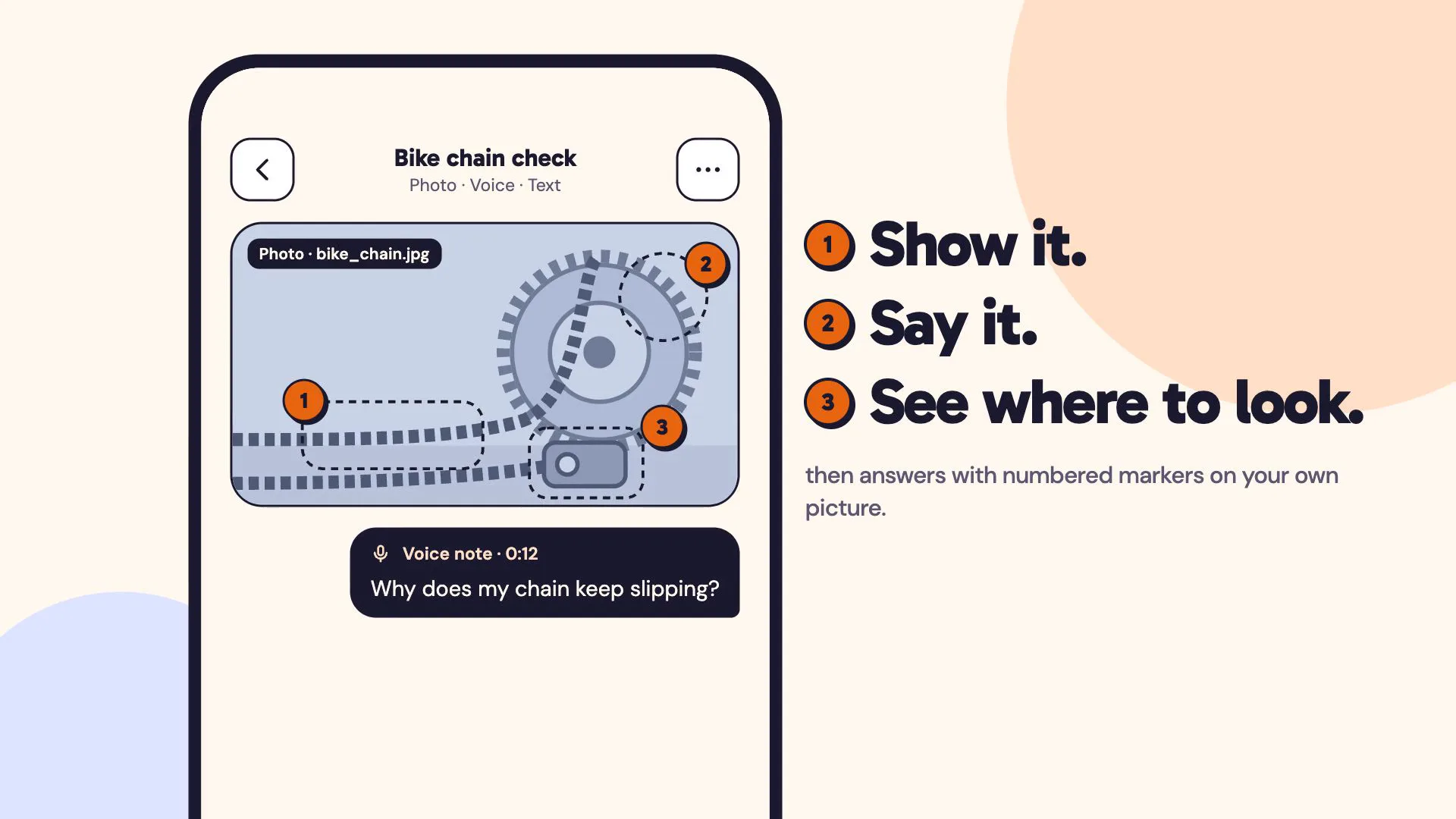
LiveA multimodal AI assistant you can show things to: a photo, a voice note and a line of text in one ask, answered with numbered markers on your own picture.
Have a project like this?
Tell me what you want to build. We map it on a 30-minute call.